PEOPLE ALSO READ...
.webp)
Small Kitchen Renovation Before and After: A Real Case Study (Layout, Costs, and What Actually Worked)
Most before-and-after kitchen renovations look inevitable in hindsight. The result is polished, the process is compressed into a few tidy paragraphs, and anything complicated gets quietly omitted. This one covers the full picture — what the original kitchen looked like, what the design process involved, what turned up inside the walls, what that changed, and what the finished result actually cost in time and money. The goal is to give you enough detail to judge whether your own project is realistic, not to make this one look easier than it was.Quick Answer Renovating a small kitchen in an older home generally follows this sequence: confirm structural and asbestos status before any demolition; model the layout in 3D software before ordering cabinets; combine flat-pack cabinetry with one upgraded element — typically a hardwood benchtop; and retain original materials (floors, wall paneling) wherever possible to control cost and preserve character. Design, demolition, and cabinet installation are realistic DIY tasks. Electrical, plumbing, structural work, and asbestos removal require licensed tradespeople.Quick TakeawaysNever start demolition without confirming services are isolated, wall structure is known, and asbestos status is assessed Model the full layout in 3D before ordering a single cabinet — changing pixels costs nothing, changing installed cabinetry costs a lot Original pine floorboards under vinyl flooring are often in better condition than the vinyl itself Flat-pack cabinets paired with a reclaimed hardwood bench top is a proven strategy for controlling cost while lifting the overall finish When full wall removal isn't structurally possible, repurposed framing timber becomes a feature — not a compromise Budget three to four times your initial timeline estimate if you're working around full-time employment Pre-1990s Australian homes should be asbestos-assessed before any wall, floor, or ceiling disturbanceBefore: What the Original Kitchen Actually Looked Like The original kitchen was functional in the loosest sense. Grey-green painted cabinetry with blue-teal cornice detail ran along two walls. The benchtops were laminate. Behind the sink, a corrugated iron splashback. Above the cooking zone, a fluorescent strip light that made everything look slightly worse than it was. The floor was vinyl tile — the kind that conceals whatever's underneath. That turned out to matter more than expected. The most significant problem wasn't the finish. It was the wall. A full-height partition separated the kitchen from the living room next to it, making the kitchen feel smaller and more isolated than its actual footprint justified. The initial plan was straightforward: take the wall down, open the space up, let the kitchen and living area breathe as one. That plan survived most of the project. The wall didn't make it quite that simple.After: The Finished Result Project summary at a glance:Element DecisionLayout L-shaped with freestanding islandCabinets Flat-pack, white, simple profileBenchtop Reclaimed hardwood timberFlooring Original pine boards, sanded and oiledSplashback Existing VJ wall paneling, painted whiteBetween-room feature Repurposed structural framing as open timber shelving unitCooktop InductionOven Built-in single, underbenchTap Gooseneck stainless mixerDIY scope Design, demolition, cabinet installation, joinery, floor sanding, paintingLicensed trades Electrical, plumbing, structural engineering assessmentPlanned timeline 6 weeksActual timeline ~5 monthsPlanning the Layout The kitchen footprint wasn't going to change. What could change was how the space was organised within it — and how it connected to the living room next door. For tight spaces, layout decisions come down to one thing: keeping the three main work zones — sink, cooktop, preparation bench — as close together as the footprint allows. Three layouts do this well: Galley: Two parallel runs of cabinetry with a walkway between. Efficient for cooking, less so for socialising. Works best when the kitchen is a self-contained room. L-shaped: Cabinetry on two adjacent walls with an open corner. Better when the kitchen flows into a dining or living area. Leaves room for a freestanding island or table in the centre. U-shaped: Three walls. Maximum storage in a tight footprint, but the central walkway narrows quickly. Practical in rooms around 3–4m wide; cramped in anything narrower. This kitchen became an L-shaped layout — cooking and preparation along the main wall, sink on the perpendicular wall toward the laundry. That configuration put the three work zones within a few steps of each other without sacrificing the open corner that makes the space liveable rather than just functional. The freestanding island in the centre isn't fixed cabinetry. It doubles as extra bench space and an informal eating spot, and — practically — it can move. That flexibility doesn't exist with a built-in bench.Designing It Before Buying Anything The entire kitchen was modelled in SketchUp before a single cabinet was ordered. This step is skipped more often than it should be, usually because it sounds more complicated than it actually is. SketchUp Free costs nothing. Cabinet manufacturers — including IKEA — have pre-built models in the SketchUp Warehouse that match actual product dimensions. The process involves building the room walls to scale, dropping in the cabinet units, and moving them around until the layout works. It takes a weekend if you haven't used the software before. Less, if you have. What 3D modelling catches before purchase:Benchtop overhangs that conflict with window sills Door swings that hit adjacent cabinets or appliances Sight lines from the living area — what will and won't be visible Appliance placement relative to existing electrical circuits and plumbing rough-in locationsThe design render in the images shows the kitchen modelled with actual cabinet unit dimensions, the planned open shelving above the cooking zone, and the room divider feature — all before walls came down. Several layout details changed between the first version and the one shown. That's the point. Revising a 3D model costs nothing. Revising installed cabinetry costs significantly more. One common homeowner mistake is ordering cabinets based on the layout plan provided by the supplier. Supplier plans optimise for the number of units sold, not for how the kitchen will actually be used. A 3D model you build and control does neither of those things.Demolition: What to Confirm Before Touching Anything The demolition photo tells a familiar story. Wall linings gone. Electrical cables hanging. Original floorboards revealed. Blue painter's tape on the floor marking where the cabinets will land. What the photo doesn't show is everything that had to be confirmed before any of that started. Pre-Demolition ChecklistElectrical service isolated — confirmed by a licensed electrician, not just a switched breaker Plumbing supply shut off at the isolation valve and pipes drained Gas service disconnected — licensed gas fitter only; not a DIY task in any state Wall structure assessed — stud locations and load-bearing status confirmed before cutting Asbestos status assessed — required for any pre-1990s Australian home before any wall, floor, or ceiling disturbance Subfloor condition known — particularly under vinyl or linoleum, which can hide moisture damage, rot, or — as happened here — original floorboards worth keeping⚠️ Safety note: Cutting into a wall before services are confirmed isolated is how people get seriously hurt. Cutting into a wall that contains asbestos-containing materials without a prior assessment is how people get seriously ill. Neither shortcut saves meaningful time in the context of a full renovation.One finding during the electrical phase: the wiring was older than the home's age suggested and needed a partial re-run before walls could be closed. Inspection reports from homes of this era frequently flag ageing electrical as deferred work. Renovation is often the first opportunity to address it properly. Budget for it as a possibility rather than a surprise.Dealing with Asbestos in an Older Home Any Australian home built before 1990 is a potential asbestos-containing material (ACM) site. Homes built before 1980 carry a higher likelihood. Wall linings, flooring adhesives, ceiling sheeting, and some roofing materials from this era may contain asbestos fibres. This is not a reason to abandon the project. It is a reason to test before cutting. How Testing Works A licensed asbestos assessor takes a small sample from the suspect material — wall lining, flooring adhesive, ceiling sheet — and sends it to a NATA-accredited laboratory. Results typically return within a few business days. Cost is usually $250–$500 for a basic residential assessment covering several samples from different materials. What the Results DetermineTest Result What It Means Practical OptionsNon-detect Material is clear Proceed with demolition as plannedAsbestos present — material intact, bonded ACM present but not friable Encapsulation in place, or licensed removalAsbestos present — material disturbed or friable Active fibre risk Licensed asbestos removalist requiredEncapsulation — sealing the ACM in place rather than removing it — is the outcome in many residential cases. It's less expensive than full removal, and for intact sheeting behind wall linings, often carries lower risk. The practical consequence is that it fixes the wall positions. You cannot remove a wall you've encapsulated. This is the point where many renovation projects diverge sharply from their original scope. The open-plan kitchen the homeowner planned isn't achievable because the wall contains material that can only be managed, not removed. The layout has to adapt. In this project, what looked like a constraint produced one of the renovation's most distinctive features.When You Can't Fully Open a Wall: The Structural Framing Solution The wall between this kitchen and the living room couldn't come down entirely. The structural assessment identified a partial load path through it. Full removal would have required a steel beam, temporary propping during construction, engineer certification, and a building permit. All achievable — but scope-expanding in a project already navigating asbestos findings in the adjacent wall sheeting. The solution was to remove the wall linings and most of the internal material but retain and expose the structural stud framing, then build it into a feature: a full-height open shelving unit constructed from the existing timber posts, with additional shelves spanning between them. Look at the finished cooking-zone photo. The room divider sits exactly where the wall was. It's a timber grid that connects kitchen to living room without fully opening the space. Light passes through it. Objects can be displayed on it. It reads as a deliberate design decision — which, eventually, it was. The timber it's built from was already in the wall. Most renovation content treats wall removal as binary: complete removal or leave it entirely. The middle option — retaining and exposing the structural framing as a feature — appears almost nowhere in competitor content, probably because it requires a structural finding and an actual engineering assessment to make sense of. It's also harder to photograph in progress, which may explain the gap. What to know before trying this approach:The retained framing needs engineer confirmation that it continues to carry load in its exposed configuration The timber should be assessed for pest damage and moisture before being left in place as a feature In a wall where ACM was found, any sheeting must be properly encapsulated before the framing is dressed and finished The result should be documented for future buyers — any building work affecting structure should be disclosableChoosing Cabinets and Benchtops This is where most small kitchen renovations have to make a genuine decision about where the money goes. The approach used here is common because it works: cost-effective flat-pack cabinet carcasses paired with one higher-quality element, the benchtop, doing the visual heavy lifting. Cabinet Systems ComparedSystem Approx. Cost AU (full kitchen) Finish Quality Customisability DIY-Friendly?Flat-pack (IKEA, Kaboodle, Freedom) $3,000–$7,000 Good Moderate YesSemi-custom (builder's supply, direct joinery) $7,000–$15,000 Very good Good PartialCustom joinery $15,000–$40,000+ Excellent Full NoFlat-pack systems suit small kitchens specifically because most small footprints fit standard 600mm base units without awkward gaps. The carcasses are structurally adequate for residential use. The doors and drawer fronts carry the visual finish — and in most flat-pack systems, those can be upgraded or replaced without touching the carcass. The white shaker-adjacent profile here is deliberately understated. The benchtop does the design work.Benchtop Materials ComparedMaterial Approx. Cost per Lineal Metre (AU) Durability Maintenance Visual CharacterLaminate $150–$600 Good Very low LowEngineered stone (Caesarstone, Silestone) $700–$1,400 Excellent Very low ModeratePorcelain slab $900–$1,600 Excellent Very low Moderate–HighSolid hardwood / butcher block $600–$1,200 Good (maintained) Moderate HighReclaimed hardwood $800–$1,800 Variable Moderate Very highThe benchtop in this kitchen is reclaimed hardwood. Up close, you can see grain variation, colour differences from previous sun exposure, and nail holes that have been filled. That's not a defect to be hidden — it's the reason anyone chooses reclaimed timber over a uniform engineered product. What hardwood benchtops require is honest maintenance:Re-oiling with a food-safe penetrating oil every 6–12 months Avoiding standing water, particularly around the sink cutout Using a chopping board rather than cutting directly on the surfaceIn a household with light-to-moderate cooking use and willingness to maintain it, a hardwood benchtop is difficult to match for warmth and character. In a busy family kitchen, engineered stone is more forgiving and requires almost nothing from you year to year.⚠️ One mistake worth knowing: Ordering a hardwood benchtop before cabinets are fully installed and levelled. Hardwood benchtops are cut to measure from a template taken off the finished cabinet installation. Any cabinet that isn't at final height or is out of square creates a problem. Install and level first. Template last.Storage in Awkward Spaces Small kitchens have awkward gaps that most cabinet plans fill with filler panels. Several of those gaps were converted into storage here. The end-of-run wine rack. A 300mm gap at the end of the base cabinet run was fitted with horizontal timber dowels rather than a filler panel. The dowels cost almost nothing. The gap that would have been visual dead space became functional storage without any special product or supplier. The window sill extended as a shelf. The hardwood benchtop continues to the window sill, and the sill itself is timber-clad to match the benchtop depth. What was a gap between the sink cabinet and the window frame is now a usable display surface — herbs, small jars, a plant. It reclaims 200–300mm of horizontal surface that most kitchens ignore. Open shelving above the cooktop instead of upper cabinets. Upper cabinets directly above a cooking surface are prone to grease accumulation and hard to keep clean. Open shelves positioned slightly higher keep frequently used items accessible without the grease-trap problem. The trade-off is that open shelves require discipline about what goes on them — items that aren't used regularly accumulate dust quickly. The knife strip on VJ paneling. The knife storage visible in the after photo is mounted to the VJ board splashback rather than a tiled surface or the wall behind. VJ boarding accepts a screw cleanly and holds a magnetic knife strip without specialist wall anchors. The result is secure knife storage that didn't require any modification to the wall structure.Keeping Original Floors and Walls Under the vinyl tile was a full run of original pine floorboards. The boards were in better condition than the vinyl that had been covering them — sound, flat, with no significant rot and only a handful that needed replacing. Decades protected from foot traffic and UV exposure had left them well-preserved. This is a common discovery in homes from this era. Vinyl and linoleum were frequently laid over original timber floors from the 1950s through to the 1980s as a low-cost update. The boards underneath were sealed from wear. Many come up better than boards in adjacent rooms that were never covered. Cost comparison:Floor treatment Approximate Cost per m² (AU) ResultSand and oil original boards (DIY) $30–$60 (equipment hire + materials) Restored original characterSand and professionally coat $50–$90 Professional finish, less labour inputNew engineered timber, installed $90–$160 New product, uniform appearanceNew solid timber, installed $120–$200+ New product, can be refinished repeatedlyThe cost difference between restoring original boards and replacing with new flooring can be $1,500–$3,000 on a 20m² kitchen floor. In most cases, the restored original boards also look more interesting — particularly when they continue into the rest of the home without a transition threshold. Replacement creates a visual break at the kitchen doorway that sometimes makes a space feel more carved up, not less. The VJ wall paneling was already present throughout the home and was retained as the splashback and general wall finish. Painted white and fitted with a matching timber window ledge, it required no specialist product and no tile setter. The material was already there. The labour cost was paint and time. In older homes, that's often the cheaper and more characterful choice. Working with what exists almost always beats replacing it.What to DIY and What to Leave to a Licensed Tradesperson Regulations vary by state and territory in Australia. The following reflects the general position, but check with your local council or fair trading authority before starting.Task DIY Licensed Trade Required NotesDesign and 3D planning ✓ — —Asbestos assessment ✗ Licensed assessor Required before cutting into any pre-1990 wallCabinet demolition ✓ — After services isolatedGeneral demolition ✓ — Subject to asbestos statusAsbestos removal (bonded, <10m²) State-dependent Check locally Varies significantly by stateAsbestos removal (>10m² or friable) ✗ Licensed removalist —Structural wall assessment ✗ Structural engineer Do not rely on visual indicators aloneNon-structural wall framing ✓ — Confirm non-structural firstStructural framing modification ✗ Engineer sign-off required Includes partial removalElectrical wiring and connections ✗ Licensed electrician —New circuits or power points ✗ Licensed electrician —Plumbing connection (sink, tap) ✗ (most states) Licensed plumber Fines apply for unlicensed workGas disconnection or connection ✗ Licensed gas fitter No exceptionsCabinet carcass installation ✓ — —Stone benchtop templating/install ✗ Stone fabricator —Timber benchtop templating/install ✓ — Template after cabinets are fully levelledFloor sanding and finishing ✓ — Hire drum sander and edge sanderTiling ✓ — —Painting ✓ — —The plumbing restriction catches many people. Disconnecting and reconnecting a tap or sink to an existing supply and waste line is restricted work in most Australian states, even when no new pipes are being installed. It's worth confirming the local position before assuming the connection is a five-minute DIY task — the fine for unlicensed plumbing can exceed the cost of hiring a plumber for the job.Realistic Timelines for a DIY Kitchen Renovation The planned timeline for this project was six weeks. That assumed continuous, full-time work. The actual project ran across weekends and evenings around full-time employment, with trade availability gaps layered on top: waiting for an electrician to complete the re-run before walls could be closed, waiting on asbestos lab results before ceiling work could proceed, waiting on the benchtop fabricator's lead time after templates were taken. The result was approximately five months to full completion. Planned vs. ActualPhase Planned ActualAsbestos assessment and results 1 week 1.5 weeksElectrical pre-work 2 days 1 weekDemolition 4 days 1 weekStructural / framing work 3 days 2 weeksCabinet installation 1 week 2 weeksBenchtop template + fabrication + install 3 days 10 daysPlumbing 2 days 5 daysFloor sanding and finishing 3 days 4 daysPainting and finish work 5 days 2 weeksTotal ~6 weeks ~5 monthsThe gap between those two numbers isn't a sign of poor management. It's what most owner-led kitchen renovations look like when they happen around a working life. Practical advice: Set up a temporary kitchen before demolition begins — a camp stove, a microwave, a bar fridge in the dining room. You'll use it for longer than you expect. Then plan for the project to take three to four times your initial estimate, not as a worst-case scenario, but as a realistic baseline. Most people who plan for two months and take five aren't surprised. Most people who plan for six weeks and take five months are living without a kitchen sink for a very long time.Cost Breakdown Costs below reflect South-East Queensland and coastal NSW conditions as of late 2024 – early 2025. They vary by supplier, trade availability, and project scope.Category Approximate Cost (AUD)Asbestos assessment (samples + lab) $300–$500Structural engineering assessment $500–$1,200Asbestos encapsulation (if required) $500–$2,000Demolition and waste disposal (skip bin hire + DIY labour) $500–$1,500Electrical — partial rewire, new circuits $2,500–$5,000Plumbing — sink, tap, dishwasher rough-in $1,200–$3,000Flat-pack cabinet system (full kitchen) $3,000–$7,000Reclaimed hardwood benchtop (custom) $1,500–$4,000Appliances — induction cooktop, oven, rangehood $2,000–$6,000Sink and gooseneck tap $400–$1,200Floor sanding, oiling (DIY + equipment hire) $600–$1,200Painting — walls, paneling, trim (DIY) $300–$600Reclaimed timber for shelving and room divider $200–$800Lighting $300–$1,000Fixings, consumables, incidentals $300–$600Estimated total — DIY-led project $14,000–$35,000+The wide range reflects the biggest variables: appliances and benchtop material. A budget induction cooktop and a quality laminate benchtop brings the total down. A freestanding range cooker and a custom reclaimed hardwood benchtop pushes it toward the upper figure.💡 Budget 15–20% on top of your estimate as contingency before starting any project in a pre-1990s home. Something unexpected is usually inside the walls. The question is what, not whether.Maintaining Your Renovated Kitchen Maintenance ScheduleItem Task FrequencyHardwood benchtop Re-oil with food-safe penetrating oil (Rubio, Osmo, or similar) Every 6–12 monthsHardwood benchtop Check seal around sink cutout for water ingress Every 3–6 monthsCabinet hinges (concealed European) Check alignment and adjust with built-in three-axis adjustment AnnuallyDrawer runners Clean track and apply silicone lubricant AnnuallyVJ paneling splashback Touch-up paint in high-splatter zones near cooktop As neededPine floorboards (oiled finish) Spot-apply oil to high-traffic areas AnnuallyPine floorboards Full re-oil Every 2–3 yearsPine floorboards Sand back and refinish Every 10–15 years, depending on trafficUnder-sink plumbing Inspect for slow drips at connections Every 6 monthsRangehood filters Clean mesh filter or replace charcoal filter Every 3–6 monthsThe hardwood benchtop is the most active maintenance commitment in this renovation. A well-oiled benchtop develops a patina and ages well. One that dries out and isn't re-oiled will begin to crack at seams and lift at the sink cutout — the most water-exposed part of the surface. Repair at that stage is possible but significantly more involved than prevention. Cabinet hinges and drawer runners are the other overlooked maintenance point. Most flat-pack systems use quality European-style concealed hinges with three-axis adjustment built in. Two or three years after installation, drawers that feel loose or doors that have dropped slightly can usually be returned to proper alignment with a few minutes and a screwdriver. Knowing how to do this adjustment is worth five minutes on the manufacturer's website. Most homeowners who never discover it assume the cabinet quality has degraded, when the hardware just needs a simple correction.FAQ Can I remove a wall between my kitchen and living room myself? You can remove plaster sheeting, wall linings, and non-structural noggins yourself — but only after a structural engineer has assessed the wall and an asbestos assessor has cleared the material. If the wall carries any load, modifying the structural framing requires temporary propping, engineer certification, and usually a building permit. Removing structural elements without those sign-offs is both dangerous and unpermitted. How do I know if a wall is load-bearing before I start? A structural engineer's assessment is the only reliable answer. Visual indicators help — walls that run perpendicular to floor joists, walls directly above or below walls on other levels, walls near the centre of the house — but they aren't conclusive. Many homeowners have interpreted these signs correctly and still been wrong. An engineer assessment costs $500–$1,200 in most Australian capitals. It removes the guesswork entirely. What should I do if asbestos is found during a renovation? Stop work in the affected area. Engage a licensed asbestos assessor to characterise the material — is it friable or bonded? What's the extent? Depending on the finding, options include encapsulation in place, professional removal, or working around the material. Do not attempt to remove asbestos-containing material yourself. In most Australian states, removal of friable asbestos is always restricted to licensed contractors. Bonded asbestos below 10m² may be removed by a homeowner in some states — but the rules vary, so check locally before assuming. Can flat-pack cabinets work well in a small kitchen? Yes, reliably. The carcass quality in current systems from IKEA, Kaboodle, Freedom, and similar suppliers is structurally adequate for a residential kitchen. The visual result depends on door and drawer front selection, benchtop quality, and hardware choice — not on the carcass. Small kitchens are well-suited to flat-pack systems because standard 600mm module widths typically fill a small footprint without awkward gaps that need custom infill panels. Is a hardwood benchtop worth the extra cost over laminate? It depends on the household. Hardwood benchtops are warmer visually, can be spot-repaired locally (sand, re-oil, done), and tend to age better than laminate, which can't be meaningfully refinished when it's damaged. The trade-off is ongoing maintenance and water sensitivity. In a household with young children, heavy daily cooking, or limited interest in maintenance schedules, engineered stone is more forgiving and requires very little from you year to year. In a household willing to oil it twice a year and use a chopping board, hardwood is difficult to match for character.Cost figures are approximate and reflect Australian market conditions (South-East Queensland / coastal NSW) as at late 2024 – early 2025. Building, electrical, plumbing, and asbestos regulations vary by state and territory. Always confirm the current requirements with your local council or fair trading authority before commencing work.
.webp)
Master Bathroom Renovation Ideas: A Real Before and After (And What the Photos Don't Show)
The bathroom in these photos represents one of the most common starting points for a master bathroom gut renovation: honey oak vanity cabinets, a cream cultured marble countertop with integrated oval sinks, Hollywood globe lighting above a pair of medicine cabinet mirrors, a jetted whirlpool tub sitting unused in its own alcove, and a cramped separate shower behind a chrome-framed sliding door with frosted textured glass. On the floor, one tile had cracked and been patched with a section of plywood — the kind of small problem that looks like nothing until demo day reveals what's underneath. Six months later: marble-look porcelain tile across every wet surface, dark black herringbone floor tile from wall to wall, a freestanding soaking tub against a fully tiled accent wall, a generous walk-in shower with a barn-style frameless glass slider, a white shaker double vanity with quartz countertops and matte black faucets, layered sconce lighting, and a slate blue accent wall that anchors the whole vanity zone. This article uses those before and after photos as the foundation for practical guidance on every major decision in a master bathroom renovation — layout, tile, fixtures, lighting, comfort upgrades, and the parts of the process that inspiration content typically skips: what things actually cost, why timelines stretch, which tasks require licensed trades, and what gets discovered the moment demolition begins.Quick Answer: Popular master bathroom renovation ideas include converting a separate tub and shower into a walk-in shower plus a separate freestanding soaking tub, upgrading to a double vanity with a quartz countertop and undermount sinks, switching to matte black or brushed gold fixtures, using a contrasting dark floor tile (such as herringbone) against lighter wall tile, and adding a bold accent wall color behind the vanity. A full gut renovation in the US typically costs $25,000–$55,000+ and takes 2–4 months from demolition to final inspection.What Changed at a GlanceRemoved AddedHoney oak double vanity White shaker double vanity with quartz countertopCultured marble one-piece top with integrated oval sinks Undermount rectangular sinks with matte black faucetsGlobe-strip Hollywood vanity lighting Individual vanity sconces (clear glass, matte black)Chrome-framed sliding shower with frosted glass Frameless barn-style sliding glass door, matte black hardwareJetted whirlpool tub in walled alcove Freestanding soaking tub with wall-mounted matte black tub fillerBeige large-format floor tile (with cracked, patched section) Dark black herringbone mosaic tile throughoutPlain beige walls Marble-look porcelain brick tile (wet zones); slate blue accent wallStandard toilet Modern elongated toilet with integrated bidet seatThe Big Layout Decision: Rethinking What Goes Where The most important decision in a master bathroom renovation isn't which tile to choose or which finish to put on the faucets. It's what happens to the floor plan. The before bathroom had a layout standard for its era: a jetted tub in a walled alcove on one side, a separate walk-in shower with a framed door tucked beside it, and a long double vanity running across the opposite wall. Nothing communicated with anything else. The tub alcove felt closed off. The shower felt like an afterthought squeezed into the corner. Two paths are common in a renovation like this. One is combining the tub and shower into a single large walk-in shower, eliminating the tub entirely. The other — what happened here — is replacing the old alcove tub with a freestanding soaking tub in the same footprint while expanding the shower in the adjacent space. Both elements remain, but the relationship between them changes completely. The practical benefit of staying close to the original plumbing layout: when supply lines don't need to move, the plumbing scope and cost stays manageable. The tub swap here moved the supply lines within the same general zone rather than relocating them across the room. That distinction alone kept this from becoming a significantly more expensive project.Consideration Keep Separate Tub + Shower Freestanding Tub + Walk-In Shower Remove Tub EntirelyPlumbing complexity Existing stays in place Rough-in adjustment within zone Capping drain and supply linesResale appeal Expected baseline More current; stronger visual impact Risk if only tub in the homeAccessibility Garden tub has a high step-over Freestanding also has step-over; curbless shower is better for aging-in-place Curbless shower is optimalCleaning effort Jetted tubs require jet-flushing; framed door tracks collect buildup Freestanding exterior: simple. Frameless glass: no tracks Simplest maintenancePermit typically required Minor swap: possibly not. Drain relocation: yes Likely yes Likely yesResale note: If there's only one full bathroom in the home, eliminating the tub entirely can limit buyer appeal in family-oriented markets. A freestanding soaking tub keeps a tub in the room while updating the look. That concern largely disappears when at least one other full bath in the home has a tub.Walk-In Shower Ideas: What the Finished Photos Don't Explain The shower transformation here is the most immediately striking change in the project. The cramped, frosted-glass framed slider became a generous walk-in with clear frameless barn-style sliding glass on a matte black rail. Large-format marble-look porcelain tile in a horizontal brick pattern covers three walls. A recessed niche is lined with contrasting navy subway tile. Dark herringbone mosaic tile runs across the floor. Seeing that finished photo and planning your own, there are several things worth understanding before the tile quotes come in. How the Barn-Style Slider Actually Works A frameless bypass slider — two glass panels that slide past each other on a top rail — solves a specific problem: it provides the visual openness of frameless glass without requiring door-swing clearance. In a bathroom where the shower sits near a wall or a toilet, a hinged frameless door might swing into the way. The barn-style slider sidesteps that entirely. The matte black rail and hardware aren't just aesthetic. They're structural — the rail carries the full weight of the glass panels, which at 3/8" to 1/2" thickness are significantly heavier than framed glass. That hardware has to be anchored into solid blocking in the wall above the opening, not just drywall. Frameless vs. Framed vs. Sliding: What You're Actually Paying ForFeature Framed / Semi-Framed Frameless Hinged Frameless Barn-Style SliderGlass thickness 3/16"–1/4" 3/8"–1/2" 3/8"–1/2"What provides structure Aluminum frame Heavy hinges; wall mount Top rail system; wall mountDoor clearance required Yes (swing arc) Yes (swing arc) No — slides parallel to wallCleaning challenge Tracks and frame collect soap scum Hinges and edges collect buildup No floor track; rail needs wipingTypical installed cost $300–$800 $900–$2,500+ $800–$2,200+Visual weight Frame visible at all times Near-invisible hardware Hardware visible at top onlyThe framed frosted slider in the before photos was inexpensive to maintain and functional. It also made the shower look roughly half its actual size. Removing it was one of the highest-impact changes in the renovation. The Niche: One Detail, More Planning Than It Looks The navy-tiled recessed niche photographs beautifully and requires planning before a single tile goes on the wall. A few things that catch homeowners off guard:A niche cut between standard studs (16" on center) yields an interior width of roughly 12–14 inches after backer board — not the wide shelf that photos suggest. Any niche cut into an exterior wall needs insulation consideration. A cold exterior wall behind a shower niche will condense moisture inside the cavity if not addressed. The niche must be waterproofed as completely as the shower pan. It's a cavity open to wall framing — exactly the wrong place for moisture to collect. The contrasting tile (navy here) should be selected and ordered before installation begins so the installer has it ready when that section is tiled. Last-minute tile changes mid-project are expensive.Curbless vs. Low-Threshold: The Structural Difference The shower in this renovation has a low threshold — not a fully curbless (zero-threshold) installation. That distinction matters in terms of scope. A true curbless shower requires modifying the subfloor so the entire wet floor slopes toward a linear drain at one edge. That typically means cutting into the subfloor, repositioning framing members, and running a continuous waterproofing membrane across the entire zone. A low-threshold shower with a standard pan is a different scope — less invasive, less expensive, and achievable within the existing subfloor depth in most bathrooms.Freestanding Tub Ideas: What These Photos Don't Show You The freestanding soaking tub here is a modern rectangular-oval style in gloss white acrylic. It sits in the original jetted tub alcove, now tiled floor to ceiling in the same marble-look porcelain as the shower. A wall-mounted matte black tub filler feeds from the right wall. Dark herringbone tile runs underneath and around the entire base. The visual is clean and deliberate. The planning behind it happened weeks before any tile was set. The Rough-In Timing Issue Most People Miss A wall-mounted tub filler requires supply lines to be roughed-in at a specific height and horizontal position before wall tile goes up. That position is permanent once tile is installed. Changing it afterward means cutting into finished tile — which is expensive and disruptive regardless of how carefully it's done. The decision between a floor-mounted filler and a wall-mounted filler must happen at the rough plumbing stage, not during the tile selection phase. It's one of the most common mid-project conflicts when a homeowner sees the wall-mounted style in a photo and decides they want it after the rough-in is already done. Floor Load: A Conversation That Doesn't Always Happen A filled freestanding soaking tub plus an occupant can exceed 500–700 lbs, concentrated over the tub's own footprint rather than distributed along a wall ledge like an alcove tub. Most bathroom floors built to standard residential code handle this load without issue. But any existing signs of subfloor weakness — soft spots underfoot, unexpected bounce, unexplained squeaking — should be investigated before a heavy tub is placed on it. In this renovation, the cracked floor tile visible in the before photos (patched with plywood) covered a section of subfloor compromised by slow moisture intrusion from the original tub surround. Grout and caulk failures had allowed water to work its way in over years — with no visible exterior signs. That section of subfloor was replaced before new tile went down. Finding it during demo was the better outcome by a significant margin.Inspection reports often note this: Subfloor damage beneath a tub surround is one of the most common discoveries in master bathroom renovations. It's not a sign of poor construction planning — it's what happens when caulk and grout age around a tub over 15–25 years. Accounting for this possibility in the contingency budget is standard practice, not pessimism.Freestanding Tub Styles: A Practical ComparisonStyle Character Practical NotesModern flat-bottom oval/rectangular (this project) Contemporary; pairs with angular tile and matte finishes Standard drain; easier to clean around base than clawfootClawfoot Traditional; visually dramatic Often cast iron — significantly heavier; floor load concern is more acuteSlipper tub Sloped back; made for reclining Footprint is longer than it looks in photosJapanese soaking tub Deep soak in compact footprint Standard US drain position usually requires adjustmentDouble Vanity Ideas: The Difference a Material Actually Makes Same wall, same approximate width, same two sinks. Almost nothing else is the same. The old setup: 1990s honey oak cabinets, a cultured marble one-piece countertop with molded-in oval bowls, two medicine cabinet mirrors in oak frames, and a globe-strip light above it all. Functional. Dated. Hard to update incrementally because the countertop and sink are a single piece. The new setup: white shaker cabinets with a center drawer tower, a quartz countertop with undermount rectangular sinks, individual frameless mirrors, paired sconce lights at approximately face level, and matte black hardware on everything — faucets, pulls, and mirror frames. Countertop Materials: The Trade-Offs That MatterMaterial Durability Stain Resistance Maintenance Relative CostQuartz (engineered) Excellent Excellent Wipe clean; no sealing required Mid to highGranite Excellent Good (requires sealing) Annual sealing; resists heat well Mid to highMarble (natural) Moderate — scratches and etches Poor; very porous Frequent sealing; careful cleaning HighSolid surface (Corian-type) Good; scratches can be sanded Good No sealing; minor scratches repairable MidCultured marble Moderate; yellows over time Moderate No sealing; difficult to repair chips Low to midFor a primary bathroom used by two people daily, quartz is the material most contractors recommend. No annual sealing, no etching from everyday products, and it's available in patterns that convincingly mimic marble without the upkeep of natural stone. One caveat: quartz is not particularly heat-resistant. Setting a hot styling tool directly on the surface will damage it. A small heat-safe mat near the vanity solves this. The Storage Layout That Works Day to Day The new vanity has a center section of stacked drawers flanked by door-and-shelf cabinets on each side. Drawer access for daily items — toiletries, charging cables, cotton rounds, hair tools — is more functional than reaching into a deep shelf through a door. Homeowners who've lived with both layouts consistently prefer drawers for high-frequency items. When ordering a vanity, specifying full-extension soft-close drawer glides is worth doing upfront. It's one of those features that rarely gets mentioned in cabinet specs but makes daily use noticeably better.Flooring and Wall Tile Ideas: The Decisions That Drive the Budget The dark black herringbone floor tile running wall to wall is the single boldest decision in this renovation. Against white marble-look wall tile and a white vanity, it reads as intentional and controlled rather than heavy. But it reflects real planning and real cost implications that shouldn't be discovered mid-project. What Herringbone Actually Adds to a Project Every border tile in a herringbone pattern must be cut at an angle. The diagonal nature of the layout generates more offcut waste per square foot than a straight lay — angled cuts produce pieces that can't be reused as easily as rectangular trims. Installation takes longer because the installer must maintain precise reference lines and make high-volume angle cuts throughout. Many tile contractors estimate herringbone floor tile costs 20–35% more in labor than a straight-lay pattern in the same tile. That premium is entirely in installation time, not materials. If you're comparing bids on a herringbone installation and one quote comes in significantly lower, asking whether the installer has experience with the pattern is a fair question. Slip Resistance: What the DCOF Rating Means Small mosaic tile in a herringbone format creates more grout lines per square foot than large-format tile. More grout lines mean more texture and surface grip, which generally improves slip resistance on wet bathroom floors. When selecting floor tile for a bathroom, the Dynamic Coefficient of Friction (DCOF) rating is what actually measures wet-surface slip resistance. The ADA recommends a minimum DCOF of 0.42 for wet walking surfaces. Small-format mosaic tile tends to exceed this threshold due to grout-line texture. Large polished stone tiles often do not — which is worth knowing before selecting something that photographs beautifully but creates a slipping hazard.One thing that surprises homeowners: Wall tile is not rated for floor use. Floor tile can generally go on walls. Many marble-look porcelain tiles sold for shower walls are not load-rated or slip-rated for bathroom floors. Confirm the DCOF rating on any tile before specifying it underfoot.Grout Maintenance Reality by PatternPattern Grout Lines Per Sq Ft Sealing Interval Cleaning EffortLarge format (12"x24"+, straight lay) Very few Every 2–3 years EasiestStandard subway (3"x6", straight lay) Moderate Every 1–2 years ModerateHerringbone mosaic (2"x4") Many Annually More intensivePenny tile / basketweave Very many Every 6–12 months Most intensiveThe herringbone floor here will need annual grout sealing with standard cement-based grout. Epoxy grout eliminates the resealing requirement but is significantly harder to install and less forgiving of timing errors. It's worth a direct conversation with the tile installer before the floor is set — not something to decide afterward. The Wall Tile Choice in Context The marble-look porcelain on the shower walls and tub alcove uses a horizontal brick pattern — not herringbone, not straight stack. This keeps the wall plane visually calm enough that the dark herringbone floor reads as the primary statement. Layering two aggressive tile patterns in the same bathroom tends to make both feel less deliberate. The navy tile inside the shower niche picks up the slate blue accent wall color from the vanity side of the room — a thread that ties two distinct zones of the bathroom together without being obvious about it.Fixture Finish and Lighting Ideas: Matte Black Done Consistently Every metal element in the renovated bathroom is matte black: faucets, tub filler, showerheads, shower door rail and handles, vanity cabinet pulls, mirror hardware, and sconces. When a single finish carries through every element in a space, the result reads as designed. When matte black faucets share a room with chrome towel bars and a brushed nickel light fixture, the effect is unfinished — regardless of the quality of the individual pieces. Maintaining PVD-Coated Matte Black Finishes Matte black hardware is typically PVD-coated (Physical Vapor Deposition), which produces a durable and even surface. What damages it faster than most people expect:Bleach-based cleaners — even diluted bathroom sprays Abrasive scrubbing pads or brushes Hard water left to dry on the surface; calcium deposits appear chalky on matte finishes and are difficult to remove without the right approach Standard "disinfecting bathroom sprays" not rated for PVD surfacesThe consistent manufacturer recommendation across PVD-coated fixtures: mild dish soap, warm water, and a soft cloth. In hard-water areas, a quick wipe-down after use prevents buildup far more effectively than any reactive cleaning session. Chrome fixtures hide water spots and soap residue better — part of why chrome has been the default finish for decades. Matte black is more visually dramatic but requires more disciplined daily habits to maintain.The Lighting Setup and Why It Works The before bathroom used a single globe-strip light above the medicine cabinet mirrors. This is the most common bathroom lighting mistake: a single overhead or above-mirror light source creates shadows under the chin, around the eyes, and along the jaw — exactly the areas that matter most for grooming tasks. The after bathroom uses two separate sconces — one beside each individual mirror, mounted at approximately face height. Light coming from the side illuminates the face from two directions simultaneously. Shadows largely disappear. The difference in usability is immediately obvious once experienced. Bathroom lighting by zone:Zone Purpose NotesVanity sconces at face level Task lighting for grooming Most important lighting decision; overhead-only is insufficientRecessed ceiling fixtures Ambient, general illumination Supplement sconces; don't replace themShower recessed fixtures Wet-zone task lighting Must be rated for wet locations — UL wet listing or IP44+ rating requiredThe sconce style here — clear cylindrical glass shades with visible bulbs on matte black fixtures — reads as industrial without being harsh. Warm white LEDs at 2700K–3000K in clear glass shades create a softer and more flattering effect than cool white, particularly for a room that's used first thing in the morning.Color and Accent Wall Ideas The vanity wall is painted a saturated slate blue — somewhere between a deep teal and an ocean blue. The surrounding walls are a light neutral gray. White tile in the wet zones, a white vanity, and white fixtures hold both colors in place without either one taking over. This color relationship works for a specific reason: the accent wall sits directly behind the vanity mirrors, which means it's also what you see reflected every time you look in them — doubling its visual presence without covering every surface. A practical note on paint in bathrooms: Flat and matte paint absorbs moisture more readily, shows water marks, and is harder to wipe clean. In a bathroom — particularly a wall within splash range of a sink or near shower steam — use at minimum a satin finish. Semi-gloss is the more practical choice near direct water sources. Deeply saturated colors like this blue also typically require an additional coat compared to lighter tones to achieve even coverage, especially over a prior light color. Worth accounting for in a timeline if painting is being handled as a DIY task.Comfort Upgrades: Bidet Toilets and Heated Flooring The toilet in the after photos appears to be a modern elongated model with an integrated bidet/washlet seat — identifiable by the elongated profile and side control panel. This is one of the fastest-growing bathroom upgrade categories right now, and it consistently produces one cost surprise that wasn't in the original budget. What a Bidet Seat Needs That a Standard Toilet Doesn't A bidet seat or integrated bidet toilet requires a grounded electrical outlet within approximately 4–6 feet of the toilet. In the US, that outlet must be GFCI-protected per the National Electrical Code. In most 1990s bathrooms, the toilet sits against a wall with no outlet nearby. Adding that outlet is a separate electrical task. It involves running a circuit — sometimes from the panel — routing cable through the wall, and installing a GFCI outlet. Routine work for a licensed electrician, but an easy line item to overlook when budgeting for the toilet itself. Many homeowners discover the gap only when the toilet is being installed. Heated Flooring: Now or Never Radiant floor heating — a heating mat or cable system installed under tile — cannot be added after the floor is complete without removing the tile. This is a now-or-never decision, and it must happen before thinset and tile are laid. Key points for anyone deciding mid-renovation:The heating element installs over the subfloor before thinset and tile — it adds minimal height to the assembly It requires a dedicated electrical circuit, typically 120V A programmable thermostat lets the floor reach temperature before you step on it Energy cost for an average master bathroom footprint runs a few dollars per month in typical useDark tile like the herringbone here is particularly cold underfoot in winter. The time to add in-floor heating is during the subfloor and rough electrical phase — not after the first tile is set.Realistic Renovation Timeline: Why Six Months Isn't a Red Flag Most online bathroom renovation estimates suggest 3–6 weeks. The reality for a full gut renovation — involving permits, licensed trade sequencing, and specialty material lead times — is closer to 2–5 months of active work, and longer if the planning and ordering phase is included. Here's where the time actually goes:Phase What Happens Typical Duration Where Delays Come FromDemo Remove tile, fixtures, vanity, flooring 2–5 days Subfloor damage; hazardous materials discoveredRough plumbing Modify supply and drain lines 2–5 days Unexpected pipe condition; access challengesRough electrical New circuits, outlet relocation, lighting rough-in 1–3 days Panel capacity; code compliance upgradesRough inspection Municipal inspector approval 1–7 days Scheduling wait; corrections requiredWaterproofing Membrane application + cure time 2–4 days Cannot rush cure time; tile cannot begin beforeTile installation Floor and wall tile set; grout; seal 5–12 days Herringbone + large-format + niche work = more timeFrameless glass fabrication Glass custom-cut after tile is measured 2–6 weeks off-site No workaround; this adds weeks to the back endFixture installation Vanity, sinks, faucets, toilet, lighting, mirrors 2–4 days Custom vanity lead times (6–12 weeks if ordered late)Paint, trim, accessories Accent wall, baseboards, towel bars 1–3 days Last task — dependent on everything elseFinal inspection Electrical and plumbing verified 1–5 days Scheduling; punch list itemsThe frameless glass fabrication lead time catches many projects off guard. The glass installer measures the shower opening after tile is complete, then the glass is custom cut to those dimensions at a fabrication shop — typically a 2–6 week process. There's no shortcut. A shower that's otherwise finished but waiting on glass for three to four weeks at the end of a project is common, not a sign something went wrong. Custom vanities create the same problem on the front end. Off-the-shelf vanities are immediately available. Custom or semi-custom cabinets can run 6–12 weeks from order to delivery. If the order is placed after demo rather than before, the project waits.⚠️ Pre-1980s Homes: Before Demo Begins Homes built before 1980 may contain asbestos-containing materials in floor tile, vinyl flooring, drywall joint compound, or pipe insulation, and lead paint on walls and trim. Disturbing these materials without prior testing creates potential health exposure. Most jurisdictions require asbestos testing before issuing a demolition permit in older structures. Even where testing isn't legally required, it's the correct first step before any demolition work begins.Master Bathroom Renovation Cost Breakdown Most bathroom inspiration content avoids cost entirely. Below is an honest framework by scope, using current US contractor estimates as reference. Regional labor rates vary significantly — coastal metro markets commonly run 30–60% above the national median for the same work.Scope Tier What's Typically Included Approximate US Cost Range What Drives It HigherCosmetic refresh Paint, hardware swaps, new light fixture, toilet, accessories — no tile or plumbing changes $2,000–$7,000 New electrical circuit; premium fixturesMid-range renovation New vanity, countertop, tile in existing footprint, fixture finish change — plumbing stays in place $10,000–$22,000 Custom vanity; natural stone; frameless glassFull gut renovation Layout changes, walk-in shower, freestanding tub, full re-tile, new vanity, electrical update, permits $25,000–$55,000+ Plumbing relocation; subfloor repair; large square footage; radiant heatingThese are estimates only. Always get multiple contractor bids before proceeding with any scope above a cosmetic refresh. Where the budget surprises actually come from:Labor typically represents 40–60% of a full renovation's total cost. Tile installation labor for complex patterns frequently exceeds the material cost. Frameless glass is custom-fabricated for every installation. The cost reflects precision fabrication and heavy-duty hardware, not rare materials. Subfloor repairs aren't visible until demo is complete. A contingency of 10–15% of the project budget is standard contractor advice. Permits and inspections add cost and scheduling time but are non-optional for electrical and plumbing changes. An unpermitted renovation can create complications with homeowner's insurance and resale. Herringbone and pattern tile work costs meaningfully more in labor than straight-lay tile for the same material. If a contractor's quote doesn't reflect this, ask whether pattern work has been priced.DIY vs. Professional: Task by TaskTask DIY Realistic? NotesDemolition (tile, vanity, fixtures) Yes, with caution Test for hazardous materials first in pre-1980 homes; contain dust to adjacent roomsPainting (walls, trim, accent wall) Yes Significant cost savings; prep work determines qualityMirror and accessory installation Yes Proper drywall anchors or wall blocking requiredLike-for-like vanity swap Intermediate Requires shutoff valves, drain connection; any leak causes serious damageLighting fixture replacement (same location) Intermediate Turn off the breaker; GFCI protection must stay in circuitShower waterproofing Not recommended Errors don't show for months; resulting damage is severe and expensiveTile installation (shower walls and floor) Not recommended for first-timers Membrane application, slope-to-drain, and grout technique require real experiencePlumbing relocation No Requires permit + licensed plumber in most US jurisdictionsElectrical (new circuits, outlets) No Requires permit + licensed electrician in most US jurisdictionsFrameless glass installation No Heavy panels on a moving system; improper installation is a safety hazardSubfloor repair (minor surface issues) Intermediate Structural framing issues require professional assessmentA pattern that comes up repeatedly in home improvement forums: a homeowner tiles their own shower, it looks correct for 8–12 months, and then a soft spot appears in the floor or a wall shows moisture staining. The cause is almost always waterproofing that wasn't applied correctly — a missed corner, an insufficient membrane thickness, or a seam that wasn't properly lapped. The repair requires removing the finished tile to fix. The cost of getting waterproofing right the first time is reliably less than the cost of doing the tile work twice.Common Master Bathroom Renovation Mistakes to AvoidRemoving the only tub in a home with one full bathroom. A freestanding soaking tub satisfies the bathtub requirement while updating the look. The concern goes away when another full bath in the home retains a tub. Skipping a proper waterproofing membrane. Grout and caulk are not waterproofing. A certified membrane (Schluter Kerdi, RedGard, WEDI, or equivalent) must be applied and cured before tile is set. Choosing floor tile without checking the DCOF rating. Tile that looks appropriate may be a slip hazard on a wet bathroom floor. Confirm the rating before specifying. Quoting herringbone tile labor at straight-lay rates. The material cost is the same. The installation time is not. Not ordering frameless glass until tile is finished. Glass is custom-cut after tile is complete. If fabrication takes 4–6 weeks and nobody initiated it at demo, the project sits incomplete for over a month at the end. Deciding on a wall-mounted tub filler after rough plumbing is done. That position is permanent once the wall is tiled. The decision must happen before rough plumbing is completed. Using the old exhaust fan after expanding a bathroom's wet area. A fan sized for the original room may be inadequate for a larger shower generating more steam. Size the fan by actual cubic footage of the space. Forgetting the GFCI outlet near the toilet for a bidet seat. It's a separate electrical task that is easy to overlook at budgeting time. Ordering all materials before demo is complete. Some dimensions only become clear after the existing material is removed. A vanity that's 1" too wide to clear the new plumbing configuration is an expensive problem. Not planning for matte black fixture maintenance before committing to the finish. PVD coatings require different products and habits than chrome — especially in hard-water areas. Placing a freestanding tub without addressing subfloor condition first. Any soft spot, bounce, or moisture damage under the existing surround should be investigated and repaired before a heavy tub is installed.Maintaining a Newly Renovated Master BathroomComponent Task FrequencyShower wall grout Inspect and re-seal Every 1–2 yearsHerringbone floor grout Inspect and re-seal Annually (or specify epoxy grout at installation)Shower caulk (corners, floor-wall transition, niche perimeter) Inspect for cracking or discoloration; recaulk as needed Every 12–18 monthsMatte black PVD fixtures Wipe with mild dish soap and soft cloth After each use in hard-water areas; weekly minimumFrameless glass panels Clean with non-abrasive glass cleaner; apply hydrophobic coating Weekly cleaning; hydrophobic coating every 3–6 monthsQuartz countertop Wipe with mild soap and water; avoid bleach-based cleaners As needed; no sealing requiredFreestanding acrylic tub Clean with non-abrasive cleaner; avoid bleach and acetone-based products WeeklyBathroom exhaust fan Vacuum cover and motor housing Every 3–6 monthsShower niche tile and perimeter caulk Clean surfaces; inspect caulk line Inspect every 6 monthsOne consistent finding among homeowners in the first year after a renovation: the 12–18 months immediately post-completion are when the most maintenance questions arise. Grout that wasn't fully cured before heavy use may discolor faster than expected. Caulk at the tub-to-floor or wall-to-floor transition can develop small gaps as materials settle slightly — a normal occurrence in new construction, not a construction failure. Catching and recaulking small gaps early keeps moisture from working its way behind tile.FAQs How long does a full master bathroom renovation usually take from demo to finish? Most full gut renovations take 2–4 months when permits, licensed trade sequencing, and standard material lead times are factored in. Cosmetic updates with no plumbing or electrical changes can be completed in 2–4 weeks. The two most common reasons the back half of a project stretches longer than expected: frameless glass fabrication lead times (typically 2–6 weeks) and custom vanity delivery times (6–12 weeks if the order is placed late). Can a separate tub and shower be combined into one walk-in shower without moving the plumbing? Often yes, if the shower expansion stays within the same general drain and supply zone. Any actual drain relocation requires a permit and a licensed plumber. A pre-demo plumbing assessment is worth scheduling before layouts are finalized — it confirms what's possible without expensive changes. Do you need a permit to remove a bathtub or relocate plumbing fixtures? In most US jurisdictions: yes, if plumbing is being relocated or if electrical work is part of the project. A like-for-like tub swap in the same position may not require a permit in all jurisdictions. Requirements vary by municipality — confirm with your local building department before starting. How much weight can a typical bathroom floor support for a freestanding tub? Most residential bathroom floors are built to a 40 lbs per square foot live load, which is generally adequate for a filled soaking tub distributed across its footprint. Any existing softness, bounce, or squeaking underfoot should be investigated before placing a heavy tub. Subfloor moisture damage under an old tub surround is a common finding during demo — the reason the before photos in this project showed a patched floor tile — and should be fully repaired before a new tub is installed. What's the difference between a curbless shower and a standard shower pan? A standard shower pan has a raised curb that contains water within the wet zone. A curbless (zero-threshold) shower has no curb — water is contained by the slope of the floor toward a drain, typically a linear drain at one wall edge. A curbless installation requires subfloor modification to create the proper slope and a continuous waterproofing membrane throughout. It's a meaningfully different scope of work than swapping a standard pan. Related Reading:Bathroom Remodel Ideas Before and After: One Dated Full Bath, Completely Transformed Top 10 Most Common Renovation Mistakes (And What They Actually Cost You) 16 Easy Home Improvement Ideas You Can Actually Finish This Weekend
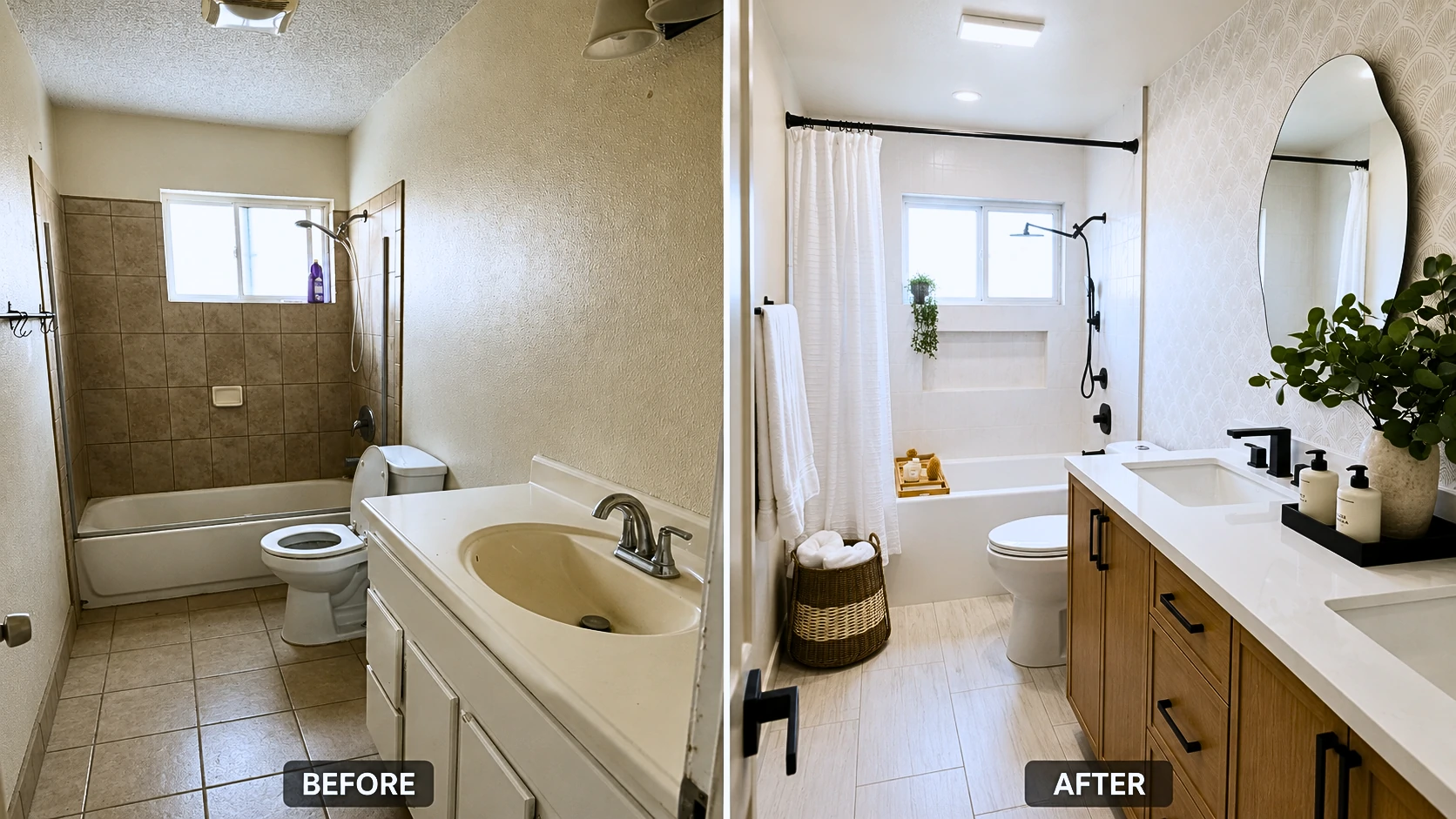
Bathroom Remodel Ideas Before and After: One Dated Full Bath, Completely Transformed
Quick Answer: A full bathroom remodel transforming a dated tile-and-chrome bathroom into a modern double-vanity space with matte black hardware, large-format tile, and a patterned wallpaper accent wall typically costs $8,000–$25,000 depending on scope. The cosmetic upgrades shown here — vanity swap, new tile throughout, hardware change, wallpaper accent wall — are where the visual transformation lives. Plumbing and electrical work are the cost variables that push the range up or down the most.Quick TakeawaysThe five upgrades with the most visual impact per dollar: vanity, hardware finish, floor tile, wallpaper accent wall, ceiling texture removal Matte black hardware costs under $500 for a full bathroom set and creates immediate high-contrast visual impact Peel-and-stick wallpaper only works reliably in bathrooms with a functioning exhaust fan — no exceptions A double vanity conversion is either a $300–$400 vanity swap or a $3,000 plumbing job, depending entirely on where your existing drain rough-in sits Large-format floor tile requires rectified tile (precision-cut) to achieve the minimal grout joints that actually make a small bathroom look bigger Built-in shower niches must be waterproofed with a membrane before tiling — tiling over drywall backer alone causes water infiltration within 2–5 years Popcorn ceilings in pre-1978 homes require asbestos testing before any removal beginsThere's a kind of bathroom that exists in millions of homes. Brown ceramic tile climbing the tub wall. Popcorn ceiling doing nothing useful. A single white vanity with an integrated drop-in sink and chrome faucet that's technically functional but looks like it belongs to a different decade entirely. A floor that's never quite clean-looking even right after you mop it. That's exactly what this bathroom was before this remodel. And that's precisely what makes this transformation worth unpacking in detail — because it started from a real place. Not a designer's staged canvas. Not a luxury renovation with an unlimited budget. Just a dated bathroom that a lot of homeowners look at every single morning and think: there has to be a better version of this room. If any of that sounds like your bathroom, this article will actually be useful to you.The Before State: What This Bathroom Actually Looked LikeBefore the contractor touched anything, here's what existed: Ceiling: Thick popcorn texture. The kind that diffuses overhead light and makes even a decently lit room feel cave-like. It wasn't just visual — the texture absorbed and scattered light instead of reflecting it, which made the entire room feel dimmer than it was. Tub surround: Brown 12×12" ceramic wall tile, floor-to-ceiling on the tub wall. The grout had darkened significantly with age — not from neglect, just from years of being wet tile grout. No niche, no storage ledge, no visual interest. The chrome shower valve and tub spout sat against that brown tile like fixtures forgotten in place. Floor: Builder-grade ceramic in a tan/beige tone — 12×12" tiles set with standard grout joints. The kind of floor tile that looks slightly dated the moment it goes in and gets progressively more so over time. The grout lines had discolored. The floor pattern had no visual direction to it. Vanity: Single white drop-in vanity with an integrated cultured marble top and oval single-basin sink. Chrome faucet, chrome pulls, white painted MDF cabinetry. Functional. Nothing more. Walls: Orange-peel texture throughout. No focal point. No accent, no color, no visual layering of any kind. Fixtures: Chrome everywhere — shower valve, tub spout, towel bar, toilet paper holder, door hardware. All the same finish. All forgettable. Lighting: A single flush-mount ceiling fixture. No recessed lighting, no vanity light bar — just the one fixture doing all the work, poorly. There was no hidden disaster here — no water damage behind the tile during demo, no rotted subfloor, no significant structural surprises. This homeowner was lucky on that front. But the bathroom hadn't changed meaningfully in thirty years. It looked exactly like that.What Changed: The Complete Upgrade BreakdownThe transformation across these photos wasn't one big move. It was ten deliberate ones that compound on each other visually. Flooring The old 12×12" beige ceramic came out completely. What replaced it: large-format light gray tile in a plank format — approximately 12×24" — laid in a running bond pattern with minimal grout joints. The floor is probably the first thing that registers differently, even in a thumbnail. The old tile had roughly double the grout lines per square foot. The new floor has almost none, which is what makes a small bathroom feel like it has more square footage than it actually does. More on this mechanism in the flooring section below. The Vanity Single white drop-in → double wood-tone vanity with two undermount rectangular sinks and a white quartz countertop. This is the most structurally significant change in the entire project. Going from one sink to two required confirming that both P-traps could drain into the existing single rough-in via offset routing — which they could here. That's not always the case, and it's the detail that determines whether you're looking at a straightforward vanity purchase or a plumber's invoice for several thousand dollars. There's a full section on this below, because it's the most common expensive surprise in this upgrade category. The cabinet finish — warm flat-front oak grain — grounds the room with natural material warmth. It prevents the white-and-matte-black palette from reading cold. That balancing act is what makes the color palette feel intentional rather than sterile. Hardware Chrome throughout → matte black throughout. Every piece: faucets, shower valve, tub spout, handheld showerhead, shower curtain rod, towel bar, drawer pulls, door hardware. Looking at the photos, all the matte black fixtures clearly come from a cohesive product line — the finish reads consistently across every element. That consistency matters more than most people realize before they start buying. Matte black from one manufacturer can look meaningfully different from matte black from another — warmer, cooler, slightly sheened versus true flat. Mix hardware from three different brands and the finish variation is visible in photos and in person. Buy a coordinated hardware line and run it throughout. Tub Surround Brown 12×12" ceramic → large-format white/light gray tile installed vertically, with tight grout joints. The tub itself was refinished — not replaced. Refinishing a tub costs $300–$600 and looks new if done well; replacing a cast iron tub can run $1,500–$3,500 in labor alone due to weight and access. The niche is new — a full-width rectangular built-in shelf recessed into the wall between the tub deck and the window sill. It's properly waterproofed. That last detail is what separates a niche that holds up for decades from one that causes a mold remediation project in five years. Mirrors The single builder vanity mirror — frameless, purely functional, visually inert — was replaced with two distinct mirrors positioned over each sink. Left position: an asymmetric wavy-edge oval mirror. The irregular silhouette is the piece that gives the vanity wall its personality. It breaks up the vertical geometry of the room and looks sculptural against the wallpaper. Right position: a round LED backlit mirror. Practical and clean. Paired mirrors over a double vanity work because they give each sink position its own visual anchor, add design interest to the wall, and reflect the wallpaper behind them — effectively doubling its visual footprint without adding any more wallpaper. Wallpaper The vanity wall — the first thing you see when you enter — has peel-and-stick wallpaper in a scallop/fan geometric pattern. Cream and warm white tones, subtle but present contrast. It's visually quiet enough to work as a backdrop for the mirrors and greenery, but present enough to completely eliminate the blank-wall problem. Materials cost for one accent wall of peel-and-stick: $80–$250 depending on product and square footage. The return on that investment in this bathroom is probably the best ratio of any single element in the room. There are real caveats. They get their own section. Ceiling Popcorn texture removed. Smooth white finish applied. Recessed light added in the center field. Look at the before and after photos and pay close attention to what the ceiling does in each. The before ceiling absorbs light and creates micro-shadow texture across the entire room. The after ceiling bounces that light evenly. With the recessed fixture, the smooth white surface acts as a passive light diffuser — no additional fixtures needed for the space to feel dramatically brighter. Smooth ceilings also raise the perceived height of the room even though the actual height is identical. The popcorn texture created a visual plane that compressed the space. Removing it opened the room's proportions. Accessories Wicker storage basket with rolled white towels near the door. Bamboo bath tray on the tub. Eucalyptus stems in a textured white ceramic vase. Black vanity tray holding soap dispensers. These are styling decisions, not renovation elements. Combined they cost under $200 and could be swapped out in an afternoon. But they complete the photographs in the way that editorial styling completes any image — natural organic textures (wicker, bamboo, eucalyptus) balanced against the clean white-and-black palette. Without them, the after photos would look like a showroom. With them, the room looks like someone actually lives there and chose it intentionally.What's Actually DIY-Friendly and What Isn'tMost bathroom renovation content either oversells DIY (implying everything is a weekend project if you watch enough YouTube) or undersells it (implying nothing should be attempted without a licensed contractor). Neither is accurate for a project like this.Task DIY Level WhyPeel-and-stick wallpaper ✅ Weekend DIY Wall prep, alignment, smoothing — no tools requiredHardware swap (towel bar, pulls, door hardware) ✅ Weekend DIY Basic drill and wall anchor workMirror mounting ✅ Weekend DIY Requires stud finder, level, and weight-appropriate anchorsShower curtain rod swap ✅ Weekend DIY Standard bracket or tension rod installationFaucet replacement (same config) ⚠️ Moderate DIY Shutoff valves, basin wrench, under-sink comfort neededVanity replacement (same rough-in) ⚠️ Moderate DIY Heavy and awkward; requires disconnecting and reconnecting plumbingFloor tile installation ⚠️ Moderate skill Subfloor prep, thinset, tile saw rental — mistakes are permanentPopcorn ceiling removal (post-1978) ⚠️ Moderate skill Messy; skim coat finishing step is harder than the scrapingTub surround retile ❌ Hire a pro Waterproofing membrane is non-negotiable; mistakes cause hidden moldShower valve replacement ❌ Licensed plumber Inside wet area; permit required in most US jurisdictionsAdding second drain for double vanity ❌ Licensed plumber New drain line = permit + inspectionAdding GFCI circuit or outlet near water ❌ Licensed electrician Code requirement; no exceptions for "just adding an outlet"Popcorn ceiling (pre-1978 home) ⚠️ Test first Asbestos testing required before any disturbanceThe most practical approach for most homeowners: DIY the cosmetic layers — wallpaper, hardware, mirrors, accessories, potentially the vanity swap if the rough-in works in your favor. Hire a licensed plumber for any drain work. Hire an experienced tile setter for the tub surround. This is not the application where you practice tiling.What a Bathroom Remodel Like This Actually Costs There's no honest single number. Here's how to think about the tiers:Scope What's Included Typical Cost (US National)Cosmetic-only Vanity swap (same rough-in), hardware, wallpaper, mirrors, accessories, ceiling skim coat $3,000–$8,000 DIY / $8,000–$18,000 contractorMid-range full remodel All cosmetic work + new tile throughout + new fixture package $12,000–$22,000 contractorFull gut with plumbing/electrical changes Layout changes, new rough-ins, new subfloor if needed, complete finish package $20,000–$40,000+Individual Upgrade Cost RangesUpgrade DIY Material Cost Contractor Total DIY Viable?Peel-and-stick wallpaper (1 accent wall) $80–$250 $200–$500 ✅ YesFull matte black hardware set $300–$700 $450–$1,000 ✅ YesSingle vanity replacement (same rough-in) $400–$1,200 $800–$2,500 ⚠️ ModerateDouble vanity (with P-trap offset into existing rough-in) $600–$2,000 + plumber consult $2,500–$6,000+ ❌ Plumber for any drain workLarge-format floor tile (materials only) $3–$12/sq ft $8–$18/sq ft labor ⚠️ Moderate skillTub surround retile $500–$1,500 materials $1,500–$4,500 total ❌ Waterproofing criticalPopcorn removal + skim coat (post-1978 DIY) $150–$400 $1–$3/sq ft professional ⚠️ Moderate skillBuilt-in shower niche (new install) $50–$150 materials $300–$800 installed ⚠️ Waterproofing requiredAsymmetric/wavy mirror (36"–48") $150–$500 N/A — DIY install ✅ YesRound LED mirror $100–$400 N/A — DIY install ✅ YesUS national averages. Coastal metro markets (Los Angeles, Seattle, New York, Boston) typically run 20–40% higher on labor costs. Where this specific remodel lands: Based on visible scope — full tile demo and replacement on floor and tub surround, double vanity conversion, new fixture package throughout, wallpaper accent wall, smooth ceiling with added recessed light — this project most likely ran $14,000–$20,000 if contractor-executed in a mid-to-high-cost US market. A homeowner who self-performed the wallpaper, mirrors, hardware, and accessories while hiring out tile, plumbing, and ceiling work could likely get into $8,000–$12,000.Why Matte Black Hardware Works Here — And When It Doesn't The decision to go all-matte-black in this bathroom wasn't arbitrary trend-chasing. It works here specifically because of the palette it's working against. Matte black reads as high-contrast and intentional next to light surfaces — white quartz, cream-white tile, warm wood, light gray floor. The darkness of the fixtures punctuates the room visually. Without that contrast, a bathroom this light can look washed out and undirected. The hardware is what gives the palette definition. Where matte black doesn't work as well:Very dark or charcoal-dominant color schemes — hardware visually disappears Small bathrooms with limited natural light — can feel heavy Warm amber, terracotta, or earthy tile tones — brushed brass or unlacquered brass reads better Highly contemporary industrial aesthetics — polished stainless or brushed nickel fits the material vocabulary betterThe Maintenance Reality Matte black shows water spots, fingerprints, and soap residue more readily than chrome or brushed nickel. Chrome can absorb a week of daily use before it looks bad. Matte black shows a fingerprint almost immediately. The correct cleaning routine: pH-neutral soap, soft cloth, dry wipe. No abrasive cleaners, no vinegar, no citrus-based products. Most standard bathroom cleaners are too acidic for matte black — they dull the surface and can cause uneven patching over time if used repeatedly. For a high-traffic family bathroom, brushed nickel is more forgiving while still reading as modern and updated. For a primary or en-suite bathroom where you're willing to wipe down fixtures regularly, matte black holds up fine and looks excellent. The Manufacturer Matching Problem If you buy faucets from Brand A, towel bars from Brand B, and the shower valve from Brand C — even if everything says "matte black" — the finishes will likely look visibly different under your specific bathroom lighting. Slightly warmer, slightly cooler, slightly sheened. It's subtle in person and obvious in photographs. Buy from one coordinated hardware line and run it throughout. This is the non-negotiable detail that separates a bathroom that looks designed from one that looks assembled.The Wallpaper Accent Wall: What Nobody Tells You Before You BuyThe scallop/fan-pattern peel-and-stick wallpaper in this bathroom is doing a significant amount of visual work. It gives the vanity wall a clear focal point, provides the backdrop for the mirror pairing, and adds organic geometric texture without competing with the tile or hardware. It also cost somewhere between $80 and $250 in materials. That's the return-per-dollar champion of this entire renovation. And it's one of the most commonly misunderstood products in home improvement. The Ventilation Requirement Is Not Optional Peel-and-stick wallpaper in a bathroom lives or dies by ventilation. Steam from daily showers is the enemy. If that steam can't escape efficiently, it works its way behind the backing layer and begins breaking down the adhesive from the inside. The failure sequence is predictable: Seams lift first, typically within 6–12 months in a bathroom without adequate airflow. Then bubbles form in the field of the panels. If left unaddressed, the moisture conditions trapped behind PVC-backed wallpaper can create circumstances for mold growth on the wall surface behind it. Before installing any wallpaper in a bathroom, confirm:Your exhaust fan is functional — not just present, but actually moving air CFM rating is appropriate for your space (minimum 1 CFM per square foot of floor area; 1.5 CFM is better) The fan exhausts to the exterior, not into the attic The fan runs for at least 15–20 minutes after showering (consider a timer switch or humidity-sensing fan)Fabric-Backed vs. PVC-Backed Fabric-backed peel-and-stick wallpaper is breathable — moisture can pass through it rather than becoming trapped behind it. PVC-backed (which most budget options are) creates a vapor barrier. In a well-ventilated bathroom, both can work long-term. In a bathroom with marginal ventilation, fabric-backed is considerably more forgiving. Wall Prep Is Everything Wallpaper applied over orange-peel or knockdown texture will not adhere reliably. The texture creates air pockets behind the backing that cause premature lifting. The before bathroom in this remodel had orange-peel textured walls — those walls were skim-coated and sanded smooth before any wallpaper went up. Similarly, fresh paint needs to cure fully before applying peel-and-stick. Newly painted walls still off-gas for 30 days — those VOCs interfere with adhesion. Let new paint cure at least four weeks.⚠️ Warning: Peel-and-stick wallpaper in bathrooms without a functional exhaust fan will fail. It's not a product quality issue — it's physics. Steam from daily shower use penetrates the backing and dissolves the adhesive layer from behind. Seam lifting and bubbling are the early signs; mold behind the paper is the end state. If your bathroom doesn't have adequate ventilation, fix that before considering any wallpaper product.Adding a Second Sink: The Plumbing Conversation You Need to Have First One of the most frequent reasons a "simple vanity swap" turns into a $3,000-plus plumbing job is this: the homeowner orders a beautiful 60-inch double vanity, the contractor arrives for installation, and everyone discovers the existing drain rough-in is centered under a single-sink position. Here's why that matters. What a Rough-In Is Your existing vanity connects to a drain pipe stubbed out from the wall or floor — that's the rough-in. Every sink connects to a P-trap that connects to this drain. In a single-sink bathroom, there's one rough-in. When you add a second sink, both need to drain somewhere. Option 1 — Offset P-trap routing: If both sink drain positions are within roughly 24"–30" of the existing rough-in centerline, a plumber can often route both P-traps to drain into the single existing rough-in via offset connections. This is what happened in this remodel. No structural plumbing work required — both sinks drain to the original rough-in location. Total cost: plumber's time to confirm feasibility and make connections. Option 2 — Add a second drain line: If the sinks are farther apart, if the existing pipe diameter won't accommodate the combined flow volume, or if local code won't permit shared drain routing for that distance, a plumber needs to add a drain line. That means opening the wall or floor, running new pipe, and in most US jurisdictions obtaining a permit and scheduling an inspection. That's a materially different scope than a vanity replacement. Before You Buy a Double Vanity Have this 20-minute conversation with a plumber. Locate your existing drain rough-in (it's behind or below your current vanity). Measure the horizontal distance from that rough-in to where the second sink drain will sit. Ask whether shared P-trap routing is feasible for that distance under local code. If the answer is yes, buy the vanity. If the answer is no, get a quote for the drain line before purchasing — not after. Standard double vanity widths and typical drain spacing:48" double vanity: sinks approximately 20"–22" apart, center-to-center 60" double vanity: approximately 28"–30" apart 72" double vanity: approximately 36" apartMost plumbers can share a P-trap routing for up to about 24"–30", though this varies by local code and pipe slope requirements. Beyond that, a second rough-in is typically the cleaner and more code-compliant solution.The Shower Niche: Why So Many DIY Installs Fail Within a Few YearsThe built-in niche in this bathroom's tub surround is one of the most visually appealing elements in the after photos. It's also the element most likely to cause expensive structural problems if installed incorrectly. This is the part most renovation content buries or skips entirely: a shower or tub niche that is not properly waterproofed will allow water infiltration into the wall cavity. Not might. Will. The question is only how long it takes. The failure mechanism: water runs off tile surfaces, finds a hairline crack in grout or the corner caulk joint, and wicks into the substrate behind the tile. If that substrate is standard drywall backer without a waterproofing membrane, the wall stays chronically damp. Within 2–5 years, that manifests as staining, loosening tile, or a musty smell — long after any contractor warranty has expired. The Correct Installation SequenceFrame the niche opening between studs, or use a pre-formed foam niche insert Install cement backer board on all niche surfaces — sides, top, back, and bottom Apply a continuous waterproofing membrane (RedGard, Schluter Kerdi, Wedi, or equivalent) across all niche surfaces and carry it into the surrounding tub surround field — no gaps in the membrane coverage The horizontal bottom surface of the niche must slope toward the shower — minimum 1/8" per foot — so water drains out rather than pooling Tile using the appropriate thinset for your membrane type (unmodified thinset for sheet membranes like Kerdi; modified for liquid-applied membranes like RedGard) Use unsanded grout for joints under 1/8" At all interior corners and the horizontal joint where the niche bottom meets the side walls: caulk with 100% silicone — do not grout these joints. Grout at corners develops hairline cracks from thermal movement over time. Silicone flexes.⚠️ Warning: A tiled niche that skips the waterproofing membrane will infiltrate water into the wall cavity. This is one of the most common sources of hidden bathroom mold found during renovation demo or home inspection. The remediation cost for mold-damaged wall cavities behind a tub surround significantly exceeds the cost of a proper membrane at installation — often by a factor of five or more.Why Large-Format Floor Tile Makes Small Bathrooms Look Bigger (And the Detail That Makes It Work)The visual expansion effect of large-format tile is real and well-documented. But it's almost always explained in ways that miss the key technical variable. The design logic: Standard 12×12" tile in a 5×8-foot bathroom produces roughly 80 grout lines across the floor. Large-format 12×24" tile in a running bond pattern in the same space produces less than half that number. Fewer lines means fewer visual interruptions means the eye reads the floor as a continuous surface — and the room reads as larger than it is. What most content leaves out: this only works with rectified tile. Standard ceramic and porcelain tile carries slight dimensional variation from the manufacturing process — tiles can vary by 1–2mm in size from piece to piece within the same production batch. To accommodate this variation, standard tile is set with grout joints wide enough to absorb the inconsistency — typically 1/8"–3/16". Rectified tile is precision-cut after firing, with edges ground to exact dimensions within ±0.5mm or tighter. This allows grout joints as narrow as 1/16" — which is what produces the near-seamless floor look you see in high-quality renovations like this one. If you use non-rectified large-format tile and try to run tight joints, you get lippage — tile edges at slightly different heights — which looks poor and creates a trip hazard. The slip resistance question nobody asks at the tile store Builder-grade polished and high-gloss floor tile often fails the DCOF (Dynamic Coefficient of Friction) wet floor threshold. The required DCOF for wet floor areas is above 0.42. Many glossy tiles test in the 0.30–0.35 range when wet — technically not safe for bathroom floors. The gray floor tile in this remodel has a subtle matte texture, which is appropriate. When selecting large-format floor tile, ask for the DCOF wet rating before purchasing. Any reputable tile retailer can pull this from manufacturer spec sheets. Subfloor flatness requirement: The larger the tile, the flatter the subfloor needs to be. TCNA standards allow no more than 3/16" variation in 10 feet for standard tile; large-format tile over 15" tightens that tolerance to 1/8" in 10 feet. Low spots and high spots need to be addressed with floor leveling compound before any tile installation begins.Popcorn Ceiling Removal: The Step Most Renovation Blogs Get Dangerously Wrong Removing popcorn texture and going to a smooth painted ceiling is one of the highest-impact changes in this bathroom. The before/after photos make this clear — the smooth white ceiling in the after is doing real visual work, bouncing recessed light evenly and making the room read as taller and larger. But there's a step that a significant number of renovation articles treat as optional fine print, and it isn't. Pre-1978 homes require asbestos testing before disturbing any ceiling texture. Asbestos was commonly added to textured ceiling products — including popcorn and cottage cheese finishes — through the late 1970s. Sanding, scraping, or wet-disturbing asbestos-containing material releases fibers into the air. Inhaled asbestos fibers cause mesothelioma — a cancer with a median survival of 12–21 months after diagnosis. This is not a liability disclaimer. It is the reason to stop and test before you touch that ceiling. Pre-Removal ChecklistConfirm your home's build year (original permit, HUD form, or prior appraisal) If pre-1978: purchase an EPA-certified DIY asbestos test kit ($30–$50) or hire a certified asbestos inspector ($200–$500) Send samples to an accredited laboratory (included with most DIY kit purchases) If results are positive: Do not proceed with DIY. Contact a licensed asbestos abatement contractor. Federal regulations require licensed abatement for friable asbestos materials. If results are negative (or post-1978 home): Proceed with wet-scrape removalWet-Scrape Method (Post-1978, No Asbestos)Remove all fixtures, cover floor and vanity completely with plastic sheeting taped at the edges Wet the ceiling with a garden pump sprayer — texture should be damp, not soaked; over-wetting weakens drywall paper Use a 4"–6" drywall knife in long, smooth passes; resist the urge to dig in Fill any gouges in the drywall with lightweight joint compound; let dry fully Apply a skim coat (joint compound thinned to approximately pancake batter consistency) with a 12"–14" drywall knife — this is the step most DIYers underestimate; getting a smooth ceiling without visible ridges or trowel lines takes practice Sand with 120-grit on a pole sander, prime with PVA drywall primer, paint with flat ceiling paint⚠️ Warning: Homes built before 1978 — do not scrape, sand, or otherwise disturb ceiling texture before testing for asbestos. DIY test kits are widely available at hardware stores and online. If results are positive, only EPA-certified licensed abatement contractors can legally remove the material. Attempting DIY removal of confirmed asbestos-containing materials is a federal violation and a serious long-term health risk.Ongoing Maintenance: What This Bathroom Requires Going Forward Nobody likes this section, but skipping it leads to expensive problems. A bathroom this invested in needs consistent, low-effort maintenance to stay looking like the after photos.Item Task FrequencyMatte black fixtures Wipe with soft cloth and pH-neutral soap; dry immediately WeeklyGrout lines (floor) Inspect; reseal if water no longer beads on surface AnnuallyCaulk at tub-to-wall joint Inspect for cracking, lifting, or discoloration; replace if compromised AnnuallyShower niche horizontal joint Re-caulk with 100% silicone — do not regrout this joint AnnuallyWallpaper seams Inspect for edge lifting; re-adhere with seam repair adhesive Every 6 monthsExhaust fan Clean grille; hold tissue paper to grille to confirm active airflow Every 6 monthsUndermount sink silicone bond Inspect the bond between sink rim and countertop underside AnnuallyHandheld showerhead connection Check for seepage at hose connections SeasonallyThe exhaust fan maintenance matters more than it looks. Most bathroom fans accumulate lint and dust on the grille within 3–6 months and lose meaningful CFM airflow without anyone noticing. An underperforming fan means elevated humidity — which shortens wallpaper adhesive life, accelerates grout deterioration, and creates conditions for mold growth. Clean it every six months and actually test it. Hold a single sheet of toilet paper up to the grille with the fan running. If it holds against the grille, the fan is pulling adequate air. If it falls, clean the fan housing and blades — or consider replacing an undersized unit with a proper CFM-rated model.Decision Framework: DIY or Hire Out?Situation Recommended ApproachNo plumbing moves, no electrical changes, budget is the primary constraint Full DIY viable for cosmetic layersFirst time tiling, or tiling inside a wet area Hire an experienced tile setter — not a handymanAdding a second sink Hire a plumber to evaluate rough-in before purchasing the vanityPopcorn ceiling, unknown home age Test for asbestos first; then decideSelling within 3 years Hire licensed trades for all permitted work; workmanship matters at inspectionContractor quote feels high Get a second and third bid; verify what's included in each scopeThe hybrid approach works well for most homeowners: DIY the cosmetic layers (wallpaper, hardware, mirrors, accessories), hire licensed trades for anything that touches plumbing, electrical, or tile in a wet area. You keep costs down where the skill barrier is genuinely low, and you don't create expensive problems where it isn't.Frequently Asked Questions How much does a full bathroom remodel cost in 2025–2026? A cosmetic-only remodel with no plumbing or electrical moves — vanity swap at the same rough-in, hardware replacement, wallpaper, new mirrors, accessories — typically runs $3,000–$8,000 if you DIY significant portions, or $8,000–$18,000 contractor-executed. A full mid-range remodel with new tile throughout, new vanity, and new fixture package runs $12,000–$22,000 with a contractor. Full gut renovations involving layout changes, plumbing moves, and electrical reconfiguration can reach $30,000–$45,000 in higher-cost markets. Labor rates by region are the biggest variable — a $14,000 project in Phoenix may cost $19,000–$22,000 in Los Angeles or New York. Can you put peel-and-stick wallpaper in a bathroom? Yes — with conditions. Your exhaust fan must be functional and appropriately sized (minimum 1 CFM per square foot of floor area). The wall must be smooth, sealed, and fully cured after painting (at least 30 days). Fabric-backed products are more moisture-forgiving than PVC-backed in high-humidity environments. In a bathroom without adequate ventilation, no peel-and-stick wallpaper product will hold long-term — this is a ventilation problem, not a product quality problem. What's the easiest way to update a bathroom without a full renovation? In order of visual impact per hour of work: hardware swap (faucets, towel bars, shower curtain rod) → mirror replacement → peel-and-stick wallpaper accent wall → new shower curtain and accessories. These four changes, done over a weekend, can make a dated bathroom feel designed and intentional. Combined material cost: roughly $400–$1,200 depending on hardware quality and product choices. Is matte black hardware hard to keep clean? More demanding than chrome, yes. It shows water spots, fingerprints, and soap residue readily. The cleaning routine is pH-neutral soap and a soft cloth, nothing abrasive, no vinegar or citrus-based cleaners. For a high-traffic family bathroom, brushed nickel is more maintenance-forgiving while still looking updated. For a primary bathroom where you're willing to wipe fixtures down regularly, matte black is absolutely manageable and looks excellent long-term. Do I need a permit to remodel a bathroom? Cosmetic work — swapping fixtures in existing locations, painting, wallpaper, mirror replacement — generally does not require a permit in most US, UK, Canadian, and Australian jurisdictions. Moving plumbing supply or drain lines, adding or relocating electrical circuits, replacing a shower valve, or making structural changes all typically require permits. Unpermitted plumbing and electrical work creates complications at resale and can affect insurance coverage for related damage. When uncertain, a five-minute call to your local building department clarifies requirements. How do I add a second sink to a bathroom that only has one? First, locate your existing drain rough-in. If a plumber can route both P-traps to drain into the existing single rough-in via offset routing — feasible for sinks roughly 24"–30" apart center-to-center — you can add the second sink without structural plumbing work. If the sinks will be farther apart, or if the drain slope won't permit shared routing, a second drain line is required. That's a permit-required plumbing job. Have this conversation with a plumber before purchasing the vanity. What tile size makes a small bathroom look bigger? Large-format tile (12×24" or larger) reduces the number of grout lines per square foot, which makes the floor read as a continuous surface and visually expands a small space. This only produces the intended effect with rectified tile — precision-cut tiles that allow grout joints as narrow as 1/16". Standard tile with wider joints partially cancels the visual expansion benefit you're installing it for. How long does a bathroom remodel take? A cosmetic weekend project — hardware, wallpaper, mirrors — can be completed in two days. A full tile-and-vanity replacement by a contractor team typically runs 1–2 weeks. Projects requiring permits, plumbing inspection, and coordination across trades usually run 3–5 weeks from demo day to punchlist. Add 2–4 weeks to any timeline if permits are required — permit processing times vary significantly by jurisdiction. What's a realistic budget for a 5×8 bathroom remodel? A 5×8 is the most common full bathroom footprint in US homes. Budget by tier: cosmetic-only refresh (hardware, wallpaper, mirrors, accessories) $500–$2,500; mid-range full remodel with new tile, vanity, and fixtures $8,000–$16,000 contractor-executed; full gut renovation with plumbing changes $18,000–$30,000. Regional labor is the biggest variable — a $12,000 project in Phoenix may cost $17,000–$20,000 in Los Angeles or Seattle. Can you tile over existing bathroom floor tile? Sometimes. The conditions that make it feasible: existing tile is fully bonded to the substrate with no hollow spots, the subfloor is structurally sound and level, and the added floor height (typically 3/4"–1" for two tile layers plus thinset) won't create problematic transitions at doorways or thresholds. The primary concern is the height addition — it affects door clearance, transitions to adjacent rooms, and sometimes toilet flange height. When existing tile is cracked, uneven, or loosely bonded, full demo is the correct approach. Is a bathroom remodel worth it before selling? A mid-range bathroom remodel returns roughly 60–70 cents on the dollar nationally (per Remodeling Magazine cost vs. value data). That return varies by market — in high-demand coastal markets, updated bathrooms carry more buyer weight. The highest-ROI pre-sale moves: replace vanity and countertop, update hardware to a current finish, re-grout and re-caulk, replace a dated toilet, and improve lighting. Full gut renovations rarely return full investment at resale unless the existing bathroom is genuinely dysfunctional for buyers. What should be done first in a bathroom remodel? Correct sequence: demo first → address substrate damage found during demo → rough plumbing before cement board goes in → cement board and waterproofing membrane before tile → tile before vanity installation → vanity before quartz countertop templating (template is made after the vanity is level and secured) → countertop before sink mounting → plumbing rough-in before fixtures → electrical before drywall close → flooring before toilet reinstallation and baseboards → painting last. Homeowners who purchase a custom quartz countertop before the vanity is installed often encounter a templating problem. The sequence exists for reasons. How do I waterproof a shower niche? Apply a continuous waterproofing membrane across all niche surfaces — sides, top, back, and bottom — and extend that membrane into the surrounding tub surround wall tile area with no gaps in coverage. The niche bottom must slope toward the shower (1/8" per foot minimum). Tile, then caulk all interior corners and the horizontal bottom-to-side-wall joints with 100% silicone. Do not grout these corner joints — they will crack from thermal movement over time. Can I replace a bathroom vanity myself? If you're replacing in the same footprint, same rough-in location, and you're comfortable shutting off supply valves, disconnecting and reconnecting P-traps and supply lines — yes, this is a moderate DIY project. The challenge is physical: weight, awkward geometry, working in a confined space. Where it exceeds DIY scope: if supply lines need moving, if the drain rough-in changes, or if you're adding a second sink that requires drain work. What exhaust fan CFM rating do I need for my bathroom? The Home Ventilation Institute (HVI) minimum recommendation is 1 CFM per square foot of floor area. A 5×8-foot bathroom (40 sq ft) needs at minimum a 40 CFM fan — though a 50–60 CFM unit is a more practical target that accounts for fan aging and performance degradation over time. Bathrooms with enclosed showers, high ceilings, or heavy daily use benefit from 80–110 CFM. If you're installing wallpaper, budget for the higher end. Humidity-sensing fans that run automatically until moisture clears are worth the modest cost premium — they eliminate the single most common ventilation failure mode, which is simply forgetting to turn the fan on.Regional costs, permit requirements, and product availability vary. Cost ranges reflect US national averages as of 2025–2026. Consult licensed plumbers, electricians, and your local building department for project-specific requirements.

Why Does Your Washing Machine Lie? (And What It's Actually Hiding)
Your washing machine finishes its cycle. The laundry comes out smelling clean. You fold the sheets, make the bed, and assume the job is done. Then one day — maybe prompted by something you saw online, maybe out of curiosity — you drop those same sheets into a bathtub of hot water. Within twenty minutes, the water is grey-brown. Not faintly. Visibly, undeniably grey-brown. And the sheets went in looking clean. That moment is the washing machine's lie made visible. The cycle ran. The timer counted down. The machine did everything it was supposed to do. What it couldn't tell you was the condition of the water it was running your laundry through, or how much of what it was supposed to remove it actually left behind. A completed wash cycle and a clean wash cycle are not the same thing. Once you understand the difference, a lot of frustrating laundry problems start making sense.Quick answer: Washing machines appear to clean laundry while recirculating water through a drum that is often contaminated with biofilm, mold, and detergent residue. Low wash temperatures prevent true cleaning — especially for bedding. The machine runs successfully and still fails hygienically. Restoring genuine performance requires a full deep clean, correct detergent dosing, and a consistent maintenance routine.Quick takeaways:Biofilm inside the drum means the machine recirculates bacteria-laden water through every wash cycle Excess detergent leaves sticky residue in fabric fibers that attracts and traps dirt over time Cold and low-temperature washes cannot dissolve body oils, kill bacteria, or disrupt biofilm The rubber door seal is the most overlooked source of mold contamination in front-load machines Sheets and towels accumulate residue that drum washing routinely misses — periodic hot soaking releases what the machine cannot A completed wash cycle is not the same as a clean wash cycleThe False Clean — What Is Really Happening After the Cycle EndsLet's start with the uncomfortable part. Your washing machine doesn't rinse laundry in fresh, clean water. It recirculates the same water — repeatedly — through a drum that may be coated in biofilm, mold, mineral deposits, and months of accumulated detergent residue. That water passes over the door seal, through the drain system, and around surfaces that haven't been properly cleaned in years. Possibly ever. The drum spins. The laundry tumbles. The cycle ends. The machine presents the result as clean because that's what the programme promised. What actually happened is more complicated. Think of it this way: washing laundry in a contaminated drum is roughly equivalent to washing dishes in water that hasn't been changed in months and assuming the soap bridges the gap. The soap helps. The machine runs. But the baseline it's working from is not clean to begin with. Freshly washed laundry often smells fine straight out of the machine. The heat of the dryer, or moving air if you line-dry, temporarily masks the problem. It's only later — when sheets warm against skin overnight, or towels dampen after a shower — that the stale, musty undertone returns. That's the drum's contamination completing a transfer that the wash cycle started. The machine didn't malfunction. It ran exactly as designed. The design just has limits that routine maintenance is supposed to address — and usually doesn't.What Is Biofilm and Why Does It Survive Your Wash Cycles?Most people assume visible mold on the door seal is the primary problem. The mold is a problem. What's often doing more damage, silently, is something you cannot see at all. Biofilm is not the same as mold. This distinction matters because the fix is different. Mold is a visible fungal growth. It's localized, surface-level, and identifiable. You can see it. You can wipe it. It's unpleasant but relatively straightforward to address. Biofilm is something else entirely. It's a self-organizing colony of bacteria that encases itself in a protective matrix of polysaccharides — a sticky, gel-like substance the bacteria produce specifically to shield themselves from environmental threats. Those threats include detergent, mechanical disruption, and temperature changes. The polysaccharide matrix is not removed by standard washing and is not visible during casual inspection. Inside a washing machine drum, biofilm forms on every surface where moisture, warmth, and organic material coexist: the drum walls, the door seal interior, the drainage system, and the recessed edges of the drum paddles. Once established, it doesn't wash away. Standard detergent at 30–40°C deflects off the polysaccharide matrix rather than penetrating it. Here's the part that most people don't realize: low-temperature washes don't just fail to remove biofilm — they accelerate its development. The bacteria that produce biofilm thrive in the warm, moist conditions of a 30–40°C wash cycle. Every moderate-temperature wash provides ideal growing conditions and a fresh supply of organic material — body oils, dead skin cells, detergent residue — for the colony to feed on. Breaking biofilm requires sustained heat above 60°C, contact with an oxidizing cleaning agent (oxygen bleach, citric acid), or both. A 40°C cycle with a standard cleaning tablet provides neither. It's why households that run drum clean cycles and see temporary improvement find the problem returning within weeks — the colony was never broken down thoroughly enough to prevent re-establishment.The Detergent Paradox — How Using More Creates More DirtThis mistake is almost universal, and it makes complete intuitive sense. Laundry isn't coming out clean. The logical fix is more detergent. More cleaning agent, more cleaning power. Except the opposite happens. Over months of overdosing, the underlying problem gets measurably worse. Here's the mechanism. Detergent contains surfactants — molecules that lift soil from fabric and hold it in suspension in the wash water. But surfactants only work effectively when the water volume is sufficient to rinse them out completely during the final cycles. When the dose exceeds what the load and water volume can rinse away, the excess stays behind. It settles into fabric fibers as a residue film. That residue is hygroscopic — it attracts and holds moisture. It's also adhesive. Body oils, bacteria, skin cells, and mineral deposits from hard water all bind to it. The fiber that was supposed to come out clean now has a layer of sticky surfactant residue actively collecting the next round of soil before the laundry even goes back on the bed. Repeat that process weekly for a year. What you end up with is bedding that feels slightly stiff, looks slightly grey, smells fresh when newly washed and stale within hours — because the residue layer is acting as a continuous soil trap that the machine's standard cycle can no longer clean through. High-Efficiency machines make this significantly worse. HE washers use considerably less water per cycle by design — a meaningful reduction in water consumption, but also a concentration risk. Detergent dosed for a standard-fill machine is too concentrated for an HE drum that uses a fraction of the water. The surfactant concentration per litre of wash water increases, the residue deposition per cycle increases, and the cumulative buildup compounds faster than it would in an older top-loader. Appliance technicians who work on HE machines commonly find detergent residue buildup that's measurably worse than in equivalent front-loaders with comparable usage — and many recommend using 50–75% of the marked detergent dose for HE cycles, particularly in areas with soft water where surfactants don't need to compete with mineral hardness. The correction is counterintuitive: use less detergent, not more. In hard water areas, the correct addition is a water softener or a dedicated hard water laundry product — not an increased detergent dose.The Five Places Your Machine Is Actually Dirty Running a drum cleaning tablet once a quarter and calling it done misses four of the five locations where contamination actively lives. Here's where to look — and what to expect when you do. 1. The Door Gasket — The Fold Nobody Opens The rubber seal around a front-loader door has an inner fold that most people never access during cleaning. That fold sits below the water line during a wash cycle and traps standing water between uses. Inside that fold: residual detergent, lint, hair, and the perpetual warm moisture that mold needs to establish itself. Inspection records on older front-loaders consistently document active mold colonies in the gasket fold that are not visible from outside the door. When the machine runs, that mold is in direct contact with every load passing through. Proper cleaning requires pulling the fold back manually all the way around the circumference — not just wiping the visible outer surface. A door left closed between washes traps moisture and creates ideal mold conditions with every cycle. This is one of the simplest single habits to change. 2. The Detergent Drawer — and the Tube Inside It Most people occasionally rinse the detergent drawer under a tap. Very few remove it fully. Almost no one looks at the internal siphon tube — the small pipe inside the drawer compartment that controls water flow into the drawer during the cycle. That siphon tube develops mold colonies in the same conditions as the door seal. The difference is that when it drips, it drips directly into the drawer, and from the drawer into the drum — meaning every wash cycle begins with active contamination entering the load before the cycle has even properly started. The drawer cavity inside the machine (the slot the drawer slides into) is also routinely ignored. It collects detergent overflow and is rarely wiped between uses. Both the drawer and the cavity need attention. 3. Drum Paddles — The Recess Edges The raised paddles inside the drum create the tumbling action. Their outer edges contain recessed channels where fabric residue, limescale, and biological buildup accumulate over time. A drum that looks clean from the doorway can have significant buildup in those paddle recesses that a drum clean cycle only partially addresses. 4. The Drain Filter — The One Most People Have Never TouchedThis is the single most neglected component in a residential washing machine. On front-loaders it's typically located behind a small access panel at the base of the machine — sometimes disguised as a decorative kick panel. Inside the filter: lint, hair, small objects from pockets, and standing water from the most recent cycle. That water goes stale quickly. In a machine that recirculates water through the same drainage system, a clogged or contaminated filter sends re-contaminated water back through the drum with each cycle. Appliance service records regularly show drain filters full of months or years of accumulated debris in machines brought in for odour complaints. Cleaning the filter — removing it, clearing the debris, rinsing it, reinstalling it — often resolves persistent odour that repeated drum clean cycles have not touched. It should be cleaned every three months. Most homeowners clean it never. 5. The Water Inlet Filter Screen The small mesh screen inside the water inlet hose connection at the back of the machine is a limescale accumulation point in hard water areas. Partial restriction of the inlet flow means the drum doesn't fill to its designed water volume. For an HE machine already operating with reduced water, inlet restriction further increases detergent concentration and reduces rinsing effectiveness — without triggering any visible error or alarm.Why Sheets and Bedding Are a Different Problem Entirely Clothing and bed linen are not the same cleaning challenge. A t-shirt worn for a day carries a fraction of the soil load that a set of sheets accumulates in a week of use. And the drum handles them very differently — to the sheets' consistent disadvantage. Bedding carries a heavy load of body oils (sebum), perspiration salts, dead skin cells, and — particularly for allergy sufferers — dust mite debris and allergen material. These compounds bind into cotton fibers at a molecular level. Releasing them requires hot water, extended contact time, and full fabric immersion. A washing machine drum provides none of these reliably for large items. A king-size duvet cover in a drum doesn't tumble freely. It folds over itself, compressing the inner layers and preventing water penetration through to the center. The outer surface gets thoroughly wet. The inner folds stay partially dry. The sheet circulates through the drum rather than soaking through — the machine runs a full cycle, but the interior fibers of the sheet had intermittent water contact at best. Compare that to dropping those same sheets into a bathtub of hot water and pushing them fully under. Within twenty minutes the water changes color. What releases into the water is what the machine left behind across multiple washes: body oils, surfactant residue, mineral deposits from hard water, and biological debris embedded in the fiber structure. The grey-brown water is not a sign of poor hygiene. It is a physics outcome. The drum washing cycle completed as designed — it just cannot replicate the penetration that a full immersion hot soak achieves for large, high-soil-load items. Understanding this explains both why the bathtub discovery produces such a striking result, and why bedding genuinely requires a supplementary approach that machine washing alone doesn't cover.What Is Strip Washing — And Did Your Bathtub Just Prove It Works?If you discovered strip washing through social media, you've likely seen the videos: clean-looking sheets dropped into a bathtub, the water turning dark brown within an hour, the comments full of people who had the same reaction to the same experience. That grey-brown water is real. It isn't exaggerated for content. If it happened to you, your instinct — that something was being released that the machine had missed — was correct. What strip washing actually does: It uses a high-alkalinity hot water solution to break the bonds between accumulated residue and fabric fibers. The residue releases into the water — surfactant buildup, mineral deposits, body oils, and in some cases years of fabric softener coating. That's the discoloration. The laundry comes out genuinely cleaner than it went in, even when it appeared visually clean before the soak began. The Correct Strip Wash Method Fill a bathtub (or large clean bucket) with the hottest water the fabric tolerates — for cotton sheets, that typically means as hot as the tap will run, or water from the kettle cooled slightly. Then dissolve into it:¼ cup washing soda (sodium carbonate — not baking soda, which is milder sodium bicarbonate) ¼ cup borax substitute (sold in most supermarkets and hardware stores) ½ cup powdered laundry detergent (powder performs better here than liquid — higher pH, less foam)Stir until fully dissolved. Submerge the laundry, push it fully under, and leave it for 4–6 hours — stirring occasionally if convenient. Drain, rinse thoroughly, then run through a standard machine rinse cycle to remove any remaining solution.Important — dishwasher detergent on laundry: Some homeowners discover strip washing by accident when using dishwasher detergent to soak laundry — either out of curiosity or because it was at hand. It produces a visually similar result: the water discolors, the residue appears to release. But dishwasher detergent is formulated for hard, non-porous surfaces. It contains higher alkalinity levels and enzymes designed to strip baked-on food residue from ceramics, not to release body oils from cotton fiber. Used on laundry, it can cause fiber degradation in delicates, discoloration in dyed fabrics, and skin irritation from chemical residue that remains in the weave after rinsing. For fabric-safe strip washing, the washing soda, borax substitute, and powdered laundry detergent combination above is the appropriate method.Strip washing is not a replacement for regular hot machine washes. It's a periodic reset — typically twice a year for bedding and towels — that clears the accumulated residue that machine cycles cannot fully reach.How to Deep Clean Your Washing Machine — The Full Sequence The most common version of a washing machine clean is running a drum tablet and considering the job finished. One product targeting one component is not a deep clean. Here's the correct sequence — in the order that actually matters. Step 1: Door Gasket — Inspect First, Then Clean Pull back the inner rubber fold of the door seal all the way around the circumference. Look for visible mold (black or dark grey patches), slime deposits, or significant residue accumulation in the fold interior. For light mold and residue: Wipe with a cloth soaked in a 1:1 solution of white distilled vinegar and water. Work the cloth into the full fold rather than just the outer surface. For established mold: Use a diluted bleach solution — 1 part household bleach to 9 parts water. Apply with a cloth, leave for 10 minutes, then wipe thoroughly and rinse with a damp cloth. Do not use undiluted bleach directly on the gasket rubber; repeated direct application accelerates deterioration and shortens the gasket's service life. Leave the door open after cleaning and after every subsequent wash cycle. Step 2: Detergent Drawer — Remove, Soak, and Clean the Siphon Tube Remove the drawer completely (check the machine manual if the release mechanism isn't obvious). Soak it in a basin of hot water for 20–30 minutes. Use an old toothbrush to clean the siphon tube and all compartment edges thoroughly. While the drawer is out, wipe down the cavity inside the machine that the drawer slides into — it collects detergent overflow and is almost always overlooked. Rinse everything before reinstalling. Step 3: Drain Filter — The Step That Often Resolves the Odour Place a towel or shallow tray under the access panel at the base of the machine before opening — water will drain out when the cap is removed. Open the cap slowly. Let the water drain. Pull out the filter, remove all debris, rinse under a tap, and reinstall. Tighten the cap fully before running the next cycle. If the filter has clearly never been cleaned and the machine has been in use for several years, this step alone frequently resolves persistent drum odour that cleaning tablets have failed to address. The debris in a long-neglected filter can be significant. Step 4: Drum Clean Cycle With the drum completely empty, run the machine's drum clean cycle — or the hottest available cycle (60°C minimum; 90°C if available). Add one of the following:A drum cleaning tablet (follow pack instructions) 250ml white distilled vinegar added to the drum directly, plus a cup of bicarbonate of soda An oxygen bleach powder (sodium percarbonate) — follow dosage instructions on the packetDo not combine chlorine bleach with vinegar. The chemical reaction produces chlorine gas. Choose one approach and use it alone. Step 5: Second Rinse Cycle After the drum clean cycle completes, run one additional empty rinse and spin cycle. Cleaning agent residue left in the drum is a common cause of chemical smell on laundry after a drum clean — the second rinse cycle clears it before the machine is used for laundry again. Step 6: Drying Protocol — Going Forward Leave the drum door open and the detergent drawer pulled out after every wash from this point forward. The interior cannot dry if it's sealed. This single habit, consistently maintained, removes the moisture conditions that allow mold and biofilm to re-establish between cycles.What Your Temperature Dial Is Not Telling You The temperature selected on a wash cycle dial is a target, not a guarantee. On older machines — or machines running at the lower end of their specification — internal thermostats drift over time. A cycle set to 60°C may actually heat the water to 48–52°C. Warm enough to feel like a hot wash. Not hot enough to disrupt biofilm or reliably kill the bacteria producing it. This explains why some homeowners run drum clean cycles on high temperature settings, see no meaningful improvement, and conclude that the cleaning product isn't working. The product may be fine. The machine may not be reaching the temperature the product needs to work. On machines over 7–10 years old, thermostat drift of 8–15°C below the selected setting has been documented in appliance service contexts. If multiple hot drum clean cycles have produced no consistent improvement, verifying the actual achieved water temperature with an inexpensive drum thermometer is a useful diagnostic step before assuming the contamination is structural.Wash Temperature What It Actually Achieves Best ForCold / 20°C Rinses; minimal soil removal; reduces shrinkage risk Delicates, lightly soiled items, colorfast fabrics30°C Light cleaning; low energy draw Everyday clothing, synthetic fabrics40°C General-purpose cleaning Most clothing, moderately soiled loads60°C Kills most bacteria; dissolves body oils; disrupts biofilm Bedding, towels, heavily soiled items, drum clean90°C Sanitizing; kills dust mites; removes deep residue White cottons, hygiene items, annual maintenance washOn machines over 7–10 years old, thermostat drift can reduce the actually achieved drum temperature by 8–15°C below the selected setting. If drum clean cycles at 60°C produce no improvement after the full deep clean sequence, a drum thermometer test is the next step.The Maintenance Routine That Prevents the Problem ReturningThe full deep clean described above resets the machine. What keeps it there is a simple, consistent routine. Framing it as a large periodic task makes it easier to put off. In practice, the active time across all tasks in a given month is about ten minutes total.Frequency TaskAfter every wash Leave drum door and detergent drawer open to dry completelyWeekly Wipe door seal interior fold with a damp microfiber clothMonthly Run drum clean cycle at minimum 60°C with a cleaning productMonthly Remove detergent drawer and soak in hot water; clean siphon tubeEvery 3 months Clean drain filter — remove, clear debris, rinse, reinstallEvery 6 months Inspect water inlet filter screen for limescale restrictionAnnually Run one empty 90°C maintenance wash to fully reset drum hygieneTwo habits contribute more than anything else to long-term machine hygiene: leaving the door open after every use, and keeping the detergent dose accurate. Most ongoing contamination problems in otherwise well-maintained machines trace back to one or both of those being consistently skipped.Troubleshooting Guide — Symptom, Cause, FixSymptom Most Likely Cause Recommended FixSheets smell after washing every week Biofilm in drum; wash temperature too low Full drum deep clean + wash bedding at 60°C minimumWhite sheets yellowing or going grey Detergent residue + body oil buildup in fibers Strip wash + reduce detergent dose going forwardLaundry smells clean wet, stale within hours Mold in door seal or detergent drawer Full gasket and drawer clean; leave door open after every useStains not lifting despite multiple washes Residue layer sealing stain into fiber Strip wash + pre-treat stain before rewashingMachine smells musty but looks clean inside Biofilm in drum, mold in seal, clogged drain filter Full deep clean sequence — including drain filterTowels rough and no longer absorbent Fabric softener coating fibers Wash towels with white vinegar; eliminate fabric softenerMachine leaving grey marks on laundry Dirty or residue-clogged drum paddles Drum clean cycle + manual wipe of paddle recess edgesPersistent odour after drum cleaning tablet Drain filter never cleaned; possible thermostat drift Clean drain filter; verify actual drum temperatureWhen Cleaning the Machine Yourself Is Not Enough There's a point at which continued self-cleaning stops being productive and becomes a delay in getting a proper diagnosis. Identifying that point matters — both for the machine's long-term condition and for avoiding the frustration of running the same cleaning cycles without improvement. Contact an appliance technician when:Persistent odour remains after the full deep clean sequence — drain filter, gasket, drawer, and drum clean all addressed — with no meaningful improvement. A sewage-type smell in particular usually indicates a drain or venting issue that cleaning products cannot resolve. Visible mold appears inside the drum body or behind drum paddles, rather than only on the door seal. Surface gasket mold is a maintenance issue. Mold inside the drum casing is a structural contamination problem. The machine is not heating water despite correct cycle selection. This indicates a thermostat or heating element failure — not a cleaning issue. Water remains standing in the drum after cycle completion. Incomplete drainage indicates a pump or filter blockage beyond what a standard filter clean addresses. The door gasket shows active deterioration — tears, permanent deformation, or discoloration that cleaning does not address. A compromised gasket cannot be cleaned back to function; it needs replacement before the damage extends to surrounding components. Biofilm recurs within two weeks of a thorough drum clean. Rapid recurrence suggests either the thermostat is not reaching effective cleaning temperatures, or a contamination source the clean didn't reach — both of which warrant professional diagnosis.Cost context: A service call in the UK typically runs £60–120 for a diagnostic and basic repair. In the US, expect $100–200 depending on location and the issue. That cost is worth weighing against the alternatives — continued ineffective washing, potential gasket replacement from prolonged mold damage, and bedding that needs replacing because years of residue accumulation have made it unrestorable through strip washing.Frequently Asked Questions Why do my bed sheets still smell after I wash them every week? Persistent sheet odour after regular washing almost always points to one of three causes: a drum contaminated with biofilm recirculating bacteria-laden water through each cycle; wash temperatures too low to dissolve body oils and break down biological buildup in the fabric; or residue accumulation in the sheet fibers from excess detergent or fabric softener. The most effective reset is a full drum deep clean followed by washing bedding consistently at 60°C — not the warm or cool settings most people use by default.What is biofilm in a washing machine and how is it different from mold? Mold is a visible fungal growth, typically black or dark green, that develops on surfaces exposed to chronic moisture — most commonly in the door seal fold. Biofilm is an invisible bacterial colony that produces a protective polysaccharide gel matrix around itself. That matrix resists standard detergent, survives moderate-temperature wash cycles, and cannot be wiped away like surface mold. Breaking it requires sustained heat above 60°C combined with an oxidizing cleaning agent. Running a warm cycle with a tablet is not sufficient.Why did my sheets turn the bathwater grey-brown if they came out of the machine looking clean? The discoloration is the machine cycle's limitations made visible. The water released body oils, perspiration salts, mineral deposits, surfactant residue from detergent buildup, and biological debris that had accumulated in the fiber structure across multiple washes. The machine completed its cycle successfully — it just couldn't achieve full fiber penetration for a large item in drum washing conditions. The grey-brown water is not a personal hygiene failure. It is a physics outcome.Is it safe to soak laundry in dishwasher detergent? Dishwasher detergent is formulated for hard, non-porous surfaces and contains alkalinity levels and enzyme types not appropriate for textile fibers. It can cause fiber degradation in delicates, discoloration in dyed fabrics, and skin irritation from residue that remains in the weave after rinsing. It produces a visually similar result to a proper strip wash because the broad mechanism — breaking down residue bonds — overlaps. But for fabric-safe results, use washing soda, borax substitute, and powdered laundry detergent in hot water instead.What is strip washing and does it actually work? Strip washing is a hot water soaking method that uses a high-alkalinity solution — washing soda, borax substitute, and powdered laundry detergent — to break down accumulated residue, body oils, mineral deposits, and surfactant buildup in fabric fibers. The water discoloration during the soak is evidence of that residue releasing from the fabric. It works — but it's a periodic deep reset, not a substitute for correct regular washing practices. Most people find they only need it after a prolonged period of low-temperature washing, heavy detergent use, or both.How often should I run a drum clean cycle? Monthly is the standard recommendation from appliance manufacturers and maintenance guidance. Households that wash frequently, live in hard water areas, or use predominantly low-temperature cycles benefit from running a drum clean every two to three weeks. The minimum to consistently prevent biofilm re-establishment is once a month at 60°C or above with an appropriate cleaning agent.Why does my washing machine still smell after I used a drum cleaning tablet? Drum cleaning tablets primarily address the drum interior. They don't typically reach the drain filter, the detergent drawer siphon tube, or the door gasket fold — which are frequently the primary contamination sources for persistent odour. If a tablet hasn't resolved the smell after two or three cycles, the next step is cleaning those components, starting with the drain filter. On older machines, thermostat drift may also mean the drum clean cycle isn't reaching the temperature the tablet needs to be effective.Can using too much laundry detergent actually make laundry dirtier over time? Yes. Excess detergent that doesn't fully rinse from fabric fibers leaves a hygroscopic, adhesive residue that attracts body oils, bacteria, and mineral deposits and binds them into the fiber structure. Laundry washed this way appears visually clean but carries a progressively increasing soil load embedded in residue that each subsequent cycle can't fully reach. Using the correct dose — or less than instinct suggests, particularly in an HE machine — is part of breaking the cycle.What temperature do I need to wash sheets to kill bacteria and dust mites? 60°C (140°F) is the minimum temperature consistently cited in public health and allergy guidance for killing common laundry bacteria and dust mites in bedding. A wash at 90°C provides a deeper sanitizing effect and is appropriate for white cottons and heavily contaminated items. Cold and warm washes (20–40°C) are not effective for hygiene washing of bedding regardless of the detergent used.Why are my towels getting rougher and less absorbent even though I wash them regularly? Fabric softener is almost always the cause. Softener works by coating fabric fibers with a silicone or ester-based film that makes textiles feel smooth. On towels, that film progressively blocks the fiber structure responsible for absorbency. The towels feel softer initially but become progressively less functional over time. The fix is to stop using fabric softener on towels entirely and run two or three hot wash cycles with a cup of white distilled vinegar in place of softener to help strip the accumulated coating.Where is the dirtiest part of a front-load washing machine that most people never clean? The drain filter. The door seal fold is the most visibly dirty component — but the drain filter, behind the access panel at the base of the machine, accumulates lint, hair, debris, and stagnant water from every cycle. Because it's out of sight and requires a small amount of effort to access, most homeowners never touch it. It also has a more direct impact on drum odour than almost any other component, because the water it holds re-enters the system with each subsequent wash.How do I clean a washing machine drain filter and how often? Place a towel under the access panel before opening the cap — water will drain out. Open the cap slowly, let the water drain into the towel or a shallow tray, pull out the filter, remove all debris, rinse under a tap, and reinstall. Every three months is the recommended frequency for a regularly used machine. If the machine has a persistent odour that drum clean cycles haven't resolved, cleaning the drain filter is the first diagnostic step to take.Why does my laundry smell fine when wet but turn stale within hours of drying? This almost always points to mold in the door seal or detergent drawer rather than a problem embedded in the fabric itself. Mold releases volatile compounds into the air as laundry dries and warms. The smell is intermittent because it's temperature and humidity dependent — which is why it typically emerges as sheets warm against skin overnight or towels warm during use after a shower. A thorough door seal and drawer clean, combined with leaving the door open after every wash, usually resolves it.Does fabric softener cause long-term problems in towels and bed linen? For towels, it progressively reduces absorbency through fiber coating — described above. For bed linen, the film deposited on fibers acts as an adhesive layer that traps body oils and residue more effectively than uncoated cotton. Households that stop using fabric softener on bedding typically find that sheets stay fresher between washes and respond more effectively to hot wash cycles. It's not a necessary laundry product for most uses, and its long-term trade-offs — fiber coating, residue trapping — routinely outweigh the initial softness benefit.How do I know when my washing machine needs a technician instead of another cleaning cycle? The clearest indicators are: persistent odour after completing the full deep clean sequence across all five contamination points; visible mold inside the drum body rather than only on the seal; the machine not heating water despite correct cycle selection; water remaining in the drum after a completed cycle; or active door gasket deterioration that cleaning does not improve. Any of these points to a mechanical or structural issue that cleaning products cannot address — and continuing to run the machine without diagnosis risks worsening the underlying problem. Related Reading:Smart Toilet Guide: Real Features, Honest Costs & Everything That Changes After You Install One Best Espresso Machines 2026: What 725 Reddit Posts Actually Say 16 Easy Home Improvement Ideas You Can Actually Finish This Weekend

Top 10 Most Common Renovation Mistakes (And What They Actually Cost You)
Quick Answer: The most common renovation mistakes include skipping building permits, removing walls without confirming load paths, underestimating total project costs, choosing finishes before final measurements are locked in, booking tradespeople out of sequence, neglecting moisture barriers, skipping surface prep, ignoring manufacturer installation requirements, making design changes mid-project, and disturbing hazardous materials without proper testing. Each one can trigger expensive rework, failed inspections, or damage that compounds silently for years.Quick TakeawaysUnpermitted work attaches to the property, not the owner — it becomes your problem at resale Budget at least 15–20% above your base estimate; older homes (pre-1980) warrant the full 20% Always confirm load-bearing status before demolition — visual checks are a starting point, not a verdict Trade sequence is non-negotiable: rough-in before insulation, insulation before drywall, tile before fixtures Moisture errors don't announce themselves — they show up years later as mold, rot, and tile failure A mid-project design change can cost 3–5× more than the same change made on paper before work beginsWhy Renovation Mistakes Cost More to Fix Than to PreventThere's a version of renovation planning that feels productive — scrolling through tile options, saving kitchen layouts, comparing countertop finishes. And then there's the version that actually protects your budget: checking structural drawings, pulling permits, sequencing trades correctly. Most homeowners spend most of their time on the first version. The frustrating reality is that renovation mistakes rarely announce themselves. A skipped waterproof membrane behind shower tile doesn't fail during the first month. It fails 18 months later, when the grout starts cracking at the base and you pull a tile to find black mold eating into the cement board behind it. At that point, you're not fixing a caulking gap. You're gutting a shower. The math is unforgiving. Catching a moisture problem before tile installation costs almost nothing — some RedGard membrane and an afternoon. Catching it after means full demolition, disposal, substrate replacement, new tile, new waterproofing, and the labor to do all of it twice. Industry data from the Joint Center for Housing Studies consistently shows homeowners underestimate total renovation costs by 20–30%, and that gap isn't random. It's almost always driven by preventable mistakes compounding through every subsequent phase. The sections below cover the 12 mistakes that drive the most rework, the highest remediation costs, and the most frustration. Not surface-level warnings — real mechanisms, real cost consequences, and the specific thresholds that separate a minor correction from a full tear-out.1. Skipping Building Permits (And Why It Follows the Property, Not Just the Owner)This is the one mistake that genuinely keeps coming up at the worst possible time — not during the renovation, but years later, when you're trying to sell. Most homeowners who skip permits aren't acting recklessly. They're trying to avoid delays, reduce costs, or sidestep what feels like unnecessary bureaucracy. The problem is that unpermitted work doesn't disappear when the drywall goes up. It attaches to the property and surfaces in title searches, insurance claims, and mortgage appraisals. What Actually Happens at Resale In most US states, sellers are legally required to disclose known unpermitted work. Buyers' lenders and insurers will flag it. Depending on the jurisdiction, you may be required to retroactively permit the work (which means opening walls for inspection), demolish non-compliant structures, or accept a heavily discounted sale. The cost to retroactively permit and bring work up to code is almost always higher than the original permit would have been. Jurisdiction-Specific RisksCountry Key Risk What Can HappenUnited States Varies by state; most require disclosure at point of sale Retroactive permitting, buyer demands price reduction, lender refusalUnited Kingdom Building Regulations enforcement by Local Authority Building Control (LABC) Enforcement notice, Regularisation Certificate required, inability to sell without sign-offCanada (ON/BC/AB) Municipal bylaw enforcement varies; stricter in metro areas Work order, forced demolition of non-compliant additions, disclosure obligationAustralia CDC vs. Development Application pathways; PCA sign-off required Stop-work orders, NCAT disputes, inability to obtain occupation certificateWhat Typically Requires a PermitAny structural work (wall removal, additions, deck construction) Electrical panel upgrades, new circuits, service changes Plumbing drain or supply modifications HVAC system changes or new installations Waterproofing in wet areas (in some jurisdictions) Window and door rough opening enlargementsThe shortcut logic doesn't hold. Permit fees for a bathroom remodel in most US cities range from $150–$500. The cost to retroactively permit and repair non-compliant work discovered at resale routinely exceeds $10,000 — and that's before any price negotiation with buyers.2. Removing Walls Without Confirming Load PathOpen-plan layouts are consistently popular. And removing interior walls is one of the most satisfying moments in any renovation — until the ceiling sags three months later. The consequences of removing a load-bearing wall without proper structural support aren't always immediate. Sometimes the failure mode is dramatic (sagging rafters, cracked ceiling propagating outward from the opening). More often, it's slow: floor settlement, sticking doors, diagonal cracks appearing at window corners over the following year. How to Spot a Potentially Load-Bearing Wall (Preliminary Check Only) These are indicators — not conclusions:Wall runs perpendicular to floor joists — joists typically span the short dimension, and load-bearing walls run across them Wall sits directly above a basement beam — load paths transfer vertically through the structure Wall runs through the center of the house — center ridge walls and mid-span supports are almost always structural Wall has a doubled-up header above door openings — cosmetic partition walls don't need engineered headersNone of these checks replaces a structural engineer's assessment. What a structural engineer actually does is trace the full load path from roof to foundation, determine what transfer beam is required to replace the wall's function, specify the bearing points, and sign off on the design. For a standard load-bearing wall removal with a steel or LVL beam installation, expect to pay $500–$1,500 for the engineering assessment alone — before any construction. That fee is non-negotiable. No permit authority will approve the work without stamped structural drawings for anything beyond minor partition removal.Warning: Contractors who offer to remove walls without mentioning a structural engineer are a red flag. Either they've already assessed it as non-structural (ask them to show their work), or they're proceeding without verifying — which exposes you to the full liability.3. Budgeting for the Renovation You Expect, Not the One You'll Find Here's what almost never appears in a contractor's initial quote: the subfloor rot behind the bathroom tile, the knob-and-tube wiring inside the wall you're opening, the cast-iron drain stack that's partially collapsed inside the floor cavity. These aren't edge cases in older homes — they're routine discoveries. Initial quotes are priced against visible conditions. Once demolition begins and hidden conditions are revealed, the scope changes. This isn't contractor dishonesty (usually). It's the nature of working inside walls, under floors, and behind surfaces that no one has touched in decades. Recommended Contingency by Home Age and Project TypeProject Type Post-2000 Home 1980–2000 Home Pre-1980 HomeBathroom remodel 10% 15% 20%Kitchen remodel 10% 15–20% 20%Basement finishing 10–15% 15–20% 20–25%Full home renovation 15% 20% 20–25%Room addition 10% 15% 20%Why pre-1980 homes warrant the higher end:Asbestos in floor tiles, ceiling tiles, pipe insulation, textured coatings Knob-and-tube or aluminum wiring requiring full replacement Cast-iron drain plumbing with partial corrosion or collapse Structural surprises — headers undersized by modern code, notched joists, non-standard framing dimensions Lead paint on all painted surfaces requiring encapsulation or removalA 10% contingency sounds responsible. On a pre-1980 kitchen remodel, it's often gone before the cabinets are ordered. Budget for the home you have, not the one the listing photos suggested.4. Selecting Materials Before You Know Your Real Numbers It's easy to understand why this happens. The inspiration phase is genuinely exciting. Homeowners spend weeks selecting tiles, hardware, and countertop slabs — sometimes before a contractor has measured the space, before permits are confirmed, and well before a realistic budget has been established. The problems that follow are predictable. Over-ordering and under-ordering. Material estimates based on approximate room sizes rather than confirmed measurements can be off by 10–15%. That sounds like a rounding error until you realize you've ordered 200 sq ft of a discontinued porcelain tile and need 240. Finding matching stock six months into a renovation is often impossible. Discontinued products. Renovation timelines slip. Lead times extend. A tile selected four months before installation may be out of stock or discontinued by the time the substrate is ready. Material selection should happen close to the order date, not at the beginning of the planning process. Budget creep at the wrong stage. Selecting high-end finishes before a confirmed budget is set creates a psychological anchor that's hard to walk back. Once a homeowner has decided on a specific stone countertop, substituting a laminate alternative mid-project feels like a failure rather than a rational decision. The correct sequence: Confirm final measurements → Establish confirmed budget → Get contractor quotes → Select materials within confirmed budget → Order with confirmed delivery timeline. Reversing steps one and two — which most homeowners do — is how renovation budgets quietly double before construction begins.5. Booking Tradespeople Out of Order This is the sequencing mistake that creates the most visible chaos on a job site. Tradespeople arrive in the wrong order, work gets undone, and delays compound through every subsequent phase. The standard renovation sequence exists for good reason. Each phase creates the conditions that make the next phase possible. When steps are reordered, you don't save time — you create rework. Standard Trade Sequence for a Full RenovationDemolition — remove existing finishes, expose structure Structural work — beam installation, wall framing, joist repairs Rough-in plumbing — drain, waste, vent stack modifications Rough-in electrical — panel, new circuits, rough wiring HVAC rough-in — ductwork, mechanical penetrations Rough-in inspections — all rough trades must pass before proceeding Insulation — only after rough-ins are approved Drywall — boarding, taping, finishing Tile and waterproofing — wet areas only Cabinetry installation — kitchen and bathroom Trim and millwork — doors, baseboards, casing Painting Flooring — after painting to avoid finish damage Fixtures and appliances — plumbing fixtures, lighting, hardware Punch list — final corrections and touch-upsThe Three Most Commonly Disordered Trades HVAC before insulation. This one gets skipped constantly. Insulation installed before ductwork and electrical rough-in is inspected either needs to be removed or conceals uninspected work. Both outcomes cost money. Flooring before painting. Paint splatter on new hardwood or LVT is not a minor inconvenience. It requires refinishing or replacement in the affected areas. Flooring goes in last, after all overhead work is complete. Cabinetry before appliance specs are confirmed. Cabinet openings cut to standard appliance dimensions are fine — until the client upgrades to a non-standard range or refrigerator with a different cutout. This error alone triggers cabinet replacement or custom filler panels that cost several hundred dollars per unit.6. Moisture Control Errors That Hide Behind Walls for YearsAsk any experienced tile setter about the worst jobs they've walked into, and moisture failure will come up every time. Not because homeowners are careless — but because moisture problems are invisible right up until the moment they're catastrophic. The mechanism is consistent: inadequate waterproofing allows water to pass through tile grout and penetrate the substrate. In shower enclosures, that substrate is typically cement board — which, despite its name, will absorb moisture and deteriorate over time without a proper membrane. The moisture reaches the wall framing. The framing stays wet. Mold grows. The tile begins to flex, grout cracks, and eventually tiles debond. By that point, the repair is a full shower demolition. Wet Area Moisture Control Checklist Shower enclosures:Waterproof membrane applied to all walls (Schluter Kerdi, RedGard, or equivalent) Membrane extends minimum 6" beyond wet zone on all sides Shower floor pre-sloped to drain at 1/4" per foot minimum Linear or center drain system fully waterproofed before tile Niche recesses fully waterproofed — often missed Seams and corners reinforced with membrane tapeBathroom floors:Moisture meter reading below 19% in subfloor before any flooring installation Vapor barrier specified for slab-on-grade installations Appropriate uncoupling membrane (e.g., Schluter Ditra) for tile over wood subfloorKitchen backsplash:Cement board or equivalent substrate behind tile at sink area Caulk (not grout) at tile-to-countertop transition — grout cracks; silicone flexesExterior wall assemblies:Proper flashing tape at all window and door rough openings WRB (weather-resistant barrier) installed correctly — lapped shingle-style, not reversed No penetrations left unsealedThe 19% threshold: A moisture meter reading above 19% in wood subfloor before flooring installation is a documented failure predictor. Most flooring manufacturer warranties specify a maximum moisture content — typically 12–19% depending on species and format — and installation above that threshold voids the warranty regardless of how well the floor is installed.7. What Happens When You Skip Surface Prep Surface preparation is unglamorous. It's also the single most common reason finishes fail prematurely — peeling paint, debonding tile, hollow-sounding LVT, hardwood floors that squeak within a year of installation. The mechanism varies by material but the principle is the same: adhesion requires a clean, stable, appropriately profiled substrate. When that substrate is glossy, dusty, contaminated with wax or oil, or structurally unstable, even a perfectly applied finish will fail. Surface Prep vs. Failure Outcome by MaterialMaterial Commonly Skipped Prep Resulting FailureInterior paint Priming new drywall or bare wood Bleed-through, uneven sheen, adhesion failureCeramic/porcelain tile Cleaning and profiling substrate, checking flatness Hollow spots, debonding, grout crackingLVT/LVP flooring Filling subfloor low spots, checking for deflection Floor bounce, locking joint failure, adhesion lossHardwood flooring Acclimation, moisture testing, subfloor flatness check Cupping, gapping, squeaking, structural failureExterior cladding Priming cut ends, back-priming boards End-grain moisture absorption, paint failure, rotTile on plywood Installing cement board or uncoupling membrane Tile flex, cracked grout, debondingThe flatness tolerance issue is particularly underestimated with large-format tile. A floor that looks flat to the eye can have variation of 3–5mm over a 3m span — well beyond the 3mm in 3m tolerance required for 60×60cm tile installation. Without grinding high spots and filling low spots, lippage (tiles sitting at different heights) is inevitable. It looks unprofessional and creates trip hazards that tile setters will refuse to warranty.8. Voiding Your Product Warranty Without Knowing It This is the information gap that surprises homeowners most, because they don't discover it until after installation — often years after, when they're trying to make a warranty claim. Most product warranties for flooring, tile, and cabinetry contain specific installation prerequisites. Meeting those prerequisites isn't just good practice — it's the condition under which the warranty is valid. Deviate from them, even slightly, and the manufacturer has grounds to deny any claim regardless of the defect's cause. Commonly Missed Warranty Requirements Engineered and solid hardwood flooring:Acclimation period: typically 3–5 days in the installation environment at final temperature and humidity Subfloor flatness: usually 3/16" in 10 feet; some manufacturers specify 3/16" in 6 feet Moisture content: subfloor within 4% of flooring moisture content at time of installation Expansion gap: minimum 1/2" at all walls, posts, and fixed objects — often omitted by installers rushing through the perimeterLarge-format porcelain tile (60cm+ per side):Movement joints required at all changes in plane, perimeter walls, and typically every 20–25 feet of field tile These are not cosmetic — they accommodate thermal expansion and substrate movement Grouting wall-to-floor corners solid (instead of caulking) consistently voids warranties and causes crackingLVT/LVP (Luxury Vinyl Tile/Plank):Subfloor flatness typically specified as 3/16" in 10 feet — stricter than most installers check Temperature range requirements during installation (some products require 65–85°F) Subfloor must be structurally sound — floating LVT over a springy subfloor voids warranty and causes locking joint failureCabinetry:Wall mounting requirements specify stud spacing and fastener type — cabinets mounted with drywall anchors alone void manufacturer warranties Leveling requirements affect door alignment warrantiesBefore installation begins, read the installation guide. Not the summary sheet — the full technical document. One missed requirement can void a warranty worth thousands of dollars.9. How Mid-Project Changes Multiply CostsEvery experienced contractor has a version of the same story: a client who asks, mid-project, to move a window by 600mm. The change sounds trivial. The invoice is not. Mid-project design changes are expensive for reasons that aren't immediately obvious. They don't just cost the price of the new work — they cost the labor to undo work already completed, the re-mobilization fees charged by subcontractors when they're called back to a site, the materials that can't be returned because they were already cut, and the delay ripple that pushes every subsequent trade back by days or weeks. Why Change Order Costs Are Disproportionate A change order is a formal modification to a signed contract after work has begun. The pricing logic is different from original contract work:Completed work may need partial demolition — a moved window means framing already installed is partially removed Materials may be non-returnable — cut lumber, pre-ordered tile batches, cabinets built to spec Subcontractor re-mobilization fees — tradespeople charge to return to a site after they've demobilized; fees of $300–$800 per trade per return visit are common Schedule compression — if the change delays one trade, it delays all subsequent trades, some of whom may charge for lost scheduling time Changed scope is not tendered competitively — you're negotiating with the contractor already on site, not selecting from multiple quotesThe industry estimate is that the same design change made mid-construction costs 3–5× more than it would have cost if resolved on paper before work began. A window relocation that costs $800 in the design phase may cost $3,500–$4,000 mid-project. The practical implication: Complete all design decisions before demolition begins. Walk through every room, every surface, every appliance specification, every outlet location. It feels overcautious. It pays for itself every time.10. Renovation Hazards You Cannot See: Asbestos and Lead Paint This section has a clear, hard rule that no amount of DIY enthusiasm changes: if your home was built before 1980, test before you disturb anything. Asbestos-containing materials were used extensively through the late 1970s in insulation (pipe lagging, ceiling insulation batts), floor tiles (9×9" vinyl composition tile is a known indicator), ceiling tiles, textured coatings (artex, popcorn ceilings), and joint compound. Lead paint was standard on virtually all painted surfaces in homes built before 1978 in the US. Neither material is dangerous when intact and undisturbed. Both become significant health hazards when cut, sanded, drilled, or demolished — activities that are inherent to renovation. Jurisdiction-Specific RequirementsCountry Asbestos Testing Requirement Lead Paint RequirementUnited States EPA requires contractors to follow NESHAP; homeowners legally may do their own work but assume full liability; testing strongly recommended EPA RRP Rule requires certified renovators for pre-1978 homes when disturbing 6+ sq ft of painted surfaceUnited Kingdom HSE duty to manage asbestos in commercial properties; domestic: testing recommended, legal obligation if you're a landlord No legal requirement for testing in residential owner-occupied homes, but contractor obligations existCanada Provincial variation; most provinces prohibit disturbance without testing in commercial; residential owner-builder rules vary No federal mandate; provincial health authorities recommend testing for pre-1960 homesAustralia Strict regulations on friable asbestos removal; non-friable limited to 10m² DIY; licensed removalist required above threshold No national mandate for residential, but awareness campaigns are active in most statesHard stop: If testing confirms asbestos-containing materials in the disturbance zone, stop work. Encapsulation or removal must be performed by a licensed asbestos contractor. This is not a judgment call about risk tolerance. The remediation cost for improper asbestos disturbance in a residential setting regularly exceeds $20,000 — and that doesn't include any regulatory penalties.11. Electrical and Plumbing Work That Requires a Licensed Trades personThe logic that leads homeowners to attempt unlicensed electrical and plumbing work is usually the same: the work looks manageable, the licensed professional costs more, and nothing visibly goes wrong immediately. The problem is that "nothing visibly goes wrong" is not the same as "nothing went wrong." Improperly installed electrical circuits don't fail immediately. They fail when load changes, connections loosen, or insulation deteriorates — sometimes years later. And when they do, the insurance claim for fire damage can be denied if the investigation reveals unlicensed work. DIY vs. Licensed Trade by Task and JurisdictionTask USA UK Canada AustraliaPainting, drywall, tiling DIY OK DIY OK DIY OK DIY OKReplacing light fixtures (like-for-like) DIY OK (with circuit off) Notifiable in Scotland; DIY in E&W with conditions DIY OK in most provinces Licensed required in most statesNew electrical circuits Permit + inspection required; homeowner may pull own permit in most states Part P certified electrician required (or self-certification scheme) Licensed electrician required Licensed electrician requiredPanel/service upgrades Licensed electrician required Licensed electrician required Licensed electrician required Licensed electrician requiredReplacing tap/faucet DIY OK DIY OK DIY OK DIY OK in most statesModifying drain/DWV Licensed plumber required in most jurisdictions Licensed plumber required Licensed plumber required Licensed plumber requiredGas line work Licensed gasfitter required everywhere Gas Safe registered engineer required Licensed gasfitter required Licensed gasfitter requiredStructural wall removal Engineer + permit required Building Regs application required Engineer + permit required Engineer + permit requiredOn insurance implications: Work performed by an unlicensed tradesperson on insured systems (electrical, plumbing, gas) can void coverage for related claims. An insurer investigating a kitchen fire will ask whether the wiring was done by a licensed electrician. If it wasn't, the claim for fire damage may be denied — entirely legally. How to Verify a Contractor's License and InsuranceUS: Verify license number through your state contractor licensing board (search "[state] contractor license lookup") UK: Electrical — NICEIC or NAPIT register; Gas — Gas Safe register; Plumbing — WaterSafe approved contractor Canada: Provincial trade licensing bodies; ECRA in Ontario for electrical Australia: Fair Trading in NSW/QLD; Consumer Affairs in VIC; check Licence Check portalAlways request a certificate of insurance directly from the insurer — not a summary document from the contractor.Full Renovation Mistake Reference Tables Cost Contingency SummaryHome Age Minimum Contingency Realistic Contingency Common Hidden CostsPost-2000 10% 10–15% Minor code variances, material waste1980–2000 12–15% 15% Aluminum wiring, HVAC updates, subfloor issuesPre-1980 15–20% 20–25% Asbestos, lead, knob-and-tube, cast iron plumbing, structural surprisesRemediation Cost Ranges: Catching It Before vs. AfterMistake Caught Before Finish Caught After Finish Cost MultiplierNo waterproof membrane in shower ~$200–400 (materials + labour) $3,000–8,000 (full demo + rebuild) 10–20×Incorrect subfloor flatness under LVT $300–600 (grinding + levelling) $1,500–3,500 (floor removal + correction) 4–6×Non-structural wall treated as load-bearing $0 $8,000–25,000 (structural repair + drywall) UncappedUnpermitted electrical $150–500 (permit fee) $5,000–15,000 (open walls, inspection, repair) 15–30×Paint over unprimed new drywall $80–150 (primer + time) $600–1,200 (sand, re-prime, re-paint) 5–8×FAQ What is the most expensive renovation mistake to fix after the fact? Structural errors and moisture control failures share the top position. Improper load-bearing wall removal can require full structural remediation including beam installation, joist sistering, and full interior finish replacement — costs that routinely exceed $25,000. Moisture failure behind shower tile requires complete demolition of the finished shower, which in a mid-range bathroom typically runs $3,000–$8,000 just to get back to square one. Can I renovate without a permit if I'm doing the work myself? Permit requirements apply based on the scope of work, not who performs it. In most jurisdictions, owner-builders are permitted to pull their own permits and perform their own work — but the work is still subject to inspection and must meet code. "I did it myself" is not a permit exemption anywhere. How do I know if a wall is load-bearing before I remove it? Preliminary indicators include perpendicular orientation to floor joists, position directly above a basement beam, and location along the center ridge of the house. These are starting points only. Confirmation requires a structural engineer who can trace the full load path. A visual check is never a substitute for an engineering assessment. What is a realistic contingency budget for a renovation? For homes built after 2000, 10–15%. For 1980–2000 homes, 15%. For pre-1980 homes, 20–25%. These figures reflect the consistent pattern of hidden conditions driving cost overruns — not pessimism. The 10% figure most contractors suggest is inadequate for any property with age-related risk factors. What happens if unpermitted work is discovered when I sell my home? Depending on jurisdiction: mandatory disclosure to the buyer, requirement to retroactively permit and bring work up to code, possible requirement to demolish non-compliant structures. Costs for retroactive permitting and repair typically far exceed the original permit cost. Buyers and their lenders are increasingly sophisticated about spotting unpermitted work in title searches. Can poor tile installation cause mold? Yes, directly. Inadequate waterproofing in wet areas allows moisture to penetrate through grout joints into the substrate. Without a waterproof membrane, moisture reaches framing lumber, where it creates conditions for mold growth, structural rot, and eventual tile debonding. The mold typically grows invisibly for 12–24 months before surface signs appear. Why is the final renovation cost almost always higher than the original quote? Because quotes are based on visible conditions. Hidden issues — rotted subfloor, outdated wiring, collapsed cast-iron plumbing — are discovered only after demolition reveals them. These are not errors in the original quote; they're genuinely unknowable until walls and floors are opened. The contingency budget exists precisely to absorb these discoveries. What trades require a licensed professional in a renovation? In most jurisdictions: electrical panel and circuit work, plumbing drain and supply modifications, HVAC system changes, and gas line work. Requirements vary by country, state, and province. Some jurisdictions also require permits and inspections for structural work, waterproofing, and window/door rough opening modifications. When in doubt, check with your local building department before starting. What is scope creep and how does it affect renovation budgets? Scope creep is the progressive expansion of a project beyond its original definition — usually through small additions or changes that each seem minor. "While you're in there, can you also..." is the phrase that triggers it. Each addition is priced as a change order, where costs are disproportionate to the apparent size of the change. Projects with significant scope creep routinely run 30–50% over original budget. Does skipping primer before painting count as a renovation mistake? Yes — especially on new drywall, bare wood, and previously glossy surfaces. New drywall is highly porous and will absorb topcoat unevenly without primer, resulting in flashing (areas of uneven sheen that show through the finished coat). On glossy surfaces, adhesion without primer is poor — paint peels within months of application in high-wear areas. How common is asbestos in homes built before 1980? Extremely common. Asbestos-containing materials were used in floor tiles, ceiling tiles, pipe lagging, insulation batts, textured coatings, and joint compound from the early 1900s through the late 1970s. In homes built between 1940 and 1978, multiple asbestos-containing materials are likely present. Testing before any disturbance is the only way to know what you're working with. What is a change order and why does it cost more than expected? A change order is a formal amendment to a construction contract after work has begun. Costs are elevated because work already completed may need to be partially undone, materials may be non-returnable, and subcontractors charge re-mobilization fees when recalled to site. The same modification costs 3–5× more mid-project than it would have cost as a design decision made before construction started. Is it a mistake to start renovation work before all materials arrive on-site? For most projects, yes. Starting demolition before materials are confirmed and delivery is scheduled creates extended exposure periods — open subfloors, unprotected framing — that invite moisture infiltration, debris contamination, and material damage. It also creates timeline dependency on supplier lead times that are frequently longer than expected. Can a renovation mistake affect my home insurance coverage? Yes. Unpermitted structural or electrical work can void coverage for related claims. Work performed by unlicensed contractors on insured systems (electrical, plumbing, gas) may also provide grounds for claim denial following a related loss event. Insurers investigate the cause of losses — and documentation of permit compliance and licensed contractor work is relevant to that investigation.All cost ranges are approximate and vary by location, project complexity, and market conditions. Permit requirements, licensing obligations, and regulatory frameworks vary by country, state, and municipality. Consult a licensed contractor, structural engineer, or building department for advice specific to your project.

Best Espresso Machines 2026: What 725 Reddit Posts Actually Say
Most "best espresso machine" lists share a structural problem: they're written by people incentivized to sell you something. The machines that rank highest tend to have the best affiliate commissions, not the most satisfied owners. This analysis works differently. It's built from 725 Reddit posts published between March 2025 and March 2026, sourced from r/espresso, r/gaggiaclassic, r/coffee, and r/coffeeequipment. Every machine was scored using the Wilson Score confidence interval — the same methodology behind Reddit's own "Best" comment sort, Steam's game ratings, and Amazon's trusted review rankings. The result is the most grounded picture of espresso machine community sentiment available for 2026. And some of what the data shows will surprise you.Quick Summary In 40 words: Based on 725 Reddit posts from March 2025–2026, the Breville Bambino Plus leads overall with 535 positive mentions at 77% approval. The Cafelat Robot Series leads in approval rate at 93%. The right machine depends entirely on how you actually drink coffee. Key Takeaways Before You Read FurtherThe Bambino Plus ranks #1 overall — but carries a 23% negative rate among straight espresso purists and a 32% negative rate for hosting. Neither figure appears in standard affiliate review content. The Cafelat Robot ($584) achieves 93% overall approval with near-zero negatives — exceptional performance for its price tier. The Gaggia Classic Pro E24 leads tinkering with 144 positive mentions — 2.4× its nearest competitor — driven almost entirely by Gaggiuino mod compatibility. The Flair 58 Series achieves the highest categorical satisfaction in the dataset: 97% for espresso purists, 95% for light roast enthusiasts. The Decent DE1PRO scores 100% approval in tinkering and light roast — but is currently unavailable for purchase. A dead purchase journey for many readers. The DeLonghi Eletta Explore ($1,399) reaches 96–97% approval in automation categories — the highest fully-automatic satisfaction recorded in the dataset. The La Marzocco Linea Mini at $6,600 barely enters the top 15 overall. The Bambino Plus at $249 ranks first. Price and satisfaction do not move together in this category the way marketing suggests.How This Data Was Collected — and What the Rankings Actually Mean Before any recommendations, the methodology deserves a plain explanation.Data Point DetailData period March 2025 – March 2026Posts analyzed 725Primary sources r/espresso, r/gaggiaclassic, r/coffee, r/coffeeequipmentDeduplication rule Each unique user's mention counted once per machineMention classification Positive / negative / mixed, based on expressed owner sentimentRanking methodology Wilson Score confidence interval + net positive volumeThe Wilson Score matters because it adjusts for sample size. A machine with one glowing five-star mention cannot rank above one with hundreds of consistent owner endorsements. The formula penalizes low-volume data and rewards repeated, reliable community approval — which is exactly what a considered purchase decision needs. What this is not: Controlled laboratory testing. These rankings reflect real owner discussions. They capture genuine satisfaction and frustration in conditions that match actual home use. Community consensus from thousands of real owners often predicts long-term satisfaction more reliably than isolated lab tests — but it reflects the Reddit espresso community specifically, which skews toward engaged, equipment-aware buyers rather than completely casual users. One key limitation: A machine with exceptional performance but low community visibility (a newer model, a niche brand) may be underrepresented. Rankings require both approval quality and mention volume. The Wilson Score handles this, but very new machines with limited post history haven't had time to accumulate evidence.Which Type of Espresso Drinker Are You? The most common purchase mistake in this category is picking the #1 overall machine without checking whether it actually suits how you drink coffee. The data separates cleanly into eight distinct use cases. Jump directly to yours.Your Priority Skip to SectionWant to mod, tinker, and upgrade your machine Tinkering & ModdingGood espresso with minimal daily effort Minimal Effort BrewingCoffee in hand within 5 minutes of waking up Fast Morning WorkflowsMostly lattes, cappuccinos, flat whites Milk-Based DrinksServe multiple guests back-to-back Hosting & EntertainingStraight espresso, no milk, quality is everything Straight Espresso PuristsSingle-origin beans, light roasts, specialty coffee Light Roast & Specialty CoffeeReddit's Top 15 Espresso Machines in 2026: All Use Cases Combined {#overall} This is the complete picture — every machine scored across all use cases.Rank Machine Brand Est. Price Pos. Mentions Approval Rate Strongest Category1 Bambino Plus Breville $249+ 535 77% Milk drinks, minimal effort, fast mornings2 Cafelat Robot Series Cafelat $584+ ~105 93% Espresso purists, light roast3 Gaggia Classic Pro E24 Gaggia $454+ 144 (tinkering) 88% Tinkering, modding, espresso purists4 Flair 58 Series Flair Espresso $464+ High 97% (purist) Straight espresso, light roast5 Linea Micra La Marzocco $4,500+ Significant 95%+ Milk drinks, fast mornings6 Eletta Explore DeLonghi $1,399+ High 96–97% Minimal effort, fast mornings7 ECM Synchronika II ECM $3,599+ Moderate 96% Hosting, entertaining8 Barista Express Impress Breville $649+ High 82% (varies) All-in-one entry, milk drinks9 Profitec GO Profitec $599+ Moderate 94% Straight espresso10 Magnifica Plus DeLonghi $799+ High 93% Minimal effort, automation11 Rancilio Silvia Pro X Rancilio $1,699+ Moderate High Prosumer milk & espresso12 Lelit Bianca Lelit $2,299+ Moderate 95% (light roast) Light roast, hosting13 Breville Dual Boiler Breville $1,399+ Moderate High Hosting, milk drinks14 Bambino Breville $249+ High Good Entry milk drinks15 Flair NEO Flex Flair Espresso $139+ Moderate Good Entry-level manual leverHow to read this table: Volume and approval rate tell different stories. The Bambino Plus' 535 positive mentions signal broad reliability across a wide range of buyers and use cases. The Cafelat Robot's 93% approval reflects near-universal satisfaction among a more self-selecting, experienced audience. Both signals are valid — they describe different buyer profiles. Neither machine is the "best" without knowing which profile you belong to.Use-Case Matrix: Which Machines Appear in Each Category's Top 5?Machine Tinkering Minimal Effort Fast Morning Milk Drinks Hosting Espresso Purist Light RoastBreville Bambino Plus — ✓ ✓ ✓ △ △ —Cafelat Robot Series — — — — — ✓ ✓Gaggia Classic Pro E24 ✓ — — — — ✓ ✓Flair 58 Series — — — — — ✓ ✓La Marzocco Linea Micra — — ✓ ✓ ✓ — —DeLonghi Eletta Explore — ✓ ✓ — — — —ECM Synchronika II — — — ✓ ✓ — —Breville Dual Boiler — — — ✓ ✓ — —Lelit Bianca — — — — ✓ — ✓Profitec GO — — — — — ✓ —DeLonghi Magnifica Plus — ✓ ✓ — — — —Rancilio Silvia Pro X — — — — ✓ — —Key: ✓ = Ranked top 5 in category | △ = Ranked top 5 but carries notable negative rate | — = Not in top 5 for this categoryBest Espresso Machines for Tinkering and Modding: Gaggia Classic Pro E24 Leads by a Wide Margin {#tinkering} The Reddit modding community doesn't just discuss machines — they build them. And the Gaggia Classic Pro E24 leads this category by a margin that makes the ranking almost unfair. Top 5 — Tinkering & ModdingRank Machine Est. Price Positive Mentions Approval Rate1 Gaggia Classic Pro E24 $454+ 144 88%2 Gaggia Classic Evo Pro $599+ — High3 Flair 58 Series $464+ — High4 Rancilio Silvia $649+ — Moderate5 Decent DE1PRO Unavailable — 100%⚠️ Availability notice: The Decent DE1PRO achieves 100% approval in this category but is currently unavailable for purchase. Do not make a purchasing decision based on this ranking until availability is confirmed with the manufacturer.Why the Gaggia Classic Pro E24 Dominates It starts with the Gaggiuino. This is an open-source, Arduino-based modification that adds pressure profiling, flow control, and real-time temperature management to the Gaggia Classic platform — features typically found only on machines costing $2,000–$4,000+. The Gaggiuino project has an active development community, detailed installation documentation, tested firmware, and a support ecosystem that treats the machine as a long-term hardware platform. The E24 variant supports this modification with accessible internals, a compatible group head design, and a standardized 58mm portafilter that accepts a wide range of aftermarket components. The over-pressure valve (OPV) is accessible for pressure adjustment without major disassembly. Replacement parts are widely available. None of this is accidental — the machine became a modding platform because of consistent community investment in it. The 144 positive mentions at 2.4× the nearest tinkering competitor aren't just enthusiasm. They're evidence of a functional, documented upgrade pathway that delivers measurable results at a price most serious modders can justify. On the Evo Pro variant: The Gaggia Classic Evo Pro is a newer variant with some differences in internal component placement and electrical architecture compared to the E24. Gaggiuino compatibility for the Evo Pro is documented, but verify against the current open-source project documentation before purchasing — firmware compatibility sometimes lags new hardware releases by several months.Best Espresso Machines for Minimal Effort: Strong Results Without the Learning Curve {#minimal-effort} Not everyone wants to calibrate grind size at 6:30am. For buyers who want consistent espresso without a daily ritual, the data is clear. Top 5 — Minimal EffortRank Machine Est. Price Approval Rate Notes1 DeLonghi Eletta Explore $1,399+ 96–97% Highest fully-auto satisfaction in dataset2 Breville Bambino Plus $249+ 87% High volume, one-touch milk drinks3 DeLonghi Magnifica Plus $799+ 93% Strong fully-automatic4 DeLonghi Magnifica Evo Next $699+ Good Value fully-auto option5 Breville Barista Express Impress $649+ 82% 18% negative rate — see note⚠️ Barista Express Impress warning: This machine carries an 18% negative rate in the minimal effort category. The built-in grinder satisfies many buyers, but others find that daily grind calibration demands defeat the all-in-one convenience promise. It occupies an awkward middle ground — more effort than a one-touch machine, less effort than separate components — and that doesn't suit every buyer.Super-Automatic vs. One-Touch Semi-Automatic This is the real decision in this category. A super-automatic like the Eletta Explore handles grinding, tamping, brewing, and even milk texturing internally. Press a button, get coffee. There's no puck preparation, no portafilter, no manual intervention required. A semi-automatic like the Bambino Plus is simpler than a full espresso workflow, but it still requires a separate grinder, puck preparation, and some technique for consistent results. If your definition of "minimal effort" means genuinely no intervention, a fully-automatic machine is the honest choice. The Eletta Explore's 96–97% approval leads this category precisely because it delivers exactly what it promises. The Magnifica Plus at $799 performs similarly well at a lower price point if the Explore's feature set exceeds what you need.Best Espresso Machines for Fast Morning Routines: Heat-Up Time Matters More Than Peak Performance {#fast-morning} Heat-up time is the specification manufacturer marketing underplays and Reddit owners obsess over. If you need coffee in five minutes, a machine requiring 25 minutes to reach stable brewing temperature isn't fast — regardless of what else it does. Top 5 — Fast Morning WorkflowsRank Machine Est. Price Approval Rate1 Breville Bambino Plus $249+ 89%2 La Marzocco Linea Micra $4,500+ 95%+3 DeLonghi Eletta Explore $1,399+ 96%4 DeLonghi Magnifica Plus $799+ 93%5 Breville Bambino $249+ HighHeat-Up Time ComparisonMachine Approx. Heat-Up Time Leave On All Day? Energy ConsiderationBreville Bambino Plus ~3 seconds (thermoblock) Not necessary Low standby drawBreville Bambino ~3 seconds (thermoblock) Not necessary Low standby drawLa Marzocco Linea Micra ~3–4 minutes (dual boiler) Feasible Higher energy drawDeLonghi Eletta Explore ~60 seconds Not typical AutomatedBreville Dual Boiler ~20–25 minutes Often preferred Significant drawECM Synchronika II ~25–30 minutes Common practice Notable energy useThe Bambino Plus ranks #1 in this category because the thermoblock design heats on demand in seconds. Turn it on, pull a shot almost immediately. For buyers who want to flip a switch and start, there's no simpler entry at this price. The Linea Micra at $4,500 ranks #2 for a completely different reason. Its 3–4 minute heat-up is fast for a dual boiler machine. Most dual boiler and heat exchanger machines require 20–30 minutes for stable temperature and steam pressure. For buyers who want dual boiler quality without planning their morning around a long warm-up period, the Micra is the data's answer — at a steep cost. One thing spec sheets don't mention: Machines that benefit from being left on all day cost considerably more to run annually. A dual boiler running 8–10 hours daily is a real electricity line item — particularly in the UK and Australia where energy rates are higher than in most of the US.Best Espresso Machines for Lattes and Cappuccinos: Steam Performance Separates the Tiers {#milk-drinks} If your household drinks mostly lattes, cappuccinos, or flat whites, steam performance matters more than espresso extraction precision. The rankings shift noticeably from the overall list. Top 5 — Milk-Based DrinksRank Machine Est. Price Approval Rate1 Breville Bambino Plus $249+ 87%2 La Marzocco Linea Micra $4,500+ 95%+3 ECM Synchronika II $3,599+ 96%4 Breville Dual Boiler $1,399+ High5 Lelit Bianca $2,299+ HighThe Single Boiler Heat-Cycle Gap — What It Actually Means at the Cup The Bambino Plus uses a single thermoblock system. After pulling a shot, the machine cycles from espresso temperature (~93°C) to steam temperature (~130°C+) before the wand is ready. That transition takes roughly 20–30 seconds and is entirely manageable when making one or two drinks. Dual boiler machines like the ECM Synchronika II run a dedicated espresso boiler and a dedicated steam boiler simultaneously. There is no waiting. Pull the shot and steam the milk in parallel — which is how commercial machines operate and why trained baristas can sequence drinks quickly. For a household making one latte at a time, the Bambino Plus at $249 is a genuinely strong choice. For households making multiple milk drinks in sequence, or for anyone serious about developing latte art technique, the gap between a thermoblock and a dedicated steam boiler is real — and the community sentiment data reflects that gap directly.Best Espresso Machines for Hosting: The Rankings Change Completely at Party Scale {#hosting} This is where the Bambino Plus' weakness becomes most visible — and where the data most directly contradicts the standard review narrative. Top 5 — Hosting & EntertainingRank Machine Est. Price Approval Rate Notable Negatives1 ECM Synchronika II $3,599+ 96% ~0%2 Breville Dual Boiler $1,399+ High Low3 Lelit Bianca $2,299+ High Low4 La Marzocco Linea Micra $4,500+ High 18% negative5 Rancilio Silvia Pro X $1,699+ High Low⚠️ Breville Bambino Plus for hosting — a specific warning: The Bambino Plus carries a 32% negative rate in the hosting and entertaining category — the highest negative rate it receives across any segment. The mechanical reason is the single boiler heat-cycle delay: serving four or five drinks back-to-back means repeated recovery waits between the shot and steam cycles. For a dinner party, this creates real disruption. This finding does not appear in any standard affiliate review of this machine.The ECM Synchronika II ranks first in this category for a straightforward mechanical reason. Dual boiler architecture means simultaneous shot-pulling and milk-steaming, supporting sequential drink production without recovery delays. Zero negative mentions from hosting-focused community discussions, with 96% approval, is about as clear a consensus as this dataset produces. A realistic consideration: The Synchronika II costs $3,599. For a household hosting four times a year, that's a specific investment decision. The Breville Dual Boiler at $1,399 delivers comparable dual boiler architecture at a lower entry point, with strong community sentiment in this category, and is the more practical choice for most buyers who don't want to make the jump to ECM pricing.Best Espresso Machines for Straight Espresso: The Flair 58 Leads With a 97% Approval Rate {#espresso-purists} Remove the milk, the automation, and the convenience features. This category evaluates machines entirely on what's in the cup. Top 5 — Straight Espresso PuristsRank Machine Est. Price Approval Rate1 Flair 58 Series $464+ 97%2 Cafelat Robot Series $584+ 97%3 Profitec GO $599+ 94%4 Gaggia Classic Pro E24 $454+ 87%5 Breville Bambino Plus $249+ 77% (23% negative)The dominance of manual lever machines at the top of this list surprises many buyers encountering the data for the first time. It doesn't surprise anyone in r/espresso. Why Manual Lever Machines Lead This Category Manual lever machines like the Flair 58 and Cafelat Robot put applied pressure, pre-infusion duration, and flow rate directly in the user's hands. There is no pump pressure inconsistency, no fixed brew profile, no algorithmic pre-infusion compromise. For a skilled user pulling single-origin espresso, this degree of control produces shots that rival machines at $2,000–$4,000. The common perception that manual machines are impractical underestimates them. The Flair 58 and Cafelat Robot are usable in a daily workflow for single or double-shot production. They require a pre-heated group head and cannot steam milk simultaneously — but in a straight espresso household, neither limitation matters. The 97% approval rate in this category speaks plainly. The Bambino Plus at the bottom of this list — with a 23% negative rate — is arguably the most important data point in the entire article. It is the #1 machine overall. It's what most buyers default to when they trust a generic "best of" list. If you drink straight espresso without milk as your primary routine, this finding should change how you evaluate your options.Best Espresso Machines for Light Roast Coffee: Temperature Control Is Non-Negotiable {#light-roast} If you're sourcing beans from a specialty roaster, drinking single-origin lots, or using anything lighter than a medium roast, this category will produce the most divergent rankings from the general list. Top 5 — Light Roast & Specialty CoffeeRank Machine Est. Price Approval Rate1 Flair 58 Series $464+ 95%2 Lelit Bianca $2,299+ 95%3 Cafelat Robot Series $584+ High4 Gaggia Classic Pro E24 (modded) $454+ High5 Decent DE1PRO Unavailable 100%⚠️ Decent DE1PRO availability: 100% approval in this category but currently unavailable. Noted for completeness — do not plan a purchase around it.Why Light Roast Requires Different Equipment Light roast beans are denser and less soluble than darker roasts. Achieving target extraction yield requires:Higher brew temperatures: Typically 92–96°C versus 88–92°C for medium-dark blends Extended pre-infusion: To allow water to fully saturate the puck before full extraction pressure is applied Pressure profiling flexibility: Declining or Slayer-style profiles often extract light roasts more cleanly than flat nine-bar extractionSuper-automatics and thermoblock machines operate on fixed or narrowly adjustable temperature profiles that suit medium-dark blends but underserve lighter roasts. Manual lever machines, temperature-stable dual boiler designs, and machines with flow control capabilities dominate this category because they give the user the specific variables light roast extraction demands. If you're sourcing specialty coffee and your current machine consistently produces sour or underdeveloped shots that only improve with darker roasts, temperature inadequacy or insufficient pre-infusion flexibility is the most likely culprit — not the beans and not the grind.What Reddit's Negative Comments Actually Reveal (The Data Most Review Sites Won't Show) Most review sites have no mechanism or financial incentive to publish negative owner data. This table does.Machine Use Case Negative Rate What the Negatives DescribeBreville Bambino Plus Straight espresso purists 23% Single thermoblock limits shot temperature stability vs. lever or dual boiler alternativesBreville Bambino Plus Hosting & entertaining 32% Heat-cycle delays between shot and steam create frustrating wait times at volumeLa Marzocco Linea Micra Hosting & entertaining 18% Recovery time between sequential drinks; price-to-hosting-performance ratio questionedLa Marzocco Linea Micra Straight espresso purists 17% Limited pressure profiling flexibility versus manual lever machines at half the priceBreville Barista Express Impress Minimal effort 18% Built-in grinder requires calibration that defeats the minimal-effort value propositionNespresso Vertuo Creatista Minimal effort 20% Pod dependency and output quality not comparable to real espresso for informed buyersThree findings worth naming directly: The Bambino Plus negative data is not an indictment of the machine — it's a use-case mismatch signal. For milk-based drinks and minimal effort workflows, 87–89% approval is excellent. The 23% and 32% negative rates appear specifically when the machine is used outside the conditions it handles well. The Linea Micra's 17–18% negative rates are notable given its price point. At $4,500, buyers arrive with elevated expectations. Those negatives cluster around scenarios where the machine's single-group design reaches its limits: extended entertaining and maximum-precision espresso extraction in the purist category, where a $464 lever machine matches or exceeds its performance. The Barista Express built-in grinder debate is ongoing and real. Some buyers find it perfectly adequate. Others encounter grind-by-weight variability and limited step adjustment that create daily inconsistency. Both experiences are genuine. The 18% negative rate in the minimal effort category reflects buyers who expected a one-system solution and encountered a grinder that still requires attention.Espresso Machine Price Tiers: What Actually Changes Between $250 and $5,000Price Range Representative Machines What You're Getting What's Absent Reddit Data Summary$100–$300 Bambino Plus, Bambino, Flair NEO Flex Thermoblock speed, basic steaming, entry manual lever option Temperature stability, steam boiler power, sequential capacity Bambino Plus: 77% overall; strong milk/minimal effort$300–$800 Gaggia Classic Pro E24, Flair 58, Profitec GO, Cafelat Robot 58mm group head standard, modding potential, manual lever precision Dual boiler, display, rotary pump Flair 58: 97% purist; Gaggia: 88% tinkering; Robot: 93% overall$800–$2,500 Silvia Pro X, Breville Dual Boiler, Lelit Bianca, DeLonghi Eletta Explore Dual boiler or HX, PID, rotary pump, dedicated steam Lower resale than high-end brands; variable brand support Dual Boiler: strong hosting; Eletta: 96% minimal effort$2,500–$5,000 ECM Synchronika II, La Marzocco Linea Micra, Lucca A53 Mini V2 Commercial component quality, dual boiler, E61 group head, long-term durability Practical overkill for single-drink households ECM: 96% hosting; Micra: strong milk & mornings$5,000+ La Marzocco Linea Mini Commercial-grade performance, exceptional longevity, strong resale value Justifiable for most home use cases Limited community data; Linea Mini barely enters top 15The most counterintuitive finding in the data: The La Marzocco Linea Mini at $6,600 barely cracks the top 15 overall. The Bambino Plus at $249 ranks first. The data does not support a $6,600 machine as the obvious quality ceiling for home espresso. What the data does support is spending more when your specific use case makes it rational — dual boiler for hosting, temperature stability and pressure profiling for light roast, modding potential for the community in r/gaggiaclassic. On resale value: La Marzocco and ECM machines retain value significantly better than Breville machines at equivalent age and condition. If you plan to upgrade in 3–5 years, factor resale into the total cost calculation. A $3,600 Synchronika II that resells for $2,200 has a different net cost than a $650 Barista Express that resells for $200. Total setup cost — budget this before you buy: A complete entry-level setup requires more than the machine itself. Factor in:Machine: $249–$649 (entry range) Standalone burr grinder: $150–$300 Espresso scale: $30–$80 Tamper + distributor: $30–$60 Consumables (cleaning tablets, descaler, puck screens): $30–$50Realistic entry-level setup: $500–$750, not $249.The Variable Reddit Data Can't Rank: Your Grinder Has as Much Impact as Your Machine {#grinder} This is the finding most first-time espresso buyers encounter after purchase, and the r/espresso community discusses it constantly. Espresso is the most grind-sensitive brewing method in common home use. Extraction happens in 25–30 seconds at 9 bars of pressure. Small changes in grind particle size produce very large changes in shot character. A quality burr grinder with stepless or micro-stepped adjustment is not optional if consistent results matter to you. The community consensus is blunt on this point: a Bambino Plus paired with a quality standalone grinder will outperform a Barista Express Impress using only its built-in grinder, for many users. That's not an argument against the Barista Express — it's an argument for understanding what built-in grinders can and cannot deliver compared to a purpose-built espresso grinder. The Barista Express Impress' 18% negative rate in the minimal effort category exists partly because buyers expected the all-in-one solution to remove daily calibration. It shifts calibration to a less adjustable, less precise system rather than eliminating it. Minimum grinder guidance by machine tier:Under $300 machine: A dedicated grinder at $100–$200 (Baratza Encore, DF54) will outperform almost any built-in option at this price point $300–$800 machine: Match grinder investment to machine investment — $200–$400 range $800+ machine: A grinder below $300 will become the limiting factor for extraction quality; match accordinglyWhat Espresso Machine Maintenance Actually Looks Like Week-to-Week Post-purchase maintenance realities are consistently absent from competitor content. This is what ongoing ownership actually requires.Machine Type Descaling (Soft Water) Descaling (Hard Water) Backflushing Gasket Replacement Common First FailureThermoblock (Bambino Plus) Every 2–3 months Every 6–8 weeks Not applicable Not typical Thermoblock scale buildupSingle boiler semi-auto (Gaggia Classic) Every 2–3 months Every 6–8 weeks Yes — weekly Every 12–18 months Solenoid valve; OPV springDual boiler (ECM Synchronika II, Breville Dual Boiler) Every 3–4 months Every 8–12 weeks Yes — weekly Every 12–18 months Steam boiler element; pumpFully automatic (Eletta Explore, Magnifica) Every 1–2 months Every 4–6 weeks Internal cleaning cycle Not user-serviceable Grinder burrs; brew unit sealManual lever (Flair 58, Cafelat Robot) N/A — no boiler N/A N/A Piston seal occasionally Minimal — very low mechanical complexityRegional Hard Water Guide Descaling frequency varies significantly by location. In hard water areas, heavy-use machines should be descaled every 6–8 weeks. Skipping this cycle leads to scale buildup in the boiler and heating element, eventually causing restricted water flow, overheating, and potentially permanent damage.Region Hard Water Areas Recommended Descale FrequencyUnited States Midwest (Indiana, Ohio, Illinois), Southeast Texas, Southern California, Arizona Every 6–8 weeks in affected areasUnited Kingdom Southeast England, London, East Anglia Every 6–8 weeks — some of the hardest tap water in the developed worldCanada Southern Ontario, parts of Alberta Every 8–10 weeksAustralia Perth (WA), parts of Melbourne Every 6–10 weeks depending on locationBackflushing — forcing soapy water backward through the group head using a blind basket — is a weekly maintenance task for semi-automatic machines with solenoid valves. Many first-time buyers are unaware this routine exists until they encounter performance problems. Fully automatic machines replace this with internal cleaning cycles that use their own consumables.Frequently Asked Questions What is the most recommended espresso machine on Reddit in 2026? The Breville Bambino Plus leads overall with 535 positive mentions from 725 analyzed posts, scored at 77% approval using the Wilson Score method. This ranking reflects volume and broad satisfaction across all use cases combined — not superiority for every buyer profile. Before purchasing based on this ranking, check the use-case section matching how you actually drink coffee. For straight espresso purists, the Bambino Plus ranks fifth with a 23% negative rate.Is the Breville Bambino Plus actually good for making espresso, or is it just easy to use? Both — depending on what you add to it. For milk-based drinks and minimal effort workflows, the Bambino Plus earns 87–89% approval and is a genuinely strong performer at $249. For straight espresso without milk, the community data shows a 23% negative rate driven by the single thermoblock design's limitations in temperature stability compared to dedicated single boiler or dual boiler machines. Both findings are real, and the choice depends on your primary use.What is the Gaggiuino mod and which machines support it? The Gaggiuino is an open-source, Arduino-based modification for the Gaggia Classic platform that adds pressure profiling, flow control, and real-time temperature management — features typically requiring machines at $2,000+. It's a documented hardware project with active firmware development, a support community, and tested installation guides. This modification is the primary reason the Gaggia Classic Pro E24 leads the tinkering category with 144 positive mentions at 2.4× the nearest competitor. Before purchasing for this purpose, verify current Gaggiuino compatibility for the E24 versus Evo Pro variants against the latest open-source project documentation.What's the difference between the Bambino and the Bambino Plus? The Bambino Plus includes an automatic steam wand (auto-texturing milk to a set temperature), a larger 64 oz water reservoir, and additional drink programs. The Bambino uses a manual steam wand, which demands more technique but provides more direct control over milk texture. The Reddit data consistently places the Bambino Plus above the Bambino in both mention volume and approval across most use cases. For beginners wanting consistent milk drinks without a learning curve, the Plus is the clearer choice.Is the La Marzocco Linea Micra worth $4,500 compared to a $249 Bambino Plus? For specific use cases, yes. The Micra ranks #2 for fast morning workflows and milk-based drinks, where its 3–4 minute dual boiler heat-up and commercial-grade steam output justify the investment for serious milk drink production. For minimal effort brewing categories, the data shows no meaningful satisfaction advantage over the Bambino Plus. The Micra also retains resale value significantly better than Breville machines — a factor worth calculating if you plan to upgrade in a few years.Why should I avoid the Bambino Plus for dinner parties? The single thermoblock boiler must cycle between espresso temperature and steam temperature between each drink. Under the sequential demand of serving five or six guests, those recovery cycles create real delays — frustrating for both the host and the people waiting. The 32% negative rate in the hosting category directly reflects this limitation. Dual boiler machines like the ECM Synchronika II and Breville Dual Boiler operate both boilers simultaneously and eliminate this problem entirely.What espresso machines does Reddit recommend for straight espresso with no milk? The data is clear: Flair 58 Series at 97%, Cafelat Robot at 97%, Profitec GO at 94%, Gaggia Classic Pro E24 at 87%. Manual lever machines and temperature-stable single boiler machines dominate this category because they offer the extraction control that straight espresso reveals most directly. Super-automatics and thermoblock machines do not appear in the top 5 here.Are super-automatic espresso machines worth buying compared to semi-automatics? The data gives a use-case-specific answer. Fully automatic machines like the DeLonghi Eletta Explore score 96–97% for minimal effort and fast morning categories — among the highest approval rates in the dataset for those segments. They do not appear in the straight espresso purist or light roast top rankings. The tradeoff is real: super-automatics deliver excellent convenience but sacrifice the extraction control that experienced buyers in those categories value. It's not a question of quality — it's a question of what you're optimizing for.How often does an espresso machine need descaling, and does it vary by location? Yes, significantly. In soft water regions, most machines need descaling every 2–3 months under regular use. In hard water areas — Southeast England, the US Midwest, Southern California, Perth (WA) — heavy-use machines may need descaling every 6–8 weeks. Skipping descaling cycles allows limescale to accumulate in the boiler and heating element, eventually restricting water flow and shortening the machine's working life. Fully automatic machines are particularly vulnerable because scale affects the brew unit and internal tubing, which are not user-serviceable.What is a Wilson Score and why use it to rank espresso machines? The Wilson Score confidence interval adjusts approval percentage based on the number of mentions. A machine with one positive mention is treated differently from one with 500 — the formula applies a confidence penalty to low-volume data. It's the same system Reddit uses for its "Best" comment sort, Steam uses for game ratings, and Amazon applies to verified reviewer scores. For this dataset, it prevents a niche machine with three enthusiastic mentions from outranking one with hundreds of consistent owner endorsements. It's the most honest way to rank community sentiment across machines with very different levels of community discussion.Pricing shown throughout is "from" pricing at time of data collection — verify current retailer pricing before purchasing, as prices change. Machine availability for the Decent DE1PRO, Profitec DRIVE, and ECM Classika PID should be confirmed before purchase — these machines appeared in top category rankings but were listed as unavailable during data collection. Regional warranty terms vary: Australian Consumer Law provides meaningfully stronger consumer protections than standard US one-year manufacturer warranties. Gaggiuino compatibility details should be verified against current open-source project documentation before purchase.
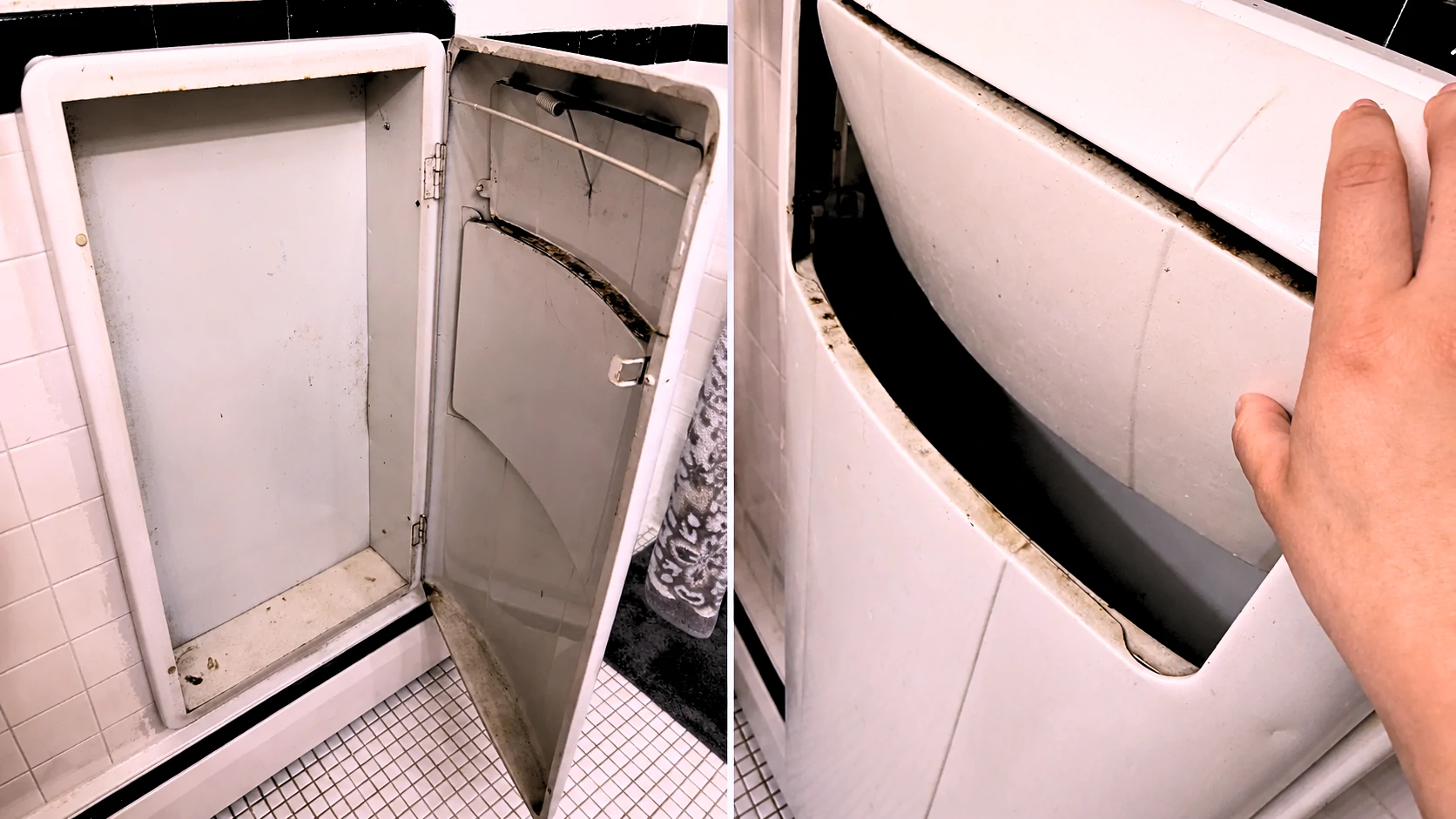
What Is That Recessed Metal Cabinet in an Old Apartment Bathroom? (Vintage Laundry Hamper Explained)
If you've just moved into an older building and you're standing in the bathroom staring at a small metal cabinet built into the wall — hinged door, odd slot near the top, and no obvious label — you're not imagining things. And you're definitely not the first person to spend fifteen minutes searching online with nothing to show for it. That unit is a recessed laundry hamper: a factory-installed, wall-mounted storage unit built directly into the bathroom wall cavity of older apartment buildings. They were considered a premium convenience feature when new. The narrow slot at the top is a drop-slot for feeding laundry in one-handed without opening the main door. Some versions connect to a building-wide laundry chute running to the basement. Most are self-contained cavities. Popular from roughly the 1920s through the early 1960s, these fixtures are concentrated in urban apartment buildings across New York, Chicago, Boston, Philadelphia, and San Francisco. If your building predates 1965 and you're in a multi-unit structure, this is almost certainly what you're looking at.Quick TakeawaysCommon in pre-war and mid-century American urban apartment buildings The top slot is a laundry drop-slot — not a vent, not a broken part Some units connect to a building-wide laundry chute; many are standalone sealed cavities Not a health concern if dry and intact, but worth a quick inspection for rust, mold, and paint condition Renters should not permanently modify or remove the unit without landlord permission Can be repurposed as recessed bathroom storage if the unit is structurally sound Restoration is possible with rust converter, metal-safe primer, and rust-inhibiting topcoatWhat the Slot Opening at the Top Actually DoesThat narrow slot is one of the more overlooked design decisions in mid-century residential construction — and also the most common source of confusion for anyone encountering these units for the first time. It's not a vent. It's not broken. It's a laundry drop-slot, and it served a specific ergonomic purpose. Rather than opening the full-size door every time a resident tossed in a shirt or a towel, they could push laundry through the slot one-handed without disturbing anything else in the bathroom. It reduced hinge wear, kept the bathroom tidier, and made a small daily routine slightly faster. Think of it as the mid-century version of a convenience feature that nobody noticed because it worked. The opening is intentionally narrow — wide enough for clothing, not wide enough for anything to easily fall back out, and sized to limit odor escape from the cavity below. In chute-connected versions, the slot also added a second separation layer between residents and the open shaft running below. If the slot on your unit looks painted shut or like it's never been touched, that's common. Many of these fixtures sat completely unused for decades before the current tenant discovered them.Is Yours a Standalone Hamper or a Laundry Chute?This distinction matters more than it might seem. A standalone unit is a sealed metal cavity — essentially a built-in laundry bin with a solid floor. A chute-connected unit opens into a vertical shaft that passes through multiple floors of the building down to a central collection room, typically in the basement. The two variants have meaningfully different maintenance implications, safety considerations, and removal complexity. Getting this wrong before you start poking around can create problems that were entirely avoidable. Here's how to tell the difference right now: Grab a flashlight, open the main access door (or shine the light through the drop slot if the door is stiff), and look at the bottom of the unit.What You See What It MeansA solid metal floor pan at the bottom of the cavity Standalone unit — the cavity is self-containedAn open shaft descending below floor level Chute-connected — part of a building laundry systemIf it's chute-connected, avoid putting anything other than laundry into it. And don't seal it permanently without first confirming with your building manager. Active chutes are shared building infrastructure — building staff may need access, and other residents may still be using the system from floors above or below.When Were These Built and Why Did Buildings Have Them?Recessed laundry hampers began appearing in American residential construction in the early twentieth century and reached their peak installation during the post-war apartment building boom of the 1940s and 1950s. The fixture made particular sense in dense urban apartment buildings, where in-unit laundry wasn't possible and residents needed a practical way to hold dirty clothes between trips to a shared laundry room or building chute. Installing the hamper directly into the bathroom wall cavity kept it out of the living space entirely, eliminated the need for freestanding laundry bins, and — critically — served as a marketing feature. Buildings with recessed hampers were positioned as offering modern conveniences that lower-budget construction didn't bother with. Cities with large surviving pre-war and mid-century residential stock are the most common places to find them: New York, Chicago, Boston, Philadelphia, San Francisco, and Baltimore all have notable concentrations. They appeared in row houses and duplexes of the same period too, though less frequently than in purpose-built multi-unit buildings. Manufacturing varied by building grade. Standard units were galvanized steel or chrome-plated steel. Higher-end buildings sometimes featured interiors with porcelain enamel coatings. Construction was typically robust — these weren't afterthoughts. They were framed directly into the wall stud cavity with metal flanges, wood blocking set into plaster-and-lathe walls, and hardware that included a piano hinge on the main door and a magnetic or spring latch. The units were designed to last the life of the building, and most of the surviving ones prove that point.Why You Almost Never See These in Newer Buildings Several things converged between the 1960s and 1980s that effectively ended the recessed hamper's run in new residential construction. The biggest factor was in-unit washer/dryer hookups becoming a standard apartment amenity. Once residents could do laundry inside their own unit, centralized chute systems and dedicated bathroom hamper niches stopped being conveniences and started being architectural complications. Fire code changes accelerated the shift. Laundry chute shafts running vertically through multiple floors create a direct path for fire and smoke to travel between levels. Building codes tightened requirements around chute shaft construction, fire-damper installation, and the materials used for access doors. Compliance became more expensive and technically demanding, making the systems harder to justify in new construction. Construction economics also shifted dramatically. The labor and material cost of custom-fabricating a recessed metal unit and properly framing it into each individual bathroom wall didn't survive the value-engineering that characterized residential construction from the 1970s onward. A plastic laundry basket costs nothing and requires nothing from the contractor. The result is that anyone under about 50 has likely never seen one of these fixtures before moving into an older building — which explains exactly why they're so disorienting the first time.Is It Safe to Use or Leave In Place? For most people, the honest answer is yes — with a brief inspection first. A dry, structurally sound unit in a post-1980 building is not a meaningful health concern under normal circumstances. In older buildings, a few specific things are worth checking before you use the unit or start handling its surfaces aggressively. Interior rust: Look for flaking or pitting rather than just surface discoloration. Surface oxidation is cosmetic and manageable. Actively flaking rust — where scale is loose and separating from the metal — suggests the floor pan or walls of the cavity may have deteriorated significantly, particularly at the base where moisture accumulates over time. Moisture and mold: Open the door and let the unit air out before doing anything else. A musty odor means the cavity trapped moisture at some point, possibly for years. Surface mold on the metal interior is treatable, but you need to address it, not seal it back in. Look carefully at the floor pan and the back wall of the cavity.⚠️ Warning: Pre-1980 Buildings — Read Before Touching the WallAsbestos: The insulation, fire-stop material, or joint compound surrounding the unit in a pre-1980 building wall cavity may contain asbestos. Do not cut, sand, drill, or otherwise disturb the wall surround without professional asbestos testing first. This applies to any demolition work around the unit, not just full removal.Lead paint: In pre-1978 buildings, painted metal surfaces — including the hamper door and interior — may contain lead paint. Wear gloves when handling painted surfaces. Do not sand painted surfaces without appropriate respiratory protection and containment measures.For renters specifically: using the unit as-is for general storage is generally fine once you've confirmed it's dry, structurally intact, and free of visible flaking rust or mold. You don't have to do anything to it to be safe in normal use — but knowing what you're working with matters before you start pulling on trim pieces or scrubbing aggressively.How to Clean and Deodorize a Vintage Recessed HamperDecades of use — or decades of sitting unused — leave behind a residue that a quick wipe down won't fix. Here's a proper sequence that addresses the problem without introducing new ones.Open the unit and let it air out for at least 24 hours before doing anything else. Don't rush this step. Sealed cavities hold odors that need time to dissipate naturally first. Vacuum loose debris from the interior — accumulated lint, dust, and anything sitting at the bottom of the cavity. A crevice attachment works cleanly along the floor pan and seams. Wipe all interior surfaces with a cloth dampened with a mild all-purpose cleaner diluted in warm water. Don't saturate the metal. The goal here is cleaning, not introducing more moisture into a cavity that you're trying to dry out. Treat surface rust spots with a rust converter spray or gel before they spread. Apply only to affected areas. Don't use acidic rust removers across the full interior unless you plan to repaint — they leave the surface in a condition that requires priming regardless. Deodorize the cavity by placing an open box of baking soda inside for 48 hours with the door slightly ajar. A cloth wiped with undiluted white vinegar along the interior surfaces also neutralizes organic odors effectively before the baking soda treatment. Dry completely before closing. Leave the door propped open for another 24 hours after cleaning. Sealing moisture back inside is how a clean unit becomes a mold problem three months later.One thing to avoid: bleach directly on rusted or bare metal surfaces. It accelerates oxidation rather than treating it.How to Restore a Rusted or Chipped Recessed Hamper Surface corrosion on these units is expected, not alarming. The original factory paint or enamel wasn't intended to last 80 years without maintenance. Most units are fully restorable with the right materials and a patient afternoon. What you'll need:Wire brush or fine steel wool — for removing loose rust scale before treatment Rust converter gel or spray — neutralizes existing rust chemically, converts it to a stable compound Metal-safe primer — standard wall primer will not adhere to bare metal reliably; this is the step most DIY restores skip and then wonder why the paint peels Rust-inhibiting spray paint in your preferred finish (satin or semi-gloss reads cleanest on interior metal surfaces) Painter's tape and drop cloth for masking the surrounding wall trim and tile 220-grit sandpaper for light scuff-sanding between coatsRestoration steps:Wire-brush all visibly rusted areas to remove loose scale and flaking paint. Applying converter over loose material delays the problem rather than solving it. Apply rust converter to affected surfaces per the product instructions. Full cure time matters — typically 24 hours. Don't shortcut it. Scuff-sand lightly with 220-grit to give the primer a mechanical surface to grip. Wipe off dust with a tack cloth before priming. Apply metal-safe primer in two thin coats, allowing full dry time between coats. Two thin coats outperform one thick coat in adhesion and long-term durability. Apply rust-inhibiting topcoat in 2–3 light passes from 10–12 inches away. Light passes prevent runs, which are difficult to sand out inside a cavity. Allow 48–72 hours cure time before loading the unit with anything.A mistake that shows up repeatedly in older rental properties: painting directly over rust with standard interior wall paint, no surface prep. It looks acceptable for a few months, then blisters and peels. Doing it properly once is far less work than doing it wrong twice.How to Re purpose It If You're a Renter (No Permanent Modifications)The renovations aren't yours to make. But the cavity is legitimate storage real estate, and with a small amount of organization it becomes genuinely useful rather than just strange. Most recessed laundry hampers have interior dimensions in the range of 12–16 inches wide, 18–24 inches tall, and 8–12 inches deep. That's enough space to matter without requiring any tools or modifications. Practical no-modification uses:Rolled towels. Towels rolled rather than folded fit cleanly in the cavity, look intentional, and are easy to grab one-handed. This is basically what the unit was ergonomically designed for, just with different contents. Cleaning supply niche. Toilet bowl cleaner, a spare brush, surface spray, a bottle of drain cleaner — the items that normally crowd the floor under the sink. Toiletry overflow. Extra toilet paper rolls, backup soap, travel-size products, hair supplies that don't fit in the medicine cabinet. Removable shelf liner insert. A cut-to-fit piece of shelf liner on the floor of the cavity stabilizes items and makes wipe-down much easier. Completely removable and leaves zero trace.One thing to avoid: sealing a chute-connected unit with anything permanent. If the chute is part of the building's infrastructure and maintenance staff need access, you do not want to be the tenant who blocked it.Should Landlords Keep, Restore, or Remove These Units? This is a more nuanced question than it looks from the outside. In period-appropriate buildings — pre-war brownstones, classic-six apartments, 1940s courtyard buildings — a functional, well-maintained recessed hamper is a genuine character detail. Some tenants actively seek out buildings with intact original architectural features, and a restored unit in a period bathroom reads as considered preservation rather than neglect. In that context, removing it to patch a rectangular hole in a tile wall doesn't necessarily improve anything. The case for removal strengthens considerably when the unit is structurally compromised, the surrounding wall shows signs of water damage, or the bathroom is being fully renovated anyway. At that point, the labor is already being paid for, and patching the cavity to install a modern recessed niche or additional storage makes more practical sense than restoring a fixture the renovation will make visually inconsistent. A practical decision framework:Clean and keep: Unit is functional, interior is dry, metal surfaces are intact or easily treated. Building is period-appropriate. No safety concerns. Restore cosmetically: Surface corrosion is present but the metal structure is sound. Bathroom is not being renovated. Cost-to-benefit ratio favors restoration over removal. Remove and patch: Unit is structurally compromised, connected to a decommissioned chute, showing moisture intrusion into the wall cavity, or the bathroom is being fully gutted regardless.Approach Approximate Cost (U.S.) Best ForClean and leave in place $0–$50 DIY Rentals, period buildings, functional unitsCosmetic restoration (rust treatment + repaint) $50–$150 DIY / $200–$400 contractor Structurally sound units with surface corrosionFull removal + wall patch $300–$900 contractor Gut renovations, compromised units, safety concernsAsbestos testing before removal $200–$500 Pre-1980 construction — treat this as non-negotiableCosts are estimated ranges for the U.S. market. Regional labor rates vary significantly. Get multiple quotes before committing to contractor work, particularly in high-cost urban markets where these units are most common.When to Call a Contractor Instead of DIYing ItCleaning and cosmetic restoration are well within DIY range for most people. The line shifts quickly once the wall itself is involved. Get a licensed contractor involved when:The surrounding wall plaster shows visible cracks, bulging, or water staining around the unit — these point to moisture that has already reached the wall cavity, not just the metal surface The unit appears to connect to a multi-floor laundry chute that may still be active shared building infrastructure You're in a pre-1980 building and any wall demolition is involved — asbestos testing before demo is a professional obligation, not an optional precaution There is active mold in the wall cavity itself, not just on the metal surfaces accessible from the front The floor pan is corroded through and there's evidence moisture has reached the subfloor or structural framing below You're a landlord planning a full bathroom renovation that requires the wall to be patched, tiled, and finished to match existing surfaces — that's a finish carpentry and tile work problem, not a hamper removal problemRemoving a recessed unit looks deceptively simple from the bathroom side. Inside the wall, the unit is typically anchored with metal flanges screwed into studs and surrounded by wood blocking that's been in place since the original construction. Prying it out without understanding what's behind it is how plaster cracks, surrounding tiles break, and wall cavities get opened without appropriate testing or containment.Frequently Asked Questions What is the small slot opening at the top of a built-in bathroom hamper for? The slot is a laundry drop-slot, designed so residents could push clothing into the hamper one-handed without opening the main access door. It reduced hinge wear and kept the routine faster and tidier. It is a designed feature, not damage or a broken hinge.How do I know if my recessed hamper connects to a laundry chute or is just a wall cavity? Open the access door and shine a flashlight into the unit. A visible solid metal floor pan at the bottom means it's a standalone cavity. An open shaft descending below floor level means it's connected to a building laundry chute running to the basement or a central collection area.Is it safe to use a vintage metal laundry hamper in an old apartment? Generally yes, after a basic inspection. Check for flaking rust, interior mold, and moisture inside the cavity. If the unit is dry and structurally intact, it poses no meaningful health risk in normal use. In pre-1978 buildings, handle painted surfaces carefully due to potential lead paint content.What era of apartment buildings typically had recessed metal laundry hampers? These fixtures were most common in American apartment buildings constructed between roughly 1920 and 1965. The highest concentration is in urban residential stock in the Northeast and Midwest — New York, Chicago, Boston, and Philadelphia in particular.Can I remove a built-in laundry hamper if I'm renting? Not without explicit written permission from your landlord. The unit is a fixed part of the building. Unauthorized removal or permanent modification typically constitutes a lease violation and can result in liability for the full cost of restoring the wall to its original condition.How do I clean and deodorize a recessed metal hamper that hasn't been used in decades? Air it out for at least 24 hours first. Then vacuum loose debris, wipe interior surfaces with diluted mild cleaner, treat any rust spots with rust converter, and leave an open baking soda box inside for 48 hours with the door slightly ajar. Keep the door propped open during drying. Avoid bleach on bare or rusted metal.How do I treat rust on a vintage metal laundry hamper? Wire-brush loose scale first, apply rust converter to affected areas and allow full cure time, then prime with metal-safe primer and finish with rust-inhibiting spray paint in thin coats. The most common failure in DIY touch-ups is painting directly over rust without any surface preparation — it looks fine briefly and fails within a year.Why did builders stop installing recessed laundry hampers in new construction? In-unit washer/dryer hookups became standard, fire codes tightened significantly around laundry chute shaft construction requirements, and construction economics eliminated fixtures that required custom fabrication and precise wall framing. All three factors converged in the 1970s and early 1980s.Does a vintage built-in hamper add or reduce property value in a bathroom renovation? Context determines this entirely. In a period-appropriate building with a well-maintained unit, it's a character detail that appeals to the right buyer or tenant. In a fully modernized bathroom, it reads as an inconsistency. Condition and surrounding aesthetic matter far more than the fixture's inherent presence or absence.Is there asbestos risk when removing a recessed metal hamper from an older wall? Potentially yes. Insulation, fire-stop material, or joint compound in the surrounding wall cavity of a pre-1980 building may contain asbestos. Professional testing before any wall demolition in buildings of that era is the responsible step — this applies to the wall surround, not just the metal unit itself.What can I use a recessed hamper cavity for besides laundry storage? Rolled towels, cleaning supplies, toiletry overflow, or a removable shelf liner insert for bathroom sundries all work well without requiring any modification. The cavity offers genuine utility with a small amount of organization.How much does it cost to professionally remove and patch a recessed wall hamper? Typical U.S. contractor range is $300–$900 for removal and wall patching, depending on wall material (plaster vs. drywall), tile involvement, and whether asbestos testing is required first. In high-cost urban markets where these units are most common, the upper end of that range or beyond is realistic.Are there modern replacements that fit the same wall opening as vintage units? No direct off-the-shelf equivalent exists. Custom metal fabrication can replicate the form, but it's rarely cost-effective. Most renovation projects fill the opening with a recessed wall niche or a standard recessed medicine cabinet if the dimensions allow.What materials were vintage recessed laundry hampers made from? Most were galvanized steel or chrome-plated steel. Higher-end buildings sometimes featured porcelain enamel interior coatings. The frame and surround were typically anchored into the wall with wood blocking and metal flanges. Hardware consisted of a piano hinge on the main door and a magnetic or spring latch.Which cities and building types are most likely to have recessed bathroom hampers? Urban apartment buildings in New York, Chicago, Boston, Philadelphia, San Francisco, and Baltimore are the most common sources. Row houses, duplexes, and courtyard apartment buildings from the 1920–1965 period are also likely candidates. Purpose-built mid-range and luxury apartment construction of the era was more likely to include them than budget housing stock of the same period. Related Reading:What Is That Strange Wall Outlet Near the Floor? You Probably Have a Central Vacuum System Do Smart Homes Actually Make Life Better or Just More Complicated? How to Get Curry Smell Out of a Rental House

How I Planned My Dream Home — and Actually Saved Money Doing It
The decisions that matter most happen long before you pick a paint color.Quick Answer: Planning a dream home affordably starts with anchoring every design decision to a fixed budget — not the other way around. Build in a 10–20% contingency before design begins, prioritize structural and energy performance over cosmetic finishes, and understand which construction phases allow meaningful DIY involvement without triggering code compliance problems or voiding warranties.Most planning guides tell you to start with inspiration. Collect images, find your style, dream big. That advice is genuinely terrible if you care about finishing the project without financial disaster. The homes that go over budget rarely do so because of bad luck. They fail because decisions were made in the wrong order: design before budget, inspiration before reality, want before need. Understanding that sequencing — and reversing it — is where the real savings begin. Here's what actually matters, organized the way a contractor, an architect, and a financially burned homeowner would explain it if they were being completely honest.1. Start With a Budget, Not a Blueprint Before you open a design app or call an architect, you need one number. The maximum you can spend — including everything: design fees, permits, construction, site work, landscaping, and a contingency reserve. Not a rough range. A hard ceiling. This sounds obvious. It almost never happens in practice. The typical sequence runs like this: the homeowner designs, falls in love with the design, then discovers what it costs. At that point, they're either cutting the design apart in ways they'll regret for years, or committing to a budget they can't actually sustain. Neither outcome is good. What professional project managers learn early is that design decisions lock in cost — not immediately, not visibly, but by the time you've settled on a floor plan, a roof profile, and a material palette, roughly 70% of your project cost is already determined. Whether you know it or not.What Does It Actually Cost to Build Right Now? Construction costs vary significantly by region, labor market, site conditions, and specification level. The ranges below reflect 2024–2025 data for standard single-family homes with mid-range finishes. Use them as starting points, not guarantees.Country Budget Tier Mid-Range PremiumUnited States $150–$200/sq ft $200–$350/sq ft $350–$600+/sq ftUnited Kingdom £1,500–£2,000/sq m £2,000–£3,500/sq m £3,500–£6,000+/sq mCanada CAD $175–$250/sq ft CAD $250–$400/sq ft CAD $400–$700+/sq ftAustralia AUD $1,500–$2,200/sq m AUD $2,200–$3,800/sq m AUD $3,800–$6,500+/sq mThese figures cover construction only. Site preparation, permits, utility connections, professional fees, and landscaping typically add 15–30% to the base construction number. Something most guides skip: renovation costs don't scale the same way as new construction. Gut renovations in existing homes consistently run 20–40% more per square foot than comparable new builds — because of demolition, the unknowns hidden behind walls, and the inefficiency of working inside an occupied structure. If you're choosing between a major renovation and a new build, that cost relationship is worth understanding before you commit either way.2. The Design Decisions That Quietly Control Your BudgetHere's something most homeowners don't encounter until it's too late to change: the most expensive decisions in your entire build are made during the early design phase — often before you've spoken to a single contractor. Architectural geometry drives cost in ways that aren't intuitive. A simple rectangle with a gabled roof is significantly cheaper to frame, insulate, and roof than a design with multiple wings, bump-outs, and a complex hip roof. Not primarily because of material cost — because of labor. Every outside corner requires more cutting, more detailing, more time. Every roofline transition is an opportunity for water intrusion, and every water intrusion risk needs additional flashing, underlayment, and skilled labor to seal correctly. These aren't aesthetic trade-offs. They're cost multipliers built into the shape of the house before a nail is driven.Design Choice Cost ImpactRoofline complexity (simple gable vs. complex hip with dormers) 15–25% increase in roofing and framing labor; more flashing points = elevated long-term water riskNumber of exterior corners $300–$800 per additional outside corner across framing, sheathing, trim, and flashing tradesCeiling height above 9 feet Increases wall framing lumber, drywall quantities, HVAC duct runs, and scaffolding requirementsTwo-story vs. single-story footprint Two-story typically 10–15% cheaper per sq ft — smaller roof and foundation relative to living areaNumber of plumbing wet walls Each additional plumbing cluster (kitchen, bath, laundry) adds rough-in cost; grouping plumbing saves meaningfullyGarage: attached vs. detached Attached shares framing and roofline costs; detached requires its own foundation, walls, and roofFoundation type Full basement adds $30,000–$80,000+ but doubles usable sq footage without increasing the above-grade footprintThe practical implication: if you're working with an architect, have the cost conversation at the schematic design stage — before design development begins. Changes made to a rough sketch cost almost nothing. Changes made to a fully drawn set of construction documents cost significantly more, because drawings must be revised and contractors must re-estimate. That cost relationship is rarely explained upfront. It should be.3. What the Initial Quote Never IncludesHere's the uncomfortable reality about builder quotes: most of them are not complete project costs. They are construction costs for the structure as defined in the drawings. That is a narrower number than it sounds. The costs below are routinely absent from initial estimates — and disclosed, if at all, only after contracts are signed. Hidden Costs Checklist Permits and InspectionsBuilding permit fees ($500–$5,000+ depending on project value and jurisdiction) Engineering review fees where required Separate trade permits: electrical, plumbing, mechanical (often $200–$800 each) Inspection and reinspection chargesSite Preparation and EarthworkLand clearing and tree removal ($1,500–$10,000+ depending on site) Grading and excavation ($3,000–$20,000+ for challenging sites) Rock excavation — impossible to estimate accurately until work begins; can add $10,000–$50,000+ on rocky sites Soil testing and geotechnical engineering where required Erosion control measures during constructionUtility ConnectionsWater and sewer tap fees ($2,000–$15,000+ depending on municipality and distance to main) Electrical service from pole to meter base ($2,000–$8,000+) Gas service connection ($500–$3,000+) Septic system for rural builds ($8,000–$25,000+) Well drilling and pump installation ($5,000–$20,000+ depending on depth and geology)Temporary Costs During BuildTemporary housing if vacating your current home ($12,000–$36,000+ for a 12-month build) Temporary power connection ($500–$2,000)Finishes and Items Frequently ExcludedAppliances (often entirely outside builder contracts; $5,000–$30,000+) Window treatments and blinds ($2,000–$15,000+) Landscaping and irrigation ($5,000–$50,000+ depending on scope) Driveway and hardscape ($3,000–$30,000+) Fencing, exterior lighting, mailbox, address signage⚠ Before comparing quotes: Ask every contractor for a written list of project exclusions. Two quotes with identical totals can represent entirely different scopes of work. The exclusions list is where the real comparison happens.4. Why a 15% Contingency Isn't Optional Almost every planning guide mentions contingency budgets. Very few explain what contingencies actually absorb — or how to calibrate the percentage to your specific project type. A contingency budget is not a buffer for scope additions you decide to make mid-build. It is a buffer for the unexpected: hidden site conditions, material price increases between bidding and ordering, subcontractor errors, weather delays that extend temporary accommodation costs, and inspection failures requiring rework. The 15% figure commonly cited is a reasonable baseline for a standard new build. It's too low for renovation projects and often too high for simple cosmetic remodels. Here's how to calibrate it.Project Type Recommended Contingency RationaleNew custom build (standard site) 10–15% Fewer unknowns than renovation; risk concentrates in site conditions and material pricingNew custom build (challenging site or complex design) 15–20% Slope, rock, flood zone, or tight access amplifies cost volatility significantlyGut renovation (older home, major systems) 15–20% Hidden conditions behind walls: old wiring, plumbing deficiencies, structural issues, asbestos, moisture damageStructural addition to existing home 18–25% Interface with existing structure creates unpredictable conditions; code upgrade requirements often triggeredCosmetic remodel (no structural or systems work) 5–10% Fewer unknowns, but material delays and subcontractor scheduling gaps still occurOne thing that gets consistently overlooked: keep the contingency in a separate account, completely isolated from your project budget. Mentally combining it with your build budget makes it too easy to draw it down for scope additions — which defeats its purpose entirely. And if you don't spend it? That's not a sign you over-budgeted. That's the correct outcome.5. Choosing the Right Build Model — Contractor, Design-Build, or Owner-Builder The way you structure your project delivery affects cost, schedule, stress, and risk more than almost any other single decision. There is no universally best model. There's the one that matches your situation, your time, and your realistic skill level.Build Model Cost Control Timeline Hands-On Involvement Risk Level Best ForGeneral Contractor (GC) Moderate — GC markup applies (typically 15–25%) GC manages schedule; limited owner leverage Low to moderate Moderate — depends heavily on GC quality Most homeowners; first-time buildersDesign-Build Lower — single contract covers design and construction; fewer scope gaps Often faster than separate design + bid + build Low Lower — integrated accountability for design and construction Homeowners who want simplicity and fixed pricingConstruction Manager (CM) Higher — you pay trades directly; CM charges management fee You control pace but carry scheduling coordination High — active decision-making required Higher — you absorb trade performance risk Experienced homeowners with time and construction familiarityOwner-Builder Highest potential savings (20–40% labor cost reduction possible) Typically longer — you coordinate all subcontractors Very high — effectively a second full-time job Highest — full legal and financial responsibility Experienced builders with construction knowledge, time, and legal eligibilityOwner-Builder: What the Model Actually Requires The owner-builder path attracts significant interest and deserves an honest explanation — because the reality differs substantially by country. Australia: Owner-builder permits are regulated under state law. In most states, you can only act as owner-builder once every 5–7 years, for your primary residence only. Under NSW and Queensland law, selling within 6–7 years of completion requires disclosure of owner-builder status. The absence of builder's warranty insurance affects resale — some buyer financing products have complications with uninsured owner-built homes. Understand this before selecting the path, not after. United States: Requirements vary significantly by state. Some impose no restrictions; others require the home to be your primary residence or limit resale timing. Check your state's contractor licensing board before assuming eligibility. United Kingdom: Self-build mortgages release funds in stages rather than upfront, which shapes your cash flow and contractor payment capacity throughout the build. The VAT Reclaim Scheme (HMRC Notice 431) allows claiming back VAT on qualifying materials — potentially a meaningful saving — but it requires consistent documentation throughout the project, not just at completion.6. Why the Lowest Bid Usually Costs the Most in the EndThe number at the bottom of a contractor's quote tells you very little. It doesn't tell you what's included, what's excluded, what the quality assumptions are, or whether the contractor priced the same job you asked for. Most homeowners compare total prices. Professionals compare line items. How to Level Contractor Bids — Step by Step Step 1: Verify scope alignment Before comparing any numbers, confirm every contractor is pricing the same plans, specification documents, and finish schedules. If your drawings aren't complete when you go to bid, every quote will contain different assumptions — and those differences will surface after you've signed. Step 2: Identify and compare allowance items Ask each contractor to list every allowance item in the bid — the placeholder dollar amounts for finishes, fixtures, and products not yet specified. Compare allowance amounts across bids. A $12/sq ft flooring allowance in one bid and a $22/sq ft allowance in another represent thousands of dollars in expected out-of-pocket spending above the base contract. Neither number is wrong; they reflect different assumptions about what you'll select. Step 3: Review the exclusions list in writing Every professional bid should include a written exclusions list. If a contractor doesn't provide one, request it in writing before proceeding. Common exclusions: landscaping, appliances, window treatments, permit fees, utility connections, dumpster rental, temporary utilities. A bid that excludes these items is not meaningfully comparable to one that includes them. Step 4: Examine the payment schedule Lump-sum upfront payment requests from a contractor are a serious red flag. Legitimate payment schedules are milestone-based or draw-based, aligned with defined construction completion stages. Front-loaded payment schedules transfer financial risk to you before work is performed. Step 5: Confirm lien waiver provisions Your contract should require lien waivers from the general contractor and major subcontractors upon each payment. Without lien waivers, a contractor who fails to pay their subcontractors can expose you to property liens even after you've paid the GC in full. This is a documented, recurring problem in residential construction. It has an easy contractual solution.⚠ Red flags in contractor proposals: No written exclusions list. Unusually low allowance amounts. Vague or front-loaded payment schedule. Resistance to contract modifications. No comparable project references. Inability to provide current proof of insurance and licensing on request.7. Value Engineering — Where Cutting Costs Is Safe and Where It Isn't Value engineering is a construction term that gets misapplied constantly. It does not mean cutting corners. It means analyzing the cost-to-value relationship of each component and identifying where reduced spending does not compromise performance, safety, or durability. The distinction matters enormously, because some cuts are genuinely safe — and some create problems that cost far more to remediate than you saved.Category Spend More Here Safe to Save HereFoundation Waterproofing membrane and drainage board Ornamental landscaping adjacent to foundation (do later)Structural framing Engineered lumber (LVL beams, I-joists) where spans require it Lumber grade upgrades beyond what engineering requiresRoofing Underlayment quality; ice/water shield coverage at eaves and valleys Roof color and profile (within manufacturer specs)Windows and exterior doors U-factor and SHGC performance ratings (climate-appropriate selection) Brand name — performance specs matter more than the labelHVAC system Properly sized, high-efficiency equipment and duct design Thermostat brand (quality third-party options perform well)Insulation Achieving at or above code minimum in walls and attic Insulation brand within the same product categoryAir sealing Continuous air barrier; spray foam at rim joists and penetrations Cannot be safely reduced; foundational to energy performanceExterior cladding Proper flashing at all penetrations, windows, and transitions Material choice between fiber cement and quality vinyl at comparable thicknessInterior finishes — All flooring types, cabinet door styles, hardware finishes, paint brandsFixtures and fittings — All plumbing fixtures, light fixtures, and interior hardware are safely value-engineeredLandscaping Grading and drainage away from foundation (functional requirement) Ornamental plantings, retaining walls beyond functional need, mature specimen treesOne clarification worth making explicitly: value engineering structural systems is not the same category of decision as choosing a less expensive tile. Skipping or downgrading foundation waterproofing to save $3,000 is fundamentally different from choosing a builder-grade toilet over a premium model. The first creates a long-term moisture intrusion problem with no simple fix. The second is a fixture you can replace on a Saturday afternoon. The test: if the cut is visible, replaceable, and cosmetic — it's probably safe. If it involves water, structural performance, or thermal control — it probably isn't.8. What You Can Realistically Do Yourself — and What You Shouldn't TouchSweat equity has genuine value. The question is where it applies safely, and where it creates problems that end up costing significantly more to fix than you saved. A realistic assessment requires understanding three things: code compliance requirements in your jurisdiction, warranty implications for the systems involved, and the specific regulations around licensed work where you're building.Task DIY-Appropriate? NotesInterior and exterior painting ✅ Yes One of the highest-value DIY contributions; large labor cost, no code implicationsLandscaping and basic hardscape ✅ Yes Grading near the foundation is the exception — get professional oversight on drainageCabinetry installation ✅ With skill Standard flat-pack and box cabinets are DIY-friendly; custom built-ins require moreFlooring installation ✅ With skill LVP and laminate are very DIY-friendly; tile is harder; solid hardwood is skill-dependentFixture installation (toilets, faucets, vanities) ✅ Yes Basic plumbing fixture swaps are permissible in most jurisdictions without a licenseLight fixture replacement (no new circuits) ✅ Yes Like-for-like fixture replacement is generally permissible; new circuits are notBatt insulation in accessible areas ✅ With caution Attic batt insulation is often DIY-accessible; spray foam requires a licensed installerRough-in plumbing ❌ No Licensed plumber required in all Australian states, most US jurisdictions, and UKElectrical rough-in and new circuit installation ❌ No Licensed electrician required in Australia and UK; US varies significantly by stateStructural framing ❌ No Engineering sign-off required; structural errors are not correctable post-build at reasonable costConcrete foundation work ❌ No No realistic DIY application; licensed, insured subcontractor requiredNew construction roofing ❌ No Fall hazard, warranty implications, and framing inspection requirements make this professional-onlyGas line installation ❌ No Licensed gasfitter required in all jurisdictions; zero tolerance for unlicensed work anywhereA jurisdiction note that actually matters: In many US states, a homeowner can perform electrical and plumbing work in their own primary residence without a contractor's license — but the work must still be permitted and pass inspection. In Australia, unlicensed electrical work is illegal regardless of owner status. In the UK, certain electrical work falls under Part P of Building Regulations and must be completed by a registered electrician or formally notified to the local authority. Determine your jurisdiction's rules first. Then decide what you'll take on.9. The Upgrades Worth Paying More for Upfront Energy-efficient upgrades are frequently presented as "a good investment" without quantifying what that means. What homeowners actually need is a financial framework: what does it cost more upfront, what does it save per year, and how many years until the investment pays back. The ranges below draw from US Department of Energy published research, UK Energy Saving Trust guidance, and Australian government energy agency data. Climate affects payback meaningfully — colder climates generally see shorter payback periods for heating-related upgrades.Upgrade Approximate Cost Premium Estimated Annual Savings Payback Range Climate/Region NoteInsulation above code minimum (walls and attic) $2,000–$8,000 $300–$800/yr 4–12 years Shorter payback in cold climates; worthwhile in all climates for comfort and moisture controlAir-source heat pump vs. gas furnace $2,000–$6,000 $400–$1,200/yr 3–10 years Most effective in moderate climates; cold-climate models now viable to −15°C/5°FHeat pump water heater vs. tank water heater $500–$1,200 $300–$600/yr 2–5 years One of the best payback ratios available; high value across all climatesDouble-glazed vs. single-glazed windows $3,000–$10,000 $200–$600/yr 8–20 years Greater benefit in cold climates; reduces condensation and improves comfort in mild zonesTriple-glazed windows over double-glazed $4,000–$12,000 $100–$300/yr 15–30 years Best justified in very cold climates (northern US, Canada, northern UK, Tasmania); marginal in mild zonesSolar-ready electrical design (conduit runs, panel sizing, roof orientation) $500–$1,500 Enables future savings N/A — reduces future solar install cost by $5,000–$15,000 Worth doing in virtually every new build; minimal cost at construction, significant savings when solar is addedERV/HRV balanced mechanical ventilation $2,500–$6,000 Indoor air quality benefit + reduced HVAC load 10–20 years (energy basis) Essential in tight, well-sealed homes; required in some climate zones with spray foam constructionThe practical framing most homeowners find useful: The question isn't whether these upgrades pay back. Most do. The question is whether you'd rather absorb the premium at construction — where it's rolled into your build loan and installed at minimum disruption — or retrofit it later, when it requires invasive work, finished surface disturbance, and higher per-unit installation costs. Insulation added during framing costs a fraction of what it costs after drywall is hung. That relationship is true across almost every energy upgrade on this list. The build phase is the cheapest possible time to do it.10. Permits and Approvals — What Skipping Steps Actually Costs The instinct to avoid permits is understandable. They cost money, they take time, and they feel like bureaucracy standing between you and your build. But the financial and legal consequences of unpermitted work are substantially worse than the inconvenience of compliance. Here's what actually happens when unpermitted work is discovered: at best, you pay for retroactive permits, inspections, and any remediation work required to bring the work to code. At worst, unpermitted structural or systems work must be exposed, verified, brought to code, and re-covered — at your cost. In some jurisdictions, unpermitted work that can't be remediated must be demolished. At resale, unpermitted work must be disclosed in most jurisdictions and can materially affect property value, insurability, and buyer financing eligibility. Regional Permit OverviewRegion Process Typical Approval Timeline Common Delay CausesUnited States Building permit from local municipality; separate trade permits (electrical, plumbing, mechanical) typically required 2–12 weeks depending on jurisdiction and project complexity Incomplete drawings, plan check correction cycles, backlogged municipal review queuesUnited Kingdom Full Planning Permission for new builds, extensions, and structural changes; Building Regulations approval is separate Planning: 8–13 weeks for householder applications; Building Regs: 5–10 working days (initial notice route) Neighbor objections for planning applications; incomplete structural or thermal details for Building RegsCanada Building permit from municipal authority; province-specific requirements for electrical and mechanical work 4–16 weeks depending on municipality and current office workload Plan check comments, missing engineer schedules, busy permit offices in metro marketsAustralia Development Application (DA) for new builds and major alterations; Construction Certificate (CC) separate; staged inspections required DA: 6–12 weeks typical; longer with objections, heritage, or flood/bushfire overlays Heritage or environmental overlays, neighbor objections, incomplete application documentsAustralian resale disclosure note: Owner-builders who sell within 6–7 years of completion (timeframe varies by state) must disclose owner-builder status and provide statutory documentation. The absence of Home Warranty Insurance (called the Home Building Compensation Fund in NSW) affects some buyer financing options. If you're considering the owner-builder path, understand these resale implications before construction begins — not at the time of sale.11. Timeline Realities Most Planning Guides Don't Tell You Here's a number almost nobody states directly: a custom home, from initial design to Certificate of Occupancy, typically takes 14–24 months. Often longer. That range isn't pessimistic — it reflects the actual time requirements of design documentation, plan checking, permit review, construction sequencing, inspection scheduling, material procurement, and the normal pace of a multi-trade project with weather dependency and a dozen points where one delayed delivery stalls everything downstream. Phase-by-Phase TimelinePhase Typical Duration Key Delay RisksSchematic design 4–8 weeks Slow client decision-making; unlimited revision loops without clear design briefDesign development and construction documents 8–16 weeks Design complexity; engineering review cycles; specification decisionsPermit application and approval 4–16 weeks Plan check corrections; backlogged review queues; incomplete applicationsSite preparation and earthwork 2–6 weeks Weather; unexpected subsurface conditions; utility conflict resolutionFoundation 2–6 weeks Concrete cure time; inspection scheduling delays; weather holdsFraming 4–8 weeks Weather; engineered lumber procurement; crane availabilityRough-in (plumbing, electrical, mechanical) 4–8 weeks Trade scheduling gaps; HVAC equipment lead times; panel deliveryInsulation and drywall 3–5 weeks Insulation inspection required before closing in; drywall finishing cure timeInterior finishes 8–16 weeks Longest and most labor-dense phase; cabinet and millwork lead times; flooring schedulingPunch list and final inspections 2–6 weeks Inspector scheduling; outstanding corrections; CO processing timeA few things that consistently extend timelines beyond what initial schedules show: HVAC equipment and windows have had extended lead times in some markets since 2021 — occasionally 12–20 weeks for specific product lines. That doesn't mean ordering from stock; it means ordering at the right project phase so equipment arrives when the structure is ready, not six weeks before or after. Inspection scheduling varies enormously by jurisdiction. In busy markets, getting a framing inspection booked can add one to three weeks to your timeline with no ability to accelerate it. Material substitutions made after construction documents are finalized cost time even when they seem minor. Changing a window manufacturer mid-permit can require drawing revisions and sometimes re-approval — adding weeks for what felt like a simple swap.12. The Decisions Other Homeowners Wish They'd Made DifferentlyThese aren't theoretical mistakes. They're the frustrations that appear consistently in homeowner communities — the decisions that seemed reasonable at the time and became expensive or limiting after the fact. Designing before budgeting. The most common and most costly mistake in the entire process. The homeowner develops a detailed design, develops real emotional attachment to it, then discovers what it costs. The resulting cuts — removing features, downgrading systems, simplifying the design — produce a compromise that satisfies no one. This mistake is structurally nearly impossible to fix once you're inside it. The only real solution is prevention: establish the maximum budget before the first sketch exists. Treating change orders as a normal part of the process. Change orders are not a normal cost of doing business — they're a symptom of a design that wasn't finished before construction began. Each one carries a 15–25% markup above material and labor because it disrupts workflow and requires administrative processing. A homeowner who makes four "small" changes during framing can easily add $10,000–$30,000 to a project through change orders alone. Finish the design. Lock it. Make peace with it before breaking ground. Not understanding allowance items before signing the contract. The $15/sq ft flooring allowance in your contract sounds reasonable until you visit the tile showroom and discover that the floor you want costs $38/sq ft. That difference across 1,800 square feet is $41,400 — and it's real money that comes due at selection time, regardless of what the contract says. Read every allowance item and research actual product costs before signing. Skipping inspections to recover time. Inspections aren't bureaucratic obstacles — they're the only formal verification step in the process. A skipped framing inspection that would have caught a structural error is a very large gamble. An insulation inspection bypassed by a contractor eager to close in on schedule can leave thermal performance problems that no retrofit will fully correct. The time savings are real. The risk is also real. Hiring on price without verifying scope. The contractor who comes in $40,000 below the others almost always has a reason. Sometimes it's genuine efficiency. More often it's allowance cuts, exclusions not clearly disclosed, or a scope that doesn't match what the others priced. The bid leveling process in Section 6 exists precisely for this situation. Use it before you hire. Building entirely for personal taste with no thought for resale. Unusual finishes, unconventional layouts, and idiosyncratic design choices are your prerogative — it's your home. But if you're borrowing to build it, understanding how it will appraise and whether a future buyer pool exists is a reasonable financial consideration. The most likely buyer for your home in ten or fifteen years has different preferences than you do today. That's worth at least a brief conversation with a local real estate agent before you commit to choices that permanently narrow your buyer pool.Frequently Asked Questions How much does it realistically cost to build a house from scratch in 2025–2026? Mid-range custom home construction currently runs $200–$350/sq ft in the US, £2,000–£3,500/sq m in the UK, CAD $250–$400/sq ft in Canada, and AUD $2,200–$3,800/sq m in Australia. These figures cover construction only. Site preparation, permits, utility connections, design fees, and landscaping typically add 15–30% to the base construction figure. Published national averages routinely understate real total project costs, particularly for custom builds with specific site challenges. What is the most common mistake people make when planning a home build? Designing before establishing a firm budget. The homeowner develops a detailed design, becomes emotionally attached to it, and then discovers the cost. The compromise that follows — removing features, downgrading systems, simplifying the plan — usually satisfies no one. The fix is structurally simple: set the maximum budget before any design session begins. How much contingency budget should I set aside? Calibrate to project type. New custom build on a standard site: 10–15%. Challenging site or complex design: 15–20%. Gut renovation of an older home: 15–20%. Structural addition to an existing home: 18–25%. Cosmetic remodel: 5–10%. Keep the contingency in a separate account — it's a buffer for the unexpected, not a reserve for scope additions you decide to make mid-build. Can I act as my own general contractor to save money? Yes, with conditions. The owner-builder model can reduce labor costs by 20–40%, but it requires substantial time, real subcontractor coordination experience, and legal eligibility that varies significantly by jurisdiction. In Australia, owner-builder permits carry eligibility restrictions and resale disclosure obligations. In the US, requirements vary by state. In the UK, self-build mortgages and the VAT reclaim scheme create financial structures that require planning from the very start of the project. What costs are usually left out of initial builder quotes? Commonly excluded items include permit fees, site preparation and land clearing, utility connection fees, rock excavation if encountered, temporary housing during the build, appliances, window treatments, landscaping, driveway, and hardscape. Always request a written exclusions list from every contractor before comparing quotes — without it, total prices are not comparable. What is a change order and how much extra does it typically cost? A change order is a formal modification to your contract's agreed scope. They typically carry a 15–25% markup above material and labor cost because they disrupt trade scheduling and require administrative overhead. The most effective prevention strategy is completing and locking the design before construction begins — not designing continuously throughout the build. What is value engineering in home construction — and is it safe? Value engineering means identifying where reduced cost doesn't compromise performance, safety, or durability. Reducing cosmetic finishes, fixture grades, hardware, and ornamental landscaping is generally safe. Reducing structural framing, foundation waterproofing, roofing underlayment, air sealing, or HVAC sizing is not. The practical test: if the cut affects water management, structural performance, or thermal control — it's probably not a safe value engineering decision. When is it worth paying more for energy-efficient upgrades in a new build? When the upgrade is integrated at construction, it costs significantly less than retrofitting it later. Heat pump water heaters, above-code insulation, and solar-ready electrical design all have payback periods under 10 years in most climates and cost far less when built in than added after the fact. Triple-glazed windows are more climate-dependent and are best justified in cold northern regions. How long does it take to build a custom home from start to finish? Most guides only cover the construction phase. The realistic total timeline — from initial design meeting to Certificate of Occupancy — is 14–24 months for a custom build. This includes design (3–6 months), permitting (1–4 months), and construction (8–14 months). Material lead times and inspection scheduling regularly extend these ranges beyond what initial project schedules show. What should I look for when comparing construction quotes? Compare scope, not totals. Verify every contractor priced the same plans. Identify and compare all allowance item amounts. Review the exclusions list. Examine the payment schedule structure — milestone-based is appropriate; large upfront lump sums are a red flag. Confirm lien waiver provisions in the contract before signing. Do I need an architect, or can a draftsperson design my home? It depends on complexity and jurisdiction. Simple, standard residential construction can often be competently documented by an experienced residential draftsperson. Complex structural designs, difficult sites, or projects requiring significant engineering coordination benefit from architectural oversight. In most jurisdictions, structural calculations must be signed by a licensed structural engineer regardless of who draws the architectural plans. How does a construction loan work, and what is a draw schedule? A construction loan releases funds in stages — called draws — typically triggered by completion of defined construction milestones, verified by lender inspections. During construction, you pay interest only on funds drawn to date. At substantial completion, the loan typically converts to a permanent mortgage. Understanding the draw schedule before you start is essential — it directly affects when you can pay contractors and how your cash flow is structured throughout the build. What permits do I need to build a home? It varies by jurisdiction. US: building permit from your local municipality, plus separate trade permits for electrical, plumbing, and mechanical in most areas. UK: planning permission for new builds and major structural alterations, plus separate Building Regulations approval. Canada: building permit from your municipal authority, with province-specific trade licensing requirements. Australia: Development Application (DA) and Construction Certificate (CC), with mandatory staged inspections throughout construction. Start the permit process earlier than you think you need to — review queues in active markets can add months. What is the difference between a custom build, semi-custom, and spec home? A spec home is designed and built by a developer for a generic buyer — finish selections may be available from a limited menu, but the design belongs to the developer. A semi-custom home offers design flexibility within a builder's standard floor plan range. A custom build starts from your brief and a blank site, giving you control over every decision — at meaningfully higher cost and a longer timeline than either alternative. What maintenance should I expect in the first year of a new build? New builds require early attention across several areas. Concrete settling produces hairline shrinkage cracks in slabs and driveways — generally cosmetic and normal, but worth monitoring. Caulk at exterior penetrations and door frames will shrink and may need re-sealing after the first full seasonal cycle. HVAC systems should be properly commissioned after installation and filter schedules established early. Check grading and drainage away from the foundation after the first significant rain event. Know your warranty structure: structural elements (framing, foundation) are typically warranted for 10 years; systems (HVAC, plumbing, electrical) for 2 years; finishes for 1 year. Warranty claims require prompt notification — document any defect as soon as it appears.The most valuable resource in this entire process is a clear decision sequence: budget first, design second, everything else after. The rest of this article gives you the information to execute each stage without the surprises that derail most builds. Related Reading:How to Get Curry Smell Out of a Rental House New Homeowner Home Maintenance Checklist: Your Complete First-Year Guide The Homeowner Maintenance Cheat Sheet That's Actually Worth Saving
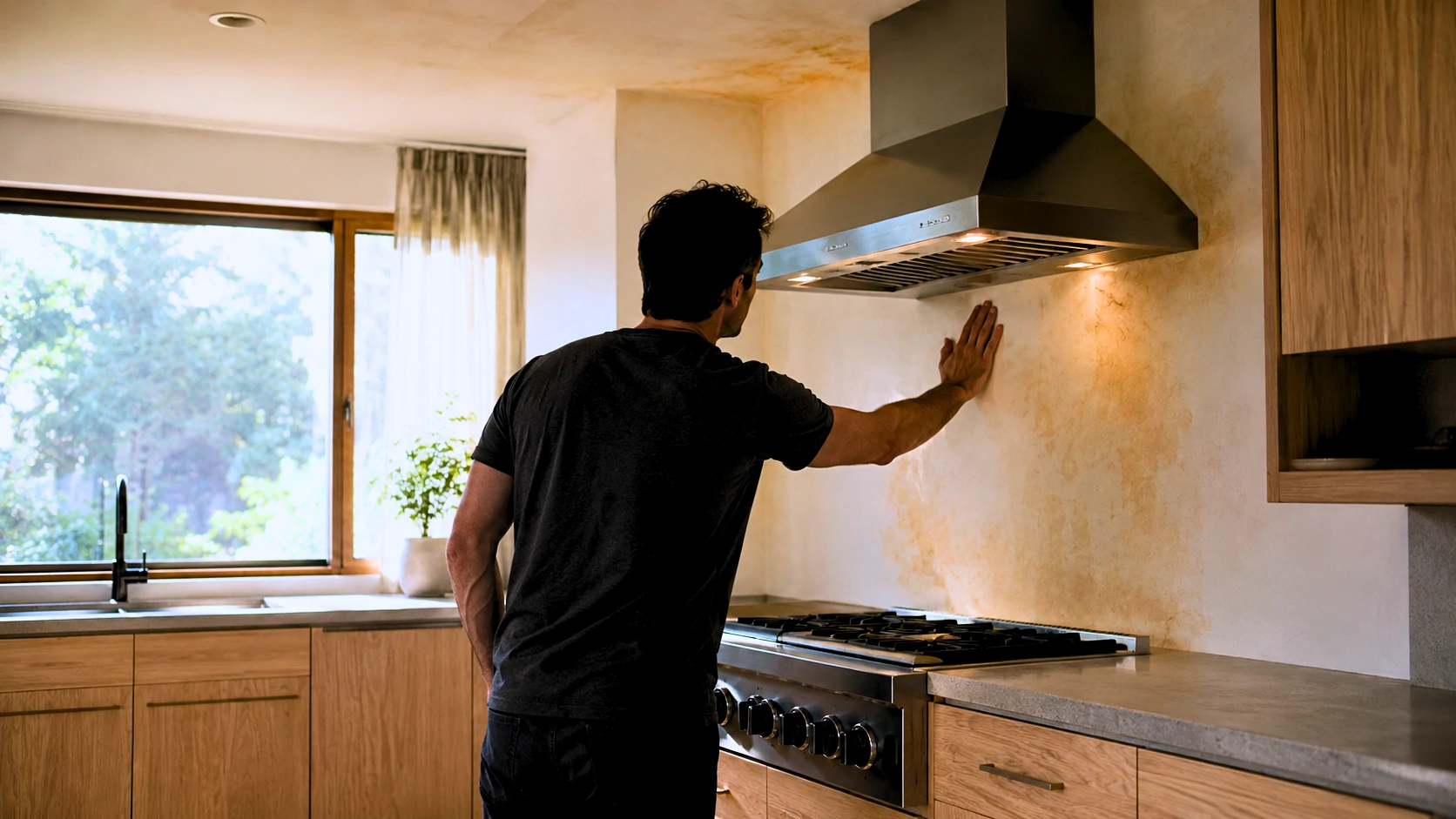
How to Get Curry Smell Out of a Rental House
Moving into a rental that carries years of embedded curry smell is one of those problems that makes you question whether anything will actually work. You open every window. You run fans. You try a few sprays and a bowl of baking soda. A week passes. The smell is still there — if anything, it seems worse on warm afternoons. Here's the honest explanation for why that happens, and what actually fixes it.The direct answer: Curry odor is not an air quality problem — it's a material penetration problem. Spice-based oils called oleoresins and terpene compounds bond to porous building materials, including drywall paper, wood, grout, and the biofilm that forms on HVAC evaporator coils. Cleaning and ventilation remove what's floating in the air. They do nothing to what's sitting inside the wall. Permanent remediation requires encapsulating those surfaces with an oil-based or shellac-based blocking primer, fully cleaning the HVAC system (coil and drain pan included), treating or replacing the subfloor beneath any carpet, and using ozone treatment for severe cases — after sealing is complete, not instead of it.Quick TakeawaysCeilings typically hold more embedded odor than walls — cooking vapor rises and deposits on ceiling drywall, particularly above the stove and around recessed fixtures KILZ Original (oil-based) outperforms KILZ Restoration for severe cases; Zinsser BIN (shellac) provides the strongest encapsulation and is the professional standard for extreme contamination Ozone cannot replace sealing — it oxidizes airborne compounds and surface-adjacent molecules, but doesn't penetrate porous materials. Run it after priming, not instead of it The subfloor beneath old carpet frequently holds years of accumulated odor and will contaminate new flooring if left untreated Smell returning after treatment almost always means an unsealed surface or an inadequately cleaned HVAC system — not a failure of the products themselves Standard duct cleaning is not full HVAC odor remediation. The evaporator coil and drain pan must be included in the scopeWhy Curry Smell Is Harder to Remove Than Other Cooking OdorsNot all cooking odors behave the same way. Bacon grease leaves a surface residue. Garlic creates a strong airborne smell that dissipates over days. Curry is a different problem entirely. The spice blends used in curry-based cooking — turmeric, cumin, coriander, fenugreek, and others — contain oleoresins and terpene-based volatile organic compounds that are oil-soluble, highly adhesive, and persistent. Curcumin, the active compound in turmeric, is particularly stubborn. It deposits on surfaces as a yellow-orange pigment, bonds chemically to porous materials, and continues volatilizing over time. This means the embedded compound keeps releasing odor even after the cooking stopped years ago. In practical terms, the smell isn't floating in the air anymore — it's inside the wall. The paper facing on drywall is porous enough to absorb these compounds during repeated cooking and trap them permanently at a depth where surface cleaning can't reach. This explains why homeowners who scrub thoroughly, paint over everything, and still smell curry on warm, humid days aren't imagining things. They painted over an active off-gassing source without encapsulating it first. The heat and humidity increased the compound's volatility, and it pushed right through the finish coat. Ventilation, baking soda, vinegar wipes, and air purifiers can reduce airborne concentration temporarily. None of them address what's embedded in the material.Where Curry Smell Actually Hides Most remediation attempts that fail do so because they treat 80% of the sources and leave the rest. Whatever is left keeps off-gassing indefinitely. Before starting any treatment, identify every contaminated surface in the property. Walls are the obvious starting point, but they're not always the worst. Wall surfaces adjacent to the cooking area accumulate deposits over time, but the extent depends on how the space was used and ventilated. Ceilings are consistently underestimated — and consistently ignored by most remediation guides. Cooking vapor rises. The ceiling above and around the stove, extending throughout the kitchen and into adjacent rooms, often holds more embedded odor than the walls. The area around recessed light fixtures is especially problematic, because warm air gathers at fixture openings and deposits compounds on the surrounding drywall. Cabinet interiors — the shelf boards, drawer boxes, and interior cabinet box sides — are raw or minimally finished wood that has absorbed cooking vapors through open cabinet doors for years. These surfaces are heavily contaminated in most homes with persistent curry odor and are almost universally skipped. Drawer boxes and any paper or cardboard cabinet liners should be removed and discarded. The liner material is too porous to treat effectively. The subfloor beneath carpet is one of the most overlooked sources in the entire remediation process. Carpet acts as a filter. Over years of use, cooking vapors pass through the carpet and deposit in the padding and the OSB or plywood subfloor beneath. The carpet and padding get removed. The contaminated subfloor stays, and the odor migrates up through whatever new flooring gets installed. Grout lines in kitchen and dining area tile are highly porous and hold volatile organic compounds from spice oils at a depth that standard cleaning doesn't reach. The tile itself is usually fine. The grout is not. HVAC ductwork accumulates odor compounds through particulate settling in ducts over time. This is well-known and usually addressed by duct cleaning. The evaporator coil and drain pan are less well-known but often more problematic than the ducts themselves. The coil surface develops a biofilm — a layer of organic matter that acts as an adhesive for odor compounds. The drain pan beneath it accumulates moisture and organic residue. Standard duct cleaning typically doesn't touch either of these. Exhaust fan housings — the actual metal housing of the kitchen range hood and bathroom exhaust fans — accumulate grease and odor compounds in the body of the unit, not just in the removable filters. Window frames and sills, particularly in kitchens where condensation and cooking vapor repeatedly interact, accumulate surface deposits. Baseboards and trim — the finished paint surface can be cleaned, but if the underlying wood was never properly primed, it absorbed compounds through the paint layer over time. Hollow-core interior doors are rarely mentioned in odor removal discussions, but the cardboard honeycomb core inside a standard hollow-core door is surprisingly absorbent. A kitchen door that's been in daily use during heavy cooking can hold detectable odor even after everything else has been treated.The Correct Remediation SequenceThe order of operations matters more than most people realize. Working out of sequence means cleaning a surface and then re-contaminating it, or installing new flooring over an untreated subfloor. Step 1 — Replace HVAC filters immediately Before anything else, install fresh filters. Running the HVAC system during cleaning with contaminated filters recirculates odor compounds back into the space throughout the entire project. Step 2 — Remove contaminated soft materials Carpet, padding, fabric window treatments, and cardboard cabinet liners need to leave the property. They cannot be treated in place to an acceptable standard when contamination is severe. Step 3 — Clean all hard surfaces with TSP solution Trisodium phosphate (TSP) mixed per product instructions — typically ¼ cup per gallon of warm water — removes surface grease, odor residue, and improves primer adhesion significantly. Scrub walls, ceilings, cabinet interiors (interior and exterior surfaces), trim, baseboards, and window frames. Wear chemical-resistant gloves and eye protection; TSP is caustic. Allow surfaces to dry completely before priming — at least 24 hours in a ventilated space.⚠️ Safety note: TSP should not be used on aluminum, polished metals, or bare wood floors. Rinse surfaces with clean water after scrubbing and before priming.Step 4 — Schedule full-scope HVAC cleaning Book HVAC cleaning to happen after surface cleaning but before final priming and painting. If the HVAC system runs contaminated air over freshly primed surfaces during the project, compounds will re-deposit on those surfaces. The HVAC cleaning scope must include coil cleaning, not just duct brushing — see Section 6 for exactly what to confirm. Step 5 — Assess and treat the subfloor After carpet removal, inspect and smell-test the subfloor before any new flooring goes down. If odor is present, prime the subfloor before installation — see Section 7 for the full protocol. Step 6 — Prime all porous surfaces Walls, ceilings, cabinet interiors, subfloor, trim, and baseboards — every porous surface gets a coat of blocking primer. The primer choice is critical and depends on odor severity. Do not skip the ceiling. Step 7 — Ozone treatment (when indicated) Ozone is most effective after surfaces are sealed. Running ozone before sealing treats airborne compounds but leaves the embedded source material intact — and the odor returns as the source continues off-gassing. If using ozone, run it after priming and before final paint and flooring installation. Step 8 — Apply finish paint over dried primer Two coats of quality latex paint over fully cured primer. Step 9 — Install new flooring Only after the subfloor is treated, ozone cycle is complete, and the space has fully aired. Step 10 — Final filter replacement Install fresh HVAC filters after all work is complete. This starts the occupancy period with a clean baseline.Choosing the Right Primer — KILZ Restoration vs. KILZ Original vs. Zinsser BINThis is the single most important product decision in the entire remediation process, and it's the one most guides handle vaguely or incorrectly. KILZ makes multiple products with different base chemistries that perform meaningfully differently on severe cooking odors. Treating "KILZ" as a single solution is a common mistake that leads to incomplete results and repeated priming cycles.Primer Base Chemistry Odor-Block Level Best Use Case Key LimitationKILZ Restoration Water-based latex Moderate Mild to moderate odor; easy cleanup May not fully encapsulate severe embedded cooking odorsKILZ Original Oil-alkyd Strong Moderate to severe odor; established cooking contamination Slow dry time; solvent cleanup; significant fumes — ventilate wellZinsser BIN Shellac (alcohol-based) Highest Severe odors; years of cooking contamination; extreme cases Strong application odor; shorter shelf life after opening; cleanup requires ammonia or denatured alcoholHow to choose: If the curry smell is moderate and the property wasn't used for heavy daily cooking, KILZ Restoration is worth testing first. Apply it, let it cure fully — 24 hours minimum — then smell-test the primed surface before painting. If odor is still detectable through the dried primer, the Restoration coat is not sufficient and needs to be followed by KILZ Original or Zinsser BIN before painting. If the smell is strong, has clearly been accumulating for years, or there is visible yellow-orange staining on wall or ceiling surfaces, start with KILZ Original or Zinsser BIN. Applying Restoration and discovering it's inadequate costs time and materials without gaining useful ground. Why shellac outperforms oil and latex: Zinsser BIN is dissolved shellac — a natural resin — in denatured alcohol. When it dries, it forms a denser, less permeable film than either oil-alkyd or latex primers. The shellac film is essentially non-porous, which is why it's the professional standard for extreme smoke and cooking odor situations. It encapsulates rather than just covering. The practical trade-offs are real. Shellac dries to touch in roughly 45 minutes, which is fast enough to create lap marks if application pace is slow. Cleanup requires ammonia or denatured alcohol, not water. The application odor is significant — open windows, run fans, wear a respirator rated for solvent vapors. Applying BIN over existing Restoration: If KILZ Restoration is already on the walls and drying hasn't eliminated the detectable odor, applying Zinsser BIN over the fully dried Restoration coat is a standard and effective approach. Shellac adheres over most dried paint and primer surfaces. This avoids stripping the existing Restoration coat and is commonly used when initial treatment proves insufficient.Ozone Treatment — What It Does, What It Doesn't, and Whether You Need ItOzone (O₃) works through oxidation. The unstable third oxygen atom breaks apart odor-causing molecules by attaching to them and disrupting their chemical bonds. It's effective on airborne volatile organic compounds and on molecules present at or very near the surface of materials. It does not penetrate significantly into porous materials like drywall, OSB subfloor, or wood. This is where the misunderstanding causes failures. A homeowner ozone-treats a house, the smell disappears, and then returns two weeks later. The ozone eliminated what was airborne and accessible at the surface. The embedded oleoresins inside the drywall paper kept off-gassing after the ozone dissipated. Without sealing first, the ozone treatment addressed the symptom while the source continued. Ozone is a complement to encapsulating primer. It is not a replacement for it.⚠️ Ozone Safety — Non-Negotiable Requirements Ozone is hazardous to humans, pets, birds, and certain materials at treatment concentrations. OSHA's permissible exposure limit for ozone is 0.1 parts per million. Treatment generators operate at many times this level. The following requirements are not optional:Every person and animal must completely vacate the building before treatment begins, including pets in cages and fish tanks (cover tanks and disconnect pumps) Post-treatment airing period is a minimum of 4–6 hours with active ventilation before re-entry — longer is safer Protect or remove rubber components — refrigerator door gaskets, HVAC rubber seals, rubber weatherstripping, leather furniture Electronics and artwork should be removed from treatment areas Before re-entering, confirm the generator is off and smell for ozone's distinctive sharp, metallic scent — if detectable, continue ventilating Do not rely on timer-only shutdown; physically verifyProfessional vs. Consumer Rental Equipment Consumer ozone rental units typically generate under 600 mg/hr output. Professional remediation equipment operates at 1,000–4,000 mg/hr or higher. For a full house with severe contamination, a rental unit may require extended run times and still fall short of professional-grade results in larger spaces. If the home is significantly contaminated and larger than approximately 1,000 square feet, comparing the cost of professional ozone treatment ($200–$600 depending on square footage) against multiple rental days plus the time investment is worthwhile. The gap in equipment output is real. Hydroxyl Generators — The Occupant-Safe Alternative Professional remediation companies increasingly use hydroxyl radical generators as an ozone alternative. Unlike ozone, hydroxyl generators can operate with people present, don't damage rubber or electronics, and are effective on residual airborne compounds after sealing is complete. They act more slowly than ozone, which makes them better suited for ongoing treatment rather than a single shock treatment. Consumer rental availability is limited but growing. Ozone Decision FrameworkSituation RecommendationMild smell, all surfaces fully sealed and painted Ozone likely unnecessary — ventilate and reassess after 30 daysModerate smell, surfaces sealed but some odor remains Ozone treatment beneficial as a final step before occupancyStrong smell with unsealed surfaces still present Seal first — ozone before sealing wastes the treatmentHVAC not yet professionally cleaned Clean HVAC first — the system will reintroduce odor after ozone treatmentConsidering rental machine for a full house Understand output limitations; may require extended treatment or multiple cyclesHVAC Cleaning — What to Actually Ask ForStandard duct cleaning is not full HVAC odor remediation. The difference matters, and many homeowners don't discover it until the smell comes back through the vents after they've paid for a cleaning. A typical duct cleaning service inserts brushes and vacuums into accessible duct sections to remove accumulated dust and debris. Useful, but insufficient for embedded cooking odors. Cooking vapor compounds deposit on the evaporator coil surface, which develops a biofilm over time — a layer of organic matter that acts as an adhesive for additional deposits. The drain pan beneath the coil accumulates moisture and organic residue. The air handler cabinet interior holds contaminated material. None of these are reached by duct brushing. This is the specific reason homeowners report that the curry smell is still strongest at the supply registers even after professional duct cleaning — the duct interiors were cleaned, but the air handler and coil are still contaminated and conditioned air passes through them on every cycle. HVAC Cleaning Scope Confirmation Checklist Before booking, confirm every item on this list with the contractor:Evaporator/air handler coil will be cleaned with an approved coil cleaner (not just rinsed) Drain pan will be cleaned and treated Air handler cabinet interior will be vacuumed and wiped down All filters and media will be replaced at the end of service Return air plenum (the large return box near the air handler) is included in the scope All supply and return registers will be removed, cleaned, and reinstalled Kitchen range hood ductwork run will be included if accessibleA contractor who confirms the full list above is performing complete HVAC odor remediation, not just duct vacuuming. Expect a higher invoice — typically $300–$550 versus $150–$200 for a basic duct cleaning. The additional scope is the correct investment for an odor remediation situation. On scheduling: A common mistake is completing all surface work and then scheduling HVAC cleaning as a final step. If the system runs contaminated air over freshly primed or painted surfaces during the project, compounds can re-deposit on those new surfaces. Schedule HVAC cleaning to coincide with the mid-project phase — after TSP cleaning, before or during the priming stage.Carpet Removal and Subfloor AssessmentCarpet in a home with years of curry odor is not salvageable through cleaning. The fibers, padding, and often the subfloor beneath have absorbed volatile compounds beyond the threshold that any in-place treatment can address. Remove carpet and padding entirely and dispose of them. After removal, the critical step that most remediation guides skip entirely: assess the subfloor before installing anything new. Subfloor Assessment ChecklistPerform a smell test at floor level immediately after carpet and padding removal (before ambient odor dissipates) Visually inspect the OSB or plywood surface for yellow, orange, or brown discoloration, particularly in kitchen-adjacent and high-traffic areas Check seams and fastener points where vapors can penetrate over time Note any soft spots or moisture-related damage (separate issue, but worth flagging during assessment)If odor is detectable in the subfloor: Apply one coat of KILZ Original or Zinsser BIN across the entire subfloor surface, including seams and fastener areas. Allow full cure. Smell-test again before flooring installation. If odor is still detectable through one dried coat, apply a second before proceeding. When the subfloor may need replacement: If the OSB or plywood shows significant saturation — particularly in homes where cooking happened on upper floors, or where subfloor has prolonged contact with heavily contaminated carpet padding — replacement may be more practical than continued priming. The specific indicators are:Primer coat shows yellow or orange bleed-through discoloration within 24 hours of application (oleoresin is migrating through the primer before it cures) Odor remains clearly detectable through two full, dried coats of shellac primer Visible organic staining is deep and extensive rather than limited to isolated areasIn these cases, cutting out and replacing the affected subfloor section, then priming the new OSB and the surrounding framing before flooring installation, is the more reliable outcome. New flooring timing: Never install new flooring before the subfloor smell test passes and primer has fully cured. The odor migrates upward through even non-porous flooring materials via the edges, seams, and expansion gaps.Surfaces Most People Miss These are the overlooked sources that cause smell to return after a homeowner has completed what they believe is a full remediation. Cabinet interiors — the shelf boards, interior box sides, and drawer boxes inside kitchen cabinets are raw or minimally finished wood that has been absorbing cooking vapors for years. Cleaning with TSP, followed by primer application inside each cabinet, is tedious. It's also necessary. One consistently missed cabinet is the one immediately above the stove, where heat-driven vapor rises directly into the cabinet interior. Grout lines — kitchen tile is easy to wipe down. The grout between tiles is porous and holds oleoresins at a depth that surface cleaning doesn't address. After TSP scrubbing, allow grout to dry fully, then apply a penetrating grout sealer. This step is almost universally absent from competing remediation guides. Ceiling light fixture boxes — recessed lighting creates gaps in ceiling drywall where warm, contaminated air has been gathering for years. Wipe down the interior of each fixture box with TSP solution and prime the surrounding ceiling drywall with extra attention and coverage. Exhaust fan housing — the range hood and bathroom exhaust fan housings, not just the replaceable filters, accumulate grease and odor compounds in the sheet metal body. Where possible, remove the fan assembly and clean the housing interior with degreaser before replacing with new filters. Window sills and frames — particularly wooden sills in kitchen areas where condensation and cooking vapor interact repeatedly. These are visually easy to overlook during surface prep. Hollow-core interior doors — the cardboard honeycomb core inside a standard hollow-core door is absorbent. A kitchen door in daily use during years of heavy cooking can hold measurable odor. Prime all door surfaces, including both sides and edges. If smell persists in a room where every other surface has been treated, temporarily remove the door and compare odor levels. Replacement is the permanent solution when the door is the remaining source. Return air vent surroundings — the drywall immediately adjacent to return air vents is often more contaminated than surrounding wall surface, because return vents draw air (and airborne compounds) across that area continuously. It's frequently undertreated because it doesn't look different from the rest of the wall.Cost Breakdown — DIY vs. Professional Remediation One of the more frustrating discoveries mid-project is that incremental DIY spending can quietly approach professional remediation costs without achieving equivalent results. This comparison helps make that decision clearly.Item DIY Cost Range Professional CostTSP cleaning supplies $15–$40 Included in serviceKILZ Original, per gallon $30–$42 Included in serviceZinsser BIN, per quart $24–$30 Included in serviceHVAC full-scope cleaning $300–$550 $300–$550Ozone machine rental (per day) $50–$100 N/AProfessional ozone treatment N/A $200–$600Carpet removal (self-performed) Disposal fees only $1–$2 per sq ft (labor)Subfloor primer treatment $40–$80 Included in serviceFull professional odor remediation N/A $800–$2,500+For a moderate case in a 1,200 sq ft rental — TSP supplies, two gallons of KILZ Original, HVAC full-scope cleaning, two days of ozone rental, and subfloor primer — DIY material costs typically run $500–$750 before any labor consideration. Two additional realities worth factoring in: Failed first rounds have real costs. If KILZ Restoration was purchased and applied before discovering it's insufficient for the contamination level, that's $25–$35 per gallon spent without resolution, plus the time to reprime. Multiple partial attempts compound quickly. Professional mobilization is one event. A professional remediation company that completes the project correctly in a single mobilization at $1,200–$1,500 can be cost-equivalent to a drawn-out DIY process on a badly contaminated property — with better equipment and a cleaner outcome. The calculation shifts clearly toward professional remediation when: the property exceeds 1,500 square feet, the HVAC system is complex or difficult to access, subfloor replacement becomes necessary, or more than two complete DIY treatment cycles have been attempted without resolving the odor.When DIY Is Not Enough The full DIY protocol described in this guide resolves most curry odor situations in rental properties. But there are clear indicators that the contamination level exceeds what consumer products and rental equipment can handle. Recognizing these early prevents continued spending on a situation that requires professional equipment. ⚠️ Consider professional remediation when any of the following apply:Smell returns within two to three weeks of completing the full treatment sequence — TSP cleaning, oil-based or shellac primer on all surfaces, full-scope HVAC cleaning, ozone treatment Odor is still detectable after two full coats of shellac-based primer on the same surface, after both coats have cured completely Smell is strongest at HVAC supply registers despite confirmed coil and drain pan cleaning — suggests contamination is deeper in the air handler or the system has a component that wasn't addressed Primer bleeds through with yellow or orange discoloration within 24 hours of application, indicating oleoresin saturation at a level topical treatment cannot contain Subfloor requires replacement and the project scope is expanding significantly The property was used for commercial cooking, large-scale food preparation, or cateringProfessional odor remediation companies have access to equipment that is not available at consumer rental counters: high-output ozone generators, hydroxyl radical machines, thermal foggers that carry encapsulant deep into porous surfaces, and commercial-grade sealants. For a severely contaminated property, the gap between professional capability and DIY capability is real and meaningful. If two full rounds of DIY treatment have been completed with continued odor presence, a professional assessment before additional material investment is the right next step. A remediation company can identify what was missed and give a specific estimate — which may confirm the remaining work is DIY-manageable or clarify that professional equipment is needed to cross the finish line.Frequently Asked Questions Is KILZ Restoration strong enough for severe curry smell, or do I need the oil-based KILZ Original? KILZ Restoration (water-based) is adequate for mild to moderate odors where the smell is noticeable but not overwhelming. For severe, long-standing curry contamination — strong odor, visible staining, years of cooking — KILZ Original (oil-based) or Zinsser BIN (shellac) is the appropriate starting point. The latex binder in Restoration forms a less dense film than oil or shellac. If Restoration has already been applied and odor is still detectable through the dried primer, apply a coat of Zinsser BIN over it before painting.Will curry smell come back after priming and painting if I skip ozone? If every porous surface is fully and correctly sealed with quality blocking primer, ozone is not strictly necessary. Ozone eliminates residual airborne compounds after encapsulation is complete — it doesn't replace encapsulation. Smell returning after a seemingly complete treatment almost always indicates a missed surface (cabinet interiors, ceilings, hollow-core doors, grout) or an HVAC system that wasn't fully cleaned, not the absence of ozone.What does an ozone machine actually do that cleaning and priming doesn't? Ozone oxidizes volatile organic compounds present in the air and at the surface layer of materials by attaching an unstable oxygen atom to odor molecules and breaking them apart chemically. Cleaning removes surface residue. Primer encapsulates embedded compounds. Ozone addresses what remains airborne and surface-accessible after those steps. The three methods target different parts of the problem — they're complementary, not interchangeable.How long does a house need to air out after ozone treatment before it's safe to re-enter? A minimum of 4–6 hours with active ventilation — windows open, fans running. Larger generators or longer treatment cycles need proportionally longer airing time. Test by smell before entry: ozone has a sharp, distinctive metallic or electrical odor. If it's detectable at the door, continue ventilating. Don't shorten this step.Can curry smell embed in drywall permanently, or does sealing always work? Without encapsulation, yes — oleoresins bonded to drywall paper can off-gas for years. Proper sealing stops the off-gassing by creating a barrier between the embedded compound and the air. In extreme cases where drywall is heavily saturated and shellac primer bleeds through within 24 hours even after two coats, replacing the affected drywall section and priming the new material before finishing is the more reliable outcome than additional primer layers.My HVAC was professionally cleaned but I can still smell curry from the vents. What was missed? The most common answer is that the evaporator coil and drain pan were not cleaned — only the duct interiors were vacuumed. Cooking odor compounds embed in the biofilm on coil fins and in organic residue in the drain pan; standard duct brushing doesn't address either. Contact the company and ask specifically whether the coil was cleaned with an approved coil cleaner and whether the drain pan was treated. If those items weren't in scope, schedule a supplementary coil cleaning.Should I prime the subfloor after removing carpet before laying new flooring? Yes, if any odor is detectable after carpet and padding removal. New flooring installed over an untreated contaminated subfloor will carry the odor upward through seams, edges, and expansion gaps. Prime with KILZ Original or Zinsser BIN, allow full cure, and smell-test the primed surface before flooring installation.Does Zinsser BIN shellac primer work over KILZ Restoration that's already on the walls? Yes. Shellac adheres over most dried surfaces, including dried latex primer. Allow the Restoration coat to fully cure, lightly sand if the surface is very smooth or glossy for better adhesion, then apply BIN. This combination is commonly used when an initial water-based treatment proves insufficient.Will a HEPA air purifier eliminate curry smell, or does it just mask it? HEPA filters capture particulates — airborne particles, dust, and some larger molecules. They have limited effect on volatile organic compounds like the ones responsible for curry odor, which are gas-phase and pass through HEPA media. A purifier that combines HEPA with a substantial activated carbon filter layer will capture some VOCs, but it's managing the symptom rather than eliminating the source. Air purifiers are a reasonable supplementary measure during and after remediation — not a substitute for encapsulation.What questions should I ask an HVAC contractor before booking? Ask specifically whether the scope includes: evaporator coil cleaning with an approved coil cleaner, drain pan cleaning and treatment, air handler cabinet interior cleaning, all filter replacement at completion, return air plenum cleaning, and register cleaning. A contractor who confirms the full list is offering genuine odor remediation scope. One who hedges on coil and drain pan cleaning is quoting standard duct vacuuming, which is insufficient for cooking odor situations.Can hollow-core interior doors really hold onto curry smell? The cardboard honeycomb core inside a standard hollow-core door is porous and absorbent. A kitchen door with years of daily use during heavy cooking can hold detectable odor even after every other surface in the room has been treated. If smell persists in a room where everything else is addressed, temporarily remove the door and compare odor levels over 24 hours. If the room improves significantly, the door is a source. Prime all surfaces of the door, including edges, or plan for replacement.At what point is replacing drywall more practical than continuing to prime? When two full coats of shellac primer show bleed-through discoloration within 24 hours of application, or when odor remains clearly detectable through two dried shellac coats, the contamination level in that section of drywall may exceed what any topical sealant can contain. At that threshold, cutting out and replacing the affected section, priming the new drywall and the surrounding framing before finishing, is more practical than adding more primer layers.Is professional hydroxyl treatment a better option than ozone for occupied homes? Hydroxyl generators are safer around occupants, don't degrade rubber or electronics, and are effective on residual airborne compounds after sealing. They operate more slowly than ozone, which makes them better suited for ongoing maintenance treatment than a single concentrated shock treatment. For a vacant property being prepared for occupancy, professional ozone with proper evacuation protocol is generally faster. For a situation where the space needs to remain partially occupied during treatment, hydroxyl generation is the more practical option.

16 Easy Home Improvement Ideas You Can Actually Finish This Weekend
Quick Answer: The best weekend home improvement ideas combine quick visible wins — like swapping cabinet hardware or installing smart bulbs — with longer-payoff upgrades like smart thermostats, water leak detectors, and energy monitors. Most can be done in under four hours with basic tools.Saturday morning hits differently when you've been staring at the same kitchen handles for three years. You know something needs to change. You've got 48 hours, a moderate budget, and absolutely no desire to tear out a wall. Here's the thing most lists won't tell you: you don't need all 16 of these projects this weekend. Pick three, do them right, test them, and actually enjoy the result. The goal isn't a completed checklist — it's a home that works better by Sunday evening. After testing smart home devices across dozens of setups, dealing with C-wire nightmares, and discovering that "30-minute install" means something very different at 9pm versus 9am, this guide is built on what actually happens — not what the product box promises. What you'll learn in this guide:16 realistic weekend home improvement projects — no contractor required for most Which ideas actually save money on energy bills vs. which just look nice Smart home upgrades that beginners can install in under an hour Honest time and cost estimates for every project The three upgrades most homeowners wish they'd done sooner What to skip if you're renting or have HOA restrictionsAll 16 Projects at a Glance# Project Difficulty Time Cost Saves Energy? Renter-Friendly?1 Replace cabinet hardware ⭐ Easy 1–2 hrs $30–$80 No ✅ Yes2 Install smart LED bulbs ⭐ Easy 30–60 min $40–$120 ✅ Yes (~$8/mo) ✅ Yes3 Smart plugs + energy monitoring ⭐ Easy 20–30 min $20–$60 ✅ Yes (variable) ✅ Yes4 Under-cabinet LED strip lighting ⭐ Easy 30–60 min $30–$90 ✅ Minor ✅ Yes5 Install a video doorbell ⭐⭐ Moderate 1–2 hrs $80–$250 No ⚠️ Check lease6 Smart lock upgrade ⭐⭐ Moderate 30–90 min $100–$300 No ⚠️ Check lease7 Motion sensor exterior lighting ⭐⭐ Moderate 30–60 min $20–$80 ✅ Yes ⚠️ Check lease8 Smart thermostat ⭐⭐ Moderate 1–3 hrs $80–$250 ✅ Yes ($150–$300/yr) ⚠️ Check lease9 Water leak detectors ⭐ Easy 10 min/unit $25–$50/unit ✅ Prevention ✅ Yes10 Energy automation routines ⭐ Easy 1–2 hrs $0 ✅ Yes (up to 23%) ✅ Yes11 Whole-home energy monitor ⭐⭐ Moderate 2–4 hrs $150–$300 ✅ Yes (insight) ❌ Usually No12 Wi-Fi network audit + upgrade ⭐ Easy 1 hr $0–$200 No ✅ Yes13 Smart switches (high-traffic rooms) ⭐⭐⭐ Advanced 30–60 min/switch $15–$60/switch ✅ Yes ❌ Usually No14 Smart smoke + CO detector ⭐⭐ Moderate 15–30 min $100–$130 No ⚠️ Check lease15 Smart irrigation controller ⭐⭐ Moderate 1–2 hrs $80–$200 ✅ Yes (water bill) ❌ Usually No16 Smart garage door opener/retrofit ⭐⭐⭐ Advanced 2–4 hrs $100–$200 No ⚠️ Check lease🏠 The Weekend Home Improvement Reality Check Most "easy home improvement" lists were written by people who have never installed a smart thermostat at 9pm and discovered the HVAC wiring doesn't match the diagram. The projects in this guide have been chosen because they're genuinely completable in a weekend — and because they make a real, measurable difference. Start with smart plugs and an energy audit if savings are your motivation. Start with cabinet hardware and lighting if you want the fastest visible result.How to Pick the Right Projects for Your Weekend (and Your Home) Most people open a list like this, feel overwhelmed by option 4, and end up doing nothing. Let's skip that part. Start With Your Biggest Pain Point Three categories cover most homeowner frustrations. Find yours: If energy bills are climbing: Start with projects 8, 3, and 10 — smart thermostat, smart plugs, and automation routines. These three together can realistically cut $150–$300 off your annual electricity costs. The thermostat alone pays for itself in under a year on most heating/cooling setups. If security keeps you up at night: Projects 5, 6, and 7 form a natural package — video doorbell, smart lock, and motion lighting. You don't need all three this weekend. The doorbell makes the biggest visible difference first. If you want the fastest transformation: Projects 1 and 2. Replace cabinet hardware and swap your bulbs. You'll be surprised how different a kitchen or bathroom feels after just a few hours. These cost almost nothing by comparison and deliver instant visual results.Renter vs. Homeowner — Know Before You Start This is the section most guides skip entirely. If you're renting, you're not locked out of this list — but you do need to know which projects require approval before you begin.Project Renters NotesSmart plugs, LED bulbs ✅ No approval needed Fully removable, no modificationUnder-cabinet LED strips ✅ Usually fine Use adhesive strips — avoid screwsWi-Fi audit + upgrade ✅ No approval needed Your network, your callWater leak detectors ✅ No approval needed Battery-powered, no installation requiredAutomation routines ✅ No approval needed Software onlyVideo doorbell (battery) ⚠️ Ask first Some leases prohibit doorbell changesSmart lock ⚠️ Ask first Lock replacement is typically prohibited without permissionSmart thermostat ⚠️ Ask first May need landlord to verify wiringSmart switches ❌ Usually not without approval Involves electrical modificationsWhole-home energy monitor ❌ Requires electrical panel access Always landlord territoryHOA households: Exterior changes — including video doorbells, motion lights, and certain door hardware — may require approval. Check your CC&Rs before buying anything that mounts to an exterior wall.What You Can Realistically Do in Two Days Here's an honest weekend plan. These time blocks assume you've already ordered supplies. Add 2–3 hours if you're shopping Saturday morning.Time Block Activity NotesSaturday 8–10am Unbox, read instructions, gather tools Don't skip instructions — most failed installs start hereSaturday 10am–12pm Quick wins: bulbs, plugs, cabinet hardware Build confidence with easy projects firstSaturday 12–1pm Lunch + measure and plan any wiring work Don't rush electrical projectsSaturday 1–4pm Intermediate installs: doorbell, thermostat Best done in daylight with a helper nearbySaturday 4–6pm Test everything installed so far Fix issues before Sunday while it's freshSunday 9–11am Advanced projects: switches, energy monitor Fresh eyes, rested — electrical work deserves thisSunday 11am–2pm App setup and automation routines The most underrated step that most people rushSunday 2–4pm Review, troubleshoot, document Photograph your wiring and panel for future referenceThe Quick Wins — Projects That Take Under an Hour These four projects can all be done before lunch on Saturday — and two of them will visually change your home today. 1. Replace Cabinet Hardware (1–2 Hours, $30–$80)This is, dollar for dollar, the fastest visual transformation in any kitchen or bathroom. New handles and pulls shift the entire feel of a room — and most people dramatically underestimate how much old hardware was holding the space back. The only trap to avoid: measure your existing hole spacing before ordering anything. Cabinet pulls use two mounting holes. The center-to-center distance varies — typically 3", 3.75", or 5". Buy pulls that match your current spacing, or you'll be drilling new holes. That's a 20-minute project that becomes a 90-minute one. Practical tip: Brushed nickel and matte black are both versatile and widely available. Knobs are faster to install than pulls but handles tend to look more substantial. If you're mixing kitchen and bathroom hardware, buying the same line in each room creates visual cohesion without requiring a renovation. Trade-off: Cabinet hardware is a reversible change, but the screw holes stay. If you drill new holes to fit a different spacing, the originals need to be filled before you sell. Keep the originals in a labeled bag.2. Swap Every Old Bulb for Smart LED Bulbs (30–60 Minutes, $40–$120)Sixty-watt incandescent bulbs draw 60W. An equivalent LED draws 8.5W. In a room with six bulbs running four hours a day, that's a measurable difference on your monthly bill — roughly $8–$12 per month in heavily used spaces. Smart LED bulbs go one step further: they're dimmable via app, change color temperature on a schedule, and integrate with Alexa, Google Home, or Apple HomeKit without any hub. They're also one of the most renter-friendly smart home upgrades — screw in, screw out, take them when you leave. The smart bulb vs. smart switch debate starts here. This matters more than most beginners realize. Smart bulbs are easy and immediately gratifying. But they have a quirk: if someone turns off the light switch at the wall, the bulb loses power and becomes unresponsive to the app. Smart switches solve this permanently — but they require wiring work. More on that in Project 13. For now: if everyone in your home is willing to stop using the wall switches and control lights via app or voice, smart bulbs work great. If that sounds like a recipe for household conflict, bookmark Project 13. Setup tip: When you first open the bulb app, name your rooms properly. "Living Room Lamp 1" is not a room name. Take the five minutes to label things intuitively — it makes every automation you build later much cleaner. ⚠️ Safety note: Smart bulbs are not compatible with most traditional dimmer switches. If you put a smart bulb in a socket that's controlled by an old dimmer, you'll get flickering, buzzing, or shortened bulb life. Either replace the dimmer with a standard switch or buy bulbs that list explicit dimmer compatibility.3. Install Smart Plugs and Actually Check the Data (20 Minutes, $20–$60)The remote on/off feature is the part that gets advertised. The energy monitoring is the part that changes behavior. Most people install a smart plug, confirm it turns on and off from the app, and never look at the energy data again. That's like getting a fitness tracker and never checking your steps. The data is where the value lives. Plug in a smart plug on your TV, gaming setup, coffee maker, or any device that runs daily. Then check the energy monitoring app after one week. What you'll typically find:A gaming PC or console in standby: 150–250W (that's $13–$22/month for a "turned off" device) An older flat-screen TV: 40–80W standby A coffee maker with a clock display: 3–5W 24/7 — not huge, but it's always onThe average US household wastes around $165 per year powering devices that appear to be off. Smart plugs let you find and eliminate those draws selectively.💡 Real Talk: Most smart home "starter kits" are a bad value. You're buying 5 devices from one ecosystem at a bundle price — but your home might only need 2 of them. Buy plugs first. Use the data to decide what to address next.⚠️ Safety warning: Only purchase UL-listed (US), CE-marked (UK/Europe), or SAA-approved (Australia) smart plugs. A $25 plug from an unknown brand with no certification markings is a documented fire risk. This isn't theoretical — counterfeit plugs have caused fires. Spend an extra $5–$10 for a brand that's been tested.4. Add Under-Cabinet LED Strip Lighting (30–60 Minutes, $30–$90)This is the most underrated kitchen upgrade on this list. Under-cabinet lighting eliminates the shadow your upper cabinets cast on your countertop — the shadow that makes food prep harder and the kitchen feel darker than it is. Plug-in vs. hardwired: For a weekend project, plug-in strip lights win without question. They take 30 minutes to install, use adhesive mounting, and require zero electrical work. Hardwired looks cleaner but needs a cabinet that already has an outlet inside or an electrician to add one. Color temperature matters here more than most people realize:2700K (warm white): Cozy, amber-toned — great for living areas, not ideal for task lighting 3000K: A good kitchen balance — warm enough to feel comfortable, bright enough to see what you're doing 4000K (cool white): Clinical, bright — excellent for detail work, less pleasant for everyday useMany smart-enabled strip lights let you adjust this from an app. Worth the $10–$20 premium if you use the kitchen in the evening. Renter note: Adhesive-mount strips work well and leave minimal residue on clean cabinet surfaces. Test on an inconspicuous area first, and store the original mounting template if your strip lights came with one.Smart Security Upgrades That Actually Work Here's an uncomfortable truth: most smart home security articles skip the most important part of making a smart lock actually secure. 5. Install a Video Doorbell This Afternoon (1–2 Hours, $80–$250)Studies consistently show that visible security tech — cameras, doorbells, motion lights — deters opportunistic burglars. A video doorbell doesn't just tell you who's at the door. It creates a visible deterrent, logs delivery confirmations, and gives you a permanent record of porch activity. Wired vs. battery-powered: Wired doorbells connect to your existing low-voltage doorbell wiring and never need charging. Battery-powered units are far easier to install and work in homes without existing doorbell wiring — but you'll recharge them every 1–6 months depending on traffic and settings. If your home has existing doorbell wires and you're willing to do basic wiring, go wired. If not, battery is a fully capable alternative. What actually matters in specs:1080p resolution is sufficient for facial recognition and package identification — 4K is marketing for doorbell cameras Two-way audio is genuinely useful, not a gimmick Local vs. cloud storage: Cloud storage often requires a monthly subscription ($3–$10/month). Check this before buying — it affects the real costCommon mistake: Buying a video doorbell before checking if it works with your existing chime. Some battery doorbells bypass the chime entirely; others require a compatible mechanical or digital chime. Check the compatibility list for your specific model before purchasing. ⚠️ Privacy note for UK and Australia residents: Some budget video doorbells route footage through overseas servers and have unclear data retention policies. Under UK GDPR and Australian Privacy Act obligations, check where your footage is stored and what the provider's data sharing policy covers before purchasing.6. Upgrade to a Smart Lock (30–90 Minutes, $100–$300)Guest access codes. No more hiding keys under a rock. A log of who entered and when. Smart locks deliver genuine, everyday convenience that's hard to go back on once you have it. Deadbolt replacement vs. retrofit: Deadbolt replacements swap your entire existing deadbolt for a new smart one — they're the cleanest solution and work with almost any door. Retrofit models clip over your existing deadbolt's thumb turn and don't require replacing the lock cylinder — useful if you want to keep your keyed hardware. Retrofit models are typically faster to install (15–30 minutes) but bulkier. Check your door backset before ordering. The backset is the distance from the edge of the door to the center of the lock hole. Most doors use either a 60mm (2-3/8") or 70mm (2-3/4") backset. The wrong size won't fit. Measure before you order. Keep a physical key. This should be obvious, but every year people get locked out because their phone died, the app had an outage, or the Wi-Fi went down. The app is the convenience layer — the key is the backup. Store one somewhere smart, not the same spot where everyone hides a spare.🔴 Expert Warning: Smart locks are only as secure as your Wi-Fi network. A smart lock on a compromised network with a default router password is worse than a standard deadbolt. Before installing any smart lock, complete Project 12 (Wi-Fi security audit) first.Modern smart locks with 256-bit AES encryption are genuinely secure — more tamper-resistant than most standard deadbolts. The vulnerability isn't the lock hardware. It's the network it runs on.7. Add Motion Sensor Exterior Lighting (30–60 Minutes, $20–$80)Motion-activated lighting is one of the highest-value security upgrades per dollar on this list. It startles, it illuminates, and it's visible evidence that the property is actively monitored. Wired replacement vs. battery stick-up lights: Replacing an existing exterior light fixture with a motion-sensor version takes 30–45 minutes, requires the circuit breaker off, and delivers a permanent, weatherproof result. Battery-powered stick-up lights (like the Blink or Ring floodlight models) require zero wiring and can be mounted on almost any exterior surface — ideal for renters and for spots without existing wiring. Lumen output guide:500–700 lumens: Subtle, accent-style — enough to notice, not blinding 1,000–2,000 lumens: Standard security coverage — this is what you want for driveways and garage areas 3,000+ lumens: Strong deterrent, commercial-feel — appropriate for larger propertiesSmart motion lights can trigger your phone when they activate — useful for verifying whether that 2am alert was a raccoon or something worth calling about.Cost-to-Payback Summary: The Energy-Focused ProjectsProject Avg. Cost Annual Savings Payback PeriodSmart thermostat $80–$250 $150–$300/yr 5–18 monthsSmart LED bulbs (6 bulbs) $40–$120 $60–$90/yr 8–24 monthsSmart plugs (4 units) $60–$100 $30–$120/yr 6–30 months (varies by device)Smart irrigation controller $80–$200 $50–$150/yr (water bill) 12–36 monthsAutomation routines $0 Up to $200/yr (with devices) ImmediateWhole-home energy monitor $150–$300 $120–$240/yr (behavioral) 12–24 monthsSavings figures based on US average energy rates and EPA WaterSense data. UK/Canada/Australia results vary with local utility pricing.Smart Home Myth vs. RealityMyth Reality"Smart home devices are complicated to set up" Most Matter-compatible devices pair in under 3 minutes"Smart thermostats work with all HVAC systems" Single-stage systems: yes. Multi-stage, heat pump, or radiant heat: check compatibility first"Smart plugs save significant energy by themselves" They save standby draw — meaningful for TVs and gaming rigs, negligible for phone chargers"You need a hub to start" No — most 2026 devices run natively on Wi-Fi or Matter without a proprietary hub"Smart locks aren't secure" Modern smart locks with AES-256 encryption are more tamper-resistant than most standard deadbolts"You have to set everything up at once" The most effective smart homes were built device by device, not kit by kitThe Energy-Saving Upgrades That Pay for Themselves Standby power costs US households approximately $165/year on devices that appear to be off. That's just standby. Add poor thermostat scheduling and unmanaged irrigation, and the number climbs quickly. 8. Install a Smart Thermostat — The Upgrade With the Longest Payback (1–3 Hours, $80–$250)A Google Nest Thermostat installed in a 2,200 sq ft home in Minnesota saves around $23/month during winter — roughly $276/year for a $130 device. That math holds up across most climates when you actually configure the schedule. The issue is that most people install a smart thermostat and never touch the scheduling settings. That's the equivalent of buying a hybrid car and driving it exclusively in combustion mode. Before you buy, do the C-wire check. The C-wire (common wire) provides continuous power to the thermostat so it can maintain a Wi-Fi connection. About 30% of older HVAC systems don't have a C-wire connected at the thermostat — even if one exists at the HVAC control board. Most modern smart thermostats include a C-wire adapter that draws power from existing wiring without requiring a new wire run. Check your current thermostat's wiring terminal before ordering. If you see terminals labeled R, G, Y, W, and no C, you'll likely need the adapter. Compatibility check before buying:Single-stage heat/cool systems: compatible with virtually all smart thermostats Multi-stage systems (two-speed HVAC): compatible with most — verify the model Heat pump systems: require specific heat pump-compatible thermostats — not all are Radiant heat, baseboard heaters, or line-voltage systems: most smart thermostats won't work⚠️ Expert Warning: Thermostat wiring errors can damage your HVAC control board — a repair that typically costs $300–$800. If your existing wiring is unclear, unlabeled, or you're working with a multi-stage or heat pump system, a 1-hour HVAC technician visit ($75–$120) is genuinely worth it. Regional rebates: In the US, many utility companies offer $50–$100 rebates for qualifying smart thermostat installations. Search the EnergyStar rebate finder with your zip code before buying. In Canada, check provincial energy efficiency programs. UK homeowners may qualify under the Great British Insulation Scheme. Australian states have varying rebate structures through energy efficiency programs.9. Install Water Leak Detectors (10 Minutes Each, $25–$50 per Unit)There's one smart home device that most lists underemphasize — but it has the highest damage-prevention ROI of anything here. It's this one. The average water damage claim in the US runs between $10,000 and $15,000. A water leak sensor costs $30. The math is uncomfortable. Place sensors in these locations:Under every kitchen sink Behind the washing machine Under the water heater In the basement near the floor drain Under bathroom vanities in older homesThe sensor sits on the floor. When moisture reaches the contacts, it sends an app alert in under 30 seconds. That's the difference between a mop and an insurance claim. Wi-Fi vs. Zigbee/Z-Wave sensors: Wi-Fi sensors connect directly to your network and alert through a dedicated app — no hub required. Zigbee and Z-Wave sensors require a compatible smart hub but use far less power and have stronger mesh-network reliability. For most beginners, Wi-Fi sensors are the easier starting point. The maintenance blind spot: These sensors sit under sinks and behind appliances for years. When the battery dies, the protection disappears — silently, without any notification in most models. Check batteries annually. Set a calendar reminder. The sensor that hasn't been touched in two years is probably not protecting anything.💡 Real Talk: The first time you get a phone alert while you're at the grocery store and come home to a contained drip under the sink — instead of a flooded cabinet and water damage in the subflooring — is the moment you stop thinking of these as optional. Put them everywhere that has a water connection.10. Set Up Energy Automation Routines (Free — Uses Devices Already Installed)This project costs nothing if you already have a smart thermostat, bulbs, or plugs. It uses what you've installed and turns it into an actual system. Three routines account for most of the energy savings from home automation: Morning routine: Thermostat starts heating/cooling 30 minutes before you wake up instead of running overnight. Lights in high-traffic rooms turn on at wake time. Coffee maker pre-heats via smart plug. Away mode: When the last person leaves, thermostat shifts to an efficiency setpoint, non-essential device plugs cut power, and exterior lights activate on motion-only. This single routine — configured properly — delivers the majority of smart thermostat energy savings. Bedtime routine: Non-essential lights turn off, thermostat drops to sleep setpoint, charging strips turn on. Properly configured thermostat and lighting routines can reduce HVAC and lighting costs by up to 23%, according to DOE and ENERGY STAR data. The failure mode nobody warns you about: Routines that conflict with each other. A morning routine that turns on the kitchen lights conflicts with a motion-sensing routine that turns them off when no motion is detected for 10 minutes. Build routines one at a time, test each one, and give them at least a week before adding the next. Quarterly audit is not optional. Automation routines set in January don't account for summer sunset times, school schedule changes, or remote work days. Every 90 days, open your automation app and review what's running. Routines drift, and a routine that fails silently wastes money without telling you.11. Install a Whole-Home Energy Monitor (2–4 Hours, $150–$300)Smart plugs show you what individual devices use. A whole-home energy monitor shows you everything — circuit by circuit, in real time. Devices like Sense and Emporia Vue clamp onto your main electrical panel's service lines and learn to recognize individual appliances by their electrical signatures. Within a few weeks, your app identifies which circuit is the refrigerator, which is the A/C compressor, and which is that mystery draw that's been adding $18/month since you moved in. The DIY vs. professional question matters here. The monitor clips onto wires inside your main electrical panel. This involves working adjacent to lines that carry live 120/240V current even when your breakers are off. If you've worked in a panel before and know how to identify the service entrance conductors, this is a manageable DIY job. If you haven't, the $100–$150 electrician service call is the right call. This is the one project on this list where the safety stakes are high enough to be direct about it. What you'll typically discover: The refrigerator and water heater are the two biggest consistent draws in most homes. The HVAC is the highest peak draw. Everything else is usually smaller than people assume — except old second refrigerators in garages, which are often the biggest surprise on the bill.Smart Home Infrastructure — The Projects Most People Skip These projects don't look impressive on Instagram. They're also the reason some smart homes work flawlessly and others are a constant source of frustration. 12. Audit and Upgrade Your Home Wi-Fi Network (1 Hour, $0–$200)Running 20 smart devices on a 5-year-old router with a default admin password isn't a smart home. It's an unlocked door. Network quality is the single biggest factor in smart home reliability. A device that drops off the network every few days isn't broken — it's usually fighting a congested 2.4GHz band, a router that's too far away, or simply a budget router that can't handle 15+ connected devices. Quick Wi-Fi audit checklist:Change the router's default admin credentials (not just the Wi-Fi password — the admin login) Enable firmware auto-updates if available Create a separate guest network for all IoT/smart home devices — keeps them isolated from your main computers and phones Check your router's placement — it should be centrally located, not stuffed in a closet Test speeds in rooms where smart devices are struggling2.4GHz vs. 5GHz: Most smart home devices use 2.4GHz — it has better range and penetrates walls more effectively than 5GHz. The trade-off is slower speeds and a more congested band in dense neighborhoods. Don't try to put smart home devices on your 5GHz network unless the device specifically supports it. Mesh network vs. range extender: Range extenders are cheap and create a noticeably worse experience — they halve your bandwidth each time a device hops through them. A mesh system (Eero, Google Nest WiFi, or similar) creates a single network with seamless handoff. If your home is over 1,500 sq ft or has multiple floors, a mesh setup is worth the $150–$200 investment.13. Replace Smart Switches (Not Just Bulbs) in High-Traffic Rooms (30–60 Min/Switch, $15–$60/Switch)Here's the argument that settles the smart bulb vs. smart switch debate for most homes: switches control entire circuits, not individual bulbs. One smart switch for your living room overhead light costs $30–$60 and controls everything on that circuit. Six smart bulbs for the same room cost $60–$120 and still get turned off at the wall by any guest who's ever used a light switch. Smart switches win for rooms with multiple bulbs, frequent guests, and anyone in the household who hasn't fully committed to app-only lighting control. Before you buy a single switch, check for a neutral wire. The neutral wire (typically white) completes the electrical circuit and is required by most smart switches to power their electronics. Older homes — particularly those built before the mid-1990s — sometimes have switch boxes with only two wires: a hot (black) and a traveler or return. No neutral means most standard smart switches won't work. There are no-neutral options available (Lutron Caseta is the most reliable), but they cost more and have a shorter compatibility list. ⚠️ Always turn off the circuit breaker before opening any switch box. Confirm the circuit is dead with a non-contact voltage tester before touching any wires. This is a $15 tool that belongs in every homeowner's toolkit. 3-way switch warning: If a light is controlled by two switches — common in hallways, stairwells, and large rooms — that's a 3-way circuit. Smart 3-way setups work, but they require purchasing the correct companion switch (sometimes called an add-on or remote switch) rather than two standard smart switches. If your research on 3-way wiring is making your head spin, this is a reasonable project to hand off to an electrician.14. Install a Smart Smoke and CO Detector (15–30 Minutes, $100–$130)The case for smart smoke detectors over standard ones is simple: when you're away from home, a standard detector screams into an empty house. A smart detector sends you an alert within seconds, identifies which unit triggered, and in some cases reads the ambient CO level in real time. Interconnected detectors are the more important upgrade. In homes with interconnected alarms, when one triggers, all of them sound. Standard interconnected detectors use physical wiring. Smart detectors like the Nest Protect use wireless interconnection — if the basement detector triggers, every detector in the house sounds. Test immediately after installation — same day, before sleeping. Press the test button and confirm the alarm sounds at full volume. Confirm the app registers the test event. Never defer this test. ⚠️ Rental compliance note: In some jurisdictions, landlords are required to provide and maintain smoke detectors, and tenants replacing landlord-provided units — even with better ones — may create liability confusion. Check your lease and local tenancy laws before replacing existing detectors in a rental.The Outdoor and Specialty Upgrades Worth Your Sunday Afternoon These projects feel more ambitious than the quick wins, but most only take half a Sunday — and they deliver results that extend well beyond the weekend. 15. Install a Smart Irrigation Controller (1–2 Hours, $80–$200)Fixed-timer sprinkler systems run on schedules set once and forgotten. They water on Tuesdays and Saturdays regardless of whether it rained Tuesday morning. Smart irrigation controllers use local weather data to skip watering cycles when rain is forecast or soil moisture is sufficient. The EPA's WaterSense program documents 30–50% water use reduction from smart irrigation controllers compared to time-only controllers. At average US water rates, a household that's overwatering a medium-sized lawn could save $50–$150 per year on the water bill. EPA WaterSense certification matters beyond just water savings — it's also the key to rebate eligibility. Many municipalities and water utilities offer $25–$100 rebates on certified smart controllers. Search your local utility's website for "irrigation rebate" before purchasing. Compatibility check: Most smart controllers replace your existing timer unit and connect directly to your existing valve wiring. Multi-zone systems (more than 6 zones) require a controller that supports the right number of zones. Count your zones before ordering. ⚠️ Freeze climate note: Smart irrigation controllers don't winterize your system. In climates with freeze risk, you still need an annual compressed-air blowout of the lines. The controller won't know the pipes need draining — that's still a manual process.16. Add a Smart Garage Door Opener or Retrofit Kit (2–4 Hours, $100–$200)"Did I leave the garage open?" is a thought that hits about 12 minutes into every road trip. A smart garage door opener eliminates it completely — you can check and close the door from your phone anywhere in the world. Full replacement vs. retrofit add-on: If your opener is more than 15 years old, a full replacement is often the better investment — newer openers are quieter, have built-in obstacle detection improvements, and integrate natively with smart home systems. If your existing opener is newer and working well, a retrofit kit (Meross, Chamberlain myQ, or similar) clips onto the opener and adds app control for $30–$80. Safety requirement: Any garage door opener sold in the US since 1993 must include auto-reverse safety sensors at floor level. If your opener doesn't have these, it's operating outside federal safety standards — replace it regardless of the smart home angle. Common mistake: Buying a retrofit kit before checking your opener's protocol. Some older openers use proprietary security codes that budget retrofit kits can't decode. Check the compatibility list for your specific opener model before purchasing.What to Expect After You're Done — The 12-Month Reality Check Here's what nobody tells you after the weekend is over. Maintenance Tasks You Actually Need to Do Smart devices require more maintenance than people expect. Not much — but the "set it and forget it" reputation is slightly misleading. Quarterly (every 90 days):Review all automation routines — update for season changes, schedule changes, sunset time shifts Check smart plug energy data and review any unexpected changes in usage patterns Test water leak sensors by touching a damp cloth to the sensor contactsEvery 6 months:Check firmware updates for all smart home devices — most update automatically, but some require manual triggers Audit your Wi-Fi router admin credentials and IoT network settings Test smoke and CO detectorsAnnually:Replace batteries in all wireless sensors (leak detectors, motion sensors, door/window sensors) Physically inspect HVAC filter — a smart thermostat monitors run time, not filter condition Review smart home device subscriptions — cancel unused cloud storage plansWhen Things Stop Working — The Most Common Failures Device dropped from Wi-Fi after router reboot: Smart plugs and bulbs often need to be physically power-cycled after a network interruption. If a device goes offline after a router reboot, turn it off at the switch or outlet for 10 seconds. Prevention: configure your router to always assign the same IP address to smart home devices (static DHCP leases). Smart bulb unresponsive after a power outage: Most smart bulbs return to "on" after power is restored, then accept app commands within 60 seconds. If a bulb stays unresponsive, power cycle it three times — most brands have a physical reset sequence. Thermostat app disconnection in summer: High HVAC demand can overload network-connected smart hubs and third-party app servers. If your thermostat shows as "offline" in the app but is still controlling your HVAC correctly, this is a cloud service issue — not a device failure. The physical controls will still work. Water leak sensor battery dead silently: This is the most consequential maintenance blind spot. When a battery-powered leak sensor dies, it simply goes offline. It doesn't sound an alarm. It doesn't send a low-battery alert in all models. Your app dashboard might show the device as inactive — or it might not show anything. Annual battery replacement isn't optional.The 9 Mistakes Homeowners Make With These Projects (And How to Avoid Every One) Mistake 1: Buying smart devices without checking platform compatibility You buy a smart thermostat, a video doorbell, and a smart lock — from three different brands — and discover they don't all work in the same app. Before buying anything, decide on your ecosystem (Alexa, Google Home, or Apple HomeKit) and confirm every device supports it, or choose Matter-compatible devices, which work across all major platforms. Mistake 2: Skipping the C-wire check before ordering a smart thermostat This is the most common smart thermostat installation problem. It's also completely avoidable with a 5-minute inspection of your current thermostat before placing an order. Remove the thermostat cover and photograph your wiring. If you don't see a wire connected to the "C" terminal, read the installation guide's C-wire adapter section before proceeding. Mistake 3: Installing a smart switch without checking for a neutral wire Half of smart home support line calls are about this. No neutral wire means most standard smart switches won't install. Check the switch box before purchasing. The neutral is the white wire — it's typically bundled with other whites at the back of the box, not necessarily connected to the switch. Mistake 4: Using uncertified smart plugs in high-load outlets A $25 uncertified smart plug connected to a space heater, air conditioner, or hair dryer is a fire risk. High-load devices generate sustained heat, and uncertified plugs may not handle sustained current draw safely. Only use UL/CE/SAA-certified plugs, and check the plug's rated amperage against the device you're connecting. Mistake 5: Never testing automation routines after setup My automation routine that turned off all lights when we left worked perfectly — except on the mornings my partner left 20 minutes before me. Test every routine with real-world scenarios: one person leaving, power outage recovery, app offline behavior. Edge cases are where routines fail. Mistake 6: Adding smart devices without securing the network first Adding a smart lock, security camera, and doorbell to a network with a default admin password and no guest network isolation is a security problem. Secure the network (Project 12) before connecting devices that control physical access to your home. Mistake 7: Installing a smart lock without a physical key backup Smart lock batteries last 6–12 months. Apps have outages. Wi-Fi goes down. Keep a physical key somewhere accessible — not inside the house the lock is protecting. Mistake 8: Replacing smoke detectors without testing them that same day Install, test, sleep. That order matters. A smoke detector that's been installed but not tested is worse than none — it creates a false sense of coverage. Press the test button. Confirm the app notification. Confirm every interconnected unit also sounds. Mistake 9: Treating this as a checklist rather than a priority framework The single most common outcome from these lists: someone attempts all 16, gets stuck on project 8 (thermostat C-wire issue), loses momentum, and ends up with a half-done home and a bad weekend. Pick 3 projects that match your biggest pain point. Complete them. Live with them for two weeks. Then come back for the next three.Frequently Asked Questions What home improvements add the most value? Smart thermostat installation (average $150 cost, $150–$300 annual savings), smart locks (security and convenience value), and video doorbells (insurance discount eligibility in some regions) consistently offer the highest ROI for weekend-scale projects. For resale value, cabinet hardware upgrades and lighting improvements have a documented impact on buyer perception in home staging research. How long does it take to install a smart thermostat? Most modern smart thermostats take 45–90 minutes for a standard single-stage HVAC system. The process is longer if you need to install a C-wire adapter (add 30–60 minutes) or if your system is multi-stage or a heat pump. Always verify compatibility before purchasing. Can renters do any of these projects? Yes — a meaningful portion of this list is renter-friendly without requiring landlord approval: smart plugs, smart LED bulbs, under-cabinet lighting, Wi-Fi upgrades, water leak detectors, and automation routines. Projects involving wiring, lock replacement, or exterior mounting typically require landlord permission first. Are smart plugs actually worth it? Smart plugs are worth it if you use the energy monitoring data they generate. The plug itself saves nothing — the savings come from identifying high-standby devices and changing behavior accordingly. For entertainment centers and gaming setups, the savings are typically $5–$15/month. For phone chargers, the savings are negligible. What should I upgrade in my home first? If saving money is the goal: smart thermostat first, then smart plugs for energy monitoring. If security is the priority: video doorbell or smart lock. If you want the fastest visible transformation: cabinet hardware and lighting, both completable in under two hours. Do I need a smart hub for any of these projects? Not anymore. In 2026, most smart home devices support Wi-Fi directly or use the Matter protocol, which works across platforms without a proprietary hub. If you plan to expand to a larger ecosystem or want deeper automation capabilities, a hub gives you more control — but it's not a prerequisite for starting. My smart thermostat says "no C-wire" — what do I do? Don't stop the project — this is the most common installation issue. Most smart thermostats include a C-wire adapter that draws power from existing wiring without running a new wire. Check both ends of your system: some HVAC control boards have a C terminal with a wire that was never connected at the thermostat end. Check before ordering an adapter. Will a smart lock work if my Wi-Fi goes down? Yes. Smart locks store access codes locally and operate offline. App-based features (remote unlock, access logs) require internet connectivity. The physical keypad and key cylinder always work regardless of network status. This is one of the reasons keeping a physical key backup is important. Why won't my smart bulbs work with my existing dimmer switch? Smart bulbs are not compatible with most traditional dimmer switches. You need a standard (non-dimming) switch for smart bulbs, a smart dimmer switch designed for LED loads, or smart bulbs that list explicit compatibility with your specific dimmer. This is the most common smart lighting problem and the most frequently asked question in smart home forums. Is it safe to install a whole-home energy monitor myself? Physically possible as a DIY project, but it involves working inside your main electrical panel adjacent to high-voltage service entrance conductors that remain live even when your main breaker is off. If you've worked in a panel before and can identify the service entrance feeds, this is manageable. If you haven't — and especially if your panel is older or unfamiliar — a licensed electrician's service call ($100–$150) is genuinely worth it for this specific project.One Last Thing Before You Start You've got a solid list. You've got honest time estimates. You know which ones are right for your situation. Here's the perspective worth keeping through the weekend: a home that's 30% smarter and 100% functional is more valuable than one that has 16 partially finished projects and six app notifications you stopped reading. Pick the three that match your biggest frustration — energy costs, security, or aesthetics — and do those first. Do them carefully, test them properly, and give yourself Sunday evening to actually enjoy what you built. The other 13 projects will still be here next weekend.Before starting any electrical work, confirm your circuit breaker is off and test with a non-contact voltage tester. If you're uncertain about your home's wiring — particularly in homes built before 1990 — consult a licensed electrician before proceeding.
.webp)
Home Network Upgrades and Improvements: Real Costs, Smart Choices, and What Actually Works
Last week I replaced my ISP-provided router, installed a 24-port gigabit switch, and ran Ethernet cable to two more rooms in my house. Total cost: $138. Not a rough estimate. That's the actual receipt. The performance difference was immediate. Devices that used to fight over bandwidth stopped fighting. My smart home cameras — all eleven of them — stopped dropping. The NVR stopped buffering. My home office, which had been running on sketchy Wi-Fi for two years, finally had a stable wired connection. And the frustrating part? None of it was complicated. It just required knowing what to do and in what order. Home network upgrades typically involve replacing your ISP router with a dedicated device, adding a network switch for wired connections, running ethernet cable to key rooms, and repurposing old hardware as wireless access points. Costs range from $50 to $500+ depending on scope — but a genuinely good upgrade for a medium-sized home costs $100–$200 done right.🏆 Best Takeaway: The single biggest improvement most homeowners can make is replacing their ISP-provided router/modem combo with a dedicated router and running ethernet cable to the rooms where it matters most. Everything else — mesh systems, Wi-Fi 7, fancy switches — is secondary to getting that foundation right. And it doesn't have to cost more than $150.Quick Summary: What This Guide Covers✅ Replace your ISP router first — it's almost always the weakest link ✅ Add a 24-port unmanaged switch for under $70 — more useful than an 8-port ✅ Run Cat5E or Cat6 ethernet to bedrooms, offices, and entertainment areas ✅ Re-purpose your old router as a free wireless access point ✅ Segment smart home devices onto a separate network for security ✅ Budget realistically: a solid upgrade for a medium home costs $100–$300 DIY ✅ Cat5E is still sufficient for most homes — stop reading Cat6A marketing copyPre-Upgrade Checklist: Do This Before You Buy AnythingCount all connected devices in your home (use your router's admin page or the Fing app) Run a speed test at the router and at problem areas — compare the gap Identify your actual pain points: dead zones? Dropped devices? Slow wired connections? Check if your ISP modem supports bridge/passthrough mode Decide your scope: router only? Switch? Full ethernet runs? Set a realistic budget before you open Amazon Check for any existing Cat5E or Cat6 cable already in your wallsWhy Your Home Network Probably Needs More Than a New RouterMost people buy a new router when their Wi-Fi gets slow. That's understandable — it's the most visible piece of hardware. But in a lot of cases, the router isn't actually the problem. Or it's one of the problems, but fixing it alone doesn't do much. The honest answer is that a home network is a system. The router, the switch, the cabling, the access points — they all affect each other. A great router on a flat, Wi-Fi-only network with 40+ IoT devices will still feel sluggish. The Real Reason Your Wi-Fi Feels Slow (It's Not Always the Router) Before you spend a dollar, figure out which problem you actually have. ISP speed problem: You're paying for 500 Mbps but your speed test at the router shows 120 Mbps. That's an ISP issue, not a network issue. No router swap will fix it. Wi-Fi coverage problem: Your speed test at the router is fast, but it drops to 20 Mbps across the house. That's a coverage problem — you need access points or ethernet, not a faster router. Network architecture problem: Speeds are fine but devices drop constantly. Smart devices conflict with each other. Streaming stutters even on wired connections. That's a network design problem — usually a combination of ISP hardware limitations and no device segmentation. Most homeowners with a real complaint fall into category two or three. A $200 Wi-Fi 7 router doesn't fix either of those. Signs Your Home Network Is Actually Holding You Back You probably don't need a diagnosis if you're experiencing any of these:Wi-Fi dead zones on upper floors or far rooms Smart home cameras constantly going offline Gaming or video calls dropping every 20–30 minutes 4K streaming that buffers even though you have fast internet Wired devices that feel slower than Wi-Fi (often a bad cable or ISP modem limitation) Smart speakers that can't reach devices across the houseThe last one trips people up. Most homeowners assume speed is the problem. Stability and coverage are almost always the real issue. The Equipment Most Homeowners Don't Know They're Missing A properly built home network has four components:A router — manages traffic between your home and the internet A network switch — expands wired port capacity Ethernet cabling — gives wired connections to key rooms Wireless access points — extends Wi-Fi to dead zonesMost homes have only the first one, and it's usually the ISP-provided combo unit that does everything adequately and nothing well.Understanding Your Home Network Before You Upgrade Anything Spending money on the wrong upgrade is worse than spending no money at all. Spend twenty minutes understanding what you have before you open a cart. Router vs. Switch vs. Access Point — What Each One Actually Does These get confused constantly. Here's the short version. Router: The brain. It connects your home to the internet, assigns IP addresses to devices, and manages traffic flow. One router is all you need. Switch: The mailroom. A switch doesn't route internet traffic — it just gives you more wired ethernet ports. Your router might have 4 LAN ports. A 24-port switch gives you 24. Connect one cable from your router to the switch, and the switch handles everything from there. Access Point (AP): A wireless extension. An AP connects to your network via ethernet and broadcasts Wi-Fi in a new location. It does not route traffic. Think of it as a Wi-Fi antenna that borrows your router's internet connection. A mesh system node is essentially a wireless access point with a wireless backhaul. The problem is "wireless backhaul" — that means the node is communicating with the main router over Wi-Fi, which cuts available bandwidth and introduces latency. Mapping Your Current Network (The Step Everyone Skips) Download the Fing app on your phone and run a network scan. Or pull up your router's admin page — it shows every device currently connected. Do this before you buy anything. Most people are surprised by what they find. Twenty-two devices when they thought they had twelve. Smart bulbs they forgot about. A camera that's been offline for six months still holding a DHCP lease. This step takes ten minutes. It'll save you from buying the wrong hardware. Why Your ISP's Combo Router/Modem Is Limiting You There's a reason ISP routers never get good reviews on Reddit — and it's not just brand bias. ISP-provided combo units are built to serve ISP network management priorities. They're designed to be cheap to manufacture, easy to support remotely, and serviceable across millions of customers. They are not designed to give your specific home the best network performance possible. Common limitations of ISP-provided equipment:No VLAN support (can't segment IoT devices) Limited QoS controls Locked firmware — you can't update it independently Weak Wi-Fi radios compared to dedicated hardware Double NAT issues when you try to add your own routerPutting your ISP modem in bridge mode — and using your own dedicated router — is a prerequisite for almost every meaningful upgrade. More on that below.Home Network Upgrade #1 — Replace Your Router (The Highest-Impact Change)This is the most impactful single upgrade. The right router gives you VLAN support, QoS control, proper firewall rules, and stable DHCP management for a house full of devices. The wrong router just looks good on a spec sheet. Consumer Router vs. Mini PC Router — Which Is Right for You? The honest comparison no manufacturer wants you to see:Router Type Typical Cost Performance DIY Difficulty Best ForISP-provided combo unit $0 (rental fee) Basic None Renters, minimal devicesConsumer router (TP-Link, Asus) $60–$300 Good Low Most homeownersMini PC + OPNsense $60–$150 (used) Excellent Medium Tech-comfortable DIYersUbiquiti Dream Machine $200–$500 Excellent Medium Prosumer setupspfSense appliance $150–$400 Excellent Medium–High Advanced usersConsumer routers win on ease. Unbox, plug in, follow the app. Done in 15 minutes. That genuinely matters if you don't want to spend an afternoon on networking documentation. Mini PC + OPNsense wins on cost-to-performance. A refurbished Lenovo ThinkCentre M910q with a dual-NIC card costs around $68 used — and running OPNsense on it gives you enterprise-grade firewall features, DNS-level ad blocking, VLAN support, and connection tracking that a $150 consumer router simply can't match. Using a Refurbished Mini PC as a Home Router (OPNsense/pfSense) The $68 mini PC that outperformed my $150 consumer router — and why that actually makes sense. OPNsense and pfSense are both open-source router/firewall operating systems that run on commodity hardware. They're used in small businesses and home labs. The performance-per-dollar case for running them on a used mini PC is genuinely compelling.🔧 Expert Insight: OPNsense and pfSense both run on commodity hardware because the networking software does all the heavy lifting. A 10-year-old mini PC with adequate RAM will outperform a brand-new consumer router at routing tasks. The hardware matters less than most people think.The trade-off here is real: OPNsense has a learning curve. If you've never touched a firewall before, expect to spend a weekend on it, not an afternoon. The documentation is good, the community is helpful, but it is not plug-and-play.⚠️ Warning: Don't put your new router behind your ISP modem without understanding double NAT. If the ISP modem is still acting as a router and your new device is also routing, you'll get confusing network behavior that's hard to diagnose. Put the ISP device in bridge/passthrough mode first.What to Expect From OPNsense as a First-Time User The first hour is rough. The interface is not designed for beginners. You'll look at the dashboard and wonder why there are fifteen menu categories for a home network. After that first hour — after the setup wizard runs and devices start appearing — it clicks. You realize you have a proper firewall log. You can see every DNS query. You can shape traffic per device. I blocked my smart TV's phone-home traffic inside five minutes once I figured out traffic shaping. The Lenovo ThinkCentre was slower to boot than a consumer router, but after it was up, the connection stability was noticeably better — especially with 40+ devices connected. No more DHCP conflicts. No more random drops. Putting Your ISP Modem in Bridge Mode — The Missing Step Most upgrade guides skip this completely. It's a critical step. Bridge mode (sometimes called "passthrough mode") tells your ISP's modem to stop acting as a router. It just passes the internet connection through to your own device without interfering. Without this, you have two devices competing to manage the same traffic — double NAT — and your new router can't work properly. How to check: Log into your ISP modem's admin page (usually 192.168.100.1 or similar). Look for "bridge mode," "passthrough," or "IP passthrough" in the settings. Enable it, enter your new router's MAC address if prompted, and reboot both devices. Important: Not all ISP modems support bridge mode. Some locked firmware versions disable it. If yours doesn't, ask your ISP for a modem-only replacement, or put your new router in the DMZ — a partial solution that avoids double NAT for the primary device. How to Set Up a Mini PC as Your Home RouterDownload OPNsense ISO and write it to a USB drive (use Balena Etcher) Install two NICs in the mini PC — or use a USB-to-ethernet adapter for the WAN port Boot from USB and complete the OPNsense text-based installer Connect the WAN port to your ISP modem (in bridge mode) Connect the LAN port to your network switch Log into the OPNsense web GUI at 192.168.1.1 Run the setup wizard — assign WAN and LAN interfaces, configure DHCP Update OPNsense to the latest version immediately Configure DNS resolver — NextDNS or Cloudflare (1.1.1.1) are both solid Run a speed test, verify all devices connect, check the DHCP lease tableWhat to Actually Look for in a Consumer Router (Beyond the Marketing Numbers) If OPNsense isn't for you, here's what actually matters in a consumer router: Ignore: Maximum theoretical speeds (AX6000, BE19000 — marketing theater). Wi-Fi 7 unless your devices actually support it. Focus on:CPU performance and RAM — handles more simultaneous device connections without dropping VLAN and guest network support — essential for IoT segmentation Firmware update history — manufacturers that stop updating firmware after 18 months are a security problem Number of ethernet LAN ports — 4 is minimum, 6+ is better MU-MIMO and OFDMA support — matters for houses with many simultaneous Wi-Fi devicesThe TP-Link AX5400 and Asus RT-AX86U sit in a solid mid-range zone. Both have legitimate firmware support histories, proper VLAN support, and strong Wi-Fi radio hardware. Neither costs more than $150 on sale.Home Network Upgrade #2 — Add a Network Switch (More Ports, More Stability)I almost bought an 8-port switch. One port-count calculation convinced me to get 24. Do You Actually Need a Network Switch Right Now? If you have three or four wired devices, honestly — the router's built-in ports might cover you. Fix the router situation first. But if you're planning to run ethernet to multiple rooms, connect a NVR, add PoE access points, and wire up a TV and desktop in the same room — you need a switch. And you probably need more ports than you think. Managed vs. Unmanaged Switches — What Homeowners Actually NeedSwitch Type Port Count Cost Managed? PoE? Best Use CaseNetgear GS308 8-port $25–35 No No Small setups, single roomNetgear GS324 24-port $65–80 No No Whole-home wired setupTP-Link TL-SG1016D 16-port $40–55 No No Medium homesNetgear GS308EP 8-port $70–90 No Yes PoE cameras/APsTP-Link TL-SG2428P 28-port $150–200 Yes Yes Prosumer smart homeFor most homes — unmanaged is fine. Unmanaged switches just work. Plug devices in, they get network access. Zero configuration. You only need a managed switch if you want to implement VLANs to segment IoT devices across physical ports. If you're running everything on a single flat network or segmenting at the wireless SSID level only, a basic unmanaged gigabit switch handles it cleanly. Why a 24-Port Switch Is Often Better Value Than an 8-Port Do the math. An 8-port Netgear switch costs around $35, which is $4.38 per port. A 24-port Netgear switch costs $69.99 — that's $2.92 per port. You're paying roughly 30% less per port for the 24-port version and getting three times the capacity. Modern smart homes regularly connect 30–50+ devices. Between phones, tablets, smart TVs, gaming consoles, cameras, smart speakers, smart bulbs, thermostats, and NVRs — you hit 8 ports faster than you expect. Buy the 24-port once. Don't buy the 8-port twice. PoE Switches — Only Worth It If You're Powering APs or Cameras Power over Ethernet lets you power devices — access points, IP cameras, VoIP phones — through the ethernet cable itself, no separate power adapter needed. If you're using PoE-powered access points like the TP-Link EAP670 or Ubiquiti U6-Lite, a PoE switch is genuinely useful. It eliminates power adapter runs to each AP location. If you're not powering any PoE devices, skip it. PoE switches cost significantly more per port for a feature you won't use.💡 Most homeowners overlook this: Ethernet cable runs need to be tested before you close up walls. A $25 cable tester takes 30 seconds per run. Finding a bad crimp after drywall is installed is an expensive problem.Home Network Upgrade #3 — Run Ethernet Cable Through Your HouseThe cable run that took 45 minutes ended up being a 3-hour project. Here's what I'd do differently. No wireless upgrade replaces a wired connection. That's not an opinion — it's physics. Ethernet doesn't deal with interference, signal loss, or competing devices on the same spectrum. If you can wire a room, wire it. Cat5E vs. Cat6 vs. Cat6A — Settle This Before You Buy Cable Cat5E is not a compromise. It is the right cable for almost every home. Stop reading Cat6A marketing copy.Cable Type Max Speed Max Distance Cost (per foot) Shielding Best ForCat5E 1 Gbps 328 ft (100m) $0.10–0.15 Unshielded Most homes — still excellentCat6 1 Gbps (10G at 55m) 328 ft $0.15–0.25 Optional Future-proofing considerationCat6A 10 Gbps 328 ft $0.30–0.50 Shielded High-density or prosumer setupsCat7 10 Gbps 328 ft $0.40–0.60 Fully shielded Rarely needed for home useSince most home internet plans max out well below 1 Gbps, Cat5E is the bottleneck in essentially zero real-world home scenarios. Your ISP connection is almost certainly the limiting factor, not your cable. Cat6 makes sense if you're running cable near heavy electrical interference (in conduit alongside AC wiring, near industrial equipment) or if you're planning to deploy 2.5G switches in the next few years. Cat6A makes sense in high-density prosumer setups. For a typical three-bedroom home — Cat5E is fine. The Real Reason People Overbuy on Cable Cable packaging uses marketing language that implies Cat5E is outdated. It isn't. The physics of signal transmission at gigabit speeds over 100 meters haven't changed. Cat5E was engineered to those specs and still meets them perfectly. The Cat6-or-bust advice you see in forums is often from people who installed 10G networking at home, which is a real but rare use case. If your router is gigabit and your switch is gigabit, Cat5E does not limit you. That's just true. Planning Your Ethernet Runs Before You Drill a Single Hole Poor planning is how a 45-minute cable run becomes a 3-hour one. Before drilling anything:Sketch your floor plan — mark every room that needs an ethernet drop Identify your central wiring point (basement utility room, network closet, hallway panel) Count your total planned drops — this determines switch port needs Measure approximate cable lengths — add 30% for routing overhead Identify obstacles: concrete floors, finished walls, HVAC runs, fire blockingOne mistake people make is planning a "straight line" route when the actual physical path through walls, across floors, and around obstacles can double the cable length. Measure real paths, not air distances. Running Cable Through a Finished Home — What No Guide Tells You Running cable through a third-floor finished wall took four times longer than expected. I needed a fish tape, a 5-foot drill bit extension, and more patience than I thought I had. The challenge isn't drilling holes. The challenge is hitting fire blocking — horizontal 2×4 studs inside walls that stop cable from traveling vertically. Older homes, in particular, can have fire blocking every few feet. You can't predict where it is without opening the wall. The tools you actually need (and only these):Fish tape or fish sticks — for pulling cable through closed walls Extended drill bits — for drilling through top and bottom plates Cable tester — non-negotiable; test every run before closing walls Keystone punch-down tool — for terminating at wall plates cleanlyStep-by-Step: Planning and Running Ethernet in a Finished HomeSketch your floor plan — mark exactly where each Ethernet drop needs to go Identify your central wiring point (basement, utility closet, or network shelf) Locate wall studs with a stud finder before drilling — avoid cutting into structure Drill entry and exit holes — typically through top or bottom wall plates Use a fish tape or fish sticks to pull cable through the wall cavity Leave 12–18 inches of slack at each end (critical — don't cut it short) Terminate with keystone jacks or RJ45 connectors Test every run with a cable tester before closing walls or stapling cable Label both ends of every cable immediately — future you will thank present you⚠️ Warning: Keep ethernet cable at least 6 inches from AC electrical wiring when routing in the same wall or conduit. EMI from electrical lines can cause signal interference at high cable densities. Cat5E and Cat6 are unshielded — proximity to power runs matters.When to DIY and When to Hire a Low-Voltage Electrician Clear signals to hire a pro:Multi-story older homes with plaster walls and no accessible attic Brick or concrete construction where drilling is specialized work More than 6 drops in a time-constrained situation Any run that requires opening finished drywall and you're not comfortable patching itDIY tool cost: ~$50–80 total (fish tape, bit extension, cable tester). Pro installation typically runs $100–200 per run, depending on complexity and region. If you have two straightforward drops in a single-story home with attic access — do it yourself. If you have eight drops across three finished floors — get quotes. The math sometimes favors the pro.Re-purposing Old Hardware as Wi-Fi Access Points — The Smartest Cheap UpgradeThat Netgear router I was about to throw away now covers my entire upper floor as a dedicated access point. It's doing more useful work now than it ever did as a primary router. Total cost: $0. Why a Wired Access Point Beats a Wireless Mesh Node Every TimeFeature Wired Access Point Mesh NodeConnection to router Ethernet cable (reliable) Wireless backhaul (variable)Backhaul reliability ★★★★★ ★★★☆☆Setup complexity Medium LowCost $80–$200 (or $0 with old hardware) $100–$250/nodePerformance stability Excellent Good (varies by mesh system)Can repurpose old router? Yes NoBest for Multi-story homes with ethernet Rentals, no cable runs possibleMost mesh system buyers don't realize they're paying for a wireless backhaul that a $10 ethernet cable would eliminate. A mesh node with a wireless backhaul splits its radio capacity between serving your devices and communicating with the main router. That's a real performance cost. A wired AP uses the full ethernet connection for backhaul and dedicates all its radio capacity to your devices.🔧 Expert Insight: When placing wireless access points, the goal isn't maximum range — it's consistent signal overlap between APs. A -70 dBm signal at the edge of your AP's range causes more problems than a dead zone. Better to have APs closer together with stronger signals than one AP stretching to cover a whole floor.How to Turn Your Old Router Into a Wireless Access Point (Step-by-Step)💡 Most homeowners overlook this: When repurposing an old router as an AP, the DHCP server must be disabled — not the DHCP client. Getting these confused results in two devices fighting to assign IP addresses to your whole network, which takes down everything connected.Factory reset the old router (usually a pinhole button held for 10 seconds) Log into the admin page and disable the DHCP server — critical step Assign the old router a static IP on your existing network (e.g., 192.168.1.2) Connect an ethernet cable from your switch to a LAN port on the old router — not the WAN port Set the SSID and password to match your main network (enables seamless roaming) Set a different Wi-Fi channel from your main router — non-overlapping (channels 1, 6, or 11 for 2.4GHz) Test connectivity from the area you're trying to cover Verify no DHCP conflicts in your router's admin panelThe WAN port error is the most common mistake. I made it myself — connected via the WAN port the first time. Everything on that side of the network had no internet access. Took 20 confused minutes to figure out what happened.⚠️ Warning: Access points on the same SSID as the router need careful channel selection. Two APs blasting the same channel cause more interference than the dead zone they were meant to fix.Access Point Placement — Where You Put It Matters More Than Which One You Buy The temptation is to center the AP in the middle of the floor. That's often wrong. The goal is coverage overlap, not maximum range. You want the signal from your AP and the signal from your main router to overlap enough that devices can roam smoothly between them. An ideal overlap zone is 10–20% of coverage area — enough for a seamless handoff. If your dead zone is at one end of the house — put the AP near that end, not in the middle. A signal at -55 dBm at the far corner is far better than -72 dBm across a longer distance from a centered AP. Common bad placements: in a closet (walls absorb signal), directly behind the TV (interference from display electronics), at floor level (signals radiate outward, not down).Network Security After a Home Network Upgrade (Most People Skip This)You just added new hardware, new firmware, new network segments. It's the worst time to ignore security. Most homeowners do exactly that. Why You Need a Separate Network for Smart Home Devices🔧 Expert Insight: The number of smart home devices matters more than their individual bandwidth consumption. A home with 40 IoT devices is primarily challenged by connection count and DHCP management — not raw throughput. A router with a strong CPU and adequate RAM handles this better than a spec-sheet speed leader.Smart home devices — cameras, smart bulbs, thermostats, voice assistants — often have poor security. Their firmware is infrequently updated by manufacturers, default credentials are often weak, and many communicate with external servers in ways you can't audit.⚠️ Warning: Adding 20+ IoT devices to a flat home network without VLAN segmentation is a genuine security risk. A compromised smart plug can be used as a pivot point to reach your laptop, NAS, or other networked devices.The simplest solution that doesn't require a managed switch: create a separate 2.4GHz SSID (e.g., "Home-IoT") and put all your smart home devices on it. On OPNsense, you can firewall this SSID to allow internet access but block it from reaching your main LAN. On most consumer routers, a guest network with "client isolation" achieves something similar.💡 Most homeowners overlook this: Smart home devices — cameras, smart bulbs, thermostats — use far less bandwidth than most people expect. Network stability and coverage matter far more than raw speed for these devices. An old router with stable Wi-Fi serves them better than a new router with spotty coverage.The Two Minutes of Security Setup Most New Network Owners Skip Change default admin credentials. On every device you added. Router, switch (if managed), and access points. Default credentials for common hardware are published online and known by anyone who wants to try them. "admin / admin" is a starting point for automated credential attacks. This is a five-minute task that matters more than any firewall rule. Guest Network Setup — More Important Than It Looks A guest network does two things: it isolates visitor devices from your main network, and it gives you a second SSID to segregate devices you don't fully trust. Smart TVs, game consoles, and IoT devices you want internet access but not full LAN access — the guest network handles them cleanly on most consumer routers. It's not as granular as a VLAN, but for most homes it's sufficient. Enable it. Set a separate password. Use it.Using Your Router USB Port for Shared Storage (The Forgotten Feature) Many mid-range and high-end consumer routers include a USB port for attaching an external drive and sharing it over the network. Most people have no idea it exists. Netgear ReadyShare and Router USB Storage — What It Can and Can't Do Netgear calls it ReadyShare. Other brands have similar features under different names. The concept is straightforward: plug a USB drive into your router, and it appears as a shared network folder accessible from any device on your network. What it does well:Basic file sharing for documents, photos, media No dedicated server hardware required Zero additional cost if you have an external driveWhat it can't do:True simultaneous multi-user access (one connection at a time, typically) RAID redundancy (one drive fails, files are gone) Fast media streaming from large uncompressed files Reliable 24/7 uptime under heavy loadFor casual photo sharing and basic document access across household devices — it's genuinely useful. For anything more demanding, it runs into limits quickly. When USB Router Storage Is Enough vs. When to Get a Real NAS If you're sharing a folder of vacation photos between two or three family members — router USB storage is fine. If you're streaming 4K Plex libraries, running Time Machine backups from two Macs, hosting a shared document repository for a home business, or storing security camera footage — you need a proper NAS. The Synology DS223j with a pair of WD Red drives is the most sensible entry-level NAS for home use. It's not cheap ($200–300 for the unit plus drives), but it's a different category of device.Real-World Home Network Upgrade Costs — Three Budget Tiers $138 for a complete network overhaul. Here's the exact breakdown. Budget Tier (Under $200 — The Real Homeowner Build)Component Option CostRouter Refurbished mini PC (M910q) + OPNsense (free) $68Switch Netgear 24-port unmanaged $69.99Access Point Repurposed old router $0Cable Cat5E (already owned) or 100ft bulk $0–$15Connectors/keystones Basic RJ45 kit $10–$20Total$138–$173The $138 total project cost isn't a marketing estimate — it's the actual receipt. The key to this build is using what you already have: old cable, old router as an AP, free OPNsense firmware on used hardware. Mid-Range Tier ($200–$500)Component Option CostRouter TP-Link Archer AX55 or Asus RT-AX82U $80–$150Switch TP-Link 16-port managed gigabit $55–$80Access Point TP-Link EAP670 or Ubiquiti U6-Lite $80–$120Cable 500ft Cat6 bulk + keystones/patch panel $60–$100Total$275–$450This tier is for homeowners who want plug-and-play simplicity with legitimate performance. The TP-Link EAP670 is a particularly strong value for a dedicated access point — real Wi-Fi 6 performance without the Ubiquiti price tag. Prosumer Tier ($500+)Component Option CostRouter Ubiquiti Dream Machine Pro or pfSense box $200–$500Switch Ubiquiti USW-24-PoE or Netgear managed $200–$400Access Points (2–3 units) Ubiquiti U6-Pro or U6-LR $200–$500Cable Cat6A + structured cabling + patch panel $150–$300UPS APC Back-UPS 700VA $80–$120Total$830–$1,820💡 Most homeowners overlook this: Power fluctuations can corrupt router firmware and cause hardware failures. A basic APC UPS costs around $80 and protects your entire network stack. This is the most-overlooked purchase in home networking and one of the most cost-effective.Home Network Myths vs. Reality Most of the bad advice in home networking comes from outdated information that never gets corrected.Myth Reality"You need Cat6 or Cat6A for a future-proof home network" Cat5E supports full gigabit speeds for 100m — the bottleneck is almost always your ISP connection, not your cable type"Mesh systems are always better than access points" Wired access points outperform wireless mesh on backhaul stability and cost significantly less per node"Wi-Fi 7 means you can skip ethernet runs" Wireless technology has always had ceiling performance below wired — ethernet still wins for reliability-critical devices"A 24-port switch is overkill for a home" Modern smart homes regularly have 30–50+ connected devices; port capacity matters more than most people expect"ISP routers are fine for most people" ISP routers are optimized for ISP network management, not homeowner performance — they often throttle QoS and restrict advanced features"You need a professional to run ethernet cable" Most cable runs in a home are DIY-achievable with $30 in tools, patience, and a fish tape — the hard part is planning, not executionMistakes Homeowners Make When Upgrading Their Home Network These are the ones I've either made personally or watched others make. All of them waste money or time. 1. Replacing Wi-Fi hardware before diagnosing the real problem New router, same dead zones. Because the problem was AP placement, not hardware generation. Run a speed test first. Understand what you're solving. 2. Buying a mesh system when wired APs would cost less and perform better Mesh is convenient. It's also expensive per node and limited by wireless backhaul. If you can run ethernet, run ethernet and buy a dedicated AP. 3. Forgetting to put the ISP modem in bridge mode Double NAT causes unpredictable behavior. This is the most common post-upgrade complaint, and it's a 5-minute fix that most setup guides never mention. 4. Forgetting to disable DHCP on an old router used as an AP Two DHCP servers on one network hand out conflicting IP addresses and take down the whole network. Every time. Disable DHCP on the secondary device before connecting it. 5. Buying Cat6 when Cat5E would have been fine Marketing won. Your network didn't need it. Save the money. 6. Not labeling ethernet runs during installation Cat5E and Cat6 look identical in walls. Label both ends the moment you run them. Unlabeled ethernet creates expensive troubleshooting problems years later when you've forgotten which cable goes where. 7. Placing access points too close to the main router Overlap is good. Overlap within 10 feet causes interference, not coverage. APs need distance from each other to serve different zones. 8. Never updating firmware after setup An unpatched router is one of the most common home network security vulnerabilities. Manufacturers push security updates — set a calendar reminder for quarterly firmware checks. It takes 10 minutes.💡 Most homeowners overlook this: Firmware updates on routers and switches aren't optional. Set a quarterly calendar reminder — it takes 10 minutes and matters more than any hardware upgrade.9. Putting everything on one flat network with no segmentation A flat network with 40+ devices — including IoT hardware — is a security liability and a performance challenge. A basic IoT SSID or guest network costs nothing to configure. 10. Buying too small a switch and having to buy again The 8-port switch that seemed fine at the time. Then you add another camera. Then a NAS. Then a second AP. Then you're buying a 16-port switch six months later. Buy the 24-port once.Home Network Maintenance Schedule — What to Actually Do and When A network isn't set-and-forget hardware. This schedule takes roughly 90 minutes per year total.Task Frequency NotesRouter/AP firmware update Every 3 months Check manufacturer portal or enable auto-updatesSpeed test at router and endpoints Monthly Compare against ISP plan — flag any unexplained dropsCheck all physical cable connections Every 6 months Look for bent, kinked, or partially ejected patch cablesReview connected device list Monthly Spot unauthorized devices; flag unknown MAC addressesUpdate router admin passwords Annually Especially after any household changeClean dust from equipment Every 6 months Overheating shortens hardware lifespan significantlyReview DHCP leases and static assignments Every 6 months Remove stale entries from old devicesReview firewall rules (OPNsense/pfSense) Every 6 months Remove unused rules, update blocklistsCheck UPS battery health Annually UPS batteries typically last 2–5 yearsFull network audit Annually Map all devices, review segmentation, update documentationPost-Upgrade Maintenance Checklist Complete this within 24 hours of any new hardware install:Update router and AP firmware immediately Change all default admin passwords Set up guest/IoT network for visitors and smart devices Label all ethernet runs (both ends) Photograph or sketch your network diagram Save a backup of your router configuration Set a quarterly calendar reminder for firmware checksQuick Reference — What to Upgrade First Based on Your Situation START: What's your main problem? │ ├── "Wi-Fi dead zones or weak signal in certain rooms" │ ├── Have ethernet to that location? → Add wired access point │ └── No ethernet available? → Mesh node (temporary) or run cable (permanent) │ ├── "Overall slow speeds despite a fast ISP plan" │ ├── Using ISP-provided router? → Replace it first (biggest single upgrade) │ └── Using personal router already? → Check for interference, upgrade AP placement │ ├── "Not enough wired ports for my devices" │ └── Add a network switch (8, 16, or 24-port depending on device count) │ ├── "Smart home devices dropping off constantly" │ ├── All devices on same network? → Add IoT VLAN or separate 2.4GHz SSID │ └── Signal too weak at device location? → Add AP or move existing one │ └── "Want to future-proof the whole setup" └── Plan: Replace router → Add switch → Run ethernet → Add APs → Add VLAN segmentationFrequently Asked Questions About Home Network Upgrades Q: What is the best way to upgrade a home network? Start by replacing your ISP-provided router with a dedicated router or mini PC running OPNsense. Then add a network switch for more wired ports, run ethernet cable to key rooms, and repurpose old hardware as wireless access points. The whole setup can cost under $200 if you're strategic about hardware choices. Q: How much does it cost to upgrade a home network? A basic but effective home network upgrade — new router, 24-port switch, and ethernet runs to 2–3 rooms — can be done for $100–$200 DIY. A mid-range setup with managed switching and dedicated access points runs $300–$500. Prosumer builds with Ubiquiti hardware typically cost $800–$1,500+. Q: Is Cat5E cable good enough for home networking in 2026? Yes. Cat5E supports full gigabit speeds over standard home cable run distances. Since most home internet plans top out well below 1 Gbps, Cat5E is the bottleneck in essentially zero real-world home scenarios. Cat6 or Cat6A is worth considering only if you're running near heavy electrical interference sources or planning future 2.5G/10G deployments. Q: What is the difference between a router and a network switch? A router connects your home to the internet and manages traffic between devices. A switch simply expands the number of wired ethernet ports available — it doesn't route internet traffic on its own. Think of the router as the postmaster and the switch as the mailroom with more sorting slots. Q: Should I buy a mesh system or a wired access point? If you can run an ethernet cable to the problem location, buy a wired access point — it will outperform a mesh node on reliability and cost less over time. Mesh systems make sense in rentals or homes where cabling is genuinely impossible. Q: I replaced my router but Wi-Fi didn't get faster. What went wrong? Most likely you didn't put your ISP modem in bridge mode. If the ISP modem is still acting as a router, you now have double NAT — two routers in sequence — which creates conflicts and often caps performance. Access the ISP modem's admin page and enable bridge or passthrough mode. Q: Can I really use a $68 mini PC as a home router? Yes, with one honest caveat: it requires installing OPNsense or pfSense, which has a real learning curve. If you're comfortable reading documentation and don't mind spending an afternoon on setup, the performance-per-dollar is genuinely excellent. If you want plug-and-play simplicity, a consumer router is the better choice. Q: Can I use my old router as an access point? Yes — almost any consumer router can function as an AP. Key steps: factory reset it, disable DHCP on it, assign it a static IP on your network, and connect via a LAN port (not the WAN port) to your switch. Using the WAN port is the most common mistake, and it breaks connectivity for every device connected to that AP. Q: How do I know if I need a managed or unmanaged switch? For most home users — unmanaged is fine. You only need a managed switch if you want VLANs to segment IoT devices across physical ports, or if you're running a prosumer setup with multiple PoE-powered APs. An unmanaged gigabit switch just works with zero configuration. Q: Is it worth running ethernet to bedrooms that mostly just have phones and tablets? Debatable. For rooms that primarily host mobile devices, Wi-Fi is genuinely adequate. Prioritize ethernet runs for: desktop computers, smart TVs streaming 4K, gaming consoles, IP cameras, NVR systems, and home office workstations. Those get the most measurable benefit from a wired connection. Q: How do I segment IoT devices with OPNsense if I don't have a managed switch? You can create a wireless VLAN on your access point and assign it a separate SSID for IoT devices. OPNsense handles the routing between VLANs. You don't strictly need a managed switch if your AP supports VLAN tagging — many do, including APs running OpenWRT or Ubiquiti firmware. Q: What happens if I connect a switch to a switch? That's called daisy-chaining and it's perfectly normal. The key caveat: don't create a loop — switch A connected to switch B via two cables simultaneously — without Spanning Tree Protocol enabled. A loop without STP will bring down your entire network almost immediately. Q: Is ReadyShare over a router USB port safe for sensitive documents? It's not encrypted in transit on the local network by default. For basic file sharing between trusted household members on a secured home network, it's convenient and acceptable. For sensitive documents, consider a proper NAS with SMB encryption or a dedicated file server.This guide covers the practical reality of home network upgrades — hardware selection, realistic costs, installation challenges, and long-term maintenance. If you're running into a specific problem not covered here, the configuration decision tree above is a good starting point for diagnosis before you spend anything. Related Reading:Smart Toilet Guide: Real Features, Honest Costs & Everything That Changes After You Install One The Home Upgrades Actually Worth Your Money — And a Few That Disappointed Everyone How to Keep Track of All Your Home Maintenance Tasks (The System That Actually Works)
.webp)
What Is That Strange Wall Outlet Near the Floor? You Probably Have a Central Vacuum System
Found a mysterious spring-loaded port near your baseboard? That's a central vacuum inlet. Here's exactly what it does, how to use it, and what to check first.What Exactly Is That Thing? (The Quick Answer) If you're staring at a spring-loaded flap near your baseboard right now, wondering whether the previous owners left something weird behind — they didn't. That's a central vacuum inlet. It's a feature, not a mystery.The short answer: That spring-loaded port near your floor is a central vacuum system inlet. It connects through PVC tubing inside your walls to a power unit — usually in your garage or basement — that provides whole-home suction. Insert a compatible hose into the port to activate the motor and vacuum your home. No extension cords. No lugging a machine from room to room.Quick takeaways:Central vacuum inlets are wall-mounted ports connected to a whole-home suction system built directly into the home's structure Inserting a hose into the port automatically activates the motor in a remotely located power unit The small outlet visible inside the port powers an electric motorized brush attachment — not a regular household outlet Power units are typically found in the garage (wall-mounted), basement, or utility closet Homes built between 1990 and 2010 commonly had central vacuums installed as a standard or premium feature Central vacuum motors typically last 20–30 years — yours is likely still functional, even if it hasn't been used in yearsMost new homeowners discover their central vacuum system completely by accident — usually while moving furniture or repainting near the baseboards. If that's you, keep reading, because what you have is more useful than most people realize, and getting it running again is usually simpler than it looks.Breaking Down What You're Actually Looking AtThat inlet on your wall has a few distinct parts, and they all do different things. Before you touch anything, it helps to know what you're looking at.Component What It Looks Like What It DoesInlet Cover / Flap Spring-loaded rectangular door Seals the opening when not in use; keeps dust and pests out of the tubingCircular Port Large dark round hole, 1.5"–2" diameter Where the vacuum hose inserts; the direct connection to your wall tubingElectrical Contact / Outlet Small 2-prong outlet or flat metal contacts Either signals the motor to start (low-voltage) OR powers an electric powerhead (120V)Wall Plate / Surround Flat rectangular frame Mounts the inlet to the wall; color-matched in most homesSpring Mechanism Coil spring on internal hinge Keeps flap closed under slight pressure; opens when hose is insertedThat small outlet inside the port is the piece that throws everyone off. Most people assume it's a standard electrical outlet in a strange location. It isn't. Depending on your system, it either sends a low-voltage signal to the power unit to switch the motor on, or it delivers 120V to power a motorized brush head attached to your hose. More on that distinction later — it matters when you go to buy accessories. Why It's Placed Near the Floor Practical reason, not aesthetic. Installing the inlet low — typically 6–12 inches from the floor — lets you insert the hose at a natural downward angle without bending the hose sharply against the wall. It also draws air from the floor level, which is where most household dust actually settles. Building codes for central vacuum installations in most US states and Canadian provinces specify this low-wall placement for exactly this reason.How a Central Vacuum System Actually Works Think of it like a whole-home vacuum with its engine hidden somewhere you've probably never looked. The concept is simple — the execution, when you encounter it without instructions, feels anything but. Here's the basic flow: the power unit creates suction. That suction travels through smooth-bore PVC tubing running inside your walls, under your floors, or through the basement ceiling. Each inlet valve taps into that tubing. Insert a hose at any inlet, and suction is right there waiting — no carrying a machine, no extension cords, no repositioning between rooms. The Power Unit — Where It's Hiding in Your HomeThis is almost always the part new homeowners struggle to find first. In homes built between 1990 and 2010, the power unit follows a predictable pattern — but nobody tells you that upfront. Where to look:Garage — mounted on the wall, usually the one shared with the house interior. This is the most common placement in North American homes built during this era. Basement — often near the utility area, close to the HVAC system or water heater Utility or mechanical room — sometimes in a laundry room or a dedicated mechanical closet Large storage closet — less common, but found in some townhouses and condosWhat it looks like: A cylindrical or rectangular canister, roughly 18–24 inches tall. It'll have a bag compartment at the bottom, an exhaust vent (often with a hose running to an exterior wall), a power cord, and usually a brand name on the face. In homes from this era, the most common brands are NuTone, Beam, Vacuflo, Vacu-Maid, and Electrolux AirVac. If yours is anything like the units found in 2005-era construction, the power unit is almost always in the garage on the wall directly opposite the main garage door. That's not universal — but it's a reliable first place to check. In older homes, the basement mechanical room is the next best bet, often mounted near the furnace or tucked behind the water heater. One homeowner's account of finding theirs covered in dust directly behind a spare water heater is not unusual at all.💡 Expert Observation: NuTone was the dominant central vacuum brand in US homes built between 1990 and 2010. If your power unit carries either the NuTone or Broan name, consider yourself fortunate — those two brands share components, and parts remain widely available at reasonable prices. Beam and Electrolux systems are similarly well-supported.The Tubing Network Inside Your Walls You'll never see it, and you don't need to. During original construction, installers ran smooth PVC tubing through the framing — behind walls, under floors, through ceiling cavities — connecting every planned inlet location to the power unit. The whole network is permanently sealed inside the structure, and in a properly installed system, it should be maintenance-free for decades. Most homes have between two and five inlets depending on size and how the original builder configured the system. Standard placement is in main hallways, the kitchen, and near bedroom entrances — anywhere you'd regularly vacuum. A 2,500 sq ft home typically has three to four inlets positioned so a 30-foot hose can reach every corner of every room they serve. One thing worth knowing: not every inlet in your home is necessarily connected to the main tubing. Some builders installed inlet housings during rough-in construction and then capped certain ones before finishing the walls — particularly in spec homes where the system was installed as a standard feature whether or not the buyer wanted full coverage. If you find an inlet that shows zero suction even with a working system, it may be a capped rough-in rather than a malfunction. How the Motor Activates When You Insert the Hose There's a clever bit of engineering at work. When you push a hose into an inlet, either a physical contact or a small magnet triggers a low-voltage circuit — typically running at 24 volts — that signals the power unit to start the motor. Remove the hose, the circuit breaks, and the motor stops. Fully automatic. No switches to flip. Some older systems use a simple air-pressure trigger instead of electrical contacts. Inserting the hose opens the airflow path, and the pressure change itself activates the unit. The result is the same from your end. The 120V outlet inside the inlet is a completely separate circuit. That's exclusively for powering the motorized brush head on an electric powerhead hose attachment. It has nothing to do with activating the main motor.⚠️ Safety Note: The small outlet inside your inlet valve carries 120V AC. It's designed exclusively for the electric powerhead attachment. Do not attempt to plug standard household items into it — the circuit is purpose-built and is not protected the same way a standard household outlet is.Is Your Central Vacuum System Still Working?Before you assume it's dead — most "broken" central vacuums aren't actually broken. This is probably the most important thing to understand if you've just moved into a home with a system you've never used. In 60–70% of cases, a system that seems non-functional has one of three issues: a full collection bag, a choked filter, or a stuck inlet gasket. Every single one of those is a 10-minute DIY fix that costs under $25. Let's work through it methodically. Step 1 — Find the Power Unit Using the location guidance above, track down the unit. Once you find it, check:Is it plugged in? Surprisingly common — the previous owners may have unplugged it and forgotten it, or a circuit breaker may have tripped it. Is there a power switch or reset button on the unit? Most have one on the face or side. Is the exhaust vent clear? A vent blocked by storage boxes or debris causes thermal shutdown. Check the exhaust hose runs to an unobstructed exterior vent. Is the bag compartment accessible? Open it carefully. If the system hasn't been maintained in years, the bag may be overfull, and opening the compartment without preparation can release a cloud of fine dust.Note the brand name before you close it up. You'll need it when buying accessories. Step 2 — Quick Power-On Test Once plugged in, switch it on. You should hear a consistent motor hum — not grinding, not rattling, not silence. If the unit trips off immediately, it's likely in thermal overload. This happens when the motor has been running hot, or when it's trying to pull air through a completely blocked bag or filter. Give it 30–60 minutes to cool, then try again. Most units have a thermal overload protection switch that resets automatically with rest. If the motor runs but sounds rough or unusually loud — a grinding, rattling, or high-pitched whine — that's worth a professional inspection before you run it for extended periods. Don't force a struggling motor. Step 3 — Check the Bag and Filter First This is the step most people skip, and it's the one that resolves most problems. Central vacuum collection bags are large, but they do fill up. In a home where the system sat unused, the bag might be years old and at capacity. A completely full bag doesn't just reduce suction — it can restrict airflow enough to cause the motor to overheat, or worse, force fine particles back toward the motor housing. Checking the bag: Open the canister compartment. If the bag looks swollen, stiff, and heavy, replace it before running the system. Brand-specific bags run $8–$25 each, and buying them in multi-packs is nearly always cheaper. Checking the filter: Most units have a secondary filter between the bag compartment and the motor — usually a foam ring, felt pad, or pleated paper element. If it's visibly grey or packed with dust, either rinse it out (foam or felt) or replace it (pleated paper). A filter that's been neglected for years is often the sole reason a system feels underpowered even with a new bag installed.⚠️ Before You Start: If the system hasn't been used in years, do not run it at all before replacing the bag. An overfull bag under heavy motor load can damage the motor. Change the bag first — even if you're only testing functionality.Step 4 — Test the Inlet Valves Once the power unit is confirmed to be running cleanly, go to each inlet in the home and:Press the flap inward — it should move freely and spring back promptly when released Look at the rubber gasket around the circular port — it should be soft and slightly flexible, not cracked, brittle, or pulling away from the housing If you have access to a compatible hose, insert it and check for suction at each inlet individuallyA cracked inlet gasket is one of the most commonly overlooked causes of suction loss. That rubber ring costs about $8 to replace and can recover 30–40% of lost suction on a system that seems chronically underpowered. It's worth checking every single inlet, especially in a home you've just purchased.✅ Central Vacuum First-Check ChecklistLocate the power unit (garage, basement, or utility closet) Confirm the unit is plugged in and powered at the breaker Turn it on — listen for a clean, consistent motor hum Open the bag compartment; check fill level, replace if full or swollen Inspect the secondary filter — rinse or replace if visibly dirty Confirm the exhaust vent is clear and unobstructed Test each inlet flap — should open smoothly and spring back Check inlet gaskets for cracks, dryness, or separation Note the brand name and model on the power unit Inspect inlet housings for debris caught in the hinge mechanismThe First Thing You Should Buy (And What to Watch Out For) Here's where new owners get burned — almost always by the same compatibility mistake. If the previous owners didn't leave a hose behind, you'll need to buy one. That sounds simple. It isn't, quite. Central vacuum hoses are not universally interchangeable, and ordering the wrong one is exactly as frustrating as it sounds: you unbox it, it doesn't fit, you pay return shipping, you order again. Avoid this by checking two things before you spend a dollar. Understanding Hose Compatibility Before You Buy AnythingTwo things determine whether a hose fits your system: port diameter and locking mechanism. Port diameter: The most common sizes are 1.5 inches and 2 inches. Measure your inlet port before ordering. Don't eyeball it — use a ruler or a piece of cardboard cut to size. Two inches looks remarkably like 1.5 inches until your $120 hose won't seat properly. Locking mechanism: Different manufacturers use different systems for securing the hose at the inlet. The main types are twist-lock, slide-in, and button-release. NuTone/Broan and Beam systems each have their own standard, and while some third-party hoses bridge multiple formats, many don't. Brand families and what they mean for you:NuTone and Broan — same parent company, shared inlet standard, widest accessory availability in the US Beam and Electrolux AirVac — compatible systems; parts interchange easily Vacuflo and Vacu-Maid — different inlet design; verify compatibility carefully before ordering Hide-a-Hose — retractable in-wall hose system with its own inlet requirement; not compatible with standard hosesIf you can't identify the brand from the power unit, check the inlet valve cover itself. Many have the manufacturer name molded into the plastic on the back side. If there's nothing on the valve, a Google Image search for your power unit's model number almost always turns up the documentation.💡 "The single biggest performance difference between a 'working' and 'great' central vacuum system is the hose seal at the inlet. A worn cuff gasket that costs $8 to replace can rob 40% of your suction — and it's the last thing most people check."Air-Driven vs. Electric Powerhead — Which One Do You Need? This distinction matters more than most buying guides bother to explain. An air-driven hose kit uses airflow alone to agitate and lift debris — no electrical components in the hose itself. These kits are lighter, simpler, and less expensive ($60–$150). They work extremely well on hard floors, low-pile area rugs, and light carpet. An electric powerhead hose kit includes a motorized rotating brush in the floor tool. That brush is powered by a small motor wired through the hose, drawing 120V from the electrical contact in the inlet. These kits cost $150–$350 and deliver genuinely better performance on medium-to-deep pile carpet — comparable to what you'd get from a top-tier portable vacuum. The catch: to use an electric powerhead, your inlet valve needs to have the 120V electrical contact. If your inlet has only the vacuum port and no visible outlet or contacts inside, you're limited to air-driven hose kits. Upgrading the inlet valves to support electric powerheads involves electrical work and is a job for a licensed electrician or central vacuum technician. Check your inlet carefully before you buy anything. It's a 30-second check that determines which $200+ purchase is right for you. What This Will Actually CostItem Cost Range NotesReplacement collection bag (each) $8–$25 Brand-specific; buy in multipacks for savingsReplacement HEPA filter $15–$50 Annual replacement for allergy householdsBasic hose + attachments kit $60–$150 Verify inlet compatibility before orderingElectric powerhead hose kit $150–$350 Motorized brush for carpet; requires 120V inlet contactProfessional service call $75–$150 Diagnostics and basic maintenanceInlet valve replacement $20–$60 per inlet + labor If gaskets fail or valve housing cracksDuctwork blockage clearing $100–$300 If debris is lodged in the tubingMotor replacement $150–$400 + labor Power unit motor swapFull system replacement (installed) $800–$2,500 New power unit plus professional installationHide-a-Hose retractable upgrade $500–$1,200 installed Hose retracts into the wall — premium optionIf the power unit tests functional, a basic hose and attachment kit converts it into the highest-performing vacuum in your home for $60–$150. That's a hard argument against.Maintaining Your Central Vacuum System — A New Owner's Reality Check Good news: this is one of the lowest-maintenance home systems you'll own. One task, done once a year, covers the vast majority of it. Central vacuum systems have fewer wear surfaces than portable vacuums. The motor runs cooler because it's not enclosed in a handheld unit under constant thermal stress. The PVC tubing doesn't age meaningfully unless it's physically damaged. Most problems — including the ones that look serious from the outside — trace directly back to consumables: the bag and the filter. Annual Maintenance That Takes 20 Minutes Bag check and replacement: During regular use, check the bag every 3–4 sessions. Replace it every 3–6 months, or sooner if the unit has a bag-full indicator light. The single fastest way to destroy a central vacuum motor is to run it month after month on an overfull bag. It doesn't take long, and it isn't dramatic — the motor just runs progressively hotter until it fails. Filter inspection and cleaning: The secondary filter sits between the bag and the motor and catches what the bag misses. Inspect it every 6–12 months. Foam and felt filters can usually be rinsed under water, dried completely, and reused. Pleated paper filters need replacing. Budget $10–$30 for a new one depending on the model. Inlet valve gaskets: Once a year, make a quick pass through every inlet in the home. Press the gasket — the rubber ring around the circular port — with your fingernail. It should feel soft and pliable. If it's hardened, cracked, or pulling away from the housing, replace it. This is an $8 fix that most homeowners never do, and it's the reason many central vac systems gradually lose suction over the years with no apparent cause. Maintenance ScheduleFrequency Task DIY or Pro? Est. CostEvery 3–4 uses Check bag fullness indicator DIY FreeEvery 3–6 months Replace collection bag DIY $10–$25Every 6–12 months Clean or replace secondary filter DIY $10–$30Annually Inspect all inlet gaskets for cracks DIY Free–$15Annually Check hose cuff seal and connection DIY FreeEvery 2–3 years Full system inspection by technician Professional $75–$150Every 5 years Replace HEPA filter if equipped DIY $20–$50Every 10–15 years Motor service or replacement consideration Professional $150–$400Every 20–30 years Full system replacement consideration Professional $800–$2,500The 5-Year and 10-Year Checkpoints At five years, it's worth having a central vacuum technician do a full inspection — not because something is likely wrong, but because a trained eye catches developing inlet valve wear, can test motor amp draw, and confirms the tubing network is clear. A service call at this stage runs $75–$150 and can extend the system's useful life considerably. At 10+ years, the motor brushes may begin showing wear. You'll notice it as a subtle change in motor sound, or intermittent suction drops that don't trace back to the bag or filter. Motor brush replacement costs $150–$300 at a service center and commonly buys another decade of use from a unit that would otherwise need replacement.💡 "Most service techs who work on HVAC or appliances don't service central vacuums. Search specifically for 'central vacuum service' or 'built-in vacuum technician' in your area — not just 'vacuum repair shop.'"What Previous Owners Often Left Behind (And What They Usually Didn't) Stored near the power unit, you might find old bags still in packaging, a hose stored on a hook, or an attachment kit in a box. That's the optimistic scenario. What's almost always missing: the electric powerhead (an expensive accessory people take with them), a HEPA-grade filter replacement, and any documentation at all. What's frequently neglected: the collection bag sitting in the unit right now. If the power unit looks dusty on the outside, assume the bag inside is full. Check it before you run anything.Central Vacuum vs. Just Buying a New Portable Vacuum — An Honest ComparisonA Dyson V15 costs $600. Your built-in system, if functional, could be running for $100 in accessories — and outperform it in raw suction. That's not dismissing portable vacuums. It's just how the specs work.Factor Central Vacuum Portable VacuumSuction Power 3–5x stronger (600–1,400 air watts typical) 100–400 air watts typicalAir Quality Exhausts air outside the home; no indoor recirculation Recirculates fine particles back into the roomNoise Level Very quiet at the inlet (motor is remote) Loud at the point of useWeight to Carry Hose only, 5–8 lbs Full unit, 10–20 lbsWhole-Home Coverage No repositioning required Must carry room to roomInitial Cost $0 if already installed $150–$1,200Ongoing Cost Bags and filters, $30–$80/year Bags and filters, $40–$120/yearMaintenance Annual bag/filter check Per-use filter cleaningLifespan 20–40 years 5–12 yearsAllergy Benefit High — vents to the exterior Low — recirculates allergensThe air quality point is worth dwelling on for households with allergies or asthma. Portable vacuums — even excellent ones with multi-layer HEPA filtration — recirculate some fine particulate matter back into the room. Central vacuums exhaust through a duct to the exterior. For sensitive households, that difference in indoor air quality is real and clinically meaningful, not marketing language. The honest trade-off: a central vacuum doesn't replace a compact cordless unit for quick counter cleanups, car interiors, or tight spaces. Most households that actively use their central vac system end up keeping a small handheld for fast spot cleaning and using the built-in system for full-floor sessions. That's the practical reality — not a limitation, just a division of use cases.Can You Integrate a Central Vacuum with a Smart Home?Central vac is already more "smart" than most people realize — it just doesn't advertise itself. The hose-insertion auto-activation, the thermal overload protection, the bag-full indicator light on modern units — these are all automated responses built into the base system. No configuration required. The system already reacts to conditions and protects itself without any input from you. What's Already AutomaticMotor auto-on/off via the hose insertion circuit — insert the hose, motor starts; remove it, motor stops Thermal overload protection — the motor shuts itself off if it runs too hot, then resets after cooling Bag-full indicator lights on most units manufactured after 2000 (check the face of the power unit)Modern Central Vac Smart Features (2024–2026) Some newer power units from Beam and NuTone include WiFi connectivity with companion app control, allowing you to monitor bag fill status, view runtime logs, and receive maintenance alerts on your phone. These are features on upper-end units — not something you'd typically find on an inherited system from 2005, but worth knowing if the topic of full replacement ever comes up. For older inherited systems, smart home integration is possible but limited in practical upside: Smart switch integration: A compatible smart outlet or relay switch wired to the power unit allows Alexa or Google Home to turn the unit on or off via voice command or automation. Since the motor only draws air when a hose is physically inserted at an inlet, voice activation mostly serves remote shutdown or as a home-automation trigger — not a hands-free vacuum experience. Automated vacuum pans: Some kitchen renovation projects include a flush-mounted vacuum pan installed in the kickplate beneath base cabinetry. Stepping on the pan or pressing a button opens the vent and sweeps floor debris directly into the central system. These can be triggered by home automation routines for kitchens that already have central vac tubing nearby. The honest take on smart integration: unless you're already building out a whole-home automation system, the practical benefit over the existing auto-activation is genuinely minimal. It works, and it's cool — but don't buy a new power unit just for the app.When It's Time to Call a Professional (And When It's Not) Most issues are DIY. But there are two situations where you should not go it alone. The dividing line is clear once you know it. Anything involving consumables (bags, filters), seals (gaskets, hose cuffs), or basic diagnostics (testing suction at inlets, locating blockages at the inlet end) is within reach for any homeowner comfortable with basic maintenance tasks. No special tools required. Professional help is warranted for: motor work, ductwork clearing beyond the inlet valve, and electrical contact repair inside the inlet valve. Troubleshooting GuideSymptom Most Likely Cause Fix DIY?No suction at all Full bag, clogged filter, or unit not powered Check bag/filter first; verify unit is on ✅ YesWeak suction everywhere Partial bag, worn filter, or small blockage Replace bag; clean filter; test all inlets ✅ YesMotor runs but no suction Hose not sealing properly at inlet Check hose cuff gasket; replace if cracked ✅ YesMotor won't start Thermal overload tripped from overheating Let unit rest 30–60 min, then retry ✅ YesInlet flap won't open Debris in hinge or spring broken Clean debris; replace valve if spring failed ✅ / ⚠️Burning smell during operation Full bag or failing motor Stop immediately; check bag; inspect motor ⚠️ ProUnusually loud motor Bearing wear or debris inside motor Professional inspection ⚠️ ProElectric contact not activating powerhead Wiring issue at inlet or hose Check hose wiring connection ⚠️ ProGood suction at most inlets, not one Localized tubing blockage Try a clearing run; call duct specialist ⚠️ ProFinding the right technician: Not every appliance repair shop services central vacuums. HVAC technicians generally don't either. Search specifically for "central vacuum service" or "built-in vacuum repair" — not just "vacuum repair shop." In most metro areas, there are dedicated central vacuum service companies that handle everything from routine maintenance to full system replacement. They're worth the extra effort to find.Myth vs. Reality — What New Homeowners Get Wrong About Central Vacuums Almost everything the internet tells you about central vacs is either outdated, oversimplified, or written by someone selling something. Let's sort through the ones that come up most often.Myth Reality"Central vacuums are outdated technology" Modern units offer WiFi monitoring, HEPA filtration, and variable motor power. The form factor hasn't changed much; the performance ceiling has risen considerably."If it hasn't been used in years, it's probably broken" Central vac motors are designed for longevity. 20–30 year lifespans are normal. More likely: full bag, clogged filter, or seized inlet gasket."I need the original brand hose" Many third-party hoses work with common inlet sizes. But you must verify port diameter and locking mechanism first — that's where the compatibility mistake happens."Central vacs are only for large homes" Effective in homes from around 1,200 sq ft upward. Coverage depends on power unit strength and inlet placement, not home size category."Exhaust air goes into the wall cavity" Systems vent externally through the wall or a dedicated exhaust duct. Exhaust does not recirculate indoors under any normal operating condition."Retrofitting a home without central vac is cheap" New installations in existing homes cost $1,500–$3,000+. If your system is already there and working, you have a premium home feature most buyers specifically look for.Frequently Asked Questions What is the spring-loaded flap near the floor in my house? It's a central vacuum system inlet valve. The round opening behind the flap connects to PVC tubing inside your walls, which runs to a power unit — usually in the garage or basement — that provides suction throughout the home. Inserting a compatible hose into the port activates the motor automatically. How do I know if my central vacuum still works after buying a home? Start by finding the power unit in the garage, basement, or utility closet, plugging it in, and turning it on. If you hear a clean motor hum without grinding or rattling, it's likely functional. The next step is checking the collection bag — a full bag is the most common reason an otherwise working system loses suction. Start there before assuming anything is broken. What does the small outlet inside the central vacuum inlet do? It provides 120V power to an electric powerhead — a motorized brush attachment that connects through the hose to the inlet's electrical contact. Not all inlets have this. Air-driven systems only have the suction port. If yours has the electrical contact or outlet, you can use a full electric powerhead kit for deep carpet cleaning. Can I use any hose with a central vacuum inlet? Not automatically. Hoses must match your inlet's port diameter (1.5" or 2") and locking mechanism style. The most common mistake new owners make is buying a hose without checking these two specifications first. Find the brand on your power unit before purchasing anything. Where is the central vacuum power unit typically located? In homes built between 1990 and 2010, it's almost always in the garage (wall-mounted), a basement mechanical area, or a utility closet. Look for a cylindrical or rectangular unit roughly 18–24 inches tall, with a bag compartment at the bottom, a power cord, and an exhaust vent. How long do central vacuum systems last? Longer than most people expect. The motors routinely last 20–30 years with basic maintenance. If your home was built in 2005 and the system was used occasionally, it likely has a decade or more of useful life remaining. Age alone is not a reason to replace it. Is it worth buying accessories for an inherited central vacuum? In most cases, yes. A basic hose and attachment kit ($60–$150) unlocks 3–5x more suction than a comparable portable vacuum. If the power unit tests functional, that's the lowest-cost vacuum upgrade available to you. The question isn't really whether to buy accessories — it's whether your system is functional enough to justify them, which the first-check checklist above will tell you. My central vacuum runs but has weak suction — what's wrong? Start with the bag — an overfull bag causes near-complete suction loss even when the motor runs perfectly. Then check the secondary filter. If both are fine, inspect the hose cuff gasket for cracks — air leaks at the hose connection are a very common source of lost suction that's easy to miss. If suction is strong at some inlets but weak at one specific location, there may be a blockage in the tubing serving that inlet. Can I connect my central vacuum to a smart home system? Yes, with some limitations. Newer power units from Beam and NuTone include WiFi control and app monitoring. For older systems, adding a smart outlet or relay switch to the power unit allows basic Alexa or Google Home voice commands. The practical upside over the system's existing auto-activation is limited for most setups — worth doing if you're already building out smart home infrastructure, not worth a power unit upgrade on its own. Should I replace or repair an old central vacuum system? If the motor runs cleanly and the tubing is intact, repair is almost always the better value. Replacing the bag, filter, and buying a hose kit costs under $200 total and gives you a fully operational system. Full replacement makes most sense when the motor has failed and the unit is 25+ years old with no available replacement motor — at that point, the economics of a new system become reasonable.The Bottom Line for New Homeowners There's a moment — usually about an hour into researching that wall port — when most new homeowners realize they've stumbled into something unexpectedly useful. Central vacuum systems aren't glamorous. They don't get YouTube reviews or influencer unboxings. They're just a functional piece of home infrastructure that was installed by a builder, forgotten about by the previous owners, and left for you to figure out. Which, it turns out, doesn't take long at all. If the power unit tests functional — and statistically, it probably does — you have a whole-home vacuum system that outperforms most retail options under $500. The first step is knowing what you have. The second is the 30-minute diagnostic process above. After that, a $100 accessory purchase gets you running. That's not a bad situation to be in.*Related reading: *Home Network Upgrades and Improvements: Real Costs, Smart Choices, and What Actually Works Are Expensive Robot Vacuums Actually Worth It? A Realistic Long-Term Owner's Analysis The Homeowner Maintenance Cheat Sheet That's Actually Worth Saving

Olivia Reed
Hi, I'm Olivia. I've spent nearly a decade obsessed with making homes work smarter, not harder. My mission is to help you optimize your living space with practical, cost-effective tech—focusing on subscription-free security and long-term maintenance solutions.