Showing Posts From
Home security
PEOPLE ALSO READ...
The Best Security Systems for Small Businesses in 2026
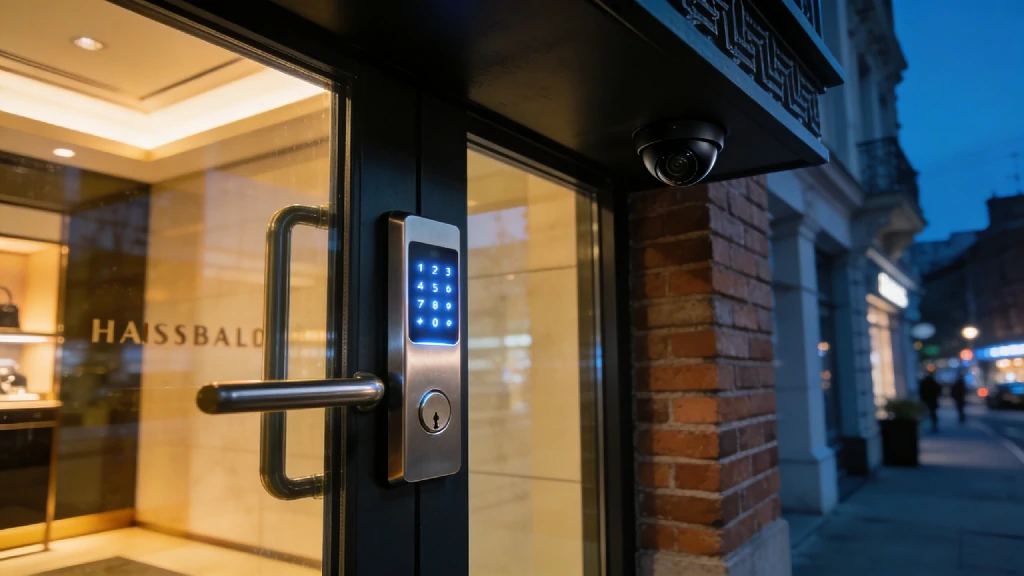
Picture this: It’s 11:00 PM, and you’ve just locked the doors to your storefront after a grueling 14-hour shift. As you pull out of the parking lot, a familiar, sinking feeling hits. Did the back exit lock properly? Did the new hire remember to arm the alarm? For too many small business owners, walking away from their livelihood every night brings a silent wave of anxiety. A decade ago, enterprise-grade commercial alarm monitoring required a massive IT budget and drilling through cinderblock walls. But the landscape has shifted. The line between high-end smart home automation and commercial security has blurred completely. Today, the robust, AI-powered tech that protects Fortune 500 warehouses is highly accessible and scalable for local coffee shops, boutique retail stores, and small dental practices. If you're still relying on a grainy closed-circuit TV system from 2015, you are leaving your most valuable assets exposed. Upgrading to a modern, cloud-based setup isn't just about catching a thief—it's about environmental monitoring, liability protection, and even cutting down your monthly energy bills. Expert Tip: How We Evaluated These Systems Trusting a system with your business requires more than just reading the box. Our methodology for 2026 focuses heavily on real-world reliability. We evaluated these systems based on emergency response times, cellular backup stability, cloud-recording limitations, and how effortlessly a manager can control employee access permissions. Top Business Security Systems Compared (At a Glance)Before we dive into the granular details of each platform, here is a breakdown of the top contenders in the commercial security space for 2026.Note: Monthly costs fluctuate based on the specific tiers of professional monitoring and video cloud storage you select. 1. ADT: Best Overall for Comprehensive Coverage When the stakes are high, experience matters. ADT remains the absolute heavyweight in the security industry, leveraging an unmatched infrastructure of 12 interconnected, redundant monitoring centers across North America. If a localized power grid fails during a storm, another center instantly picks up your business's monitoring feed without missing a beat. For businesses with significant square footage, high-value inventory, or strict compliance requirements, ADT’s commercial solutions (often operating under their Everon commercial division) offer a level of ironclad protection that DIY systems simply cannot match. Their 2026 systems integrate advanced AI Deterrence, which uses smart video analytics to identify trespassers and deliver real-time verbal warnings through camera speakers before a break-in even occurs. Subtle Upgrade Opportunity: ADT excels at environmental monitoring. Integrating a commercial-grade water-leak sensor near your backroom water heater or commercial refrigerators might seem like an afterthought. However, an unnoticed pipe burst over a long weekend destroys more inventory than the average smash-and-grab burglary.Pros & Cons of ADT for Business Pros:Lightning-fast emergency dispatch (averaging under 30 seconds). Massive variety of hardware, including heavy-duty PTZ (Pan-Tilt-Zoom) cameras. Flawless integration with advanced environmental sensors (smoke, heat, flood). In-person, professional risk assessment prior to installation.Cons:Requires signing a long-term contract (typically 36 months). Mandatory professional installation fees can increase upfront costs. Premium video monitoring tiers are relatively expensive.2. SimpliSafe: Best Budget & DIY Option for Retail Not every business has the capital to wire a 5,000-square-foot facility. If you run a local boutique, a small independent bakery, or a pop-up shop, SimpliSafe is an incredibly attractive option. SimpliSafe built its reputation on straightforward pricing, no-contract monitoring, and hardware that anyone can set up in under an hour. Their 2026 business offerings highlight their proprietary "Active Guard Protection" (formerly Live Guard). When an alarm is triggered, professional monitoring agents can instantly access the indoor live video monitoring feed. They can see the intruder, speak directly through the camera to warn them that police are on the way, and provide 911 dispatchers with verified video evidence—which drastically speeds up police response times in jurisdictions that deprioritize unverified alarms. Because SimpliSafe is entirely wireless, criminals cannot simply snip a phone line or coax cable on the exterior of your building to blind the system.Pros & Cons of SimpliSafe for Business Pros:Highly affordable hardware and transparent monthly monitoring costs. No long-term contracts; you can cancel or pause monitoring anytime. True 100% cellular connection (doesn't rely purely on your store's Wi-Fi). Incredibly simple DIY setup with adhesive mounts for entry sensors.Cons:The base station has a cap of 100 devices (limiting for massive warehouses). Hardware feels a bit more "consumer-grade" compared to heavy commercial options. Lacks the complex access control features needed for large corporate offices.3. Vivint: Best for AI & Smart Automation Vivint sits at the intersection of high-end security and intelligent automation. If your business operates a small fleet of company vehicles parked overnight, or if you want a system that actively discourages crime rather than just recording it, Vivint is top-tier. The crown jewel of their system is the Vivint Outdoor Camera Pro, equipped with Smart Deter technology. Using sophisticated AI, the camera establishes a virtual perimeter around your property. If someone lingers near your loading dock for too long after hours, the camera triggers a bright LED ring and plays a customized warning tone, letting the lurker know they are actively being watched. Vivint also shines in the automation department. You can easily create Home Automation Routines that Save Money—and apply them to your business. For instance, you can link the arming of your security panel to your smart thermostat and lighting. When the last employee arms the system at night, the HVAC automatically drops to an energy-saving temperature and the interior lights shut off, instantly lowering your overhead costs.Pros & Cons of Vivint for Business Pros:Industry-leading AI deterrence that proactively stops loiterers. Seamless integration with smart locks, lighting, and climate control. Sleek, modern touchscreen hub that is easy for employees to use. Excellent local video storage options via their Smart Drive.Cons:High upfront equipment costs (proprietary hardware is expensive). Moving locations incurs a steep re-installation fee. Strict reliance on professional installation.4. Frontpoint & Lorex: Alternatives for Niche Needs While the big three dominate the market, specialized business models require tailored solutions. **Frontpoint **is the ideal middle-ground for business owners who want the DIY ease of SimpliSafe but crave the robust, heavy-duty sensors typically associated with ADT. Frontpoint utilizes alarm.com's backend, making their mobile app incredibly powerful for remote business management. They also boast some of the highest-rated customer service in the DIY sector. Lorex, on the other hand, is the go-to for hardware-heavy, local video surveillance without mandatory monthly fees. If your primary goal is covering every square inch of a busy retail floor with 4K cameras to prevent employee shrinkage or monitor liability (like slip-and-falls), Lorex is unmatched. They specialize in NVR (Network Video Recorder) systems that store weeks of high-resolution video locally. You pay for the equipment upfront, wire it yourself (or hire a local contractor), and skip the ongoing monthly subscriptions. Key Factors to Consider When Upgrading Your Business Security Choosing a system isn't just about picking the sleekest camera. You need to map the technology to your daily operational friction points. Professional Monitoring vs. Self-Monitoring Self-monitoring means alerts go directly to your phone. If you are on an airplane, asleep, or in a meeting, you might miss a break-in notification. Professional monitoring means a dedicated dispatch center receives the alert and contacts the authorities on your behalf. For any business with physical inventory or physical cash, professional monitoring isn't an option; it's an absolute necessity. Furthermore, most commercial insurance providers require a certificate of professional monitoring to qualify for premium discounts. Cloud-Based Video vs. Local DVR/NVR Storage Cloud-based systems (like SimpliSafe and Frontpoint) upload clips to remote servers. This prevents a burglar from simply smashing your recording hard drive to destroy the evidence. However, cloud systems consume significant internet bandwidth and usually charge monthly storage fees. Local storage (like Lorex or Vivint's Smart Drive) keeps the footage on a physical hard drive tucked away in your back office. This allows for continuous 24/7 recording without bogging down your network. Recommendation: If you opt for heavily cloud-reliant cameras, you must ensure your local network can handle it. Consider upgrading to a robust mesh Wi-Fi 6E/7 router system. This ensures your 4K security footage uploads smoothly without throttling the guest Wi-Fi you offer to your customers. Smart Access Control & Employee ManagementManaging physical metal keys is a security nightmare. When an employee quits or loses a key, you are faced with the costly chore of calling a locksmith to re-key the physical doors. Transitioning to commercial access control—utilizing smart locks with individual PIN codes or NFC key fobs—solves this instantly. You can assign temporary codes to morning delivery drivers and restrict employee access to specific hours. When someone leaves the company, you simply delete their profile in the app. Be sure to check our dedicated Smart Home Security & Access Control hub for a deep dive into the best commercial-grade smart locks. 3 Security Mistakes Small Businesses Make in 2026 Even with the best hardware on the market, poor implementation can leave your business wide open. Avoid these critical errors:1. Ignoring Cybersecurity and Network Segmentation If your IP security cameras run on the exact same Wi-Fi network as your Point of Sale (POS) system, you are creating a massive vulnerability. Hackers frequently use poorly secured IoT (Internet of Things) devices like smart cameras to pivot into the main network and steal credit card data. Always use network segmentation—set up a dedicated, isolated VLAN specifically for your security hardware. 2. Skipping Environmental Monitoring Burglary is terrifying, but water and fire are statistically far more likely to bankrupt a small business. Neglecting to install monitored smoke, carbon monoxide, and temperature/water sensors is a massive oversight. A simple freeze sensor in a restaurant's walk-in freezer can prevent thousands of dollars in spoiled inventory if the compressor dies overnight. 3. Treating Security as a Sunk Cost Stop viewing your security system as a grudge purchase. Modern platforms are powerful ROI drivers. Video surveillance reduces inventory shrinkage and protects against fraudulent slip-and-fall lawsuits. Automation features slash utility bills. **Expert Insight: **"The biggest point of failure we see in commercial setups is a total reliance on grid power and local internet. If a thief cuts the coaxial cable on the side of your building, a Wi-Fi-only system goes completely blind. You absolutely must ensure your system has a built-in cellular backup and a 24-hour battery reserve. If the Wi-Fi drops, the cellular chip takes over seamlessly." — Lead Security Architect, Smart Home Optimization Speaking of power failures, to ensure the longevity of your base stations and NVR hard drives, always plug your central security hardware into an Uninterruptible Power Supply (UPS). You can learn more in our guide on Protecting Your Tech from Power Surges. How to Audit Your Own Business (A 5-Minute Checklist) Ready to secure your storefront? Take five minutes before you lock up today to run through this practical site audit. The Perimeter & Access ChecklistLighting: Are the alleyways, back entrances, and loading docks brightly illuminated? (Pro tip: Linking your alarm system to smart exterior floodlights creates a formidable, highly visible perimeter). Sightlines: Are your window displays blocking the view from the street? Police cruisers need a clear line of sight into the store at night. Glass Integrity: Are all ground-floor windows and glass doors covered by acoustic glass-break sensors? (Motion sensors won't trigger if a thief simply reaches through a broken window to grab an item). Hardware Maintenance: Are exterior camera lenses clean and free of spider webs? (Check our guide on Preventive Maintenance for Smart Cameras for optimal cleaning schedules). Access Audit: Do you know exactly who holds physical keys or active PIN codes to the building right now? Network Health: Have you changed the default manufacturer passwords on all your security cameras and base stations?Frequently Asked Questions Do I need professional installation for a small business security system? It depends entirely on the size and complexity of your operation. A small, 800-square-foot boutique or home office can easily utilize a DIY system like SimpliSafe. However, if you are outfitting a large warehouse with high ceilings, complex fire code requirements, and heavy commercial doors, you absolutely need the white-glove professional installation provided by ADT or Vivint. Can I use a smart home security system for my business? You can, but proceed with caution. The technology crossover is seamless, but the legalities are not. Local commercial fire codes and commercial insurance policies often mandate that your hardware meets specific commercial-grade certifications (like UL-listed fire monitoring). Always verify with your insurance agent before slapping a residential system into a commercial space. How much does a commercial security system cost monthly? In 2026, realistic monthly monitoring costs range from $30 on the low end (for basic cellular monitoring via DIY brands) up to $100+ for enterprise systems featuring 24/7 continuous cloud video recording, advanced AI analytics, and multi-location management. What happens if the power or Wi-Fi goes out? Top-tier systems are designed to survive grid failures. The base station contains a backup battery that typically lasts 24 hours. Simultaneously, a "cellular backup" module instantly kicks in. This module operates on networks like AT&T or Verizon, ensuring your alarm signals still reach the dispatch center even if your local internet service provider is down.
15 Inexpensive Ways to Secure Your Home & Prevent Break-Ins (2026 Guide)
Over 30% of burglars enter a property through an entirely unlocked door or window. This means that the single most effective home security measure you can take today costs absolutely nothing but a moment of your time. While high-end smart home automation ecosystems and professional monitoring services offer peace of mind, protecting your household shouldn't require a second mortgage. The emotional toll of a break-in is massive, but the financial cost of preventing one doesn't have to be. This guide was built using insights from real-world law enforcement security audits, former burglary statistics, and rigorous testing of budget-friendly smart home tech. You can easily harden your home’s perimeter, secure your entry points, and outsmart opportunistic intruders on a shoestring budget. Strengthen Your First Line of Defense: Doors and WindowsMany homeowners assume that a locked door is a secure door. Unfortunately, standard construction practices prioritize speed over security, leaving your primary entry points highly vulnerable to physical force. Fortunately, fixing these structural weak points is incredibly affordable. Upgrade to 3-Inch Strike Plate Screws (Cost: < $5) Take a look at the strike plate on your front door—the metal piece attached to the door frame where the deadbolt latches. If your home is like most, that plate is held in place by flimsy half-inch screws that only penetrate the flimsy decorative wood molding. A single solid kick can instantly splinter the frame and open the door. By replacing those factory screws with 3-inch heavy-duty wood screws, you anchor the strike plate deep into the structural wall studs behind the frame. This simple DIY home protection upgrade makes the door exponentially harder to kick open, converting a five-second breach into a noisy, time-consuming struggle. Reinforce Sliding Glass Doors with Blocking Bars (Cost: < $10) Sliding glass doors are a favorite target for intruders because their standard latches are notoriously easy to bypass or pop off their tracks. You don’t need an expensive secondary lock to secure them. Dropping a simple wooden dowel or a heavy-duty plastic blocking bar directly into the bottom track prevents the door from sliding open, even if the latch is picked. For an even cleaner look, adjustable tension bars specifically built for patios are widely available online for under ten dollars.Install Window Stops and Security Pins (Cost: < $20) Ground-floor windows are inherently vulnerable, especially during warmer months when you might want to leave them cracked for ventilation. Standard window latches offer minimal resistance to a pry bar. Installing inexpensive window stops or security pins restricts how far a window can be raised. By setting these stops to allow only a 4-to-6-inch opening, you can safely enjoy fresh air without leaving a gap large enough for a person to crawl through. For older wooden windows, simply drilling a hole through the frame and inserting a sturdy metal pin achieves the exact same result for pennies. The 5-Minute Entry Point Audit Run through this quick checklist right before bed or prior to leaving for an extended trip to ensure your physical barriers are functioning perfectly:Deadbolt Check: Ensure the deadbolt fully extends into the door frame strike plate rather than stopping halfway. Window Latches: Verify that every ground-floor window is completely latched and that any secondary window stops are firmly engaged. Garage Pass-Through: Test the interior door leading from your garage to your living space. It should be solid-core and equipped with a heavy-duty lock. Sliding Track Clear: Check that your patio door dowel or blocking bar is seated firmly in the track with zero wiggle room. Hinge Inspection: Examine exterior doors to ensure your hinge pins are either internal or tamper-resistant so they cannot be easily tapped out from the outside.Smart Tech on a Budget: 2026 Automation HacksThe smart home landscape has evolved dramatically. You no longer need to sign a multi-year contract with a traditional security provider to get remote monitoring, intelligent alerts, and real-time video streaming. Install Affordable Wi-Fi Cameras and Video Doorbells (Cost: $35 - $60) You don't need a sprawling, wired multi-camera network to deter a burglar. A single standalone video doorbell or an strategically placed outdoor Wi-Fi camera acts as a massive psychological deterrent. Burglars look for paths of least resistance, and visible lenses mean a high risk of identification. Modern budget-friendly cameras provide crisp HD resolution, reliable motion tracking, and instant smartphone notifications. Positioning a camera at your primary entrance helps eliminate front-door package theft and prevents bad actors from casually scoping your property. Simulate Occupancy with Smart Plugs & Bulbs (Cost: $15 - $30) An empty home is a primary target. Traditional mechanical light timers turn lamps on and off at the exact same minute every single day, a pattern that savvy burglars easily spot during a stakeout. Modern smart plugs and bulbs offer a sophisticated fix through localized "Away Modes." This automation routine randomizes your lighting schedule, turning lamps, radios, or televisions on and off in a pattern that convincingly mimics real human activity inside the house. Add Standalone Door and Window Sensors (Cost: $20 - $40) If you want to secure an apartment or keep your costs strictly contained, standalone magnetic contact sensors are incredibly effective low-cost burglar deterrents. These battery-powered units stick directly to your doors and windows using double-sided adhesive. When the magnetic connection is broken while the system is armed, the unit emits a piercing 120-decibel local alarm. These standalone sensors don't require internet connectivity, hubs, or recurring subscription fees, making them ideal for budget-conscious renters and homeowners alike.Top Budget Smart Security Devices (2026 Comparison)Exterior & Landscape Adjustments (Zero to Low Cost)Securing your home shouldn't stop at your front door. Hardening your property's perimeter makes your home fundamentally unattractive to potential intruders before they even get close to a window. Install Motion-Activated Solar Lighting (Cost: $20 - $40) Burglars thrive in the shadows. Dark pathways, side alleys, and obscured back patios provide the perfect cover for a forced entry attempt. Fortunately, you don't need to hire an electrician to run expensive exterior wiring. Modern solar-powered motion-sensor lights can be mounted to fences, gutters, or siding using a couple of basic screws. They charge throughout the day and instantly flood dark corners with bright LED light the moment movement is detected. Follow the "3-Foot/6-Foot" Landscaping Rule (Cost: Free / Sweat Equity) Overgrown landscaping is a gift to a prowler. Dense bushes right next to your home provide an excellent place to hide while working to pry open a window. **Expert Insight: **"Security and law enforcement professionals universally recommend adhering to the 3-foot/6-foot landscaping rule. Keep all foundation shrubs trimmed down below 3 feet in height, and ensure your lower tree canopies are pruned up above 6 feet from the ground. This preserves clear lines of sight from the street and completely eliminates potential hiding spots near your entry points." Display Security Signs and Decals (Cost: < $15) The psychological aspect of home defense is incredibly powerful. Even if your home doesn't feature an enterprise-grade alarm system, a burglar cannot verify what is happening behind closed doors. Placing prominent yard signs and window decals near your main entryways indicating that the home is protected by a security network forces an intruder to second-guess the target. It is a highly effective, low-cost investment that relies entirely on a psychological barrier. Behavioral Security: Habits That Cost NothingSome of the most critical security vulnerabilities have nothing to do with hardware or technology. They stem from simple day-to-day habits that inadvertently invite risk. Never Hide Spare Keys Outside The classic "hide-a-key" locations are common knowledge to anyone looking to gain unauthorized entry to your property. ⚠️ Common Mistake to Avoid Placing a spare key underneath a doormat, inside a plastic fake rock, or on top of a door frame makes your home incredibly easy to infiltrate. Burglars check these exact locations first. Instead, invest a small amount into a heavy-duty mechanical lockbox mounted in an inconspicuous location, or simply leave a spare key with a trusted neighbor. Delay Your Vacation Social Media Posts It can be incredibly tempting to share real-time photos of your beach vacation or family holiday. However, broadcasting your location to social media networks serves as a public announcement that your house is completely vacant. Train your household to wait until you have returned home to post your travel galleries. Additionally, review your privacy settings regularly to ensure your posts aren't visible to the general public or indexable by search tools. Protect Your PII (Personally Identifiable Information) Home security isn't just about protecting your television or jewelry; it's about safeguarding your identity. Many burglaries start as simple daytime property scouting where individuals look through unsecured curbside recycling bins or mailboxes. Shred all documents containing personal data, financial account numbers, or utility details before throwing them away. Keep your sensitive physical financial records inside a locked filing cabinet within the home. Your Budget Security Action Plan Building a secure home environment doesn't have to happen all at once. Use this tiered action plan to scale your home defense measures based on your current budget constraints. [Level 1: Under $20] --------> [Level 2: Under $75] --------> [Level 3: Under $150] - 3-Inch Strike Screws - Smart Plugs for Lights - Budget Video Doorbell - Window Security Pins - Solar Motion Lights - Standalone Indoor Camera - Landscape Pruning - Contact Entry Alarms - Heavy-Duty Deadbolts Tiered Security Implementation MatrixEffective home protection isn't about buying a single expensive piece of equipment. It is about Effective home protection isn't about buying a single expensive piece of equipment. It is about implementing layers of deterrence. A burglar actively looks for the path of least resistance. By applying these budget home security ideas, you turn your home into an unpredictable, high-effort target that opportunistic criminals will gladly skip past. Frequently Asked Questions Are fake security cameras effective at preventing break-ins? Fake security cameras offer a minor psychological deterrent against casual opportunists, but experienced burglars can easily spot them. Fake units often lack realistic wiring, have blinking red lights that real cameras do not use, or feature cheap plastic finishes. Investing a tiny bit more into a real, low-cost Wi-Fi camera provides actual utility and genuine security. What is the most common entry point for a burglar? Statistically, the front door is the most common entry point, followed closely by first-floor windows and back patio doors. Because these areas are used most frequently by the household, they are also the most likely to accidentally be left unlocked or unreinforced. Does leaving a porch light on at night deter burglars? Leaving a porch light on continuously can actually backfire. A light that stays illuminated 24/7 during daylight hours signals to observers that the homeowners are away on vacation. Using motion-activated lighting or utilizing smart bulbs that cycle on and off dynamically is a vastly more effective deterrent. Can I secure my home without paying a monthly subscription? Absolutely. You can easily secure a house or apartment without recurring monthly fees by prioritizing physical entry-point reinforcements, using standalone high-decibel magnetic window alarms, and opting for smart security cameras that support local storage via onboard MicroSD cards. Related Reading:Home Improvement Decisions I Regret — And the Smart Home Lessons They Taught Me The Home Upgrades Actually Worth Your Money — And a Few That Disappointed Everyone Are Expensive Robot Vacuums Actually Worth It? A Realistic Long-Term Owner's Analysis
What's the Best Home Security System That Is Actually Worth the Money in 2026?
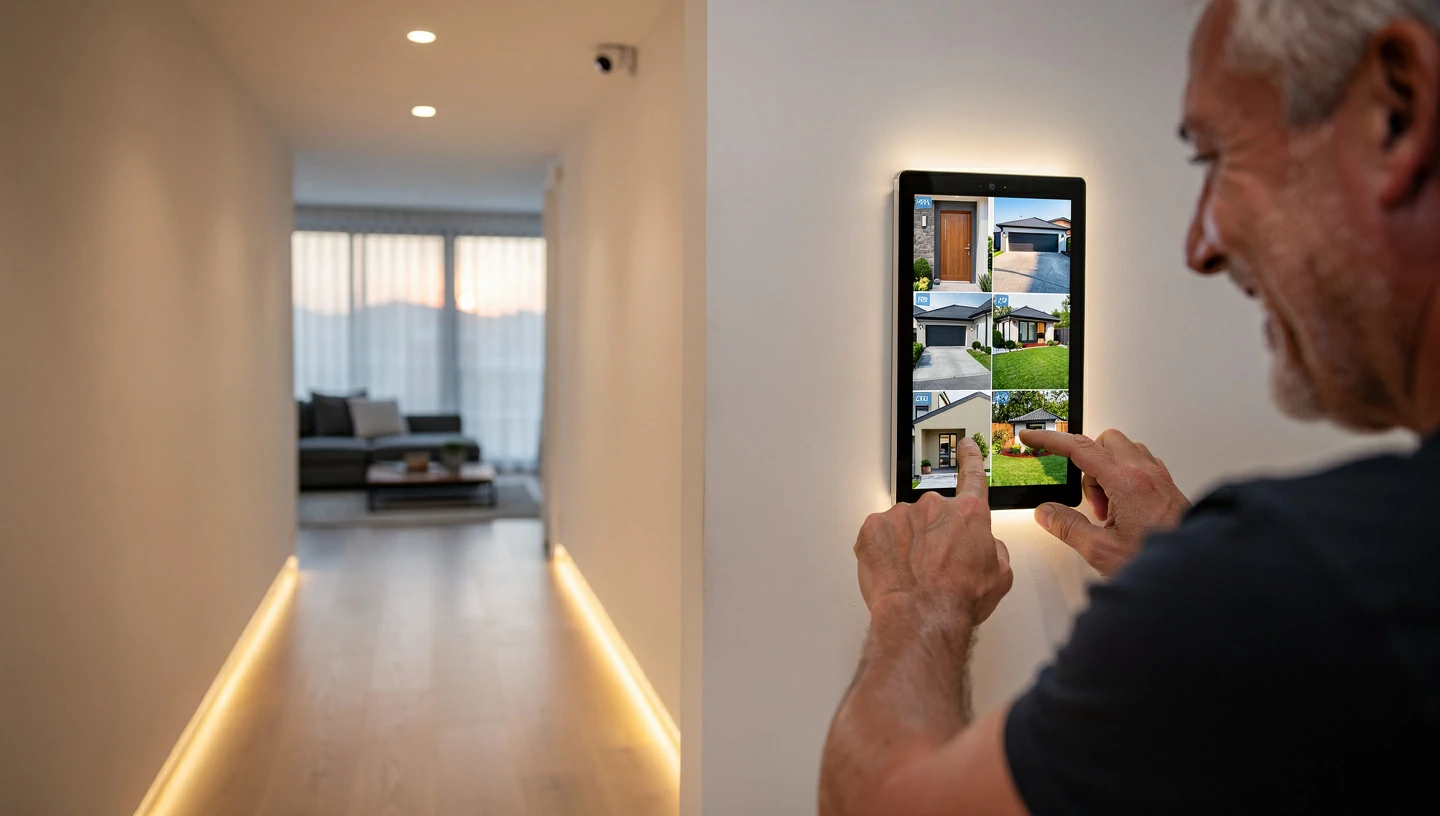
Shopping for home security feels like navigating a minefield of 36-month contracts, pushy salespeople, and hidden cloud storage fees. You just want to protect your home and family without taking out a second mortgage to pay for it. The landscape has drastically changed over the last few years. You no longer have to settle for proprietary equipment that becomes obsolete the moment you cancel your monitoring plan. The Bottom Line Up Front: If you want the absolute best overall value and flexibility, SimpliSafe remains the top choice for its easy DIY setup and lack of contracts. For homeowners with higher budgets who want a premium, hands-off setup integrated deep into their smart home, Vivint takes the crown. If you strictly refuse to pay monthly subscription fees, a local-storage setup from Eufy or Reolink is your best financial move.Expert Insight: "The most expensive system isn't always the most secure. True home security comes from strategic camera placement, reliable cellular backup, and a system you actually understand how to use—not just a high monthly price tag."The New Standard: What Makes a Security System "Worth It" Today? The days of the local alarm guy drilling holes in your walls and locking you into a three-year agreement are over. Modern smart home retrofitting has changed expectations. To evaluate whether a security system is truly worth your hard-earned money in 2026, you need to look at three key factors. The Death of the Long-Term Contract Month-to-month security is the new baseline. Hardware has become affordable enough that companies no longer need to subsidize the cost of your entry sensors with a mandatory 36-month monitoring contract. You should own your equipment outright. If a company requires a multi-year commitment just to access basic app features, walk away. AI-Powered Threat Detection vs. Standard CCTV A camera that alerts you every time a neighbor's cat walks across the driveway is worse than useless; it creates alert fatigue. Modern AI motion detection processes video locally to differentiate between people, packages, animals, and vehicles. This kind of false alarm reduction preserves your peace of mind and ensures that when your phone buzzes, it actually matters.Ecosystem Agnosticism Your security system shouldn't live in isolation. It needs to play nicely with your existing routines. Whether you use Amazon Alexa, Google Nest, or Apple HomeKit, ecosystem compatibility ensures you can arm your system with a voice command or trigger smart lights when an outdoor camera detects motion. The 5 Best Home Security Systems Ranked by True ValueBrand Upfront Cost Monthly Fee Installation Type Best For...SimpliSafe $$ $0 – $30 DIY Overall value & flexibilityVivint$40+ Professional Premium automation & complex homesEufy / Reolink $$$ $0 DIY Avoiding subscription fees entirelyADT + Google $$$ $25 – $45 Pro or DIY Traditional reliability with modern techAbode $$ $0 – $25 DIY Apple HomeKit & Z-Wave power users1. SimpliSafe: Best Overall Value & Month-to-Month Flexibility SimpliSafe disrupted the market years ago and still holds the title for the most balanced DIY home security system. You buy the hardware upfront, stick the sensors to your doors, and plug in the base station. There are absolutely no contracts. You can turn professional monitoring on before a vacation and turn it off when you get back.Pros & ConsPro: Unmatched DIY ease; setup takes under 30 minutes. Pro: Highly affordable hardware bundles. Pro: Built-in cellular backup keeps the system alive if your Wi-Fi drops. Con: Cameras are good, but lack the ultra-premium 4K resolution of higher-end competitors. Con: Basic app features require a monitoring plan.2. Vivint: Best Premium Smart Home Automation If you have a large property, a complex layout, or just want someone else to handle the ladder work, Vivint is the premium choice. Their professional installers map out your home, hardwire where necessary, and ensure everything communicates flawlessly. Expert Tip: Paying for professional installation is almost always worth it if you are mounting hardwired floodlight cameras or integrating the security hub with your home's HVAC thermostat and lighting systems. It saves you days of frustrating troubleshooting.3. Eufy & Reolink: Best "No Monthly Fee" Options (Local Storage) Subscription fatigue is real. Paying $15 a month for cloud storage doesn't sound like much until you realize it costs you $900 over five years. Eufy and Reolink solve this by offering robust local video storage via a central NVR (Network Video Recorder) or HomeBase hub. Your footage stays private, stored right inside your house. For outdoor wireless setups, both brands offer proprietary solar panel add-ons. This completely eliminates the chore of climbing a ladder every three months to charge camera batteries. 4. ADT (Partnered with Google Nest): Best for Traditional Reliability ADT brings 150 years of professional monitoring trust to the table. By partnering with Google Nest, they finally solved their outdated hardware problem. You now get ADT's unmatched emergency response infrastructure paired with the sleek, AI-driven hardware of Google Nest Cams and Nest Doorbells. It’s the perfect middle ground for homeowners who want legacy reliability with 2026 technology. 5. Abode: Best for Apple HomeKit & Z-Wave Enthusiasts Abode is the darling of the tech-savvy smart home enthusiast. It is one of the few systems that natively supports Apple HomeKit, allowing you to arm your house via Siri or your Apple Watch. It also features Z-Wave compatibility, meaning you can connect hundreds of third-party smart home devices—like automated blinds or water leak sensors—directly to the Abode hub. 4 Costly Mistakes to Avoid When Buying a Smart Security System 1. Ignoring your Wi-Fi upload speeds before buying 4K cameras. Homeowners often buy a pack of high-res cameras only to find they constantly buffer. High-definition PTZ (Pan-Tilt-Zoom) cameras eat up massive amounts of bandwidth. Before investing, test your upload speeds. If your signal struggles to reach the driveway, upgrading to a mesh Wi-Fi network (like eero or Google Nest Wi-Fi) is a necessary prerequisite for a stable system. Read more: [How to Eliminate Wi-Fi Dead Zones for Outdoor Smart Cameras] 2. Falling for "free equipment" traps. If a flyer promises a "free" security system, read the fine print. You are almost certainly signing a legally binding 3-year contract at an inflated monthly monitoring rate. You will end up paying triple the actual cost of the hardware over the life of that contract. 3. Overlooking cellular and battery backup. A Wi-Fi-only system plugged into a wall outlet is useless during a power outage or if an intruder cuts your internet line. Always ensure your central hub has a 24-hour backup battery and a cellular backup chip to reach emergency dispatchers when the grid goes down. 4. Placing cameras in high-glare or blind-spot zones. Mounting a camera directly facing the sunrise will blind the lens during critical morning hours. Similarly, placing cameras too high up means you'll only capture the tops of hats, not faces. Keep cameras 8 to 10 feet off the ground and angled downward. Pre-Purchase Checklist: How to Audit Your Home’s Security Needs Before adding a single camera to your cart, walk your property and run through this audit:Count your ground-floor entry points: Tally up every accessible door and window. This dictates exactly how many contact sensors you need. (Hint: This is also a great time to check if your deadbolts need upgrading to compatible smart locks like the Yale Assure or Schlage Encode). Check Wi-Fi signal strength: Stand where you plan to mount outdoor cameras and run a speed test on your phone. Decide on monitoring: Are you comfortable self-monitoring via smartphone alerts, or do you want a 24/7 call center to dispatch police for you? Verify ecosystem compatibility: Check the box to ensure the new system speaks the same language as your current smart speakers and displays.The Verdict: Where Should You Spend Your Money? If you are a renter on a budget or a homeowner who loves a weekend DIY project, buy SimpliSafe or Eufy. They offer the best financial flexibility and pack up easily if you move. If you want a premium, hands-off experience where professionals handle the wiring and integrate everything into a seamless smart home dashboard, invest in Vivint or ADT. Ultimately, the best security system is the one that fits your daily routine so naturally that you actually remember to arm it. Frequently Asked Questions (FAQ) Do I really need a monthly subscription for a smart home security system? No. Brands like Eufy, Reolink, and Abode allow you to self-monitor and store video locally without paying a dime in monthly fees. Subscriptions are generally only required if you want professional emergency dispatch or cloud video storage. Will my wireless security system work if the Wi-Fi or power goes out? It depends on the system. High-quality hubs (like SimpliSafe and Vivint) feature built-in battery backups that last up to 24 hours, plus cellular backup chips that keep them connected to the monitoring center even without Wi-Fi. Are AI security cameras actually better than standard motion-sensor cameras? Yes. Traditional pixel-based motion sensors trigger whenever a tree branch blows in the wind or a car drives by. AI-enabled cameras process the image to identify human shapes, significantly reducing annoying false alarms. Can a professionally monitored security system lower my homeowners insurance? Yes. Most major insurance providers offer discounts ranging from 5% to 20% on your premium if you install a security system with active 24/7 professional monitoring. Self-monitored systems rarely qualify for the same discount. Related Reading:The Home Upgrades Actually Worth Your Money — And a Few That Disappointed Everyone The Best Security Systems for Small Businesses in 2026 Home Energy Monitoring Systems: The Complete Homeowner's Guide (2026)