Showing Posts From
Home automation smart upkeep
PEOPLE ALSO READ...
.webp)
Small Home Upgrades That Actually Keep Runners Consistent
Most people think the problem is motivation. It usually isn't. There's a specific type of drawer in a lot of runners' homes. It holds a tangled charging cable for a GPS watch, one earphone from a pair that lost the other somewhere, a running armband that fits a phone from two upgrades ago, and — if it's a particularly good drawer — a foam roller that's been there long enough to flatten on one side. This drawer is a diagnostic. It describes the gap between runners who train consistently at home and the ones who don't. The treadmill sitting folded in the corner tells the same story differently. A thousand dollars of genuine intention, folded against the wall, because every session requires ten minutes of setup, the noise complaints from downstairs, and enough cognitive overhead to make the option of skipping feel reasonable by comparison. Here's what actually separates the consistent home runners from the inconsistent ones: they've removed enough friction from the process that skipping became the harder choice. That's it. Not willpower. Not better equipment. Friction removal. This isn't a product catalogue. It's a look at what actually helps — the upgrades that runners use daily versus the ones that end up in Facebook Marketplace listings after six months. Some cost almost nothing. Some are worth real money. The measure for all of them is the same: does it make starting feel like a default rather than a decision? The upgrade that runners consistently underestimate isn't the walking pad. It's the thing that actually makes the walking pad get used. More on that in a moment.Why Small Upgrades Beat Big Equipment When It Comes to Staying ConsistentThere's a particular type of optimism that accompanies expensive fitness equipment purchases. The thinking goes: I've invested this much, so I'll definitely use it. In practice, the opposite tends to happen. Equipment that requires significant setup, floor space, or psychological commitment to access gets used less than modest, frictionless alternatives that are already out and ready. A $1,400 folding treadmill that takes four minutes to set up and five to fold away will get used less than a $350 walking pad that slides from under the sofa in 20 seconds — not because the treadmill is a worse machine, but because of those four minutes. Those four minutes are enough to create a decision point. And at 5:15am, decision points default to the path of least resistance. The quality of your home training environment isn't measured by the equipment in it. It's measured by how fast you can go from intention to actually moving. Everything else follows from this. The Two-Minute Rule for Home Workout Spaces David Allen's productivity principle — if a task takes less than two minutes, do it immediately — has a direct application in home gym design. If getting started requires more than two minutes of preparation, you've engineered a system that defaults to skipping. Picture a typical morning run scenario. Alarm goes off at 5:20am. You need to locate your shoes, find your GPS watch (and hope it charged overnight), dig out your earphones, remember where the reflective vest ended up, and then realize the space you planned to warm up in has your partner's yoga mat rolled across it. By the time the friction has stacked up, "should I just skip today?" has a real argument on its side. Apply this test to every upgrade in this article. Does it reduce the time between "I should work out" and "I am working out"? If yes, it belongs. If it adds steps or decisions, skip it. What Real Runners Actually Said About Their Home Setups When runners talk about what genuinely helped at home — across subreddits, running club chats, forum threads — a few patterns emerge consistently enough to be worth paying attention to. Walking pads dominate the equipment conversation. Not full treadmills. Not under-desk bikes. The things that fold flat and take 30 seconds to deploy. The second most consistently mentioned upgrade surprised people: lighting. Not because anyone set out to optimize their light fixtures, but because they accidentally discovered the contrast between training at 5am under warm-dim bedroom light versus a properly bright daylight space. Multiple people described the difference as going from "forcing myself to move" to "actually being awake before I'd started." Gear storage came up constantly and was almost universally described as underrated. Boring, unsexy, practically free — and the change that eliminated the most real friction for morning runners. Mirrors divided people sharply. Useful for form work in a clean, defined zone. Uncomfortable in a general-purpose room where they reflect household chaos. Smart home integration appeared regularly from runners who already had some infrastructure — and almost always with the observation that they wished they'd connected it to their fitness routine earlier.The Walking Pad — The Upgrade Runners Keep Coming Back ToIf one piece of equipment dominates the "what actually made a difference at home" conversation, it's the walking pad. Compact, substantially quieter than full treadmills, storable flat under a bed or sofa, and priced at a level where the investment doesn't trigger a guilt spiral if usage is lighter than planned. Worth being clear on what a walking pad is — and what it isn't.Feature Walking Pad Compact Treadmill Full TreadmillPrice range $250–$650 $500–$900 $800–$2,000+Max speed 3.7–6 mph (some to 7.5) 8–10 mph 10–12+ mphBelt length 39–47 inches 47–52 inches 54–60 inchesStorage footprint Flat under bed/sofa Folded vertical Folded vertical, largeRunning suitability Zone 2 / easy pace only Moderate training Full training useNoise level Low Moderate Moderate–HighSmart features App + Bluetooth (most models) Varies Most include consolesMaintenance Belt lube every 3 months, belt ~18–24 mo. Belt + deck care Regular service neededBest for Easy days, habit formation, bad weather Regular indoor training Dedicated home runnerHonest Assessment — Is a Walking Pad Actually Enough for Serious Runners? Here's what most walking pad articles won't say directly: if you run at pace, a walking pad is a habit tool, not a training tool. Most models cap between 4–6 mph. A few newer options push to 7.5 mph, which covers easy to moderate effort. But if your regular training runs sit at 8 min/mile or faster, the walking pad is not replicating that. It excels at Zone 2 aerobic base work — the conversational-effort intensity that most recreational runners actually underutilize anyway. There's also the belt length issue that almost nobody mentions. Many walking pads run 40-inch belts. Fine for walking, fine for shorter runners. For anyone over 5'8", at any genuine running pace, the stride feels constrained. It shortens pushoff, slightly alters arm swing, produces a gait pattern that's technically different from your outdoor form. Not dangerous — but not authentic running. If this matters to you, prioritize belt length alongside max speed when comparing models. Anything under 45 inches deserves scrutiny for actual run use. Where walking pads genuinely deliver: bad weather substitutions, active recovery days, post-injury return-to-running protocol, morning sessions when leaving the house isn't practical, and — the most undervalued case — building the daily movement habit that transfers directly to outdoor consistency.⚠️ Expert note: Walking pads improve habit formation more reliably than training quality. Be honest with yourself about which you're buying it for. Those are different problems and both are legitimate — but confusing them leads to disappointment.Walking Pad and Smart Home Integration — Worth Setting Up? Most walking pad owners plug them in and use them. A basic smart home connection adds two genuinely useful things. First: real electricity cost data. A smart plug with energy monitoring — the TP-Link Kasa EP25 is the standard recommendation — shows you that a 300–500W walking pad at 45 minutes of daily use costs approximately $3–8/month at US average electricity rates (~$0.16/kWh). UK rates (~£0.28/kWh) and Australian rates (~AUD$0.30/kWh) push that to $8–14/month equivalent. Not alarming, but knowing the number is useful. Add a scheduled auto-shutoff after 60 minutes and you also eliminate standby vampire draw — some motors pull 5–15W continuously on standby. Second: workflow automation. Pair the smart plug with a Google Home Routine or Apple Shortcut, and a single trigger — one tap or "Hey Google, start my workout" — brings up daylight-temperature lighting, adjusts the thermostat, starts your workout playlist, and limits your pad session automatically. For pre-5am sessions when decision fatigue is genuinely real, this reduces the activation energy to nearly zero. ✅ Walking Pad Buyer's Checklist Before purchasing, confirm these:Belt length 45 inches or longer (essential for runners over 5'7") Maximum speed at least 6 mph (7.5 mph preferred for running use) Weight capacity covers your body weight with a safety margin Multi-layer deck cushioning (reduces impact versus hard surfaces) Folds flat or rolls for storage — check actual folded dimensions against your storage space Bluetooth app connectivity for session logging Motor warranty 24 months or more Return window minimum 30 days — belt length issues only surface once you're actually on it Confirm the brand ships to and warranties in your country before orderingWalking Pad Brands Worth Considering in 2025–2026 Premium — WalkingPad (KingSmith): Strong app integration, quiet motor, genuinely solid build. The platform cohesion between device and app is better than most competitors. Available in US, UK, and AU with reasonable warranty support. Mid-range — Mobvoi TreadMill Go: Consistently the best balance of durability and features in the $350–$500 range. Quiet motor, adequate belt length, doesn't feel like it'll fail in 18 months. Most recommended across running communities. Budget — Urevo Foldi: Accessible price point, works as described. Belt durability draws questions with heavy daily use. Buy the extended warranty if you plan to use it every day. UK and Australia note: Some models ship through third-party sellers with longer lead times and limited local warranty support. Verify regional warehouse availability before assuming standard return terms.But here's the thing — I've seen more abandoned walking pads than abandoned running shoes. The setup around it matters more than the pad itself.The Workout Corner — Cheapest Upgrade, Highest Consistency ImpactNo equipment required. Modest or zero cost. And potentially the highest consistency return of anything in this article. A defined workout zone — even a 6×6 ft area carved from a living room corner, a bedroom edge, or a section of garage — creates what behavioral researchers call an environmental cue. The zone signals to your brain what happens there. A commercial gym achieves this automatically by design. Your living room, in its default configuration, doesn't. The act of defining the zone is the upgrade. Everything else supports it. Setting Up a Workout Corner in a Shared Space — Step by StepMeasure and mark your zone. 6×6 ft is the functional minimum for stretching, bodyweight work, and a walking pad. 6×8 is more comfortable. Use painter's tape initially to visualize it before laying flooring. Clear the zone — permanently. Not mostly cleared. The zone has one purpose. Items that don't belong there don't return, even temporarily. Lay flooring first. This is what transforms a corner into a zone. Visual definition creates psychological ownership. Install wall hooks near or above the zone. Eye-level hooks for gear, a shelf below for shoes, a USB hub plugged in nearby. This becomes your gear station. Address the lighting overhead. Swap the bulb to 5000K daylight temperature. Literally takes three minutes and costs under $8. Add one anchor piece. Walking pad, pull-up bar, yoga mat, resistance band setup — the single item that signals "this is where training happens." Run the 2-minute test. From sitting on your sofa, time how long it takes to have shoes on, gear in hand, and be standing in the zone ready to move. Over two minutes means something needs to change.Rubber Flooring — The Upgrade Runners Consistently Undervalue Here's why rubber flooring tiles aren't just about cushioning: they're about zone definition. Laying interlocking rubber tiles on a section of a shared floor does something that no amount of mental reframing achieves — it creates visible ownership of a space. The flooring signals "this corner is different from the rest of the room." Without that physical cue, the zone collapses back into being part of the general room within weeks. Practical specs: Minimum 3/8-inch thickness for daily foot traffic and general workout use. If you do any plyometrics or jump training, use 1/2-inch. Thinner than 3/8-inch degrades quickly under daily foot traffic and provides minimal impact protection. Cost guide: $1.50–$2.50/sq ft for standard rubber tile, $3–$4/sq ft for premium brands. A 6×6 zone needs roughly 36 sq ft: $54–$144 depending on brand and thickness.⚠️ Worth knowing before you order: Cheap EVA foam puzzle tiles can off-gas VOCs during the first week, which matters in a small enclosed bedroom or studio. Ventilate actively for the first 5–7 days. This concern is substantially reduced with quality rubber tiles, but worth flagging regardless.Wall Mirror — It's Actually About Running Form, Not Vanity The mirror conversation in fitness spaces almost always defaults to aesthetics or motivation framing. That undersells it for runners specifically. Being able to observe yourself during stride drills, tempo intervals, or even dynamic warm-up movements is a genuine injury prevention tool. Arm carriage at fatigue, posture collapse mid-run, excessive vertical oscillation — these are things you can self-identify in real time with a mirror that you simply can't notice without one. Two things need to be said plainly before installation: Mirrors not anchored properly into wall studs or with appropriate drywall anchors are a real injury risk. A large mirror falling from a wall is seriously dangerous. IKEA full-length mirrors at $25–$40 are excellent value, but their included hardware isn't designed for workout space vibration. Budget 20 minutes and the correct anchor hardware. Anti-shatter safety film ($12–$18 for a standard roll) should be applied to any large mirror in a workout space before mounting. It won't prevent breakage but eliminates the shattered glass scatter pattern that causes lacerations. Film first. Mount second. The 2-Minute Test — Does Your Corner Actually Pass? Run the test one month after setup. Morning routines drift. Gear migrates back to previous spots. Partners leave things in the zone. Household entropy is real. If the test has crept past two minutes, something structural has slipped. The zone is competing with other household purposes. Fix it then, not after six consecutive skipped sessions have compounded into a lapsed habit. ✅ Morning Runner Home Setup ChecklistZone floor is clear — nothing non-fitness stored there permanently Flooring is slip-resistant (rubber or quality interlocking foam tiles) Lighting can activate bright without waking the house All gear is in one location, accessible within 30 seconds Water bottle filled and accessible — no kitchen trip required Device charging point is in or adjacent to the zone Recovery tools are adjacent (foam roller at minimum) Zone is free from competing household items: laundry, kids' toys, random storageIf you run before 7am, the next section will probably surprise you.Lighting That Makes You Actually Want to Work Out at 5:30amThis is the section with the most disproportionate effort-to-impact ratio in this entire article. Replacing one lightbulb in a workout space can meaningfully change how alert and willing to move you feel at 5am. That sounds like marketing copy. It isn't. Why Runners Underestimate What Lighting Does to Their Motivation Warm, dim light — the kind a standard bedroom lamp produces at 2700–3000K — actively signals your brain that it's still night. It suppresses cortisol release, promotes melatonin continuation, and blunts alertness. This is exactly what it's supposed to do in a sleep environment. The problem is that you're trying to train in that same biological context — working directly against your own neurochemistry. Bright, daylight-temperature light at 5000K or higher triggers the cortisol release and alertness response that a natural sunrise produces. This is applied chronobiology, not wellness marketing. It's the same photobiological mechanism that makes full-spectrum light therapy effective for seasonal mood patterns — applied here to the specific problem of motivating movement at predawn hours. The cheapest circadian optimization available: One 5000K LED bulb from a hardware store, under $8, swapped into the overhead fitting above your workout zone. The contrast with warm-dim light at 5am is not subtle once you've experienced it. Smart Lighting for Workout Spaces — A Practical Setup Guide If you already have smart home infrastructure, connecting your workout zone lighting is worth the 15 minutes it takes. A "Workout Mode" scene:Brightness: 100% Color temperature: 5000–6500K (daylight to cool white) Trigger: scheduled at your standard workout time or voice command Auto-off: 90 minutes from activationOne counterintuitive note on smart bulbs in high-toggle environments: frequently switched smart bulbs have shorter lifespans than the same bulbs on standard wall switches. In a workout space where lights flip daily, a smart switch controlling standard LED bulbs is more reliable, longer-lasting, and often cheaper long-term than smart bulbs in each socket. Same functional result, less hardware failure over time. Brand comparison:Govee — budget-accessible, basic but functional, limited automation depth LIFX — no hub required (direct WiFi), excellent brightness output, higher per-bulb cost Philips Hue — most complete automation ecosystem, hub required, highest cost, best Google Home and Apple Home integrationBudget Lighting That Works Without Any Smart Home Involvement Not everyone wants an app controlling their lights. That's a completely reasonable position. The lowest-cost, highest-impact option for garage, basement, or dedicated workout spaces: 4-foot LED shop lights at 5000K. Available at hardware stores for $20–$35, they mount with included chains or brackets, plug into a standard outlet, and produce significantly more output than most residential fixtures. No hub. No app. No bridge. Just very bright, daylight-temperature light. Many are linkable — daisy-chain multiple units for larger spaces. For anyone without existing smart home infrastructure, this option is often practically superior to building a smart lighting system just for a workout zone.Running Gear Storage — The Most Underrated Upgrade on This Entire ListThis is the one that runners universally agree on in retrospect and consistently underinvest in upfront. The logic at the time is: "I know where my stuff is." The reality at 5:30am on a Tuesday when the alarm went off 20 minutes ago and you've found one shoe but not the other, and the watch is somewhere but not charged, is considerably less organized. The Real Cost of Gear Chaos for Runners Let's be specific, because vague references to "disorganization" undersell the actual problem. The GPS watch charger migrated to wherever you last used a USB port. The earphones are in the running vest pocket, or the jacket, or the gym bag — depending on the last three places you ran. The reflective vest has no permanent home. The race belt with gels still in it is probably in the car. This morning, the tights are in the laundry. Each of these is a small decision. Research on decision fatigue is clear: the more micro-decisions compound before a task, the higher the probability the task doesn't happen. "I couldn't find my stuff" is a more common real-world skip reason than "I didn't feel like it" — runners just frame the latter more publicly. For morning runners especially, there's no buffer time. You have 30 minutes before the house wakes up. The gear needs to be instantly accessible or the window closes.🔍 Most runners don't skip because they lack motivation. They skip because starting has too much friction. Those are genuinely different problems with different solutions.Storage Systems That Actually Work in Real Homes The gear station concept reduces to its simplest effective form: one wall panel, one shelf, one charging point, in one fixed location. Wall-mounted hook panels near the exit door are the highest-ROI single item in this category. The IKEA SKÅDIS pegboard system ($15–$25 for the base panel, plus $15–$30 in accessories) handles most of this efficiently — hooks for gear, small trays for accessories, space configured to your actual equipment. Not aspirational staging. What you actually own, stored where you actually use it. Add a shelf below for shoes. Add a multi-port USB charging hub on that shelf. Everything charges in one spot overnight. Everything hangs in one spot when not in use. When this system is working, pre-run gear access takes under 60 seconds. The Race Packet System — Lay It Out the Night Before Competitive runners preparing for a race always lay out the full kit the night before. Bib pinned. Shoes out. Nutrition packed. Timing chip on. This happens universally across experience levels because it eliminates morning chaos — but also because it creates psychological commitment. You've prepared. Not running tomorrow becomes an active choice to undo that preparation, not a passive decision made when the alarm goes off and nothing is ready. Apply the same logic to daily training. 6-item nightly checklist:Running shoes set at the door GPS watch on charger Earphones on charger Full outfit laid out, including socks — this genuinely matters at 5am Water bottle filled and in the fridge Tomorrow's route or workout logged in Garmin Connect, Strava, or Apple HealthThe Recovery Corner — The Runner Upgrade Most Lists Completely Skip Most "home runner setup" content focuses entirely on the workout side. You go, you exert, you're done. This is partly why recreational injury rates stay stubbornly high. Recovery is not separate from training. It is training. Treating it as something that happens wherever there's a free patch of floor — rather than as a designed, frictionless part of the home fitness environment — is one of the quieter reasons runners get hurt. Why Recovery Is Part of Your Home Running Setup, Not a Separate Thing Consider the typical post-run recovery sequence. You finish a 45-minute tempo session. You need to stretch hip flexors and hamstrings, roll out calves and IT band, maybe use a massage tool on the tibialis. If the foam roller is in a different room, slightly inaccessible, or buried under other things, the probability that you actually do this drops considerably. Same mechanism as the workout itself. Friction predicts skipping. A recovery station in the same zone as your training setup — or immediately adjacent to it — means the transition from workout to recovery is spatial, not effortful. You finish. You step to the side. You cool down without an additional decision point. Runners who stay injury-free over years aren't doing dramatically more sophisticated recovery work. They're doing basic recovery consistently, because it's frictionless to access. What a Budget Recovery Station Looks Like — and What It Actually Costs A functional setup requires fewer items than most people expect. Core setup under $80:Foam roller ($20–$40): Get EPP (expanded polypropylene) over EVA foam. EPP is firmer, maintains structural integrity under daily use, and lasts years. EVA feels softer initially and degrades noticeably within months with consistent heavy use — the thing you're rolling on with your body weight compresses and flattens until it's nearly useless. Wall-mounted mesh bag ($8–$15): Holds the roller when not in use, plus bands, lacrosse balls, and smaller tools. One dedicated spot on the same wall as your gear hooks. Ice packs ($10–$15): A designated shelf in the freezer or a small cooler beside the zone. Sounds excessive until you have a developing calf issue and you know exactly where the ice lives.Enhanced setup, $150–$250 total: A mid-range massage gun adds $60–$180 and meaningfully extends what you can do for soft tissue maintenance between training days. The Theragun Mini and Ekrin B37 both balance effectiveness and noise level better than the category average. A dedicated wall hook keeps it accessible rather than buried in a bag. Most runners don't add a recovery station because nobody framed it as belonging in the same conversation as the workout space. It does.Smart Home Automations That Actually Support Your Running RoutineThis section is for runners who already have some smart home infrastructure, or who are curious enough to build minimal infrastructure for a specific purpose. If you have neither interest nor existing devices, the rest of this article still works completely without any of it. For the subset who do have it — or who want to build it — the connection between smart home automation and running routine support is genuinely underexplored.Automation Trigger Actions Platform DifficultyMorning Run Mode Alarm time or voice command Lights 100% daylight, thermostat 68°F, start playlist Google Home / Apple Shortcuts ⬛⬜⬜ EasyPre-Run Cool-Down 45 min before workout time Lower thermostat 2°F, phone reminder Google Home / Ecobee ⬛⬛⬜ ModeratePost-Run Recovery Voice command after finishing Dim lights to 40% warm tone, white noise on Google Home / Philips Hue ⬛⬜⬜ EasyGear Reminder Night before a scheduled run Notification: "Lay out kit for tomorrow" Apple Shortcuts / Google Home ⬛⬜⬜ EasyWalking Pad Timer Activates with workout scene Smart plug auto-off after 60 minutes TP-Link app / Google Home ⬛⬜⬜ EasyThe "Morning Run" Scene — How to Build It in Under 10 Minutes In Google Home: Open the app → Routines → Add Routine → Set starter (scheduled time, or voice command: "Hey Google, start my workout") → Add actions: adjust lights (select your zone lights, set 100% brightness and 5000K+ color if using compatible bulbs), adjust temperature (thermostat to 68°F), play media (your workout playlist on your preferred speaker). Save. Done. Total time: 8–10 minutes. In Apple Shortcuts: Open Shortcuts → Automation tab → New Automation → Time of Day (or "When I tap" for manual trigger) → Add actions: Control Home (HomeKit lights, 100% brightness), Set Thermostat (if Ecobee or similar), Play Music (Spotify or Apple Music). Total time: 10–12 minutes. What this creates is a single trigger that collapses three separate morning decisions — lights, temperature, music — into one. For a pre-5am session when decision energy is at its lowest, that consolidation matters more than it sounds on paper. Pre-Cooling Your Home Before a Run — Why It Matters and What It Costs Running in a warm home raises your perceived exertion at any given pace. Your cardiovascular system is simultaneously managing heat dissipation and the aerobic demands of the workout, which pushes heart rate higher than the same effort in cooler conditions. This is straightforward exercise physiology. Pre-cooling your training space to 65–68°F, triggered 30–45 minutes before your workout via a smart thermostat schedule, is a measurable quality-of-life improvement for hard indoor sessions. Ecobee SmartThermostat, Google Nest, and Honeywell Home all handle scheduled pre-conditioning in their base apps without any advanced setup. The energy cost: approximately $0.10–0.20 per session for a typical home. Negligible in both dollar terms and environmental terms. The workout quality improvement is not negligible. Energy Monitoring Your Workout Equipment — The Numbers Most Runners Don't Know A 300–500W walking pad at 45 minutes of daily use costs approximately $3–8/month at US average electricity rates. UK rates (~£0.28/kWh) and Australian rates (~AUD$0.30/kWh) can push the same usage to $8–14/month equivalent — still not alarming, but worth knowing. A smart plug with energy monitoring — the TP-Link Kasa EP25 is the consistent recommendation — provides live wattage data and cumulative monthly cost. It also enables scheduled auto-off to eliminate phantom standby draw. Some walking pad motors pull 5–15W continuously on standby. Over a year at US rates, that's roughly $5–13 in electricity for doing nothing. A smart plug schedule eliminates this entirely.💡 A note on air quality: In small sealed spaces — apartments, bedrooms, compact home offices used as workout zones — sustained cardio at moderate-to-high intensity will measurably elevate CO2 levels within 20–30 minutes. This isn't dangerous, but it does affect perceived effort and performance. Cracking a window or door during longer indoor sessions isn't just comfort; it's a mild performance variable worth being aware of.The most useful thing in this article might be what I'm about to tell you not to buy.What Didn't Work — Honest Lessons From Runners Who Tried Everything There's a specific type of courage required to write this section. Product-list articles that discuss abandonment patterns are fighting against their own commercial incentives. But the information here is more useful than another walking pad recommendation.Upgrade The Myth The RealityYou need a dedicated room A spare room guarantees a proper gym A contested room with rubber tiles beats a spare room you feel intimidated byExpensive equipment ensures use Spending more creates commitment Price guilt can increase avoidance; accessibility creates useSmart home is overkill for fitness Automations are too complex for most people A single morning routine takes 10 minutes to build and reduces daily friction meaningfullyMirrors are just about vanity No real functional value for runners at home Form observation reduces injury risk, particularly for stride and drill workRubber flooring is for weight training only Overkill for a running-focused space Zone definition is the actual value — the cushioning is secondaryThe Upgrades That Sounded Great but Got Abandoned Folding treadmills are the most commonly cited investment-to-abandonment story. The fold-and-unfold sequence immediately kills the two-minute rule. They're substantially louder than walking pads on most settings. Many end up as expensive drying racks within three to six months of purchase. Under-desk bikes get purchased with optimism and typically abandoned within 30 days. They work biomechanically, but the sitting-pedaling motion feels disconnected and strangely infantilizing to runners who associate exercise with full-body exertion. The range of motion feels cramped for anyone with longer legs. Fancy resistance band wall systems — the branded anchor kits with guided programs — look genuinely impressive on delivery. Without a specific, pre-existing strength training protocol that requires them, the complexity becomes a barrier and they become the most decorative items in the room. Full-length mirrors in cluttered multi-use spaces are actively demotivating. A mirror that reflects a laundry pile, a partner's bike, and the general ambient entropy of a non-gym room during your workout does not create the psychological ownership effect a workout zone needs. In a properly defined zone, a mirror is a useful tool. In a general-purpose room, it's a larger reflection of chaos. The Single Setup Mistake That Kills Consistency Faster Than Anything Else A workout zone that competes for other purposes never survives long-term. The pattern: you set up a corner for training. It works for three weeks. Guests arrive, and a folding table goes in the zone. Seasonal coats need somewhere — a hook goes up. Kids leave toys there after playtime and they get moved, but not immediately. The rubber tiles are under a storage bin. Your partner's yoga mat is rolled across half the floor. By week six, it's just a corner of the room with some fitness aspirations. Psychological ownership of a space is effectively binary. It either belongs to a purpose, or it doesn't. A corner defined with cheap rubber tiles that everyone in the household understands is off-limits for other uses will outperform a $3,000 setup in a room that doubles as storage. This is the conversation to have with your household before you lay the first tile — not after you've discovered that the zone has quietly been reclaimed.💡 Even a zone defined only by rubber tiles and a coat hook maintains its fitness identity better than an undefined corner with expensive equipment sitting in it.Cost vs Value — What's Actually Worth Spending On FirstBudget Core Upgrade Estimated Cost Consistency Impact Smart Home CompatibleUnder $100 Gear station (hooks + USB hub) + 5000K bulb + floor tape to mark zone $25–$70 High — eliminates gear friction entirely No — standard plug-in only$100–$300 Rubber flooring (6×6) + wall mirror + LED shop light $120–$250 Very High — physically and visually defines zone Optional smart switch$300–$600 Walking pad (mid-range) + flooring + gear station $380–$560 Highest — full indoor training option, low friction setup Smart plug recommended$600+ Premium walking pad + full setup + smart lighting + recovery station $600–$900 Highest — complete frictionless runner home ecosystem Full integration supportedThe honest recommendation for most runners: start at the Under $100 tier, live with it for 30 days, and only invest further if the habit has genuinely formed. Buying more than you'll use is the most reliable way to end up resenting the investment and writing off home training entirely.Frequently Asked Questions What is the best small home upgrade for runners? For most runners, a dedicated workout corner with rubber flooring and organized gear access delivers the highest consistency impact at the lowest cost. If budget allows one equipment upgrade, a walking pad handles easy indoor training days without requiring a full treadmill footprint. Is a walking pad worth it if you already run outside? Yes, for specific situations: bad weather days, Zone 2 easy effort, post-injury return to movement, early mornings when leaving the house isn't practical. It doesn't replicate outdoor running and shouldn't replace it — but it fills the gaps that would otherwise become skipped weeks. How much does it cost to build a home runner setup? A functional setup without a walking pad runs $80–$200 for flooring, hooks, and a lighting upgrade. With a mid-range walking pad, budget $380–$560 total for a well-equipped, frictionless home space. My partner doesn't want a treadmill in the house. What's a compromise? A walking pad is the standard middle ground. It stores flat under a sofa or bed, quieter than most treadmills, and disappears in under 30 seconds when guests arrive. It doesn't dominate the room the way a full treadmill does. Will a walking pad work on carpet? Usually yes — check manufacturer guidance for your specific model. A rubber mat under the pad is strongly recommended regardless of floor type. It protects the surface, reduces vibration transmission, and prevents the pad from migrating during use. I live in an apartment. Is a dedicated workout corner realistic? A 6×6 ft corner is genuinely enough for stretching, mobility work, bodyweight training, and a walking pad. The critical factor is defining the zone clearly — rubber tiles help significantly — and keeping other household uses out of it.The runners who stay most consistent at home didn't necessarily start with better discipline or better equipment. They made one change that reduced friction, saw it work, and kept going. The gear station that eliminated the pre-run search. The $8 bulb that made 5am feel less like punishment. The rubber tiles that turned a living room corner into somewhere training actually happened. Pick the single upgrade that most directly addresses your specific skip reason. Not the most impressive upgrade. Not the most expensive one. The one that targets the friction point that has actually cost you training days. And implement it this week. Not next month when the timing is better. This week. Related Reading:Home Improvement Decisions I Regret — And the Smart Home Lessons They Taught Me 15 Inexpensive Ways to Secure Your Home & Prevent Break-Ins (2026 Guide) Smart Toilet Guide: Real Features, Honest Costs & Everything That Changes After You Install One
.webp)
Home Improvement Decisions I Regret — And the Smart Home Lessons They Taught Me
Some of these cost money. Some cost time. The worst ones cost both — and they started with decisions that made complete sense at the time.Quick Answer: The most common home improvement regrets involve smart home ecosystem lock-in, purchasing budget devices that lost software support, skipping ethernet or conduit during renovation, over-automating routines before understanding how you actually live, and prioritizing aesthetics over long-term infrastructure — all mistakes that consistently cost more to fix than they would have cost to prevent.I still think about the afternoon I stood in my kitchen genuinely arguing with a light switch. Not a person. A switch. I had just spent 45 minutes trying to figure out why a routine I'd built over a weekend had stopped working — again — and the answer turned out to be that a firmware update had silently changed how the device reported its state. My entire "smart" kitchen was temporarily dumb, and I had no one to blame but the series of quick decisions I'd made during a renovation eighteen months earlier. That experience changed how I think about smart home upgrades. Not because it was catastrophic — it wasn't, it just required an irritating Sunday afternoon to fix — but because it was the moment I realized how many of my "improvements" had actually created new, invisible categories of maintenance I'd never budgeted for. This isn't a list of things you already know. It's the stuff that only becomes obvious after you've lived with these decisions for two or three years.Smart Home Regrets at a GlanceRegret Type Who It Affects Most Difficulty to Fix Estimated Cost to CorrectWrong ecosystem choice Everyone Medium $300–$2,000Skipped ethernet during renovation Renovators Hard $800–$3,500Cheap smart devices Budget buyers Easy $150–$600No neutral wire Lighting upgraders Medium $50–$400 per roomOver-automation All smart home users Easy (time only) $0–$50Poor Wi-Fi infrastructure High-device-count homes Easy $150–$350Cloud-dependent security Security-focused homes Medium $100–$300Why Home Improvement Regrets Hit Different When Tech Is InvolvedA bad paint color is annoying. A bad tile choice is expensive. But a bad smart home decision? That one grows with you. It doesn't stay contained to the room you made it in — it follows your automations, your app, your monthly subscription, and eventually your relationship with the technology in your home. The reason tech-related home improvements carry such a high regret weight is that they create dependencies. A poorly chosen smart lighting system doesn't just mean you have lights you're unhappy with. It means your switch choices, your hub, your routines, your voice assistant commands, and eventually your devices in other rooms are all quietly influenced by that one early decision. Unlike a bad paint color, a bad ecosystem decision doesn't peel off the wall. The other thing most articles miss: the regret often doesn't surface immediately. At month one, everything works fine, you're excited, the automation fires and the lights dim and it all feels like the future. By month eighteen, you've noticed the app hasn't been updated in six months. By month thirty, the device shows up on a Reddit thread titled "is [brand] abandoning their product line?" You're not wrong to feel blindsided. But looking back, the signals were always there. The Problem With Making Smart Decisions During a Renovation Rush Here's something no one talks about: renovations create terrible decision-making conditions. You're managing contractors, budgets, timelines, and a hundred decisions per day. The question "what smart switches do you want?" lands at hour three of a day that started with a flooring debate and ends with a plumbing change order. You go with whatever you already have, or whatever your contractor knows, or whatever was on sale at the hardware store that week. That's how most bad smart home decisions get made — not through ignorance, but through exhaustion. The infrastructure decisions made in those moments tend to outlast everything else in the renovation. The cheap smart switches stay. The missing conduit stays missing. And the neutral wire situation you never thought to check becomes someone else's expensive problem five years later — except that someone else is future you.Regret #1 — Choosing the Wrong Smart Home EcosystemI picked my first smart home platform because it was what my first smart speaker ran on. I didn't know I was signing a three-year lease. That's not an exaggeration. The ecosystem you choose first doesn't just affect your current devices — it shapes which devices you'll buy next, which automations you can build, which hubs and bridges you'll need, and how much of your setup you'll need to replace if you ever want to change direction. By the time most homeowners realize they're on the wrong platform, they've invested enough that switching feels genuinely painful. The ecosystem lock-in problem is worse than it looks on a spec sheet because it compounds. Each new device you add deepens your commitment. Each automation you build is one more thing to rebuild on a new platform. And if the platform itself starts showing signs of instability — a product line gets killed, a hub loses a key integration, a monthly fee quietly appears — you have to decide whether to absorb the problem or absorb the cost of migrating. What Ecosystem Lock-In Actually Costs Over 3 Years People underestimate this. A lot.Phase Conservative Estimate Realistic EstimateInitial device investment $300 $800Devices that become incompatible $150 $450Subscription fees (3 years) $180 $540Replacement devices after migration $200 $700Time cost (reconfiguration, troubleshooting) — 15–40 hoursTotal 3-Year Real Cost $830+ $2,490+That $2,490 number isn't a worst-case scenario. It's what happens when you bought a solid collection of devices in an ecosystem that's now slightly misaligned with where the industry moved. Imagine if you were on a platform that actually got deprecated. Why Matter Protocol Doesn't Fully Solve the Problem (Yet) Matter — the cross-platform smart home standard backed by Apple, Google, Amazon, and others — was supposed to eliminate ecosystem lock-in. And it does help, genuinely. Devices that support Matter can work across multiple platforms without bridges or workarounds, which is real progress. But Matter isn't a silver bullet in 2026, and treating it as one leads to its own set of regrets. Not every device category has strong Matter support yet. Thread-based devices (the underlying network protocol Matter often uses) require a Thread border router in your mesh. Your existing non-Matter devices aren't magically upgraded. And the platforms themselves still compete for feature differentiation above the Matter baseline — which means certain advanced automations still lock you into a specific ecosystem's app. Matter is the right direction. It's just not a reason to buy carelessly today on the assumption that "it'll all work together eventually." The Brands That Have "Killed" Their Smart Home Products This list should be mandatory reading before choosing a platform:Wink (2020) — Wink Hub went to a subscription model overnight; thousands of users abandoned Insteon (2022) — Shut down abruptly with no warning; devices became inoperable the same day Logitech Harmony (2023) — Full product line discontinued; cloud service later shut down Iris by Lowe's (2019) — Entire platform shut down after massive investment from homeowners iRobot Genius app (partial, 2024) — Features removed, some older robots lost functionality Google Nest Secure — Discontinued with limited migration pathThe pattern isn't always incompetence. Sometimes it's acquisition, sometimes it's an unprofitable product line, sometimes it's a strategic pivot. The result for homeowners is the same regardless of cause. Platform Comparison for Regret Avoidance:Platform Best For Long-Term Risk Matter Compatible Local Control OptionGoogle Home Android users, Nest owners Medium (Google product kills) Yes LimitedAmazon Alexa Wide device compatibility Medium-Low Yes LimitedApple HomeKit iOS users, privacy-focused Low-Medium Yes StrongHome Assistant Advanced users, DIY Very Low Yes ExcellentSamsung SmartThings Mixed-brand households Medium Yes ModerateRegret #2 — Skipping Ethernet and Conduit During the RenovationAsk any experienced smart home installer what single thing they wish more homeowners knew during a renovation. This comes up every time. The single hour it takes to run conduit during a renovation is worth more than any smart device you'll ever buy. I didn't run conduit during my renovation. I told myself Wi-Fi would handle everything and that running cable through freshly framed walls was an unnecessary expense. That reasoning cost me $1,400 in electrician fees two years later when I needed a hardwired connection to a room where the Wi-Fi dead zone was creating constant device drop-offs. There's a specific frustration that comes with fishing a wire through a finished wall — and it's completely, fully, totally avoidable. The people who've done it describe it in almost identical terms: "I should have just done it when the walls were open." You hear this phrase in every smart home forum, every subreddit discussion, every conversation with anyone who's retrofitted network infrastructure into a finished home. Most homeowners overlook that conduit costs roughly $0.50–$1.00 per foot to install in open walls. An electrician fishing cable through finished walls typically charges $100–$200 per hour, and a single run can take most of a morning. What "I'll Just Use Wi-Fi" Costs You Two Years Later Wi-Fi is genuinely good now — Wi-Fi 6 and Wi-Fi 6E support fast, low-latency connections and handle many smart home use cases well. But "I'll use Wi-Fi for everything" has real limits that only appear under load. Video-based devices (cameras, video doorbells) are bandwidth-heavy and perform significantly better on 5GHz networks with strong signal. Smart TVs and streaming devices struggle with Wi-Fi congestion in dense environments. Home offices running on the same band as IoT devices experience interference. And battery-operated sensors that rely on 2.4GHz face a different problem: every neighbor's router competing for the same channels. Hardwired connections don't have interference issues. They don't drop during a router reboot. They don't compete with the neighbor's Sonos system. For devices that are fixed in place and benefit from consistent connectivity — smart TV, desktop computer, NAS, media hub, wired security cameras — ethernet is still the right answer in 2026. Pre-Renovation Smart Home Infrastructure Checklist If you're in the middle of a renovation — or planning one — this is the list to go through before your walls close. Print it out if you have to. BEFORE YOUR WALLS CLOSE — Smart Home Wiring Checklist□ Run Cat6 ethernet to every room where you may want a hardwired device □ Install conduit in walls wherever feasible — even if not using cables yet □ Run low-voltage wiring for future smart switches (confirm neutral wire access) □ Add electrical outlets at smart TV heights, desk positions, and cabinet undersides □ Install a dedicated network closet or media panel location □ Plan mesh Wi-Fi node positions before insulation goes in □ Add USB-C/A outlets in key locations (kitchen, office, bedroom) □ Run speaker wire if in-wall audio is a future possibility □ Add an outlet to the garage ceiling for future EV charging infrastructure prep □ Verify main electrical panel has capacity for future loadsWhich Rooms Need Hardwired Connections Most If you can only run ethernet to a few locations, prioritize in this order:Home office / dedicated workspace — Video calls, large file transfers, and anything requiring stable latency Living room / home theater position — Smart TV, streaming box, gaming console Network equipment location — Where your router, hub, and NAS will live Primary security camera positions — Especially outdoor, always-on cameras Smart home hub location — If using a local hub like Home Assistant, hardwire itRegret #3 — Buying Cheap Smart Devices to Save Money Upfront The $25 smart plug works great. Until it doesn't. And then you're digging through app settings at 11pm wondering why half your automations stopped — and whether the issue is the plug, the app, the Wi-Fi, or the firmware update that apparently shipped three weeks ago. I've owned both $30 and $150 versions of basically the same smart switch. The difference between them is nearly invisible on day one. It shows up around month eighteen, when the budget switch's app receives its last update and the manufacturer quietly moves on to their next product line. To be fair — cheap devices aren't always the wrong choice. If you're renting, experimenting with automation before committing, or setting up a temporary space, a $30 device makes complete sense. The regret only appears when you buy budget devices expecting them to anchor your permanent home setup. That's the miscalculation. The 18-Month Rule for Cheap Smart DevicesMost budget smart home brands follow a predictable lifecycle: strong initial launch support (to capture reviews and sales), steady updates for the first year, then declining attention as development resources shift to the next product generation. By 18–24 months, firmware updates slow. By 36 months, the app may show compatibility warnings on newer phone OS versions. Cheap Smart Devices ($15–$60)✅ Low upfront cost ✅ Good for testing and experimenting ✅ Replaceable without major financial pain ❌ Firmware support typically ends 18–36 months after launch ❌ Unreliable local control; heavy cloud dependency ❌ Privacy risks from unaudited data practices ❌ Replacement cost often exceeds quality alternative within 3 yearsQuality Smart Devices ($60–$200+)✅ Better long-term firmware support (3–7+ years from established brands) ✅ Matter/local control options more common ✅ More stable integration with major platforms ✅ Stronger privacy and security standards ❌ High upfront cost, especially for whole-home coverage ❌ Premium pricing doesn't guarantee against product discontinuation📌 Long-Term Reality Check: A $30 device that needs replacing twice in five years is a $90 device with extra frustration built in. Budget that cycle into your purchase decision from the start.Which Device Categories Are Worth Spending More On Not every smart device has the same consequence for failure. A smart plug that stops working is annoying. A smart lock that stops working is a security concern. A smart thermostat that behaves erratically in winter is potentially expensive. Spend more on: smart locks, smart thermostats, critical security cameras, smart smoke/CO detectors, hub/bridge devices. These are long-lived, structurally important, and painful to replace mid-setup. Save on or experiment with: smart plugs (for non-critical circuits), smart bulbs in secondary rooms, smart sensors for non-security automations. The Sunset Device Problem — Brands That Abandoned Their Products Beyond the brands that killed entire platforms, individual product lines get quietly discontinued all the time. Signs your device is approaching end-of-life:App store reviews mentioning crashes on the latest iOS/Android Firmware release notes that say "bug fixes" without detail for multiple consecutive releases Company blog goes quiet for 6+ months Reddit community activity decreases significantly Product delisted from the manufacturer's own websiteRegret #4 — The Neutral Wire Problem Nobody Warned Me About I bought eight smart switches before discovering my home didn't have neutral wires at the switch boxes. That was an expensive afternoon. The neutral wire issue is probably the most technically specific smart home mistake on this list, but it affects a surprising number of homeowners — particularly in homes built before the 1990s. Most smart switches require a neutral wire (the white wire in a standard US wiring setup) to maintain a low-level power draw that keeps the switch's radio and chip powered even when the light is off. Older wiring configurations often ran only the hot wire to the switch box, with the neutral going straight to the fixture. The symptom is simple: you install a new smart switch, and either it won't power on, flickers, or the bulb behaves strangely. The cause: no neutral wire. The fix depends on how you approach it. How to Check If Your Home Has Neutral Wires Before Buying Smart Switches⚠️ Safety Note: Always turn off the circuit breaker before inspecting switch wiring. If you're uncomfortable with electrical inspection, have a licensed electrician confirm your wiring configuration before purchasing smart switches.Step 1 — Turn off the circuit breaker for the switch you're inspecting. Step 2 — Remove the switch faceplate and carefully pull the switch out from the box without disconnecting anything. Step 3 — Count the wires going into the electrical box. A neutral wire is typically a white wire bundled with other white wires (a "wire nut" group) at the back of the box — separate from the wires connected to the switch itself. Step 4 — If there's a bundled white wire group that is NOT connected to the existing switch, you likely have neutral access. Photograph it before reinstalling. Step 5 — If there are only two wires going to the switch (one black, one white used as a traveler), you likely don't have a proper neutral. Confirm with an electrician before proceeding. No-Neutral Switch Options and Their Trade-Offs Good news: the no-neutral situation isn't a permanent dead end. Options include:No-neutral smart switches (Lutron Caseta, certain Leviton models) — work without a neutral but may require compatible LED bulbs; some have dimming limitations Smart bulbs instead of smart switches — bypass the switch issue entirely, but require physical switches to stay powered-on always (which confuses guests) C-wire adapter style workarounds — less common for switches but emerging Hiring an electrician to run a neutral wire — the cleanest solution; typically $150–$400 per switch location depending on accessThe Lutron Caseta system, specifically, has a strong reputation for no-neutral reliability and has been around long enough to have a solid support track record. It's worth mentioning as a genuine option rather than a compromise.Regret #5 — Over-Automating Before Understanding How You Actually LiveI spent a weekend building 40 automations. I disabled 35 of them within 90 days. This is embarrassing to admit, but it's also one of the most common smart home patterns there is. The first month in a smart home often involves a kind of automation fever — you discover what's possible, you build routines for everything, and for about three weeks it all feels incredibly clever. Then life happens. You have a late night and the bedroom automation turns the lights off while you're still reading. Your partner overrides everything manually because the triggers don't match her schedule. The "good morning" routine runs on a weekend and wakes up the kids. The automations that survive are the simple ones. The light that turns on when you walk into a dark room. The thermostat that adjusts when everyone leaves. The front porch light that turns off at sunrise. These fire and you forget they exist — which is exactly how a good automation should feel. The 40-routine setup required constant maintenance, constant adjustment, and eventually constant resentment. That felt genuinely bad at the time. But looking back, it taught me something useful: complexity in a smart home is a liability, not an asset. The Automation Complexity Trap — Why More Rules = More Failures Every automation you add is a dependency. It depends on device state, network connectivity, hub availability, sensor accuracy, and trigger timing. The more automations you have, the more potential points of failure exist in parallel. Common Smart Home Frustrations and Their Causes:Symptom Likely Root Cause FixRoutines stop working randomly Cloud server dependency or Wi-Fi drop Switch to local control; improve routerVoice assistant responds incorrectly Overlapping trigger phrases Rename devices; use distinct room labelsSmart lights won't turn off via switch Physical switch cut power to smart bulb Install smart switches; keep power always onAutomation works sometimes, not always Sensor battery low or motion delay mismatch Replace batteries; adjust delay settingsDevices show offline despite working IP address conflict / DHCP renewal Assign static IPs to smart devicesSmart home slow after years of use Too many cloud-dependent devices Audit and remove unused devices💡 Insight: The most reliable smart home automations are the ones you forget exist — they just work. If you're constantly troubleshooting or manually overriding an automation, it's failing its one job.The "One Month Rule" for Smart Home Automations Before building any new automation, live with the behavior you want to automate for one month without it. This isn't theoretical — it changes what you actually build. Most homeowners over-automate because they're imagining an idealized version of how they'll live, not observing how they actually live. The routine that seems obvious before you've moved in often turns out to be irritating in practice. But the automation you'd build after three months of observing your real patterns? That one actually gets used.Regret #6 — Upgrading Smart Devices Before Upgrading the Wi-Fi Most "smart device problems" are router problems in disguise. This isn't something device manufacturers are in a hurry to advertise, but it's one of the most consistently validated frustrations in smart home communities. I didn't realize how much my router was the bottleneck until I replaced it — and suddenly devices I'd nearly returned started working perfectly. A 2019 consumer router managing 30+ smart devices in 2024 isn't failing because the router is broken. It's failing because it was designed for maybe 15 simultaneous connections, is running 2.4GHz on an overcrowded channel shared with every neighbor on the block, and has DHCP lease management that wasn't built to handle dozens of IoT devices cycling on and off throughout the day. Most homeowners overlook that their smart devices compete for the same Wi-Fi channels as their neighbors' devices. In a dense apartment building or suburban street, 2.4GHz congestion is real and measurable. A dedicated IoT network on a separate SSID, or 2.4GHz/5GHz band steering configured properly, makes a tangible difference. How Many Smart Devices Can Your Router Actually Handle? The "maximum device" count printed on router packaging is almost always theoretical. Real-world performance depends on concurrent connections, traffic types, and protocol handling (especially for devices using Zigbee bridges, Z-Wave, or Thread via a hub). A practical framework:Under 15 smart devices: A mid-range Wi-Fi 6 router handles this comfortably 15–30 devices: Consider a mesh system with a dedicated IoT SSID 30+ devices: A mesh system with VLAN capability; consider a local hub (Home Assistant, Hubitat) to move Zigbee/Z-Wave traffic off Wi-Fi entirelyRecommended Network Setup for 20+ Smart DevicesReplace any router over 4 years old with Wi-Fi 6 minimum (Wi-Fi 6E if budget allows) Create a separate IoT network (SSID) — keeps smart device traffic isolated from personal devices Assign static IP addresses to hubs, bridges, and always-on devices Use a local protocol hub (Zigbee/Z-Wave coordinator) to reduce Wi-Fi load for sensors and switches Check 2.4GHz channel congestion with a Wi-Fi analyzer app (Wifi Analyzer on Android is free) and switch to a less-crowded channel (1, 6, or 11)Regret #7 — Trusting "Smart" Features on Cheap Appliances The smart refrigerator that sends you a notification when the door is left open is a $3,200 solution to a problem a buzzer solved for $400. That's a little harsh — there are genuinely useful smart appliances. But the category has a significant gap between what's marketed and what most homeowners actually use. Smart washing machines that can be started remotely require you to have already loaded and prepped the machine, which removes most of the convenience. Smart ovens controlled by app offer real utility for precision cooking, but for everyday use, most people just use the buttons on the front. The deeper problem is what happens to smart features on appliances when the app support ends — and it ends faster on appliances than on dedicated smart home devices. Your washing machine firmware is not a product line the manufacturer is actively developing for five years. It's a feature added to sell the machine. Budget accordingly. Which Smart Appliances Have the Worst Long-Term Track RecordsSmart refrigerators — High-maintenance screens, app-dependent features with poor longevity, expensive repairs when smart components fail Smart ranges and ovens with wi-fi features — Connectivity features routinely lose support; core oven functionality unaffected, but marketed features disappear Smart dishwashers — App connectivity is the first thing to lose support; limited practical utility even when working Smart vacuums with mapping features — Generally more reliable, but budget brands (particularly those rebranded from the same manufacturers) lose update support quicklyBetter smart appliance bets: smart thermostats, smart water heaters with energy scheduling, and whole-home energy monitors. These are purpose-built for connectivity and tend to receive longer software support.The Ones That Weren't Tech-Related — But Still Hurt Not every regret involves a circuit board. Some of the worst involve tile, insulation, and assumptions. The smart home angle dominates this article for a reason — it's where most intermediate homeowners are losing money in ways that aren't obvious until later. But it would be dishonest to pretend the non-tech decisions don't hurt just as much. Energy Efficiency Upgrades That Didn't Deliver Expected Savings The pattern is consistent: homeowners invest in insulation, window replacements, or HVAC upgrades with an expectation of energy savings that takes much longer to materialize than marketing suggests — or sometimes never fully arrives. Window replacement is the most common example. New windows are genuinely better than old windows. They're more comfortable, reduce drafts, and improve the feel of a room significantly. But the "you'll save on energy bills" pitch is often overstated for typical climates. The payback period for window replacement is commonly 15–30 years based on energy savings alone. If you're buying them for comfort, aesthetics, and property value — that's a defensible decision. If you're buying them purely for ROI, recalibrate your expectations. Insulation upgrades and air sealing, on the other hand, often do deliver measurable returns — particularly in older homes where air infiltration is the real efficiency problem, not the R-value of the walls. The "While We're At It" Renovation Trap "While we're opening up that wall, we might as well…" Those seven words have cost more homeowners more money than almost any other phrase in renovation history. It starts rationally. You're already paying for labor, you're already in a disrupted state, and adding something now seems cheaper than doing it separately later. Sometimes that's true. Often, it's a way of making an unbudgeted decision feel justified by proximity to a budgeted one. The while-we're-at-it additions that tend to go wrong: upgrading fixtures that didn't need upgrading, moving walls that didn't need moving, and adding smart features to a renovation that was already at budget. The additions that tend to be worth it: running infrastructure (conduit, ethernet, electrical capacity) while walls are open.What I'd Do Differently — A Practical Recovery PlanNone of these regrets are permanent. Most are expensive to undo, but nearly all are manageable with a clear-headed audit and a realistic plan. The homeowners who turn things around fastest are the ones who stop adding new things and spend a few hours understanding exactly where they actually stand. The Smart Home Audit — How to Assess Where You Actually Stand Step 1 — Inventory every device (15 minutes) List every smart device, its platform, whether it still receives firmware updates, and its monthly subscription cost. Don't skip the dormant ones — the devices you stopped using often still carry a cost. Step 2 — Identify actual vs. intended usage (10 minutes) Which automations run daily without being manually overridden? Which have been disabled or ignored? Any automation you've bypassed for more than three months should be considered for removal. Step 3 — Check firmware and app support status (20 minutes) For each device: when was the last firmware update? Is the companion app still maintained on current phone OS versions? Look up the brand's support lifecycle policy — a 30-minute search now can save $300 in surprises later. Step 4 — Identify single points of failure (10 minutes) Which device or hub would break the most automations if it failed tonight? Create a manual fallback for anything critical — particularly HVAC and security. Step 5 — Calculate your actual smart home cost (15 minutes) Add up device replacement cycles, monthly subscriptions, and a realistic estimate of your time maintaining the system. Compare that to what you expected when you started. Step 6 — Plan your next moves (20 minutes) Prioritize: What needs replacing now? What can wait? What should simply be retired? What single infrastructure fix would solve the most problems? The Decision Framework — Should You Fix, Replace, or Accept?Situation Recommended ActionDevice works but app support is declining Plan replacement within 12 months; switch to Matter-compatible alternativeEcosystem is functional but you're unhappy with it Migrate gradually using Matter devices that work across platformsAutomations are unreliable Audit for cloud dependencies; consider local control hubWi-Fi is causing device issues Fix the router before replacing devicesMissing infrastructure (no ethernet, no conduit) Prioritize during next wall-opening project; accept Wi-Fi as interimOver-automated and frustrated Pare back to 5–8 core automations; rebuild slowly based on real usageWhen to Call a Professional vs. Handle It Yourself Is the fix electrical (wiring, panel, conduit)? → YES: Call a licensed electrician — no exceptions → NO ↓Does it require accessing inside finished walls? → YES: Consider professional — structural damage risk is real → NO ↓Does it involve network infrastructure (router, ethernet runs)? → YES: DIY-able with research; professional optional for large installs → NO ↓Is it app-based, device replacement, or routine reconfiguration? → YES: Fully DIY⚠️ Important: In the UK, any new circuit or significant electrical work falls under Part P building regulations and must be done by a certified electrician or self-certified to your local authority. In Australia, unlicensed electrical work is illegal regardless of scope. In Canada and most US states, panel work and new circuit installation require a licensed electrician.Myth vs. Reality — Smart Home Misconceptions That Lead to Regret This is where most people get led astray — not by bad advice, but by slightly wrong assumptions that feel reasonable until they hit real-world conditions.Myth Reality"Any smart device will work with any other smart device" Ecosystem fragmentation still exists in 2026. Matter helps significantly but isn't universal across all device categories yet."Smart home = lower energy bills automatically" Only true with active management and compatible HVAC. Savings rarely happen passively without deliberate setup."Cheap smart devices are fine for basic tasks" Often fine at launch; becomes problematic 18–24 months in when app support drops and cloud services age."I can always add ethernet later" Technically yes, practically expensive. Fishing cable through finished walls typically costs $100–$200/hour in labor."The most popular platform is the safest long-term" Google has killed widely-used products (Nest Secure, Stadia, Google+). Popularity does not equal longevity."Setting up smart home automation is a one-time task" Most homeowners redesign their setup multiple times in the first three years as living patterns change."Smart home is for tech people only" The best smart home setups are actually the simplest ones — and those are accessible to anyone.Frequently Asked Questions Q: What is the most common home improvement regret? Among homeowners who have renovated, the most consistent regret is not running additional wiring — ethernet, conduit, electrical capacity — while walls were open. For smart home owners specifically, choosing the wrong ecosystem or buying devices that lost software support rank highest in community discussions.Q: Is smart home automation actually worth the investment? It depends heavily on planning quality. Homeowners who set up smart homes without infrastructure investment consistently report lower satisfaction. Those who plan network infrastructure first and automate gradually tend to find genuine, lasting value — particularly with thermostat scheduling, lighting automation, and security.Q: How do I know if my smart home devices are about to lose support? Check the manufacturer's support page annually. Look at how frequently the app and firmware receive updates. Research whether the brand has discontinued other product lines. Community forums — particularly Reddit's r/smarthome — often surface end-of-life announcements before official channels do.Q: What smart home platform has the lowest risk of regret? Home Assistant (self-hosted, local control) has the lowest lock-in risk because it doesn't depend on any manufacturer's cloud infrastructure. Among commercial platforms, Apple HomeKit has a stronger track record of not abandoning devices. Amazon Alexa has the widest compatibility but relies on cloud connectivity for nearly everything.Q: Can you undo a bad smart home ecosystem decision? Yes, but it costs time and money. The easiest migration path is through Matter-compatible devices, which can work across multiple ecosystems. A full platform migration typically means replacing or re-pairing most devices. Budget $300–$800 minimum and 10–20 hours of reconfiguration for a mid-sized setup.Q: My automations randomly stop working. Is it my devices or my setup? Usually the setup. Automations that depend on internet connectivity are the first to fail during service interruptions or router issues. Switching to local-control devices and a local hub dramatically improves reliability for households experiencing this.Q: My smart home is too complicated and my family can't use it. What went wrong? A very common problem. The technical household member builds a system that requires their mental model to operate. The fix: simplify to physical-switch-compatible controls, add a simple bedside or countertop tablet for common controls, and reduce automations to the five or six that everyone actually wants.Q: I bought a smart thermostat and my HVAC is incompatible. What do I do? Most smart thermostats require a C-wire (common wire) for continuous power. If your system lacks one, options include: a C-wire adapter kit (typically $15–$30), having an electrician run the wire ($150–$350), or choosing a thermostat with a power-stealing feature. Certain Ecobee models handle no-C-wire situations better than most competitors.Q: How do I future-proof my smart home infrastructure in 2026? Run Cat6 ethernet to all fixed device locations. Install conduit in walls during any renovation — even empty conduit is valuable. Choose Matter-compatible devices where available. Use a local hub to reduce cloud dependency. And document your setup: keep a spreadsheet of every device, its firmware version, its platform, and its IP assignment. It sounds tedious. The first time you need it at midnight, you'll be grateful.Q: Where should a beginner start with smart home devices? One ecosystem. One device category. Stable Wi-Fi first. Most beginners who regret their smart home started by buying a mixed collection of devices without a clear platform strategy. Start with smart lighting or a smart thermostat, get comfortable with one platform, then expand deliberately.The Honest Summary Most smart home regrets aren't about the devices. They're about the infrastructure decisions made before the devices ever showed up — and the platform decisions made in the first 30 minutes of setup, usually without enough information. The good news is that the list above is fairly short. There are really only a handful of decisions that create lasting, expensive problems: wrong ecosystem, skipped wiring, and under-powered network infrastructure. Everything else is either cheap to fix, easy to work around, or genuinely manageable over time. The expensive lesson, if you've already paid it, has real value. The homeowners who've been through smart home regret and come out the other side tend to build much better systems the second time — quieter, simpler, more reliable, and much harder to break. That's worth something, even if the tuition was steep.Last updated for 2026 smart home conditions. Smart home platform support statuses change frequently — verify ecosystem compatibility directly with manufacturers before purchasing. Related Reading:Installing a DIY Solar Kit from Solar Wholesale: My Full Experience (Costs, Mistakes & Savings) The Complete Solar Panel Buying Guide: What Actually Matters (And What Doesn't) 15 Inexpensive Ways to Secure Your Home & Prevent Break-Ins (2026 Guide)
.webp)
Are Expensive Robot Vacuums Actually Worth It? A Realistic Long-Term Owner's Analysis
Somewhere around month 18, the novelty of watching a $1,100 robot quietly navigate your floors starts to compete with the slightly less exciting experience of cleaning the robot itself. The brushes need clearing. The self-emptying base smells a little off. And you're staring at a replacement filter pack, wondering if this is what they meant by "hands-free cleaning." That's not a complaint — it's just the reality of long-term ownership that launch-week reviews almost never surface. Expensive robot vacuums are worth it long term for large homes, pet owners, or busy households — but only if you account for $80–$150/year in ongoing maintenance costs and accept that software support risks can emerge after 3–5 years. For smaller homes with hard floors and no pets, a mid-range model at $450–$600 will deliver 80–90% of the same cleaning outcome at half the financial exposure.Quick TakeawaysPremium models ($700–$1,500) clean measurably better, especially on carpet and for pet hair Self-emptying bases add real convenience — but they require monthly deep cleaning themselves Total 5-year ownership cost for a $1,000 robot vacuum typically lands at $1,400–$2,000, including consumables AI obstacle avoidance still fails on specific items — expect occasional intervention Battery replacement around year 3–4 is almost universal; budget $50–$100 for it Cloud-dependent features can disappear if a brand changes its software strategy The $450–$700 mid-range tier offers 80–90% of premium performance at roughly half the cost Premium models pay off most clearly in homes over 1,500 sq ft with pets or heavy foot trafficWhat "Expensive" Actually Means in the Robot Vacuum Market Right NowThe definition shifts faster than most product categories. In 2026, anything above $600–$700 is generally considered premium — but the ceiling has crept upward considerably. Ultra-premium models from Roborock, Dreame, and Narwal now regularly reach $1,400–$1,800, and the features at that level were genuinely inconceivable three years ago. The confusion is that marketing language hasn't kept pace with tiering. A "premium" label gets attached to models across a $400 price range, which makes comparison shopping frustrating without a clearer framework. The Four Price Tiers (And What Actually Separates Them)Price Range Examples Navigation Self-Empty Mopping AI Obstacle Avoidance Best ForBudget ($80–$250) Eufy 11S, Ecovacs N8 Gyroscope / camera ❌ Basic (some) ❌ Small apartments, low clutterMid-Range ($250–$550) Roborock Q5+, Dreame L10s, Shark AV2501 LiDAR (most) Some models Vibration pad Basic Most homes, 1–3 bedroomsPremium ($550–$999) Roborock S8 Pro Ultra, Roomba j9+, Ecovacs X2 LiDAR + SLAM ✅ Auto-wash (some) ✅ Larger homes, pets, mixed flooringUltra-Premium ($1,000–$1,800+) Dreame X30 Ultra, Narwal Freo X Ultra, Roborock Saros LiDAR + 3D sensing ✅ Full auto-wash + dry Advanced AI Large homes, multi-pet, power usersWhat Premium Price Actually Buys You — And What's Just Marketing LiDAR navigation is the real dividing line between budget and the rest. It uses laser-based distance sensing to build an accurate floor map, which means the robot navigates methodically in parallel rows rather than bouncing around semi-randomly. In practice, this means fewer missed spots and dramatically better performance in complex room layouts. But here's what reviewers routinely glossy over: in a simple studio apartment or a small home with an open floor plan and minimal furniture, LiDAR's advantage over a good camera-based system is close to invisible in daily use. You're paying for capability that your specific home may never fully stress. Self-emptying and self-cleaning are different things — and the distinction matters more than most people realize before they buy. Self-emptying means the robot deposits debris into a base station automatically. Self-cleaning means the base also washes the mop pads, refills clean water, and empties dirty water. The latter is a genuine quality-of-life upgrade. But it's also a more complex machine with more things that can fail.The Real Long-Term Cost Nobody Puts in Their ReviewBefore you look at any model names, look at this cost table. It changes the whole conversation. That $1,000 vacuum isn't a $1,000 purchase. It's a $1,400–$2,000 purchase spread across five years — and that's assuming nothing goes wrong. Year-by-Year Cost BreakdownCost Category Budget ($150) Mid-Range ($450) Premium ($1,000) Ultra-Premium ($1,400)Initial Purchase $150 $450 $1,000 $1,400Year 1 Consumables $20–$35 $50–$80 $80–$120 $100–$150Year 2 Consumables $20–$35 $50–$80 $80–$120 $100–$150Year 3 Consumables + Battery $60–$90 $100–$150 $130–$220 $150–$250Year 4–5 Misc (repairs, extras) $30–$60 $60–$100 $100–$200 $150–$3005-Year Total $280–$370 $710–$860 $1,390–$1,660 $1,900–$2,250Figures based on observed consumable market pricing for filters, brush rolls, dustbags, and mop pads. Battery replacement included in Year 3 estimates for premium/ultra-premium tiers. That budget model starts looking interesting again — until you factor in that it will likely need full replacement at year 2–3, at which point you'd spend another $150 and restart the clock. Mid-range models in the $400–$550 range tend to offer the best 5-year value story: solid hardware, manageable consumable costs, and long enough useful lifespans to avoid forced replacement cycles. The Consumable Tax Filters, brushes, dustbags, mop pads, and cleaning solutions accumulate faster than most buyers expect. Here's roughly what to budget annually:Filters: $15–$30/year (replace every 2–3 months, or more with pets) Main brush roll: $20–$40/year (high-pet homes burn through these faster) Side brushes: $10–$20/year Dustbags (self-empty models): $40–$80/year depending on brand and usage Mop pads: $20–$50/year for vibration systems; more for auto-wash models Mop cleaning solution: $15–$30/yearThe branded consumable trap is real. Brands like iRobot have historically locked buyers into proprietary accessories at premium prices. Roborock and Dreame have been more open to third-party compatible consumables — which is genuinely worth considering before you commit to an ecosystem. One cost that rarely appears in reviews: the mopping system cleaning solution. Auto-wash bases need specific solutions to clean the mop pads effectively. In hard water regions — much of Texas, Arizona, large parts of the UK and Australia — mineral deposits build up in the internal pump within 3–6 months without regular descaling. Ignoring this doesn't just reduce cleaning effectiveness; it can permanently damage the pump. Self-Emptying Bases — Convenience at a Cost The first time you open a self-emptying base to do a deeper clean, it reframes the whole "hands-free" premise. The suction channel that draws debris from the robot into the dustbag gets caked with fine dust, matted hair, and the occasional mystery substance. It needs clearing every 2–4 weeks — less glamorous than the ads suggest. The dustbags themselves cost $10–$25 for a pack of three or four. With active daily use, especially in pet homes, you'll go through one every 3–5 weeks. That's $60–$80 a year just in bags, before anything else. And the base itself draws continuous standby power 24/7. It's a small draw — typically under 5 watts in standby — but for energy-conscious households running smart home systems, it's worth noting on your electricity monitoring dashboard. A note for light sleepers: the self-emptying cycle on most base stations runs at 75–85 decibels for 8–12 seconds. Brief, but disruptive if the dock is near a bedroom and the robot returns at 6am on a schedule. Battery Replacement — The Year-3 Surprise This is the one most owners don't see coming. Around the 18–24 month mark, run time starts dropping. By year 3–4, many premium units are running 25–40% shorter cleaning sessions than they did new — meaning the robot is returning to charge before completing full coverage of a large home, then resuming. On a small floor plan, this is barely noticeable. On 2,000+ sq ft, it becomes a genuine problem. OEM battery replacements from brands like Roborock and Dreame typically cost $50–$90 and are reasonably available. iRobot's battery availability has become less predictable following its acquisition turbulence. For some older or discontinued models, OEM batteries disappear entirely, leaving third-party options as the only path — which introduces quality and safety variation. Third-party lithium-ion batteries: buy from established sellers with verifiable specs. Cheap no-brand batteries have caused charging issues and in rare cases, thermal events. It's not a reason to panic, but it is a reason to spend the extra $15 on a reputable option.Does a Premium Robot Vacuum Actually Clean Better? Honest Performance AnalysisHere's the part most reviewers skip because it makes their affiliate commissions more complicated. The honest answer is: sometimes significantly, sometimes barely at all — and where exactly you fall depends almost entirely on your specific home. Suction Power — What the Pascal Ratings Don't Tell You Marketing teams love Pascal ratings. "10,000 Pa suction!" sounds impressive. In real-world cleaning, the relationship between Pa ratings and actual floor cleanliness is weak because suction is just one variable among many. What matters more in practice: how well the robot seals against the floor surface, brush roll design and rotation speed, airflow path efficiency, and how the debris is captured and retained rather than recirculated. A mid-range robot with good brush roll design will out-clean a high-Pa premium model on hard floors in a straightforward room layout. Where suction power genuinely makes a difference: deep-pile carpets, pet hair embedded in carpet fibers, and homes with fine particle debris like craft materials or sand tracked in from outside. In those environments, the extra Pa translates to measurable results. AI Obstacle Avoidance — Impressive in Demos, Inconsistent at Home This is the number one complaint in robot vacuum owner communities — not the cleaning quality, but the object recognition. Every brand claims it, and every premium tier improves on it. But here's what the spec sheets don't prepare you for: ⚠️ Safety Note: If your pets have access to rooms before a scheduled cleaning run, always manually check for accidents first. Premium AI obstacle avoidance has improved substantially at detecting pet waste — but it remains unreliable in low light, on dark or busy-patterned flooring, and during the first encounter with a specific type of mess. A robot that runs over undetected waste doesn't just create a smell problem — it spreads contamination across every room it subsequently visits.Item Type Budget Models Mid-Range Premium Ultra-PremiumDark cable on dark hardwood ❌ Misses ❌ Often misses ⚠️ Sometimes ✅ UsuallySmall sock ❌ Runs over ⚠️ Inconsistent ✅ Most cases ✅ ReliablePet waste (fresh) ❌ Spreads it ❌ Unreliable ⚠️ Improving ⚠️ ImprovingClear glass object ❌ Misses ❌ Misses ⚠️ Hit or miss ⚠️ Hit or missSmall flat toy ❌ Runs over ⚠️ Sometimes ✅ Usually ✅ ReliableThreshold strip ❌ Gets stuck ⚠️ Some pass ✅ Most pass ✅ PassesA specific scenario that catches nearly every owner eventually: the AI obstacle system learns your home layout over multiple runs. Until it's trained to your specific environment — which takes 1–3 weeks of regular use — avoidance is less reliable than the marketing implies. A dark charging cable for a standing lamp, coiled loosely on dark engineered hardwood, will fool even a $1,400 unit until the AI has seen it in that position several times. Mopping Systems — Worth the Upgrade or Overhyped? Mopping is the feature that creates the widest gap between expectation and experience. The best auto-mop-wash systems — Narwal Freo X Ultra, Dreame X30 Ultra, Roborock Saros Z70 — genuinely do reduce the frequency of manual mopping for day-to-day maintenance. They're impressive engineering. But the maintenance reality is more involved than "the robot does it." Auto-wash bases require you to manage clean and dirty water tanks manually. In real-world use, the dirty tank needs emptying every 2–3 cleaning sessions in an active household, and the cleaning tank needs refilling. Both tanks and the washing mechanism need deeper cleaning weekly. In hard water regions, descaling the internal components monthly is not optional — it's the difference between the mop system working at month 12 and not. ⚠️ Flooring Warning: Never run a robot mop on unsealed hardwood floors. Vibration-based mop pads can deposit enough moisture into the wood grain to cause warping or finish damage over time, even if individual passes seem dry. Check your flooring specification before enabling mopping. Grout-heavy tile and natural stone may also be affected by certain cleaning solutions — verify compatibility first. Pet Hair Performance — Where Premium Models Earn Their Price This is one area where premium models have a genuinely measurable advantage that mid-range struggles to match. Anti-tangle brush rolls — available across premium and some mid-range tiers — dramatically reduce the time spent clearing hair from the brush assembly. The difference between a rubber anti-tangle roll and a traditional bristle brush, in a home with two shedding dogs, is roughly the difference between a 30-second weekly wipe-down and a 10-minute weekly extraction process. That said: no robot vacuum handles fine, long human hair without any brush maintenance. Hair type matters enormously. Short dog or cat fur? Premium models handle this nearly automatically. Long Siberian Husky undercoat during shedding season, or human hair past shoulder length? You're cleaning the brush roll regardless of what you paid.Myth vs. Reality — What the Robot Vacuum Industry Wants You to BelieveMyth Reality"Self-emptying means hands-off for months" The base needs its suction channel cleared every 2–4 weeks. The dustbag or bin requires attention every 3–5 weeks. The base filter is often the most forgotten component."LiDAR is always better than camera navigation" In small, simply arranged spaces, the performance gap nearly disappears. Some modern camera-based systems outperform older LiDAR implementations in rooms with complex vertical obstacles."Expensive models last longer" Lifespan is primarily maintenance-dependent, not price-dependent. A well-maintained $400 model will outlast a neglected $1,200 one."Robot vacuums replace regular vacuuming" They replace daily maintenance passes — impressively well. They do not replace quarterly deep cleans, edge vacuuming, upholstery, or stairs."AI avoidance eliminates all interventions" Reduces frequency significantly. Does not eliminate. You will still rescue your robot from corners, untangle cables, and occasionally find it has been "cleaning" a three-foot strip of hallway while two rooms went untouched because a door blew slightly ajar."More expensive models have better apps" Not consistently. App stability and interface quality don't track neatly with hardware price. Roborock's app is broadly considered best-in-class at any tier. iRobot's app has faced criticism despite flagship-tier pricing.Long-Term Reliability — What Actually Happens After Year 2Most reviews are written 2–6 weeks post-purchase. Here's what years 2, 3, and 4 actually look like. If you're three years into ownership, this section will explain exactly what you're probably experiencing. The Performance Degradation Timeline The first sign of decline usually isn't dramatic — it's subtle. Around month 18, cleaning effectiveness starts dipping slightly. More debris left in corners. A strip near the bedroom baseboard that's consistently missed. Battery run time down 10–15%. Most owners don't realize these small changes are cumulative warning signs. The robot's internal sensors are dustier than they were at launch. The cliff sensors — which prevent the robot from falling off stairs — may have a thin film of dust disrupting their signal, causing erratic navigation near drop-offs. A 30-second wipe of the sensor array with a dry microfiber cloth often fixes navigation problems that owners spend hours troubleshooting through app resets. By year 3, the degradation becomes more obvious: shorter run times, brush rolls that are past their performance peak, and navigation that isn't quite as confident in familiar layouts. At this stage, the difference between an owner who has maintained their unit and one who hasn't is often a full year of useful life. The Software Longevity Problem — An Underrated Risk This is the competitor gap that almost nobody addresses honestly. Premium robot vacuums are fundamentally cloud-dependent devices. Zone mapping, scheduled cleaning, voice control through Google Home or Amazon Alexa, firmware updates, and advanced features all run through manufacturer servers. When those servers change — whether through backend migrations, API restructuring, or brand ownership changes — app-dependent functionality can degrade without the physical unit failing at all. The iRobot/Amazon situation is the clearest real-world precedent. Following Amazon's acquisition and the subsequent restructuring of iRobot's operations, long-term users experienced uncertainty around app continuity, feature rollouts, and the broader question of whether a $900 Roomba purchased in 2022 would have the same feature set and support in 2026. The physical robots worked fine. The ecosystem confidence eroded. Whether your specific brand will maintain full software support in four years is genuinely impossible to predict with certainty — but the indicators are: publicly available parts ecosystem, active developer community, adoption of open standards (particularly the Matter protocol), and the brand's track record of backward compatibility with older hardware models. Matter protocol adoption is a meaningful positive signal. Brands implementing Matter for local control reduce their dependency on proprietary cloud infrastructure for core functionality — which means basic operation becomes more resilient to server-side changes. Parts Availability and Brand Support Track Record Before buying, search for replacement parts for the model you're considering — not just the current model, but a model from the same brand that's two or three years old. If you can't find OEM brushes, filters, and batteries for a three-year-old unit easily and affordably, that tells you something important about what you can expect from your current purchase at the same age. Roborock and Dreame have both maintained solid parts ecosystems for older hardware as of 2026. Ecovacs has improved substantially from an historically spotty track record. Narwal is strong on hardware innovation but is a younger brand with limited long-term history to evaluate. iRobot's trajectory has become harder to predict. When to Repair vs. Replace A useful rule: if repair costs exceed 50% of the current market replacement cost, replacement is usually the better financial decision — particularly because a replacement unit will be a generation newer in technology. Robot vacuum hardware has moved fast enough that a four-year-old premium model is often outpaced on core features by a current mid-range unit. Common failure points by tier:Budget: Motor and brush roll assembly (often not cost-effective to repair) Mid-Range: Battery, brush motor, connectivity modules Premium: Battery, mop pump (mopping models), docking station components Ultra-Premium: Mop system components, advanced sensor arraysMaintaining a Premium Robot Vacuum — The Real Schedule Nobody Shows YouThe maintenance schedule for a premium robot vacuum rivals what it was supposed to eliminate. That's not a dealbreaker — but it is the thing that catches most owners off guard when they realize their "automatic" appliance requires a calendar of its own. Weekly Maintenance (5–10 Minutes)Brush roll check: Remove and clear any wrapped hair, string, or debris from both ends of the main brush. Hair accumulation around the axle is the most common cause of brush motor strain Dustbin check: Even with self-emptying, verify the bin port is clear and undocked debris hasn't collected Sensor wipe: Use a dry microfiber cloth on all cliff sensors (underneath), wall sensors (sides), and the front camera (if equipped). Dirty sensors are the silent killer of navigation accuracy Filter tap-clean: Tap the HEPA filter against a trash can to dislodge loose dust — don't wash unless manufacturer-specified as washableMonthly Deep Maintenance (20–30 Minutes)Task Time Cost NotesFilter replacement or deep clean 5 min $5–$10 (replacement) Replace if washable filter is discolored after cleaningSelf-empty base: suction channel 5–8 min Free Use a long brush or straightened coat hanger to clear the channelSelf-empty base: interior and bin 5 min Free Wipe down with dry cloth; check for debris buildup near the fanMop pad wash (manual check) 5 min Free Verify auto-wash completed fully; inspect pads for wearWater tank descaling (hard water areas) 10 min $2–$5 (descaling solution) Monthly in hard water regions; quarterly elsewhereWheel and caster inspection 3 min Free Remove lodged hair from wheel axles; check for smooth rotationCharging contact clean 2 min Free Use a dry cloth on both the robot's contacts and the dockQuarterly and Annual Checks Every three months: replace the main brush roll if you have pets or long hair in the household. Every six months for others. Replace side brushes when the bristle tips show visible curling or breakage — bent side brushes reduce edge cleaning effectiveness significantly. Once a year: do a full map reset and re-scan if navigation has become inconsistent. Check battery performance — most premium apps display either a battery health percentage or cycle count. If capacity is below 75% of original and run time is impacting cleaning coverage, budget for a replacement. Common Maintenance Mistakes That Shorten Lifespan Over-wetting brush rolls during cleaning. A dry or barely-damp cloth is sufficient. Saturating the brush roll can wick moisture into the motor casing. This doesn't cause immediate failure, but it accelerates bearing wear. Running the mop system without adequate water. The mop pump is designed to operate with water flowing. Dry or near-empty runs cause friction and heat buildup that shortens pump life considerably. Always ensure the clean water tank has enough water for the scheduled run. Ignoring the base station filter. This is the most universally forgotten maintenance item. The base station has its own internal filter that captures fine dust during the self-emptying cycle. It's usually tucked out of sight. Neglected for 6+ months, it restricts airflow enough to reduce the base's suction effectiveness — meaning debris stays in the robot instead of being transferred to the bag. Using non-approved cleaning solutions in the mop system. Harsh detergents and multi-surface cleaners not formulated for robot mop systems can degrade internal hoses and delaminate mop pad materials. Stick to manufacturer-recommended solutions or distilled water with a pH-neutral floor cleaner.Premium vs. Mid-Range — The Honest Comparison Most Reviews Avoid The $450 vs. $1,000 comparison most reviews are too afraid to make honestly.Feature Mid-Range (~$450) Premium (~$1,000) Reality CheckNavigation accuracy LiDAR-based, solid LiDAR + 3D sensing Difference is marginal in uncluttered homes; significant in complex layoutsObstacle avoidance Basic detection AI vision + classification Real difference for cable/sock/pet-waste scenarios — but still imperfect at all tiersCarpet cleaning Good on low-medium pile Better on thick pile + pet hair Meaningful gap in heavy-pet or high-pile carpet homesHard floor cleaning Often indistinguishable Marginal improvement On polished hardwood or tile, the gap essentially disappearsSelf-emptying Some models included Standard Both require monthly base maintenance regardless of tierMopping quality Vibration pad Auto-wash system Auto-wash is genuinely better — but also more to maintain and repairBattery runtime 90–150 mins 120–200 mins Gap matters in homes over 1,800 sq ftApp quality Brand-dependent Brand-dependent Roborock's app beats many premium competitorsParts availability Varies Generally better Check specifically for your target model before buying5-Year TCO ~$750–$860 ~$1,400–$1,660 $600–$800 real-world cost difference over 5 yearsWhere Premium Genuinely Wins Large-home coverage without mid-run recharges. Pet hair on mixed flooring layouts. Complex rooms with furniture, chair legs, cables, and irregular obstacles where better avoidance genuinely reduces frustration. And the support and warranty infrastructure that comes with flagship-tier products from established brands. Where Mid-Range Is Surprisingly Competitive On standard hard floors in homes under 1,500 sq ft with minimal carpet, a current-generation mid-range model — Roborock Q5+, Dreame L10s, Shark Matrix — cleans comparably to models costing twice as much. The cleaning outcome, the map quality, the schedule reliability: largely equivalent in undemanding environments. Most experienced smart home owners, if starting fresh, would likely land in the $450–$650 range — and spend the rest on a quality cordless stick vacuum for the edge cases the robot misses. The $450–$700 Sweet Spot The mid-range tier has closed the gap substantially in the past two years. Current models at $450–$600 now include LiDAR navigation, solid obstacle avoidance, and — in some cases — self-emptying bases that would have been premium-exclusive two years prior. The primary remaining advantages of the $900+ tier are obstacle avoidance reliability, mopping system sophistication, and battery runtime for large spaces.Who Actually Benefits Most from a Premium Robot Vacuum? Before you spend $1,000, honestly answer these questions. Homes and Situations Where Premium Pays Off Large floor area (2,000+ sq ft, single level). Premium battery runtime and navigation are genuinely useful here. A mid-range model may require multiple cleaning runs to cover the space, reducing the "set and forget" benefit significantly. Multiple shedding pets. This is the clearest premium use case. Anti-tangle brush rolls, stronger suction for carpet extraction, and more reliable obstacle avoidance for the associated debris (toys, waste, bowls) all compound in homes with two or more heavy shedders. Allergy households. Premium HEPA filtration, combined with consistent daily automated cleaning, provides meaningful air quality improvements — especially when paired with a HEPA air purifier running in bedroom zones. High-traffic households. Families with young children, multiple people working from home, or homes where outdoor debris tracks in daily benefit from the consistency that premium scheduling and coverage provides. Tech-native users who genuinely use the ecosystem. If you're already running a Google Home or Alexa setup, you'll extract more value from a premium robot that integrates deeply and reliably. If you prefer minimal app engagement, you're paying for integration you won't use. Homes Where Mid-Range Is the Right Call Apartments and homes under 1,200 sq ft. Single or couple households with one low-shedding pet or no pets. Primarily hard floor homes. Buyers who prefer minimal technological dependency or are skeptical of cloud-based ecosystems. Anyone who would genuinely rather spend $450 now and reassess in 3 years when the hardware has improved further. There's no shame in this category. The honest advice that most review sites won't give you directly: the majority of people asking whether a $1,000 robot vacuum is worth it are actually a $450–$600 fit, and would be equally satisfied without the extra financial exposure. The Multi-Floor Home Problem Almost nobody addresses this clearly. A single robot vacuum — no matter what it costs — handles a two-story home poorly if true automation is the goal. Carrying a robot vacuum between floors defeats the core value proposition: you have to remember to do it, physically do it, wait for the unit to dock and map the new floor, then carry it back later. That's not automation — it's outsourcing the push-and-pull to a different task. The honest solution for two-story homes is one unit per floor. Which means your "$1,000 robot vacuum investment" is actually a $2,000 investment. Two mid-range models at $500 each provide better whole-home automation than one $1,000 model that lives on the main floor while the upstairs carpet fends for itself. Decision Framework Work through these questions in order:Is your home over 1,500 sq ft (single level)? Yes → Mid-range or premium, depending on pets and flooring No → Mid-range ($400–$600) is almost certainly your optimal tierDo you have two or more shedding pets? Yes → Premium tier genuinely earns its price One pet or no pets → Mid-range handles this wellIs your flooring primarily carpet? Thick carpet, mixed rooms → Premium suction makes a difference Primarily hard floors → Mid-range performs nearly identicallyIs your home multi-floor? Yes → Budget for two units; calculate based on mid-range × 2 No → Continue with single unit budgetAre you comfortable managing a connected smart home ecosystem? Yes → Full premium feature set is accessible to you Prefer minimal app dependency → Buy a simpler mid-range modelWhat is your 5-year total budget? Under $900 → Mid-range is your tier $1,400–$2,000 all-in → Premium is viable Above $2,000 → Ultra-premium or two premium unitsBrand Ecosystems — Roborock, iRobot, Dreame, Ecovacs, and Narwal You're not just buying a vacuum. You're buying into an ecosystem — consumables, app updates, firmware support, warranty infrastructure, and the bet that the brand will still be actively maintaining your model in four years.Brand Hardware Quality App Reliability Parts Availability Smart Home Integration Long-Term Support VerdictRoborock ★★★★★ ★★★★★ ★★★★☆ Excellent (Google, Alexa, HomeKit) Strong track record Best overall for most buyersDreame ★★★★★ ★★★★☆ ★★★★☆ Good (Google, Alexa) Improving, less history Strong challenger, watch parts long-termiRobot (Roomba) ★★★★☆ ★★★☆☆ ★★★☆☆ Good (Alexa, Google) Uncertain post-acquisition Capable hardware; ecosystem risk is realEcovacs ★★★★☆ ★★★☆☆ ★★★☆☆ Good (Google, Alexa) Improving Better hardware than historical app reputation suggestsNarwal ★★★★★ ★★★★☆ ★★★☆☆ Limited Young brand, limited history Impressive mopping; ecosystem maturity still developingShark ★★★☆☆ ★★★★☆ ★★★★☆ Good (Alexa) Solid US brand support Strong value mid-range; less compelling at premium tierEufy ★★★☆☆ ★★★★☆ ★★★★☆ Good (Google, Alexa, HomeKit) Solid, privacy-focused Best budget-to-mid-range value; weaker at premiumApp Reliability and Smart Home Integration Roborock's app has earned its reputation as the most feature-complete and stable in the category. Zone mapping, room segmentation, no-go zones, custom schedules by room, and cleaning history — all of it works as advertised, across iOS and Android, consistently across firmware updates. The Matter protocol question matters more than most buyers realize. Matter enables local control of smart devices without cloud dependency — which means a Matter-compliant robot vacuum can be controlled through a home automation platform like Home Assistant even if the brand's own cloud server goes offline. Not all premium brands have fully committed to Matter for robot vacuums yet, but it's worth checking specifically for any model you're seriously considering in 2026.10 Mistakes Most Buyers Make With Expensive Robot Vacuums If you're reading this before buying, you're ahead of most people. 1. Buying based on launch or 30-day reviews. The review ecosystem is built around new-unit evaluations. Nobody is being dishonest — they're reviewing what they have access to. But a robot vacuum at 30 days is at peak performance with fresh consumables, a newly trained map, and no accumulated wear. The real evaluation happens at month 18, when the first round of maintenance frustrations surface. Seek out 12–24 month owner threads on Reddit communities before committing. 2. Not calculating the 5-year total cost. The purchase price is the beginning, not the end. Run the numbers in the TCO table above before you decide. Many buyers who planned to spend $700 on a "premium" model would comfortably spend $800–$900 once they understand the full cost picture — and choose a better-supported model as a result. 3. Buying one unit for a multi-floor home. Already covered above, but worth repeating because it's the mistake with the highest regret rate. If you have two floors, plan for two units from the start. 4. Ignoring the consumables ecosystem. Check whether your target model uses standard third-party compatible accessories or proprietary-only components before you buy. A model that locks you into $35 manufacturer filters when $12 equivalents exist for competing brands will cost you hundreds more over five years. 5. Not preparing the home before deployment. Cables on the floor, charging cords trailing under furniture, loose rugs without rug pads, bathroom mats with tassels — these are not the robot's problem to solve; they are yours to manage before the first run. Owners who don't do a pre-deployment sweep of their floor environment spend the first month rescuing their robot and end up concluding the product "doesn't work." The product works fine. The environment wasn't ready. 6. Expecting it to replace manual vacuuming. It's a maintenance tool, not a deep-cleaning tool. Corners, furniture legs, under low-clearance furniture, stairs, upholstery — none of these are solved by any robot vacuum at any price. Keep your cordless stick vacuum. Use it monthly for what the robot can't reach. 7. Mishandling firmware updates. Skipping firmware updates means missing navigation improvements that can meaningfully change cleaning paths and obstacle avoidance performance. Accepting them blindly without reading patch notes occasionally means losing a feature or discovering a regression. The healthy habit is to read the update notes, update after a day or two when other owners have confirmed stability, and always run a fresh cleaning cycle after to spot any behavioral changes. 8. Buying the most expensive model when their use case is a $500 fit. Covered throughout this article — but the pattern is so common it deserves its own spot here. Premium models optimize for large spaces, complex layouts, heavy pet hair, and deep ecosystem integration. If none of those apply to your situation, you're buying capability you'll never use. 9. Not considering app and ecosystem longevity. Ask: "Is this brand still going to be supporting this model actively in 2029?" It's not a question with a guaranteed answer, but some research into the brand's history of backward compatibility, parts availability for older models, and developer community reputation will give you a reasonable signal. 10. Underestimating the self-emptying cycle noise. 75–85 decibels for 8–12 seconds doesn't sound like much until it happens at 11pm, or at 6:30am when the robot finishes its scheduled early-morning run, or in the middle of a video call that runs long. If you work from home or have light sleepers in the household, consider where the dock lives and whether the default emptying schedule timing aligns with your routines.The Honest Verdict — Are Expensive Robot Vacuums Worth It Long Term? We've spent 6,000+ words building to this. Here's the actual answer.When Yes — The Case for Spending $900+ A premium robot vacuum makes clear financial and practical sense when:Your home is over 1,500–2,000 sq ft on a single level You have two or more shedding pets Your flooring is a mix of carpet and hard surfaces You have the appetite for regular maintenance and smart home management You plan to stay in the same home for 4–5+ yearsThe ROI math works in these cases. If a premium robot saves you 30–45 minutes of manual maintenance vacuuming per week, and you value that time at even $15/hour, you recover $390–$585/year — which substantially offsets the cost premium over a mid-range unit within 18–24 months. When No — Save $400–$600 and Buy This Instead A mid-range model is the better decision when:Your home is under 1,500 sq ft You have primarily hard floors with minimal carpet You have one or no pets You're uncertain about committing to a smart home ecosystem long-term You'd rather manage the unit less and accept slightly lower autonomyCurrent models in the $450–$600 range — the Roborock Q5+ and Q8 Max+, Dreame L10s, Shark Matrix — provide genuinely impressive cleaning outcomes that would have been flagship-level performance three years ago. What you're actually giving up at this tier: slightly less reliable obstacle avoidance on complex debris, shorter battery runtime in large spaces, and the more sophisticated mop-wash systems. For most homes, these trade-offs are comfortably acceptable. The Full PicturePremium ($900–$1,400+) Mid-Range ($400–$600)Pros Superior obstacle avoidance; better pet hair performance; longer runtime; advanced mopping; stronger support infrastructure Lower total ownership cost; competitive cleaning on hard floors and simple layouts; less ecosystem lock-in; faster to replace when tech improvesCons High 5-year TCO ($1,400–$2,000+); complex maintenance on mopping systems; software longevity risk; overkill for small homes Shorter runtime for large homes; less capable on deep-pile carpet; obstacle avoidance less reliable for cables and socksThe honest verdict: A $1,000+ robot vacuum is a solid long-term investment if your home is large, you have pets, and you're willing to perform regular maintenance. For the average 2-bedroom home with hard floors and one cat, a $400–$500 mid-range model will do 85% of the same job without the financial exposure or software dependency risk. Most people who ask whether a premium robot vacuum is worth it are genuinely a mid-range fit — and would be equally satisfied.Frequently Asked Questions Q: How long do expensive robot vacuums actually last? With regular maintenance, premium robot vacuums typically deliver strong performance for 3–5 years. The first component to decline is usually the battery (around years 3–4), followed by brush roll performance. Units that are well-maintained — weekly brush clearing, monthly filter attention, regular sensor wiping — reliably outlast neglected units by 2+ years regardless of price tier.Q: What is the total cost of owning a $1,000 robot vacuum over 5 years? Typically $1,400–$2,000 when you factor in annual consumables ($80–$150/year for filters, brushes, and dustbags), a battery replacement around year 3–4 ($50–$100), and base station supplies. Ultra-premium models with auto-washing mopping systems add mop pad, cleaning solution, and descaling costs on top of this baseline.Q: Can a robot vacuum replace regular vacuuming entirely? No — and most honest manufacturers don't claim otherwise. Robot vacuums are excellent at maintaining day-to-day floor cleanliness between deeper cleans, but they miss edges, furniture legs, stairs, upholstery, and areas obstructed by clutter. Think of them as daily maintenance tools, not full replacements for a quarterly deep clean with a traditional vacuum.Q: Do expensive robot vacuums work better on pet hair? Meaningfully yes, particularly in homes with heavy shedders on mixed flooring. Premium anti-tangle brush rolls and stronger suction make a measurable difference over budget models. That said, no robot vacuum handles extremely long or fine hair without regular brush roll maintenance — this requirement doesn't go away with price.Q: What happens if my robot vacuum's app is discontinued? Cloud-dependent features — scheduling, room mapping, voice control — can degrade or stop working if a brand discontinues app support or restructures its cloud infrastructure. Basic cleaning functionality (the physical unit running) typically remains unaffected. This is why brands with demonstrated software track records and Matter protocol support are worth prioritizing for long-term buyers.Q: Are self-emptying bases actually hands-off? More than standard models, but not fully. Dustbags need replacement every 3–5 weeks depending on usage. The suction channel in the base needs clearing every 2–4 weeks. The base air filter needs periodic attention. In mopping base stations, clean and dirty water tanks require management every few cleaning sessions. Self-emptying is a meaningful convenience upgrade — just not a maintenance-free one.Q: Is a $500 robot vacuum almost as good as a $1,000 one? For most homes, yes — especially homes under 1,500 sq ft with primarily hard floors and no pets. The gap is most pronounced in obstacle avoidance reliability, pet hair performance on carpet, battery runtime for large spaces, and self-cleaning base convenience. If your home doesn't stress those specific capabilities, the $500 tier delivers 80–90% of the cleaning outcome at roughly half the long-term cost.Q: What robot vacuum brands have the best long-term support? As of 2026, Roborock and Dreame have shown strong parts availability and consistent app development. iRobot's long-term trajectory has become less predictable following its acquisition turbulence. Ecovacs has improved substantially but historically had app reliability concerns. Narwal is strong on hardware innovation but is a younger brand with less long-term track record to evaluate. Always verify whether a target model uses proprietary or third-party compatible consumables before committing.Q: Do robot vacuums reliably detect pet waste? Premium models with AI vision have improved meaningfully. Detection is not guaranteed — lighting conditions, waste color and texture, and room contrast all affect reliability. The safe practice is to manually check cleaned areas if pets have unsupervised bathroom access before a scheduled run. Treat AI pet waste avoidance as a helpful feature that reduces risk, not a fail-safe that eliminates it.Q: Is it worth buying the newest model or last year's flagship? Often the prior-year flagship offers excellent value, typically discounted 30–40% after a new model launches with largely iterative improvements. If the current-year improvement addresses a specific capability you need — a particular mop system design or a navigation upgrade — buy new. If the prior-year model covers your requirements, the savings are meaningful and the performance difference is usually marginal in real-world use.Last reviewed: May 2026. Pricing and model availability subject to change. Maintenance cost figures based on observed consumable pricing across major markets including US, UK, Canada, and Australia.
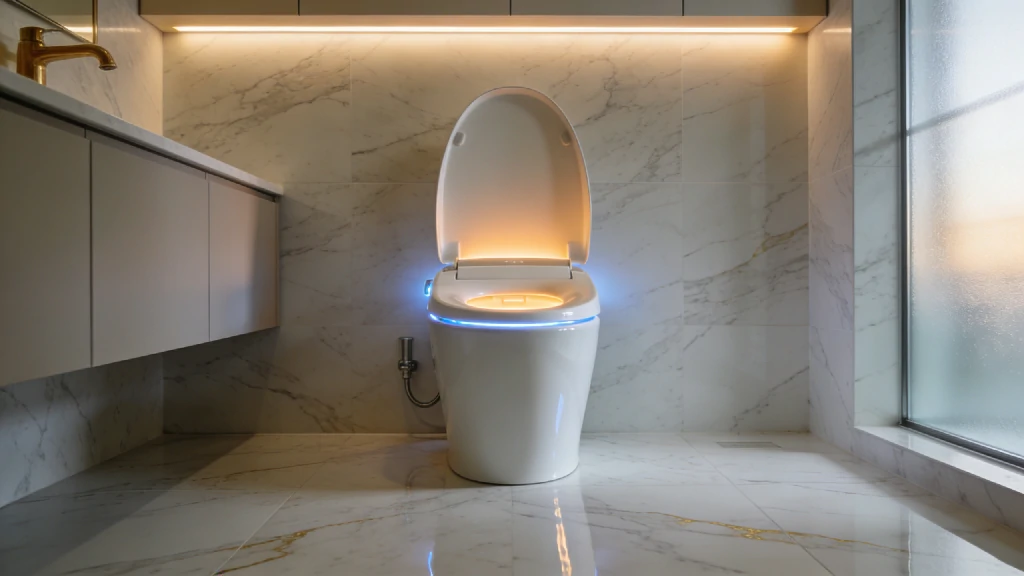
Smart Toilet Guide: Real Features, Honest Costs & Everything That Changes After You Install One
Quick Answer: A smart toilet combines a heated seat, bidet water wash, air dryer, automatic lid, and deodorizer in one bathroom fixture. They come in two forms: bidet seats ($200–$800) that retrofit onto your existing toilet, and full integrated smart toilet units ($1,500–$8,000+) that replace the entire toilet. Nearly all of them require a GFCI electrical outlet within roughly four feet of the toilet — confirming that before you order anything is the single most important step most buyers skip.The First Week After Installation — Nobody Tells You This PartThe first morning after installation, I reached for toilet paper out of pure muscle memory. Just grabbed it without thinking. The bidet had already done everything. The paper was unnecessary. I put it back and stood there for a second, slightly surprised at myself. By day three, the heated seat at 6 AM had stopped feeling like a luxury. It was just Tuesday. That shift — from "oh wow" to "this is just how mornings work now" — happens faster than you'd expect. And it happens differently for everyone in your household. Kids think it's the greatest invention in human history, immediately pressing every button available. Teenagers act like they couldn't care less and then use every single feature. A skeptical partner who called the whole thing excessive will quietly stop complaining somewhere around week two, usually after a cold night when they walk in and the seat is already warm. Guests are a different story. Every single one notices. The auto-opening lid gets a reaction. The heated seat gets a reaction. The remote control attached to the wall gets a lot of "wait, what does that do?" That's pretty much universal. The adjustment period is real, though. The air dryer takes some getting used to — more on that later. Finding your preferred water temperature and pressure takes a few days of actual experimentation, not just pressing the default and hoping. And that first time the nozzle position is slightly off? You'll figure out the adjustment quickly. None of this is a complaint. It's just what the first week actually looks like, versus the clean, frictionless experience most reviews describe.What Exactly Is a Smart Toilet? The Two Product Categories Most Buyers Confuse"Smart toilet" covers two completely different products at very different price points. Getting this wrong is the most expensive mistake buyers make — and it happens constantly, because product listings and search results treat them as the same thing when they really aren't. Bidet Seat — The Smart Retrofit A bidet seat replaces only the toilet seat on your existing bowl. The porcelain stays. The plumbing stays. You're swapping the seat for one that includes electronics: a heating element, water inlet, spray nozzle, dryer, deodorizer, and control panel. Installation takes 30–60 minutes with basic tools. No plumber needed. No structural changes. Just a supply line connection and a plug into a nearby outlet. This is where most homeowners should start. Bidet seats in the $350–$600 range deliver 90% of the daily-use benefit of a full smart toilet unit at roughly 10–15% of the total cost. Full Integrated Smart Toilet — The Complete Upgrade A full smart toilet is exactly that: a complete unit. Bowl, flushing system, integrated electronic seat — all designed together. These typically feature tankless (instant) water heating, one-piece skirted designs, concealed trapways, and premium materials throughout. Installation means removing your existing toilet entirely — floor connection work, water line reconnection, the whole process. A plumber is the right call here. These make sense during a full bathroom renovation, or when you're already replacing a toilet and want to go all the way. Basic Bidet Attachment — The Non-Electronic Entry Point For around $25–$80, a basic bidet attachment connects to your cold water supply and adds rear wash only — no heat, no dryer, no electronics. It's not a smart toilet. But it introduces bidet habits with zero electrical requirement and minimal setup. A reasonable first step if you're genuinely uncertain whether you'll adapt to the concept.Smart Toilet Types at a GlanceType Price Range Installation Key Features Best For Example BrandsBidet Seat $200–$800 DIY-friendly (30–60 min) Heated seat, bidet wash, air dry, deodorizer Most homeowners, first-time buyers TOTO Washlet, Brondell, BioBidetFull Smart Toilet Unit $1,500–$8,000+ Professional recommended All above + integrated design, tankless heating, auto flush Premium bathroom renovation TOTO Neorest, Kohler Veil, DuravitBasic Bidet Attachment $25–$80 DIY (15 min) Cold water wash only Entry-level; TP reduction goal Tushy, Luxe BidetSmart Toilet Features Explained — What Each One Actually Does in Real LifeSome features you'll use every single day without thinking about them. At least one will quietly fade into the background by month two. Knowing which is which before you buy matters — because feature counts on spec sheets don't reflect daily-use frequency. Heated Seat — The Feature That Changes Winter Forever This is the one. If you install a smart toilet and later remove it, the heated seat is what you'll miss the most acutely. Sitting on a cold toilet seat in January is something you simply won't be willing to do again once you've experienced the alternative for a few months. Most bidet seats offer adjustable temperature settings — typically three to five levels. The seat heats continuously (most models) or warms when the occupancy sensor detects you're approaching (eco mode). Eco mode uses noticeably less electricity; it's worth enabling if your bathroom is cold enough that the seat would need pre-warming. Worth knowing: the seat heating element draws roughly 0.9–1.4 kWh per month during active seasons. That's less than $2 on most US and UK utility rates. Bidet Wash Functions — Rear, Front, Oscillating, Pulsating Posterior (rear) wash is the standard function — a focused stream, adjustable in pressure and temperature. Feminine (front) wash uses a wider, gentler spray aimed differently. Most users default to one and rarely change. Oscillating mode moves the nozzle back and forth along a short range — it covers more area with each pass. Pulsating mode varies the water pressure rhythmically — some users prefer this for comfort reasons. Both functions sound more intimidating than they are. After a few days, you'll know which you prefer and rarely revisit the decision. One honest note: finding your preferred nozzle position takes experimentation. Most seats have a position adjustment (forward and back). It's slightly awkward the first few times. That's just what it is — and it's why the adjustment matters. A poorly positioned nozzle that you never correct will genuinely diminish the experience. Hard water note: Nozzle mineral buildup begins immediately in hard water areas. If you're in the US Southwest, Southern England, parts of Australia, or anywhere with water hardness above 200 mg/L, an inline water filter isn't optional — it extends nozzle life and maintains spray pressure significantly. Air Dryer — Honest Assessment The air dryer works. That's the honest statement. It dries effectively. But it takes 90 to 120 seconds for a complete dry, and most new users don't have that kind of patience in the beginning. Most owners still use a small amount of toilet paper to finish — especially in the first few months. This is completely normal adaptation. It's not a product failure. Toilet paper use drops significantly (70–80% for most regular users over 3–6 weeks), but the habit doesn't break overnight and full air-dry reliance requires real commitment to waiting out those 90 seconds. That's a genuine trade-off, not a problem that resolves neatly with patience. Some people get there. Others don't and maintain a light TP routine alongside the bidet. Both outcomes are fine. Auto-Open/Close Lid — Useful or Novelty? This one genuinely surprised me. I assumed I'd ignore it within a week. I was wrong. It's one of those features that you stop noticing consciously and then feel very inconvenienced by when you use anyone else's bathroom. The motion-sensor lid opens as you approach and closes after you leave. Touchless. It sounds gimmicky until you've used it for two weeks. Deodorizer — Does It Actually Work? Modestly. Most smart toilets include a catalytic air filter that reduces odors noticeably — but this isn't a miracle feature. It's a modest improvement, not a complete elimination. The filter needs replacement every 6–12 months, and a saturated filter does essentially nothing. Don't expect more than a subtle difference here. Self-Cleaning Nozzle — Marketing vs. Mechanism This is the most misused phrase in smart toilet marketing. Worth being direct about.Expert Note: Self-cleaning nozzles extend and rinse with a water jet before and after each use. They do not remove mineral deposits, biofilm, or long-term buildup. In hard water areas, the distinction between a nozzle that lasts two years and one that lasts five comes down to manual quarterly descaling with a citric acid solution — not the self-clean cycle. Monthly manual cleaning remains necessary regardless of what the spec sheet implies.App Control and Smart Home Integration — Is Anyone Actually Using This Daily? I assumed the app would be pointless. Mostly, it is — except for one thing I actually use: preheating the seat before getting up on cold mornings. Set it on a schedule. That's it. That's the daily app use case. Beyond scheduling, Alexa and Google Home integrations exist on select Kohler and TOTO premium models. Voice commands for lid open/close and flush are technically possible. In practice, most owners find the wall-mounted remote or physical panel faster and more intuitive for daily use. If you don't routinely use apps for your lights or thermostat, you won't open one for your toilet either.How Much Does a Smart Toilet Actually Cost? Full Honest Breakdown The price on the product listing is where the total cost starts — not where it ends. Here's what the full number actually looks like. Purchase Price by Category Bidet seats range from $200 for basic heated-seat-only models up to $800–$900 for premium TOTO Washlet units. The sweet spot for quality versus value sits in the $350–$600 range: you get heated seat, full bidet functions, air dryer, deodorizer, and a reliable nozzle seal life. Full smart toilet units start around $1,500 for entry models and run to $8,000+ for TOTO Neorest and Kohler Veil flagships. These are meaningful bathroom investments, not impulse purchases. Installation Costs — DIY vs. Professional A bidet seat: $0 if you do it yourself, which most people can. Occasionally a handyman at $50–$150 if you'd rather not. A full smart toilet unit swap: $400–$800 for professional installation on a standard floor-mounted toilet; more if there's tile work, wall-hung mounting, or access complications. New GFCI outlet installation — the detail almost nobody budgets for upfront — runs $150–$300 from a licensed electrician. More on this in the installation section. Know this number before you start shopping. Running Costs — Electricity, Water, Filters Electricity is minimal. Seat heating draws roughly 0.9–1.4 kWh per month in regular use. Add wash and dry functions and the total lands around $12–$25 per year on most utility rates. The eco mode seat heater (sensor-activated rather than continuous) can cut this noticeably during months you're not using the bathroom in cold conditions. Water per bidet wash: approximately 0.1–0.5 liters. Negligible on most water bills. Filter replacement: $15–$40 per year depending on brand and filter type. Hard water areas typically need more frequent replacement — every 4–6 months instead of 12. Hidden Costs Most Buyers Discover Too Late The $35 that nobody mentions in the product listing but that you will definitely need: a quality T-valve adapter (also called a Y-valve). This connects your water supply line to both the toilet tank and the bidet inlet. Cheap adapters develop slow drips at the thread connection within months. Spend a few extra dollars here. You'll also need PTFE thread tape, a non-return valve (backflow preventer — more on this in installation), and possibly a new supply line if your existing one is too short for the T-valve configuration. Total accessory spend: $40–$80 that no product listing accounts for.Full Cost Breakdown by TierTier Unit Cost Installation Annual Running Cost Year 1 Total 5-Year TotalBudget Bidet Seat $200–$350 $0 (DIY) ~$15–$25 $215–$375 $275–$500Mid-Range Bidet Seat $350–$600 $0–$150 ~$20–$35 $370–$785 $470–$960Premium Bidet Seat $600–$900 $150–$300 ~$25–$45 $775–$1,245 $900–$1,470Entry Smart Toilet Unit $1,500–$2,500 $400–$800 ~$40–$65 $1,940–$3,365 $2,100–$3,690Premium Smart Toilet Unit $3,000–$8,000+ $600–$1,500+ ~$50–$90 $3,650–$9,590 $3,900–$10,040+Running costs include electricity and annual filter replacement. GFCI outlet installation ($150–$300) not included if your bathroom doesn't have one.Smart Toilet Installation — The Part That Surprises Most PeopleThe #1 installation obstacle isn't plumbing. It's a missing electrical outlet. Know this before you order anything — ideally before you start comparing product prices. The Electrical Outlet Requirement — Check This Before Ordering Every smart toilet and bidet seat needs a GFCI-protected electrical outlet. Not a standard outlet — specifically a GFCI (the kind with TEST and RESET buttons), required by electrical code wherever outlets are near water sources. The outlet needs to be within roughly four feet of the toilet. Check under the tank, along the wall behind the toilet, and on the nearest adjacent wall. Many bathrooms have one. A surprising number — particularly in older homes — don't.Expert Warning: If your bathroom doesn't have a GFCI outlet within approximately four feet of the toilet, budget $150–$300 for a licensed electrician before comparing product prices. This is the single most common post-purchase frustration in smart toilet ownership. Discovering it after delivery is a very bad day.UK buyers: WRAS (Water Regulations Advisory Scheme) certification is mandatory for any water-contact fitting connected to the UK mains supply. Before ordering any imported smart toilet model — particularly from Japanese or US brands not specifically configured for UK distribution — confirm WRAS approval is listed on the product. This isn't optional, and it matters for both compliance and insurance purposes. Water Pressure and Supply Line Check Most bidet seats require a minimum water pressure of around 0.06 MPa (roughly 8.7 PSI) and can handle a maximum of 0.75 MPa (approximately 109 PSI). Standard US, UK, Canadian, and Australian home pressure runs 40–80 PSI — well within range for most. If you're on a private well system or in an older urban building with known pressure issues, a $15 water pressure gauge from a hardware store takes 30 seconds to test and prevents a $400 purchase that delivers permanently weak, unsatisfying spray. Also verify your existing supply line can accommodate a T-valve. Most can. Some older flexible supply lines are too short once a T-valve adapter is inserted — worth checking before installation day.Before You Order Anything — Pre-Installation ChecklistGFCI electrical outlet exists within ~4 feet of the toilet (check under tank, behind toilet, along walls) Outlet is GFCI-protected (plug with TEST/RESET buttons — not a standard outlet) Water shut-off valve is accessible and actually turns off (test it — some haven't moved in years) Water pressure is adequate — minimum ~8–10 PSI; test if you're uncertain Toilet seat bolt spacing is standard (most are; some older toilets are not) Existing toilet dimensions are compatible with the new seat (measure seat length + width) Supply line has room for a T-valve adapter Non-return valve / backflow preventer is included or sourced (required by code in many regions — almost never mentioned in installation guides) Bathroom floor clearance is adequate for unit placement (full unit replacement only) UK buyers: WRAS certification confirmed on the specific model before orderingDIY Bidet Seat Installation — Step by Step What you'll need: Bidet seat kit · Adjustable wrench · T-valve adapter · PTFE tape · Bucket · TowelShut off water at the shut-off valve behind the toilet; flush to empty the tank Disconnect the existing supply line from the tank inlet; have a towel and bucket ready for residual water Install the T-valve between the shut-off valve and tank inlet; wrap threads with PTFE tape; hand-tighten, then snug with wrench (don't over-torque — finger-tight plus a half-turn is enough) Connect the bidet supply hose from the T-valve to the bidet seat's inlet port Remove the existing toilet seat by unscrewing the plastic nuts under the bowl rim Install the mounting plate from the bidet seat kit onto the toilet bowl using the provided hardware Slide the bidet seat onto the mounting plate until it clicks into position Turn water back on slowly — check every connection for drips; tighten anything that weeps Plug into the GFCI outlet and test all functions (seat heat, wash cycles, dry) Adjust seat position and water temperature to your preferences; save your settings before guests arriveFull smart toilet unit installation involves removing the existing toilet from the floor flange entirely. That's plumber territory for most homeowners — not because it's impossible to DIY, but because the risk of a failed floor seal, damaged flange, or improper water connection on a high-end unit isn't worth it. When You Need a Professional New GFCI outlet installation: always a licensed electrician. No exceptions. This is live electrical work near water. Full smart toilet unit replacement: strongly recommended for a professional plumber. Wall-hung smart toilet installation is mandatory professional work — requires wall reinforcement and in-wall plumbing access.Top Smart Toilet Brands in 2026 — Honest ComparisonTOTO invented the modern washlet. That still matters. But the gap between TOTO and the competition has narrowed meaningfully over the past few years — in ways that make the $400–$600 decision very different from what it was five years ago. TOTO — Why It's Still the Industry Benchmark TOTO's dominance isn't marketing. It's engineering history. The Washlet line has been refined over decades, and it shows in the nozzle pressure consistency, the seat material quality, and the seal longevity that shows up at year four and five when cheaper alternatives start developing spray deviations or slow drips. TOTO's Ewater+ electrolyzed water system on premium models adds genuine nozzle hygiene beyond what water rinsing alone achieves. The C5 and S7 are the sweet spot for most buyers who want genuine TOTO quality without committing to the Neorest price point. The Neorest NX2 is exceptional — and the price makes that clear. Kohler — Premium U.S. Brand With Smart Home Ecosystem Play Kohler's Veil and Serenity models compete directly with TOTO at the premium end and do so convincingly. The PureWarmth app and Alexa integration are the most polished smart home ecosystem integration on the market — if that matters to you. The Novita line offers a solid mid-range option with competitive specs. Warranty support in the US and Canada is strong. Brondell — Best Value Without Sacrificing Core Quality The Brondell Swash 1400 consistently wins on value-per-feature comparisons — and it earns that reputation. The stainless steel nozzle is a genuine durability advantage over plastic nozzles at comparable prices. The three-year warranty is longer than most competitors. No app integration, no smart home connectivity — but if you want a reliable daily-driver bidet seat at a sensible price, Brondell is the honest recommendation. BioBidet — Strong Specs at Mid-Range Prices The Discovery DLS and Supreme models pack feature-dense spec sheets at prices that undercut TOTO and Kohler by 30–50%. Build quality is solid at mid-range. The primary trade-off: reservoir heating (not tankless), which means a brief cold-water gap before the warm spray settles on budget models. For most users, this becomes background noise. For cold climates, it's a noticeable daily experience. Budget Options — What's Worth Considering vs. What to Skip At under $250, build quality variance is significant. Some budget brands deliver surprisingly solid basic performance for 12–18 months. Others fail at the nozzle seal within a year. The honest guidance: if you're testing the concept, a $25–$80 basic non-electric bidet attachment tells you everything you need to know about whether you'll adapt to bidet use — without the electrical requirement or the financial risk.Brand Feature Comparison (2026)Brand Key Model Price Range App Control Seat Heating Air Dry Auto Flush Warranty Best ForTOTO Washlet C5 / Neorest $500–$8,000+ Select models Tankless (premium) / Reservoir Yes Yes (Neorest) 1–3 yr Durability, long-term reliabilityKohler Veil / Novita $800–$6,000+ Yes (PureWarmth) Tankless Yes Yes 1 yr Smart home integrationBrondell Swash 1400 $350–$650 No Reservoir Yes No 3 yr Best value without compromiseBioBidet Discovery DLS $250–$600 No Reservoir Yes No 3 yr Feature-dense mid-rangeAmerican Standard Advanced Clean $400–$750 No Reservoir Yes No 1 yr Brand-familiar US buyersMaintenance — The Long Game Most Buyers Don't Research EnoughMonth one is easy. Month four is when your water hardness introduces itself. That's not an exaggeration. In hard water areas — US Southwest, parts of Texas, Southeast England, sections of Queensland — the nozzle spray pressure that felt strong on day one will have noticeably softened by the time you're thinking about it. Not dramatically. But enough that you'll notice. And the cause is mineral deposits beginning to narrow the nozzle aperture. Most smart toilet owners don't find this in reviews. They find it by experiencing it. Weekly Tasks — 5 Minutes Keeps Problems Away A quick wipe of exterior surfaces with a damp cloth and mild soap is all that's needed weekly. No abrasives. Nothing with bleach near the nozzle area. The porcelain of your existing toilet still needs its usual cleaning, but the seat unit itself is simple to maintain if you don't let buildup accumulate. Monthly Tasks Most Owners Skip The manual nozzle cleaning. This is the one maintenance step that separates a nozzle that lasts five years from one that underperforms in two. Most seats have a nozzle extension button or a cleaning mode that extends the nozzle into a cleaning position. Gently wipe the nozzle tip with a soft damp cloth or a soft-bristle toothbrush. That's it. Five minutes. Almost no one does it consistently until something goes wrong. Hard Water — The Silent Threat to Your Nozzle If you're in a hard water area, quarterly citric acid descaling is non-negotiable. Not a suggestion. A $12 bottle of citric acid cleaning solution, applied to the extended nozzle and left for 10 minutes per the manufacturer's guidance, prevents the mineral calcification that causes spray deviation and pressure loss. Check your local water hardness if you're uncertain — the USGS water quality database covers most US areas, and regional water authority sites typically publish hardness data. Anything above 150–200 mg/L puts you in the regular maintenance tier. Above 300 mg/L, add an inline water filter to the supply line.Safety Note: Never use bleach, ammonia, or abrasive cleaners near the nozzle mechanism. Citric acid solution or a manufacturer-approved descaler only. Harsh chemicals degrade the nozzle seal and can void your warranty faster than any normal wear issue.Year 2 and Beyond — Honest Long-Term Expectations The first year is largely maintenance-free. Year two is when you first encounter a minor annoyance — remote battery dying at an inconvenient moment, nozzle position resetting after a power flicker, a slow drip at the T-valve connection that needs a half-turn tightening. None of these are failures. They're normal long-term ownership. At years 3–5, nozzle seal wear becomes a real variable. Premium brands (TOTO, Brondell) hold up noticeably better than budget alternatives here. Professional service every 3–5 years — valve integrity check, nozzle assembly inspection, electronic function test — is reasonable preventive maintenance on any unit you're keeping long-term.Maintenance ScheduleTask Frequency Time DIY or Pro NotesWipe exterior surfaces Weekly 2 min DIY Mild soap + damp cloth; no abrasivesManual nozzle extension + wipe Monthly 5 min DIY Soft cloth or brush; critical in hard water areasCitric acid nozzle descale Quarterly 10–15 min DIY Prevents calcification; essential in hard waterInspect supply line + T-valve Quarterly 2 min DIY Look for any dripping at connectionsReplace water filter Every 6–12 months 5 min DIY Hard water = more frequent; check manufacturer specDescale water inlet filter Annually 10 min DIY More often in hard water zonesInspect nozzle seal for wear Annually 5 min DIY / Pro Watch for spray deviation or pressure changeProfessional service check Every 3–5 years 1–2 hr Pro Nozzle assembly, valve integrity, electronicsCommon Smart Toilet Problems and How to Fix Them Most smart toilet problems fall into three categories: nozzle issues, remote or connectivity issues, and lid mechanism quirks. Most are fixable at home in under ten minutes with the right starting point.Problem Likely Cause DIY Fix When to Call a ProWeak or erratic spray Clogged nozzle / low pressure / clogged filter Clean nozzle, replace filter, test water pressure Persistent after cleaning + filter changeSeat not heating Energy-saving mode / power issue Check settings, reset, verify outlet working If reset fails; possible element failureLid not auto-opening Sensor blocked or out of range Clean sensor lens, check for obstructions If sensor test fails after cleaningRemote not responding Dead batteries / lost pairing Replace batteries, re-pair remote If re-pairing repeatedly failsSlow drip at supply line Loose T-valve thread Hand-tighten; add fresh PTFE tape if needed If tightening doesn't stop itNozzle not retracting Debris or position calibration off Run self-clean cycle; manual reset If mechanical obstruction is presentApp not connecting Wrong Wi-Fi band / firmware Reconnect on 2.4GHz; check firmware update Persistent after firmware updateUnusual odors Deodorizer filter saturated Replace deodorizer cartridge N/A — straightforward DIY fixWater temp inconsistent Reservoir heat lag (normal) Expected on reservoir models Persistent on tankless = service callWhen to Contact Manufacturer Support vs. a Local Plumber Electrical issues — seat not heating, no power to functions — start with manufacturer support. These are often firmware or settings issues rather than hardware failures, and manufacturers have troubleshooting trees that resolve them in 15 minutes. Water connection issues — drips, pressure problems, supply line concerns — are plumber territory. Don't attempt to self-service a significant water leak at a T-valve connection; the valve can fail completely if over-tightened by someone who isn't confident. Part availability at year 3+ is worth researching before you buy. Major brands (TOTO, Kohler, Brondell) carry replacement nozzle assemblies and remote units for their current model lines. Some budget brands do not, which makes a failed nozzle at year two an expensive lesson.Smart Toilet Myths vs. Reality — What the Marketing Gets Wrong "Self-cleaning" is the most misused phrase in smart toilet marketing. It's not the only one.Myth Reality"Self-cleaning means the toilet cleans itself" Self-cleaning nozzles rinse with a water jet before and after each use. Mineral deposits, biofilm, and long-term buildup are not affected. Monthly manual cleaning and quarterly descaling are still required."Smart toilets save massive amounts of water" Bidet wash uses roughly 0.1–0.5 liters per cycle. The environmental benefit is real but indirect — you're primarily saving toilet paper manufacturing resources, not water consumption."You'll never need toilet paper again" Most users maintain light TP use for finishing, especially early on. Full air-dry reliance requires patience — the dryer takes 90–120 seconds. Most owners reduce TP by 70–80%, not 100%."All smart toilets work roughly the same way" Tankless (instant) heaters and reservoir heaters are meaningfully different daily experiences. Reservoir models have a cold-water gap before the warm spray settles. In cold climates, this is a noticeable difference every single morning."They're hard for guests to figure out" Most have wall remotes with clear icons. Several models have a guest mode with simplified settings. The learning curve for a first-time user is genuinely minimal — most figure it out within 60 seconds."Smart toilets are automatically more hygienic" They offer superior hygiene potential — but only with consistent nozzle maintenance. A neglected nozzle can harbor bacteria. "Smarter" does not mean "self-maintaining."Is a Smart Toilet Actually Worth It? Honest Verdict Short answer: yes — but which type you choose matters more than which brand, and your bathroom's electrical situation dictates your options more than your budget does. The heated seat alone is enough to change your daily experience. That's not hyperbole. It's the feature that every single owner mentions first when asked what surprised them most about long-term use. Everything else — the bidet, the dryer, the lid — becomes background infrastructure that you stop thinking about while quietly not living without. The toilet paper math is real but modest. An average US household spends roughly $180 per year on toilet paper. A 75% reduction saves around $135 annually — a legitimate long-term return on a mid-range bidet seat, though the payback period on a premium full unit is 5–8+ years of toilet paper savings alone. That's not the primary value proposition. Daily comfort is.Pros and ConsPros ConsHeated seat changes the cold-morning bathroom experience permanently Requires GFCI outlet — may need electrician ($150–$300)Bidet wash reduces toilet paper use by 70–80% for most users Air dryer works but takes 90–120 sec — many users combine with light TPImproved hygiene vs. toilet paper alone Hard water areas need filter attachment + more frequent nozzle cleaningSelf-cleaning features reduce cleaning frequency (not eliminate) Budget models have reservoir heaters — brief cold-water gap before warm sprayNight light genuinely useful for overnight bathroom trips "Self-cleaning" is widely misused — manual cleaning still requiredLong-term toilet paper cost savings — real, if modest Premium units have long payback periods on TP savings aloneGuests consistently react positively — a genuine home conversation piece Some users find guest controls confusing without orientationAdds bathroom value in home sales — increasingly expected in premium homes App-connected models raise data privacy considerations worth reviewingToilet still flushes manually during power outages (gravity models) All electronic features fail during power outagesWho Should Absolutely Get One Anyone who has used a smart toilet at a hotel or friend's home and can't un-know it. Anyone upgrading a main bathroom in a home they plan to stay in for 3+ years. Anyone with mobility considerations that make traditional toilet paper use difficult. Anyone who runs cold in the morning. A mid-range bidet seat ($350–$600) is the right starting point for almost everyone. Try it. You'll know within two weeks whether you want to go further. Who Might Want to Pause and Think If your bathroom genuinely lacks a GFCI outlet and you're not comfortable with the electrician cost, start with a basic non-electric bidet attachment first. Test the habit for free. Add the electronics later if you want them. If you're renting, check your lease. Most landlords are fine with a bidet seat since installation is reversible, but confirm before ordering.Which Smart Toilet Setup Is Right for Your Home? Your bathroom determines your options more than your budget does. Here's the fastest way to figure out your starting point. START: Does your bathroom have a GFCI outlet within ~4 feet of the toilet?NO → Budget $150–$300 for a licensed electrician first. Return here after. YES → Continue.BUDGET UNDER $400? → Mid-range bidet seat (Brondell Swash 1400, BioBidet Supreme)BUDGET $400–$800? Want best reliability and seal longevity → TOTO Washlet C5 Want maximum features per dollar → Brondell Swash 1400 / Kohler NovitaBUDGET $800–$2,000? Comfortable with a plumber for full toilet swap → Entry smart toilet units Want to keep your existing toilet → Premium bidet seat (TOTO C5/S7)BUDGET $2,000+? Full bathroom renovation underway → Full integrated smart toilet unit Upgrading existing bathroom selectively → TOTO Neorest / Kohler VeilFrequently Asked Questions What is a smart toilet and how does it work? A smart toilet is a toilet that includes electronic features — heated seat, bidet water jets, warm air dryer, auto-opening lid, and deodorizer. Bidet seats retrofit onto standard toilets; full smart toilet units are complete replacements. All require a nearby GFCI electrical outlet to function. How much does a smart toilet cost to install? Bidet seats cost $200–$800 for the unit, with DIY installation in 30–60 minutes. Full smart toilet units cost $1,500–$8,000+ with $400–$1,500 in professional installation. If your bathroom needs a GFCI outlet added, budget an additional $150–$300 for a licensed electrician. Do smart toilets need electricity? Yes. All smart toilets and bidet seats require a GFCI-protected electrical outlet within approximately four feet of the toilet. Without one, no electronic features will function. Confirming this outlet exists is the most important pre-purchase check. Are smart toilets hygienic? Yes — with proper maintenance. Bidet wash offers superior cleaning versus toilet paper alone. But "self-cleaning" nozzles still require regular manual cleaning to prevent mineral buildup and biofilm. Consistent nozzle maintenance is what makes the hygiene claim genuinely true. Can I install a smart toilet myself? Bidet seats: yes, DIY in 30–60 minutes with basic tools. Full smart toilet units: plumber recommended due to toilet removal and floor connection work. New GFCI outlet installation: always requires a licensed electrician.This guide covers bidet seats and integrated smart toilet units for US, UK, Canadian, and Australian markets. Water hardness, electrical code, and water regulation requirements vary by region — confirm local compliance requirements before installation.

Do Smart Homes Actually Make Life Better or Just More Complicated?
Picture this: It's 11:30 PM. You're standing in your dark kitchen, exhausted, shouting at a plastic cylinder to turn off the overhead lights. The voice assistant confidently replies, "I'm sorry, I don't understand that command." Frustrated, you pull out your phone, toggle through three different apps, and manually switch off the lights. At that exact moment, you have to ask yourself: Are smart homes actually making life better, or just adding unnecessary steps to my day? Contrast that with a different morning scenario. You wake up at 7:00 AM. Your home's AI has already analyzed your local weather and your schedule. The thermostat bumped up two degrees an hour before you woke, the blackout blinds silently roll open, and the coffee machine is finishing its brew. You haven't touched a single app or spoken a single command. The reality of home automation in 2026 is that it completely depends on how your ecosystem is built. We've officially moved past the era of gimmicky gadgets and Wi-Fi party tricks. The industry is currently shifting toward adaptive automation—systems that learn your habits and run quietly in the background. But getting to that frictionless state requires navigating a minefield of incompatible protocols, app fatigue, and network bottlenecks. Let's strip away the marketing hype and look at the realistic pros, the undeniable cons, and how to build a system that actually serves you instead of frustrating you. The Reality of Smart Home Tech: Expectation vs. Reality If you bought into the smart home craze a few years ago, you likely experienced the massive gap between what commercials promised and what the hardware delivered. Early home automation required constant micromanagement. Today, the landscape is shifting from reactive commands to predictive systems. Here is a look at how those early expectations are finally aligning with reality in 2026.The Expectation The Old Reality (Pre-2024) The 2026 Solution"Devices anticipate my needs." Required programming complex, rigid If/Then routines that broke if your schedule changed. AI Predictive Automation natively learns household behavior and adjusts environmental settings on the fly."Everything works together." Buying specific brands that only worked with Amazon, Apple, or Google, locking you into one walled garden. The Matter 1.5 Protocol allows devices to communicate across platforms seamlessly via Thread mesh networks."It saves me money." Minimal savings. Smart thermostats offered basic scheduling but couldn't read grid prices. Integration with Time-of-Use (TOU) pricing, dynamically shifting heavy electrical loads to off-peak hours."It's effortless." "App fatigue." Needing 8 separate applications to manage lighting, security, and climate. Unified local control. Thread border routers process commands instantly without bouncing to the cloud.4 Ways a Smart Home Genuinely Makes Life Better When deployed correctly, a smart home stops being a toy and becomes an invisible utility. The best integrations are the ones you forget are even there. Focusing on cost-awareness and real-world efficiency over luxury, here are the practical benefits. Predictive Energy Efficiency & Cost ReductionThe most undeniable benefit of smart home technology in 2026 is its impact on utility bills. Modern smart panels (like those from Span or Leviton) and smart thermostats no longer just run on basic timers. They communicate directly with your utility provider. If your household is on a Time-of-Use (TOU) pricing plan, electricity is cheaper during off-peak hours. A predictive energy system will automatically pre-cool or pre-heat your home before peak pricing hits. It will also intelligently route power to high-load appliances—like your HVAC system, water heater, or EV charger—when rates drop. This active energy management can reduce monthly bills by 15% to 25% without you lifting a finger. Adaptive Automation (No More Manual Scheduling) We are saying goodbye to the tedious process of writing complex automation scripts. The latest smart home hubs utilize ambient sensing and AI to adjust to your life natively. Instead of setting your living room lights to turn on precisely at 6:00 PM, adaptive automation relies on motion, presence, and ambient light sensors. If you walk into a room on a cloudy Tuesday at 4:00 PM, the system knows to blend artificial light with the natural light available. It adjusts the color temperature of your bulbs to match the time of day, easing eye strain and syncing with your circadian rhythm. Enhanced Security & Peace of Mind Smart home security has evolved far beyond your phone buzzing every time a squirrel runs across your driveway. Intelligent threat detection now uses localized AI to distinguish between a package delivery, your dog, a familiar face, and an unknown vehicle. Furthermore, automated routines simulate occupancy when you are out of town. Smart blinds open and close, and lights turn on organically in different rooms, mimicking human behavior rather than running on an obvious, predictable loop. Improved Accessibility for Aging in Place For the elderly or mobility-impaired, a smart home is life-changing. It provides a level of independence that wasn't possible a decade ago. Voice controls eliminate the need to navigate poorly lit hallways at night to flip a switch. Automated door locks grant access to caregivers without hiding a physical key outside. Intelligent medication reminders and non-intrusive motion sensors can alert family members if there hasn't been movement in the kitchen or bathroom by a certain time of day, offering crucial peace of mind. The "Complicated" Side: Why Smart Homes Become Frustrating Despite the advancements, building a smart home can still be a deeply frustrating endeavor. The technology is marketed as plug-and-play, but the reality often requires patience and troubleshooting. App Fatigue and Fragmented Ecosystems There is nothing "smart" about having to unlock your phone, find an app, wait for it to load, and tap a screen just to dim a lightbulb. This is known as app fatigue. Homeowners often buy a video doorbell from one brand, smart bulbs from another, and a thermostat from a third. Because these manufacturers historically used proprietary software, you end up juggling half a dozen apps. Trying to get these isolated gadgets to communicate with a central voice assistant often results in lagging response times or outright failure. The Wi-Fi Dependency and Power Outage Trap What happens when your internet goes down? For poorly designed smart homes, everything stops working. If your devices rely on cloud servers to process simple commands, a dropped internet connection means you suddenly can't turn on your kitchen lights. Relying entirely on Wi-Fi for dozens of smart devices also congests your router bandwidth. This leads to dropped Zoom calls and agonizingly slow streaming speeds, simply because your smart plugs are fighting for network priority. Privacy, Cybersecurity, and Update Fatigue Connecting the locks on your front door and cameras inside your living room to the internet inherently introduces risk. Cybersecurity anxiety is a valid concern for homeowners. There is also the headache of constant firmware updates. You might wake up to find your automated morning routine is completely broken because a third-party app pushed a software update overnight that severed its integration with your central hub.Mistake to Avoid: Buying cheap, generic Wi-Fi devices off the internet is the #1 beginner mistake. These gadgets crowd your 2.4GHz network, drag down your internet speed, and frequently phone home to unverified foreign servers, posing a massive security risk. Always look for local-control protocols instead of Wi-Fi reliance.How the "Matter" Protocol is Killing Smart Home ComplexityIf you are thinking about upgrading your home or starting fresh, you need to understand the Matter protocol and Thread networks. Released in late 2022 and reaching maturity with version 1.5 in 2026, Matter is the unified standard that the entire industry (Apple, Google, Amazon, Samsung) finally agreed upon."Matter fundamentally changes home automation because it prioritizes local control. Devices communicate directly with each other over a low-power Thread mesh network instead of bouncing data to a cloud server hundreds of miles away. It’s faster, incredibly reliable, and finally means your Apple Home app can flawlessly control a Google Nest thermostat without any complex workarounds."— Smart Home Integrator & Tech ExpertBy utilizing Thread—a low-power mesh network that builds a resilient, self-healing web across your devices—your smart home stays functional even if your internet goes offline. How to Build a Simple, Frustration-Free Smart HomeYou don't need an engineering degree to build a reliable smart home. You just need a solid foundation and a strict set of rules. Follow this step-by-step checklist to avoid the usual headaches. Your Setup Checklist:Upgrade the Foundation: Your smart home is only as strong as its network. Invest in a high-quality Mesh Wi-Fi 6 or Wi-Fi 7 system before buying smart devices. A stable foundation is non-negotiable. Choose an Ecosystem: Commit to one primary controller (Apple Home, Google Home, Amazon Alexa, or Home Assistant for power users). Mixing controllers creates chaos. Look for the Matter Badge: Future-proof your investments. Only buy new locks, lights, and sensors that carry the Matter certification logo to ensure they work locally and securely. Set Up Guest Networks: Isolate your smart home gadgets from your personal data. Put all IoT devices on a dedicated guest network so that if a smart bulb gets compromised, hackers cannot access your laptop or banking info. Keep the Physical Switch: Never remove your ability to physically control your home. Install smart wall switches rather than relying purely on smart bulbs. If the network crashes or a guest visits, flipping the wall switch should always turn the lights on.The Final Verdict: Is It Worth the Hassle? So, do smart homes actually make life better? Yes—but only if you prioritize function over flash. The Pros:Passive energy savings through intelligent TOU optimization. Reliable, instant control via Matter and Thread networks. Enhanced security and proactive monitoring for your property. Massive accessibility benefits for aging family members.The Cons:High initial investment for quality, unified hardware. A steep learning curve when setting up network infrastructure. Troubleshooting network drops if you rely too heavily on Wi-Fi instead of local mesh protocols.Smart homes genuinely improve your quality of life when they are designed as unified, background systems. If you treat home automation like an invisible utility rather than a collection of disjointed parlor tricks, the convenience absolutely outweighs the complexity. 6. Frequently Asked Questions Do smart homes actually save you money on energy bills? Yes. While smart plugs offer minimal savings, installing a smart thermostat and smart electrical panel can reduce heating and cooling costs by 15% to 25%. They achieve this by learning your schedule and avoiding high-demand grid pricing during peak hours. What happens to my smart home if the internet goes down? If you rely on cheap, cloud-dependent Wi-Fi devices, they will stop working. However, if your home utilizes local-control protocols like Z-Wave, Zigbee, or Matter over Thread, your automated routines, lights, and locks will continue to function flawlessly without an active internet connection. Can my smart home be hacked? Any device connected to the internet carries risk. To protect your home, always enable Two-Factor Authentication (2FA) on your central hub accounts, avoid reusing passwords, and place all smart devices on an isolated "Guest Network" separate from your personal computers and phones. Are smart homes a turn-off for homebuyers? Integrated, invisible tech (like smart thermostats, automated blinds, and hardwired security cameras) increases real estate appeal. However, highly customized, complex DIY setups that require a massive handover manual can intimidate buyers. Keep the core functionality tied to physical switches to maintain broad appeal. Related Reading:Home Network Upgrades and Improvements: Real Costs, Smart Choices, and What Actually Works Installing a DIY Solar Kit from Solar Wholesale: My Full Experience (Costs, Mistakes & Savings) The Complete Solar Panel Buying Guide: What Actually Matters (And What Doesn't)